

Email automation is one of the smartest investments you can make for your online store.
After all, every $1 spent on email marketing generates an average return of $36 to $42.
Sounds great, right?
The thing is, those results don’t come from just installing any email marketing automation tool.
Some tools are great for basic automation. Others make it much easier to build workflows, recover abandoned carts, follow up after purchases, and keep customers engaged as your store grows.
After comparing a few tools, you’ll probably notice they all promise similar features. That’s exactly what makes choosing one so difficult.
To make your decision easier, we’ve compared the best email marketing automation tools for WordPress and WooCommerce based on their automation depth, triggers, ease of use, and the type of store they’re best suited for.
Here is what this guide covers. Jump to the section most relevant to you:
Choose the Right Email Marketing Automation Tool in 30 Seconds
Not sure which tool fits your business? Use the table below to quickly narrow down your options based on your goals and use case.
| Your situation | Best tool | Why |
|---|---|---|
| Want the best all-around email marketing automation plugin for WooCommerce | Mail Mint | Combines visual automation, WooCommerce triggers, segmentation, AI email writing, forms, and analytics in one WordPress-native platform |
| Need full contact history tied to every automation | FluentCRM | Tag-based logic with complete activity records per contact |
| Want automation running today with zero SMTP setup | MailPoet | Built-in sending service, install and send |
| Membership or LMS site with complex conditional flows | Groundhogg | Multi-stage conditional branching for non-linear journeys |
| Want email and SMS in one automation flow | Omnisend | Multichannel sequences from a single builder |
| Want to test automation free on a real list | Sender | 2,500 contacts and 15,000 emails/month free with automation |
| Need deep conditional logic outside WordPress | ActiveCampaign | No step limits, advanced behavioral triggers |
| Large list, email at moderate frequency | Brevo | Volume-based pricing, solid automation on Standard plan |
| Clean affordable automation for small business | MailerLite | Behavioral triggers, unlimited sends, honest pricing |
| Shopify store, want revenue attribution per email | Klaviyo | Shopping-behavior triggers with full revenue tracking |
| Creator building an audience from scratch | Kit | Up to 10,000 subscribers free with sequences included |
What Is Email Marketing Automation?
Email marketing automation is the process of sending emails automatically based on triggers.
A trigger is an action your subscriber or customer takes. It could be abandoning a cart, completing a purchase, signing up through a form, or not buying for 60 days.
Once that triggers fires, the right email goes out at the right moment. You do not do anything manually.
The sequence that follows is called a workflow. Paths inside a workflow can change based on what the subscriber does next.
For WordPress and WooCommerce stores, where the trigger fires from matters more than most people realize. Tools that sit outside WordPress sync data on a schedule — there is always a gap between what happens in your store and when automation fires.
WordPress-native plugins read from the same database your store writes to. Triggers fire immediately, not after a delay.
The easiest way to understand email automation is to see it in action. Here are four real-world examples of automated workflows across different types of businesses.
Real-World Email Automation Examples
Before comparing the tools, it helps to see what email marketing automation looks like in real situations. These examples show how automated workflows work behind the scenes to recover sales, engage customers, and save you hours of manual work.
Example 1: Abandoned Cart Recovery
A customer adds two products to their cart and leaves without buying.
With automation running:
- 30 minutes after abandonment: email showing exactly what they left behind
- 24 hours later: second email with a discount code
- Day 3: final reminder
With a WordPress-native tool, the first email fires within minutes. With a SaaS tool syncing on a schedule, that first email might arrive 90 minutes later. By then, most customers have moved on.
Example 2: Post-Purchase Upsell Sequence
A customer buys a yoga mat. Three days later, an email recommends yoga blocks and a strap. Day 7 asks for a review. Day 14 sends a discount on their next order.
You build this sequence once tied to the product. Every customer who buys goes through the same journey automatically.
Example 3: Lead Nurture Sequence
A visitor downloads your free guide. They get the download immediately, a follow-up on day 2, a case study on day 4, and a soft offer on day 7.
This sequence runs for every new lead. No manual sending. No missed follow-ups.
Example 4: LMS Course Follow-Up
A student completes module 1 but does not start module 2 within 5 days. A check-in email fires. If they still do not start, they get tagged at-risk and move into a re-engagement sequence. If they do start, the tag is removed and the regular drip resumes.
This kind of conditional logic is what separates basic email tools from proper automation platforms.
These examples show email automation in action. But beyond individual workflows, automation delivers several long-term benefits that help your business grow.
Benefits of Using Email Marketing Automation Tools
Email marketing automation helps you save time, recover more sales, and send relevant emails automatically. Here are the biggest benefits for your business.
i. Save Time for the Rest of Your Marketing Campaigns
With email automation, you set up your campaigns once and let the tool handle the rest. A WooCommerce store owner who sets up cart recovery once never manually follows up with an abandoned cart customer again.
ii. Get More Sales With Less Effort
Automation sends targeted emails based on behavior. A customer who bought a blue shirt gets an automated upsell for matching products with a bundle discount — without you building that email manually each time.
iii. Improve Customer Engagement
Personalized emails based on what each subscriber has done build relationships over time. A student who gets a check-in email when they stop progressing through a course feels supported, not ignored.
iv. Reduce Cart Abandonment
The average cart abandonment rate sits above 70%. A three-email cart recovery sequence running automatically recovers a portion of that revenue without any manual effort.
v. Personalize Product Recommendations
A customer who buys a yoga mat gets a recommendation for yoga blocks three days later. The more specific the recommendation, the higher the conversion rate. Automation makes that specificity possible at scale.
vi. Measure and Improve With Real Data
Every automation gives you open rates, click rates, and revenue per sequence. You discover that changing a subject line from “You left something behind” to “Your cart is about to expire” increases open rates by 20%. You make that change once, and it applies to every future send.
Now that you know what email marketing automation can do, it’s time to choose the right tool. Below are the best email marketing automation tools for WordPress and WooCommerce, along with the use cases they’re best suited for.
The Top 11 Email Automation Tools for WordPress and WooCommerce
The tools below cover two categories. The first six are WordPress plugins that install directly into your dashboard, your contacts stay in your own database, and automations fire from real store events. The last five are SaaS platforms worth knowing for specific situations where a WordPress plugin is not the right fit.
1. Mail Mint: An Effortless WordPress Email Automation Tool

If you are running your store on WordPress and WooCommerce, Mail Mint is one of the most practical choices for email marketing automation.
It has one of the most convenient UI designs for email automation workflows. You can craft email automation workflows without any hassle and confusion.
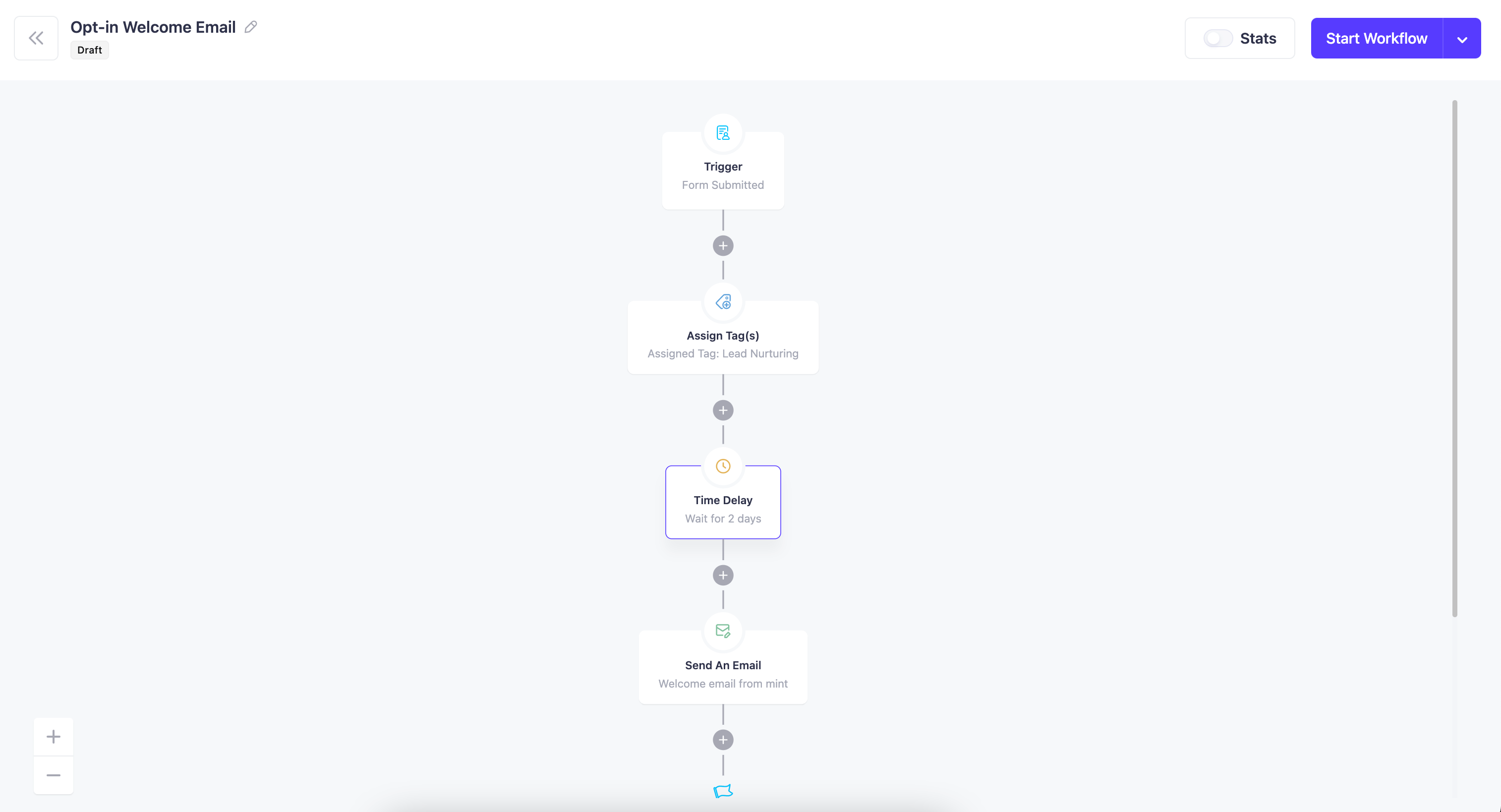
The Easiest Visual Email Automation Workflow
The visual canvas lets you build automation workflows by keeping the whole journey in mind. You can see every step — triggers, delays, conditions, and emails all on one screen.
Ready Automation Workflows To Save Your Time
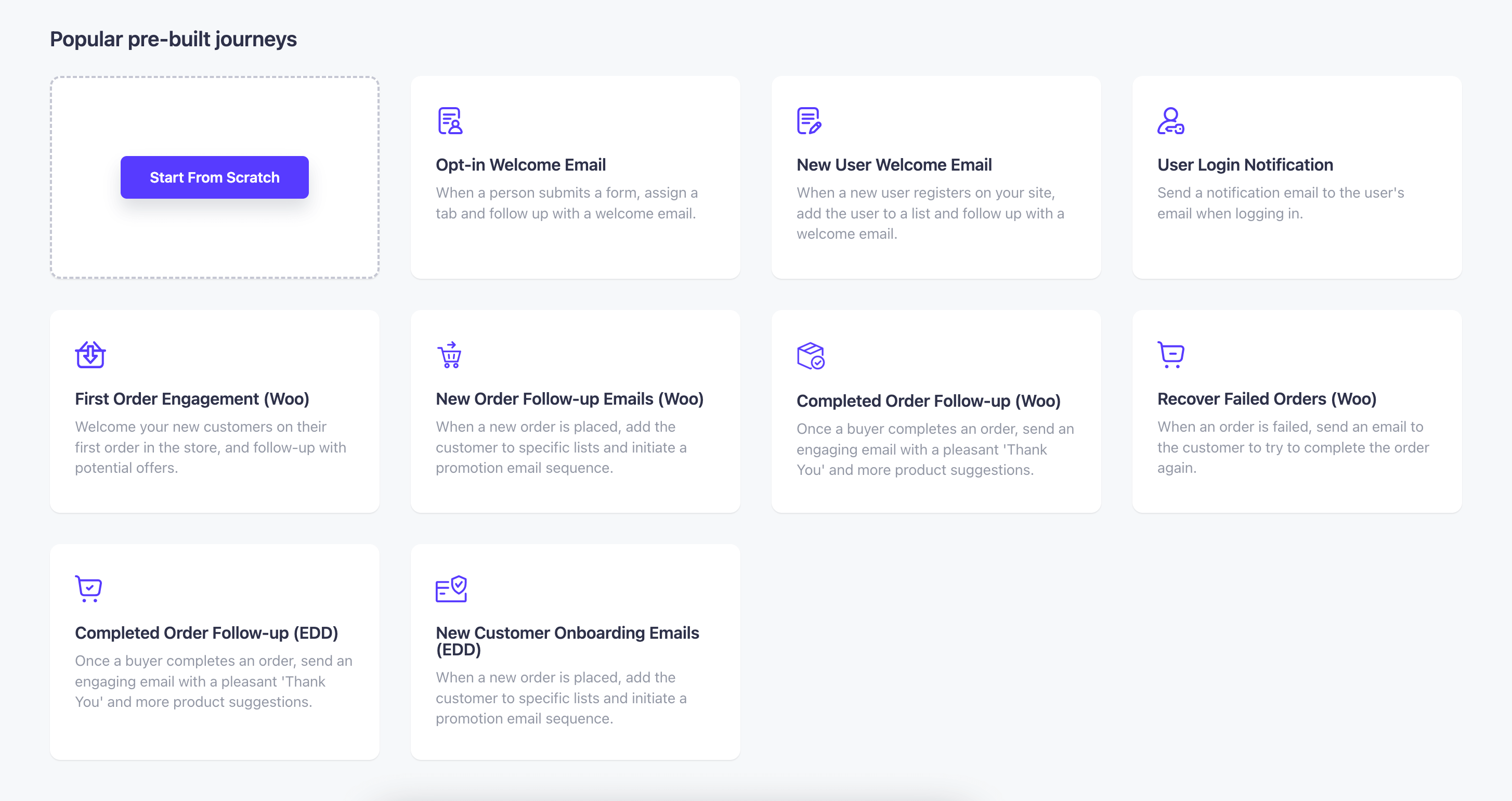
Mail Mint offers you numerous pre-built automation workflows for WordPress, WooCommerce, and EDD-based events.
For example, if a user purchases a specific product from your store, then you can create a specialized automated workflow for them. To do that, Mail Mint has a ready-made, pre-built journey that you can tweak and enhance for your sales purposes.
What Mail Mint actually does for automation:
- Abandoned cart recovery that reads directly from your WooCommerce database
- Order-triggered automations based on what customers actually purchased
- Post-purchase sequences tied to specific products, categories, or order values
- Win-back automation for customers with no orders for X days
- Price drop trigger that fires when selected products go on sale
- Visual automation canvas with pre-built recipes for WooCommerce, EDD, and WordPress events
- Conditional if/else logic inside automation flows
- Triggers from Gravity Forms, Elementor Forms, Fluent Forms, JetFormBuilder, and CF7
- LMS triggers from LearnDash, TutorLMS, and MemberPress
Beyond automation, Mail Mint also includes an email builder, lead forms, segmentation, analytics, and AI writing, but those are supporting features. The automation engine is what makes it the right fit for WooCommerce.
Special Integration with WPFunnels
Mail Mint has a special integration with the easiest sales funnel builder in WordPress – WPFunnels, where you can craft your sales or lead generation funnel and add automation right then and there.
What to know before you switch:
You will need an external SMTP provider like Amazon SES or SendGrid before you can send. The SES setup takes about 15 minutes. Mail Mint is WordPress only. If your store is on Shopify, Klaviyo is the better fit.
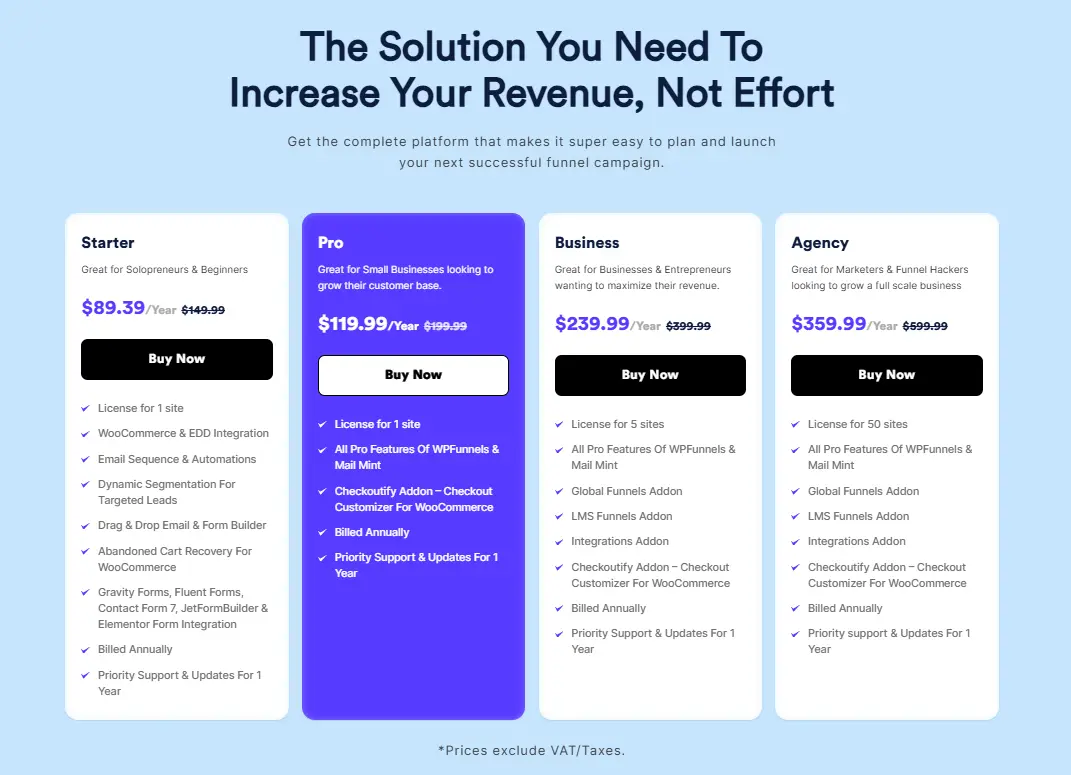
Mail Mint Pricing:
- Free version available on WordPress Repo with core features
- Starter: $149.99/year, 1 site
- Pro: $199.99/year, 1 site (Mail Mint + WPFunnels bundle)
- Business: $399.99/year, 5 sites
- Agency: $599.99/year, 50 sites
Best for: WooCommerce store owners who want cart recovery, order triggers, and email automation running from the same database as their store.
2. FluentCRM: Marketing Automation for WordPress
FluentCRM treats your contacts the way a CRM treats them, not the way an email list treats them.
It uses tags as the primary automation logic. A customer buys a product, a tag fires, and that tag triggers a sequence. The more precisely you tag, the more precisely your automation targets.
Where FluentCRM earns its place is when the contact record matters as much as the email goes out. Full activity history, tag-based segmentation, and behavioral triggers across purchases, form submissions, and LMS completions.
What FluentCRM actually does for automation:
- Tag-based automation that triggers from purchases, clicks, and form submissions
- Full CRM contact records with complete activity history
- WooCommerce and EDD order triggers
- LMS triggers from LearnDash, TutorLMS, LifterLMS, and MemberPress
- Form triggers from Fluent Forms, Elementor Forms, Divi, and Thrive Architect
What to know before you switch:
WooCommerce connects through hooks, not a direct database read. If immediate cart recovery timing is your top priority, Mail Mint is the faster option. Plan for an hour of setup to understand tags and segments before your first automation goes live.
FluentCRM Pricing:
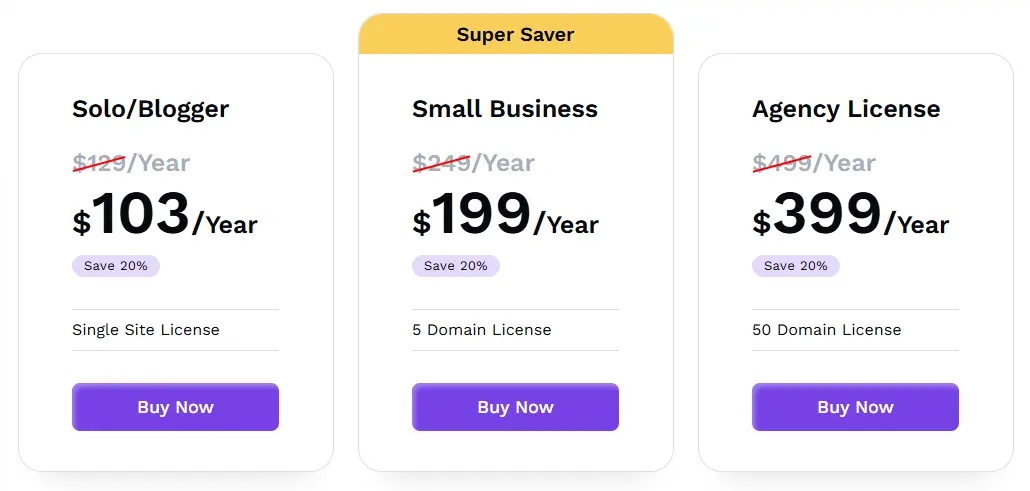
- Free version available on WordPress Repo
- Solo Entrepreneur: $129/year, 1 site
- Small Business: $249/year, 5 sites
- Agency: $499/year, 50 sites
For those seeking a comprehensive CRM platform for WordPress email marketing automation with advanced automation features, FluentCRM is worth considering.
Best for: WordPress store owners who need CRM-level contact depth and tag-based segmentation driving their automation.
Now let’s explore another amazing email automation tool.
3. MailPoet: Simplify Email Automation on WordPress
Every other WordPress plugin on this list requires you to configure an external SMTP provider before you can send a single email. MailPoet is the exception.
It has a built-in sending service. Install the plugin, and you are ready to send. No SES account, no DNS records, no deliverability research before your first campaign.
For the abandoned cart example in Example 1 above, MailPoet gets that sequence live within an hour of installation. No external setup. No configuration.
What MailPoet actually does for automation:
- Welcome sequences, cart recovery, post-purchase follow-ups, and order status emails
- Automatic post notification emails when new content is published
- WooCommerce segmentation by order history
- Drag and drop builder with pre-made templates
What to know before you switch:
The sending service pricing scales with list size. Past roughly 3,000 active subscribers on frequent sends, running your own SMTP setup is cheaper. Conditional branching across multi-stage journeys is not supported.
MailPoet Pricing:
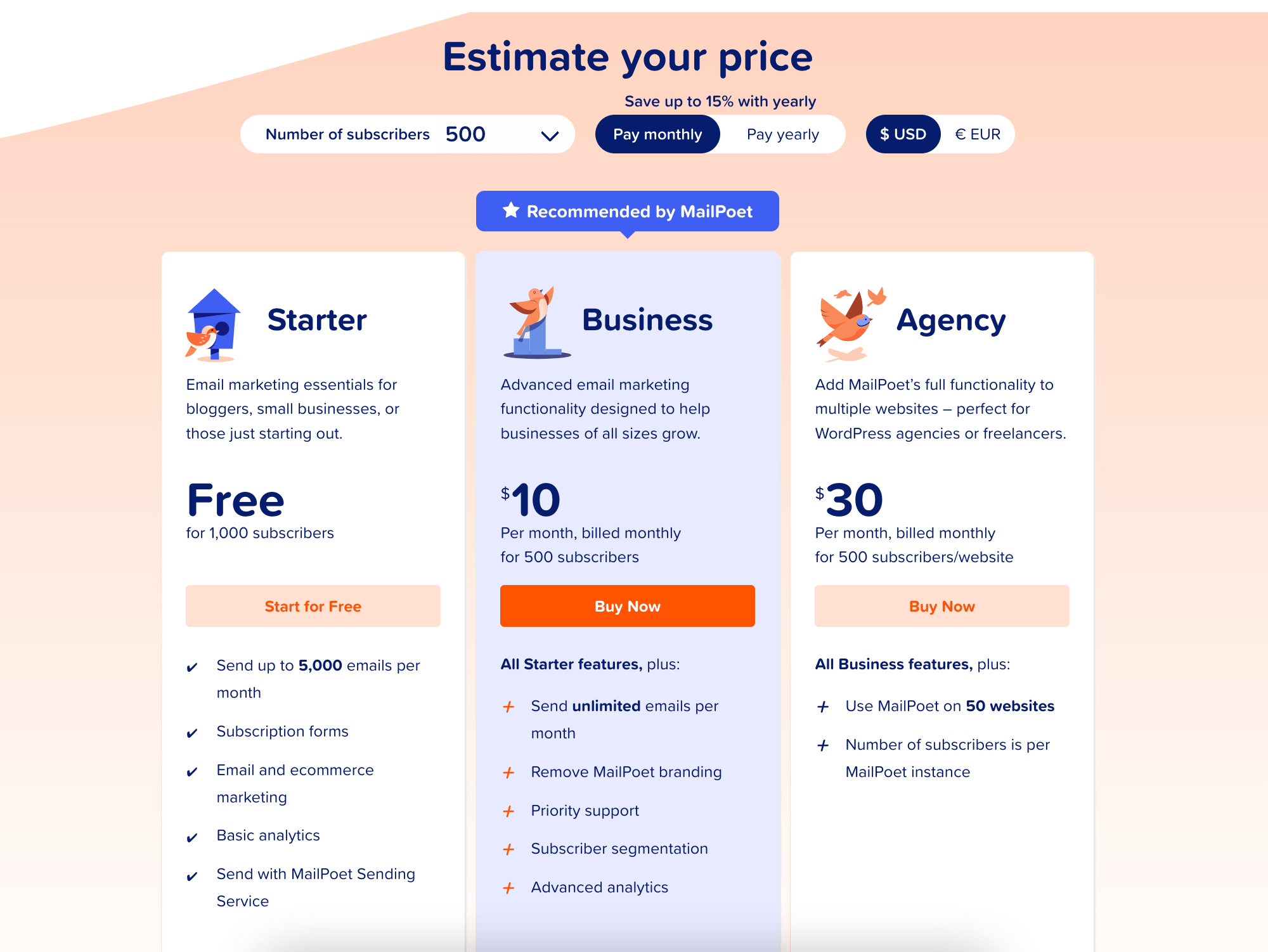
- Free: up to 500 subscribers, 5,000 emails/month
- Creator (your own SMTP): from $8/month
- Business (MailPoet sending): from $10/month
Best for: WordPress users who want automation running today without configuring any sending infrastructure.
4. Groundhogg: Advanced Email Automation for WordPress
A standard WooCommerce store running abandoned carts and post-purchase sequences does not need Groundhogg. The learning curve is real, and the setup time reflects how much the tool can actually do.
But if your customer lifecycle goes beyond purchase and follow-up courses, memberships, and multi-stage onboarding, Groundhogg handles logic that the other WordPress plugins on this list cannot.
A student finishes module 3 but does not start module 4 within 7 days. Groundhogg fires a check-in email. Three more days with no activity — it tags them at-risk and moves them into a re-engagement sequence. If they return, the at-risk path cancels and the regular drip resumes.
What Groundhogg actually does for automation:
- Deep conditional branching, where paths change based on what subscribers do or do not do
- Date-based and time-based delays across multi-stage sequences
- LMS triggers from LearnDash, LifterLMS, and MemberPress
- Full REST API and custom event hooks for developer customization
What to know before you switch:
Budget a weekend to learn the automation builder before going live. No ongoing free plan. For straightforward WooCommerce cart recovery, Mail Mint gets there faster with significantly less overhead.
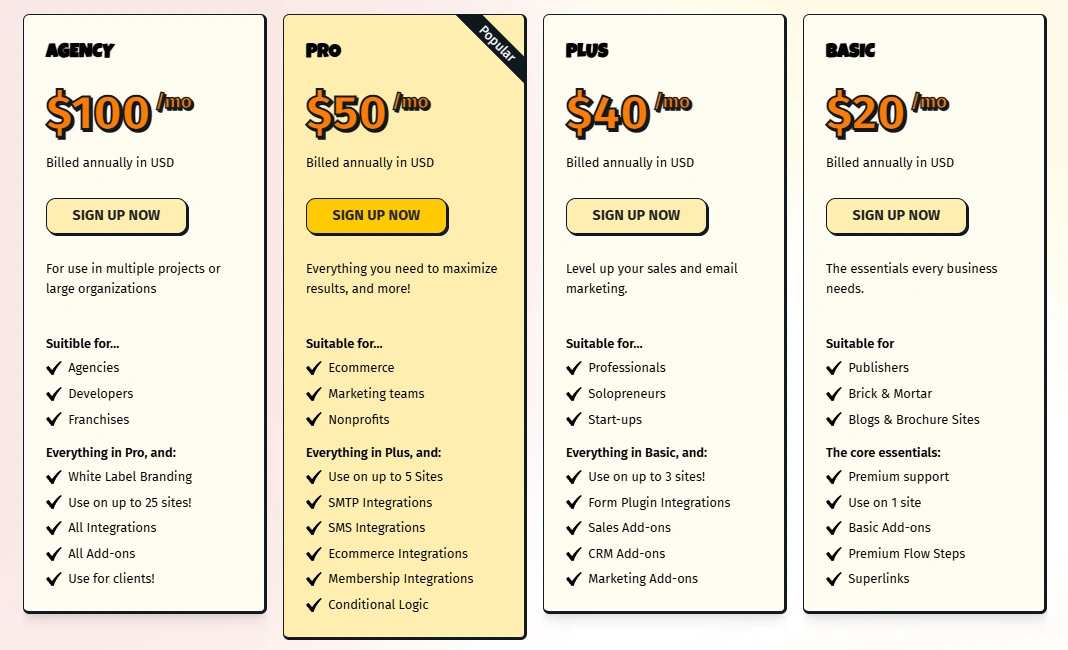
Groundhogg Pricing:
- Basic: ~$20/month, 1 site
- Plus: ~$40/month, 3 sites
- Pro: ~$50/month, 5 sites
- Agency: ~$100/month, 25 sites
Best for: WordPress membership sites, LMS platforms, and developers building multi-stage conditional automation.
Groundhogg handles the most complex automation journeys of any WordPress plugin on this list. But if what you need is email and SMS running together in one flow without managing two platforms, the next tool is built specifically for that.
5. Omnisend: E-commerce Email Automation Across Multiple Channels

Omnisend brings email, SMS, and push notifications together in one automation workflow. A cart abandonment sequence can send an email at 30 minutes, an SMS at 2 hours, and a push notification at 24 hours — all configured in one builder. No separate SMS platform. No timing mismatches between tools.
Pre-built ecommerce workflows for cart recovery, welcome series, browse abandonment, post-purchase, and win-back are ready to activate.
What Omnisend actually does for automation:
- Email, SMS, and push notifications in one automation flow
- Pre-built ecommerce workflows ready to activate
- A/B split testing inside automation flows
- Advanced segmentation by shopping behavior and order history
What to know before you switch:
WooCommerce connects via plugin, not a native database read. If immediate cart recovery timing is the top priority, Mail Mint fires faster. If you only need email, cheaper options deliver the same automation depth.
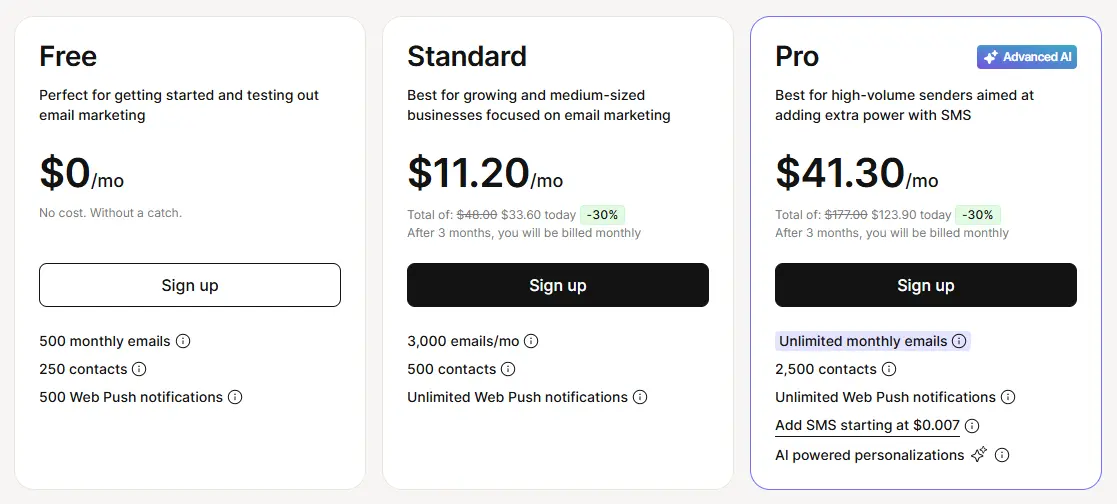
Omnisend Pricing:
- Free: 250 contacts, 500 emails/month
- Standard: From $16/month (currently $11.20/month for the first 3 months)
- Pro: from $59/month (currently $41.30/month for the first 3 months)
Best for: Stores that want email and SMS running inside the same automation flow without managing two separate platforms.
Omnisend handles multichannel automation well. But if you are not ready to commit to a paid tool yet and want to test real automation on a live list first, the next option gives you the most room to do that for free.
6. Sender: Email Automation for Growing Businesses
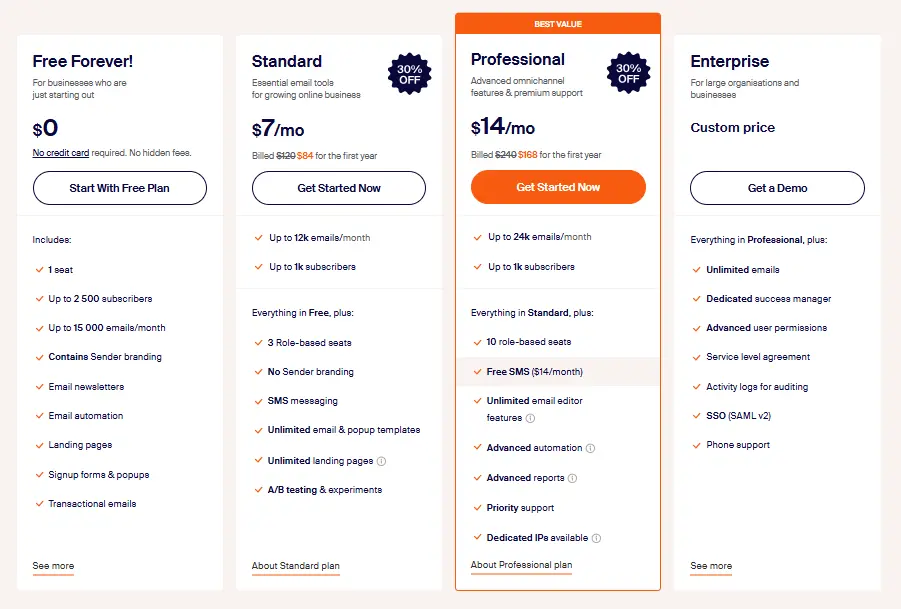
Most free plans give you 250 to 500 contacts and strip out the features you need to evaluate the tool. The sender’s free plan gives you 2,500 contacts and 15,000 emails per month with automation included.
That is enough to run a real welcome sequence and a cart recovery flow on a live list before spending anything.
What Sender actually does for automation:
- Cart abandonment, welcome sequences, and behavioral triggers on the free plan
- Email and SMS in one automation builder
- A/B testing and custom events for behavior tracking
- WooCommerce, Shopify, and Magento integrations
What to know before you switch:
Fewer native WooCommerce-specific triggers than Mail Mint or FluentCRM. Smaller integration ecosystem overall.
Sender Pricing:
- Free: Up to 2,500 subscribers and 15,000 emails/month
- Standard: From $7/month (up to 1,000 subscribers)
- Professional: From $14/month (up to 1,000 subscribers)
- Enterprise: Custom pricing
Best for: New stores and small businesses that want to run and measure real automation before committing to a paid tool.
The first six tools were WordPress-native plugins designed for businesses that want to keep everything inside their website. If you prefer a cloud-based solution or run your business outside WordPress, the next five SaaS platforms are worth considering.
7. ActiveCampaign: Advanced Behavioral Email Automation
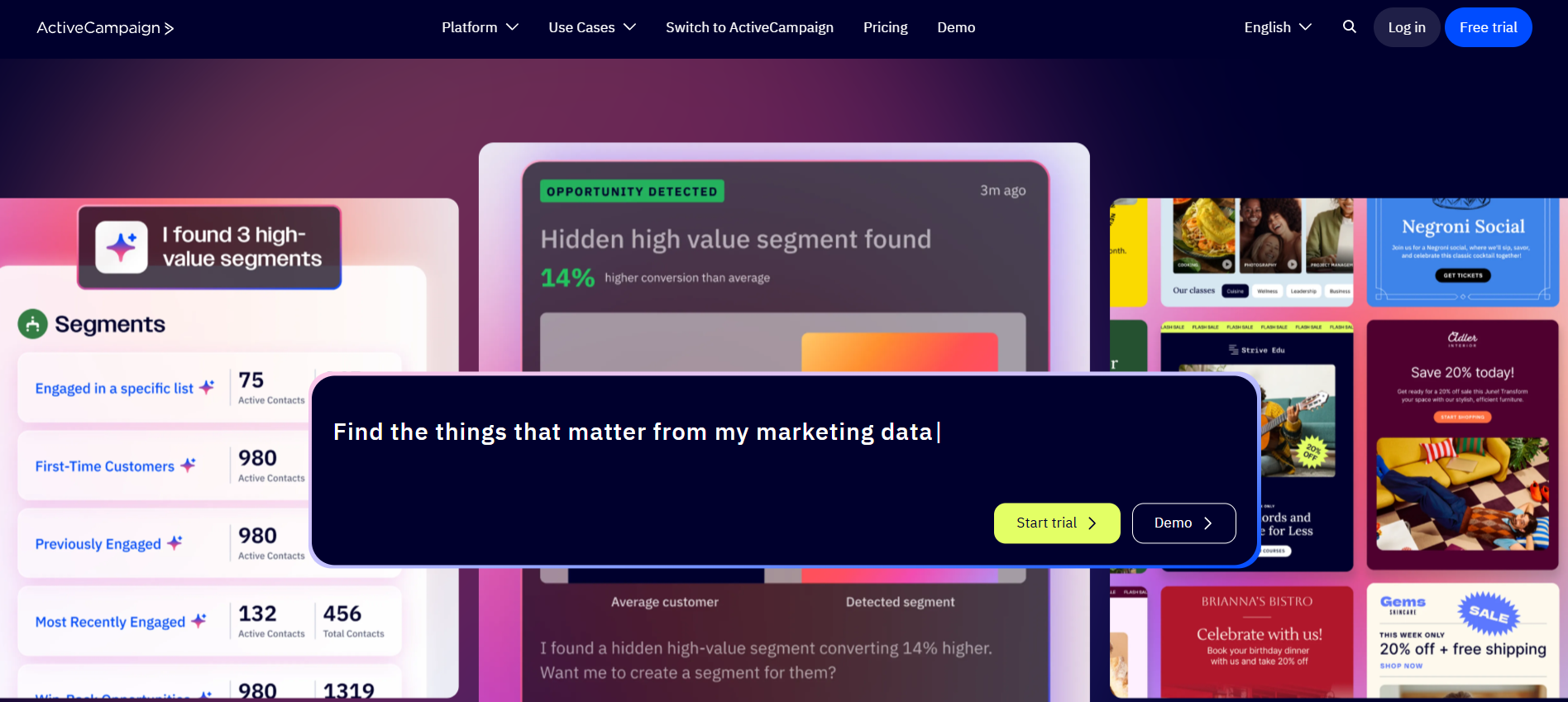
ActiveCampaign is built for automation that responds to everything a contact does — not just inside your email tool. Site visits, page behavior, lead scores, and CRM deal stages can all trigger automations and change sequence paths.
A contact visits your enterprise pricing page three times without filling out a form. ActiveCampaign fires a specific sequence targeting that hesitation. No WordPress plugin tracks page visit behavior at that level.
What ActiveCampaign actually does for automation:
- No step limits on Plus plan and above
- Site tracking triggers automation from page visit behavior
- Lead scoring that feeds directly into automation paths
- Built-in CRM connecting marketing workflows to sales pipelines
- 900+ pre-built automation templates
What to know before you switch:
No free plan. Starter plan limits automations to 5 actions. WooCommerce connection syncs on a delay, not in real time. Pricing scales fast with contact count.
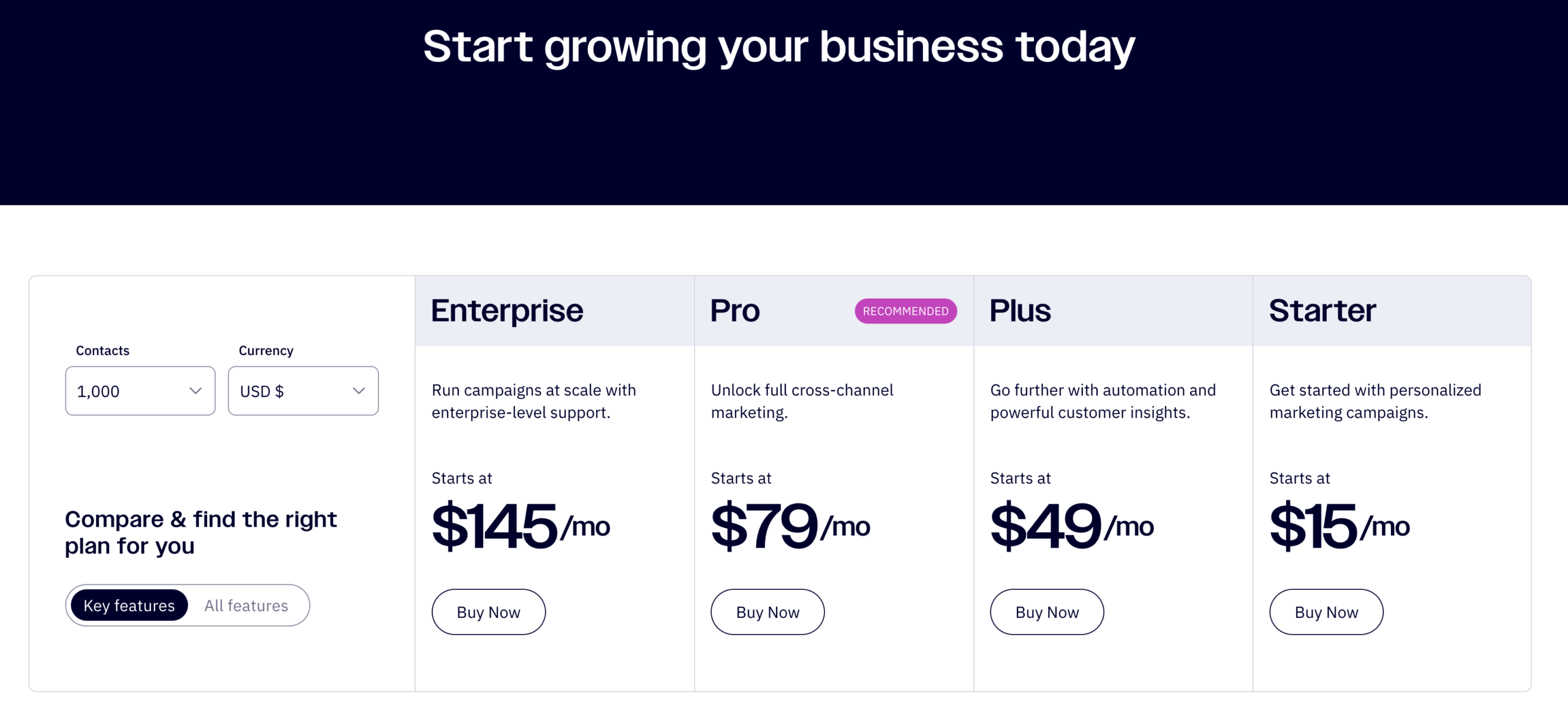
ActiveCampaign Pricing:
- Starter: from $15/month (1,000 contacts)
- Plus: from $49/month
- Pro: from $79/month
Best for: B2B marketing teams with complex multi-step workflows and behavioral triggers that require site tracking and lead scoring.
ActiveCampaign is the deepest automation builder at this price point. But if your primary challenge is the cost of storing a large list, the next tool solves that with a completely different pricing model.
8. Brevo: Email Automation for Growing Contact Lists

Brevo charges by emails sent, not contacts stored. 40,000 contacts stored costs nothing extra. You pay only when emails go out.
Full marketing automation, including behavioral workflows and conditional branching, is available from the Standard plan. Email, SMS, and WhatsApp run from one dashboard.
What Brevo actually does for automation:
- Behavioral workflows and conditional branching on the Standard plan
- Email, SMS, and WhatsApp in one automation workflow
- Built-in CRM and transactional email handling
- Unlimited contact storage on all plans
What to know before you switch:
Full automation requires the Standard plan, not the Starter. At high send frequency on a large list, volume-based pricing adds up faster than flat-contact plans.
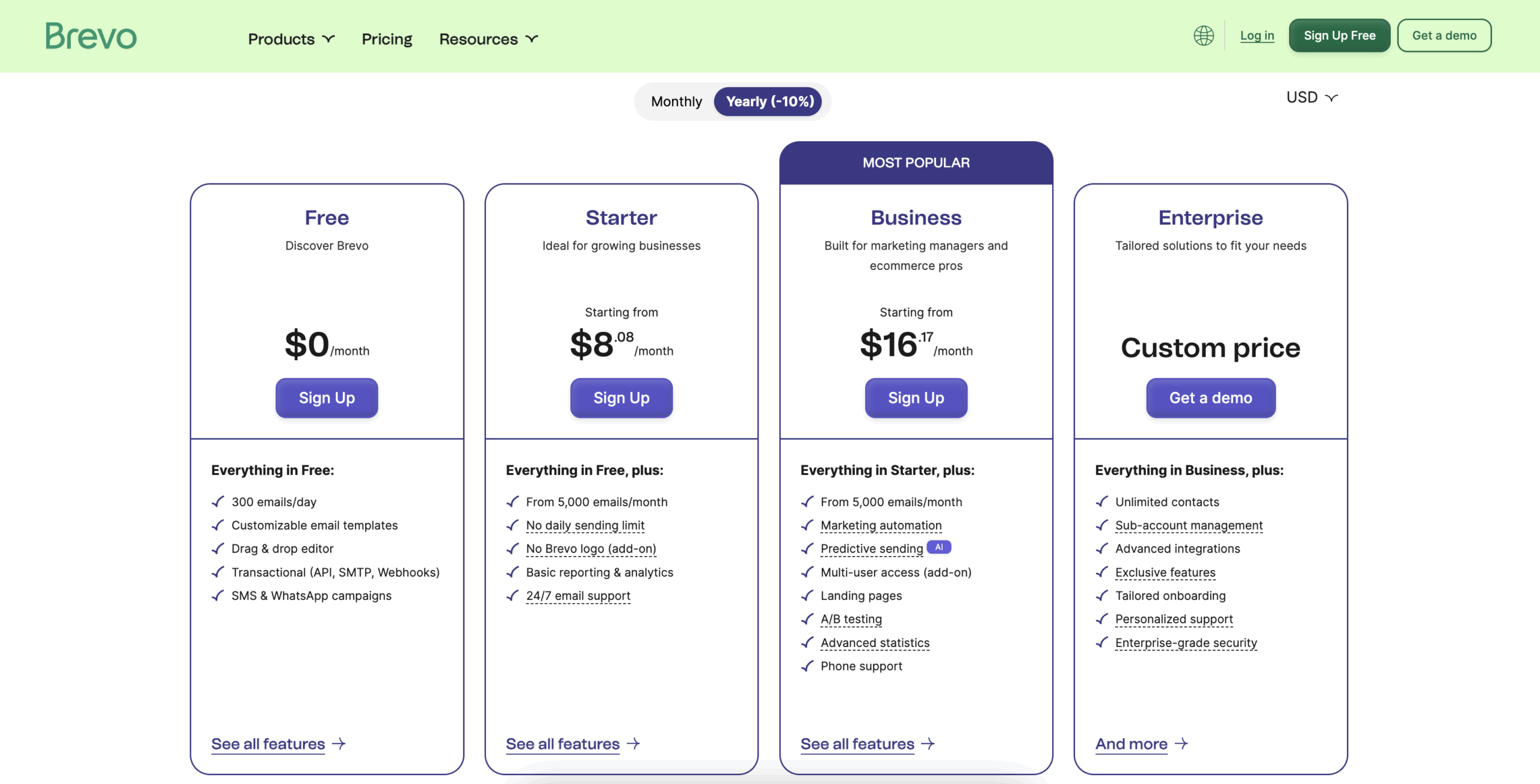
Brevo Pricing:
- Free: 300 emails/day, unlimited contacts
- Starter: from $9/month
- Standard: from $18/month (full automation included)
Best for: Businesses with large contact lists that email at a moderate frequency.
Brevo solves the large-list pricing problem. But if what you need is simple, honest automation for a small business not on WordPress, the next option is the most consistently recommended tool in that category.
9. MailerLite: Simple Email Automation for Small Businesses
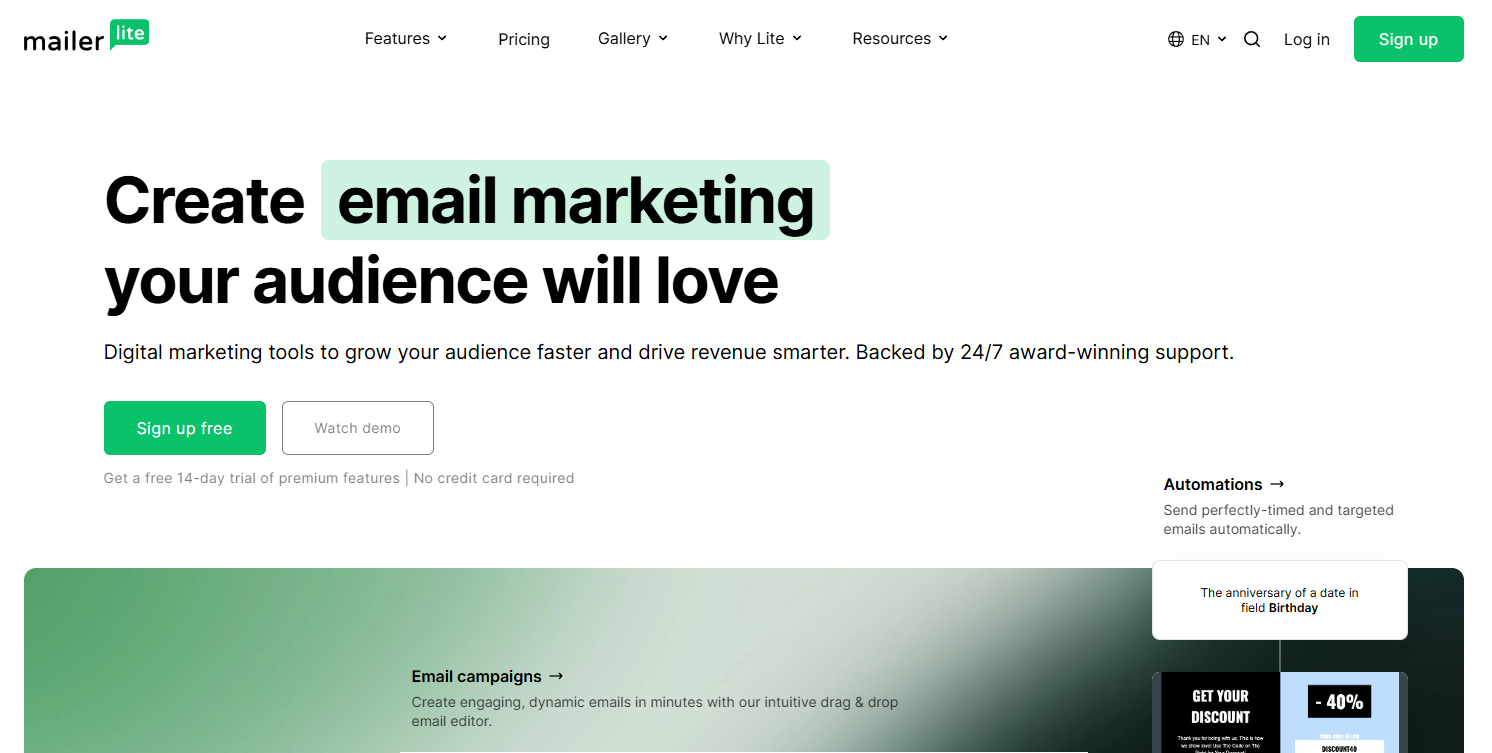
MailerLite only charges for active subscribers. Unsubscribed and bounced contacts are removed from your billable count automatically. All paid plans include unlimited sends.
A small business with 3,000 active subscribers and 900 unsubscribed contacts pays for 3,000 on MailerLite. On Mailchimp, they pay for all 3,900. That difference adds up across a full year without changing a single automation.
What MailerLite actually does for automation:
- Welcome sequences, post-purchase follow-ups, and re-engagement campaigns
- Smart send-time optimization per individual subscriber
- Behavioral triggers including opens, clicks, and date-based events
- WooCommerce and Shopify integrations
What to know before you switch:
Automation depth does not match ActiveCampaign for complex conditional logic. Free plan does not include email templates.
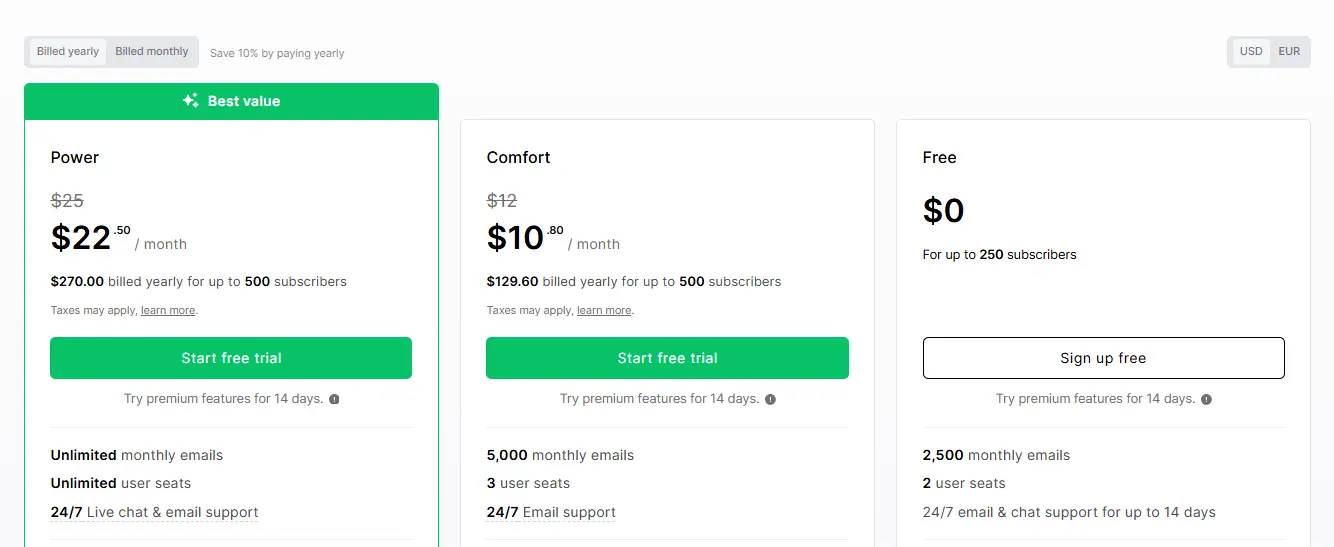
MailerLite Pricing:
- Free: Up to 250 subscribers and 2,500 emails/month
- Comfort: From $12/month
- Enterprise: Custom pricing
Best for: Small businesses and solopreneurs who want reliable behavioral automation with straightforward pricing.
MailerLite handles small business automation cleanly. But if you run a Shopify store and knowing exactly how much revenue each email generates is the primary goal, the next tool is built specifically for that.
10. Klaviyo: E-commerce Email Automation with Revenue Tracking
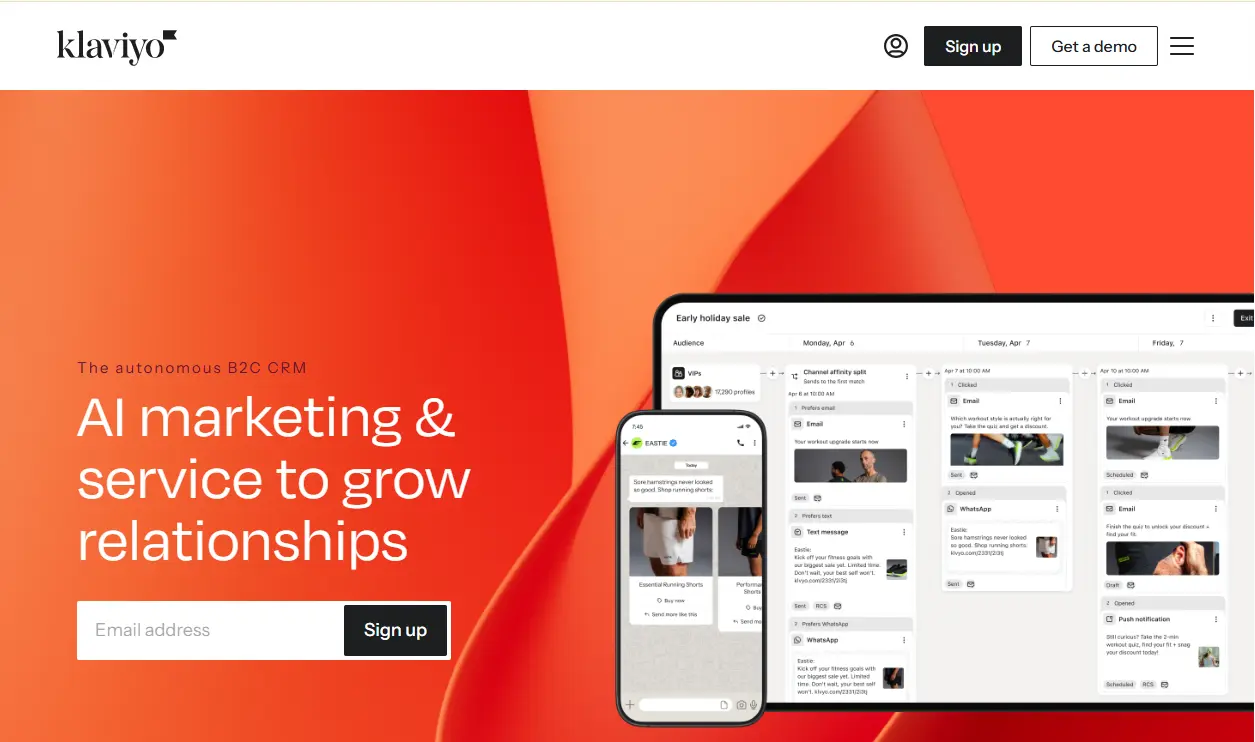
Klaviyo connects to Shopify in real time and tracks revenue back to the specific email that triggered the purchase. Per campaign. Per sequence. Per contact.
A Shopify store running five automation sequences can see at the end of the month exactly which sequence generated the most revenue per recipient — not just opens and clicks but actual dollars.
What Klaviyo actually does for automation:
- Per-email revenue attribution connecting every send to purchase data
- Pre-built flows for cart abandonment, browse abandonment, price drop, back-in-stock, and win-back
- Predictive analytics for customer lifetime value and churn risk
- Email and SMS in one unified workflow
What to know before you switch:
Pricing scales sharply. At 25,000 contacts, costs exceed $400/month. WooCommerce connects via plugin, not natively. Contacts live on Klaviyo’s servers.
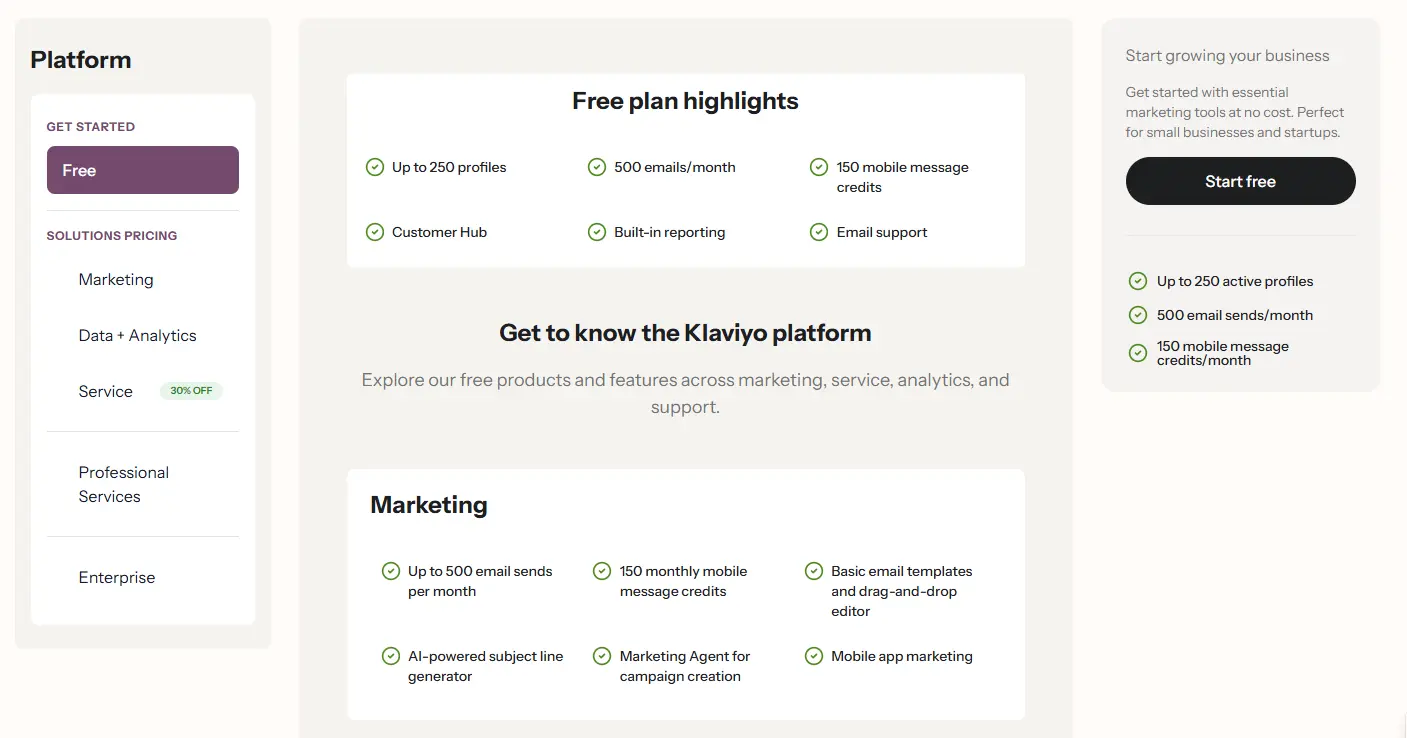
Klaviyo Pricing:
- Free: up to 250 contacts
- Email: from $20/month at 500 contacts
- Email + SMS: from $45/month
Best for: Shopify stores where per-email revenue attribution and shopping-behavior automation are the primary decision criteria.
Klaviyo is the strongest tool for Shopify revenue tracking. If you are building a content business rather than a product store, the last tool on this list is built for that situation instead.
11. Kit: Email Automation for Creators
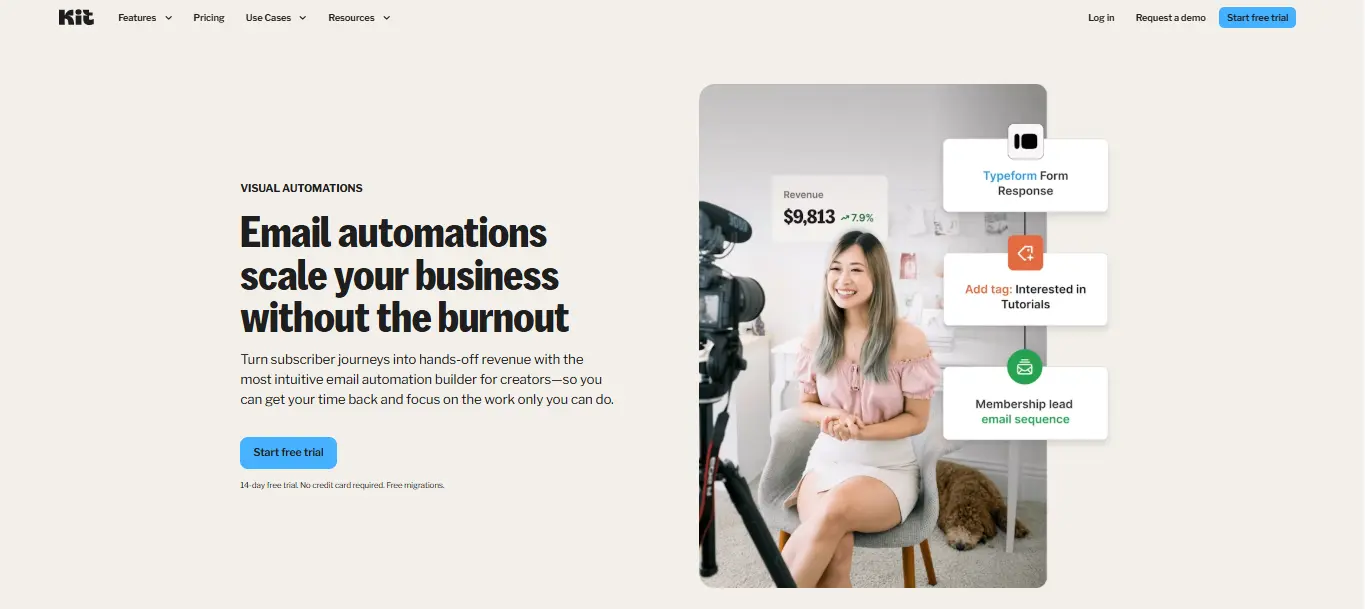
Kit’s free plan gives you up to 10,000 subscribers with unlimited sends, digital product sales, landing pages, and a creator network that grows your list through cross-recommendations with other newsletters. No other tool on this list has an equivalent list-growth mechanism.
What Kit actually does for automation:
- Welcome sequences, tag-based conditional paths, and link-click automations
- Digital product purchase triggers
- Creator network cross-recommendations for list growth
- Visual automation builder with sequence and conditional logic
What to know before you switch:
Paid plans are expensive relative to features at small list sizes. Small template library. Not built for e-commerce or purchase-triggered automation.
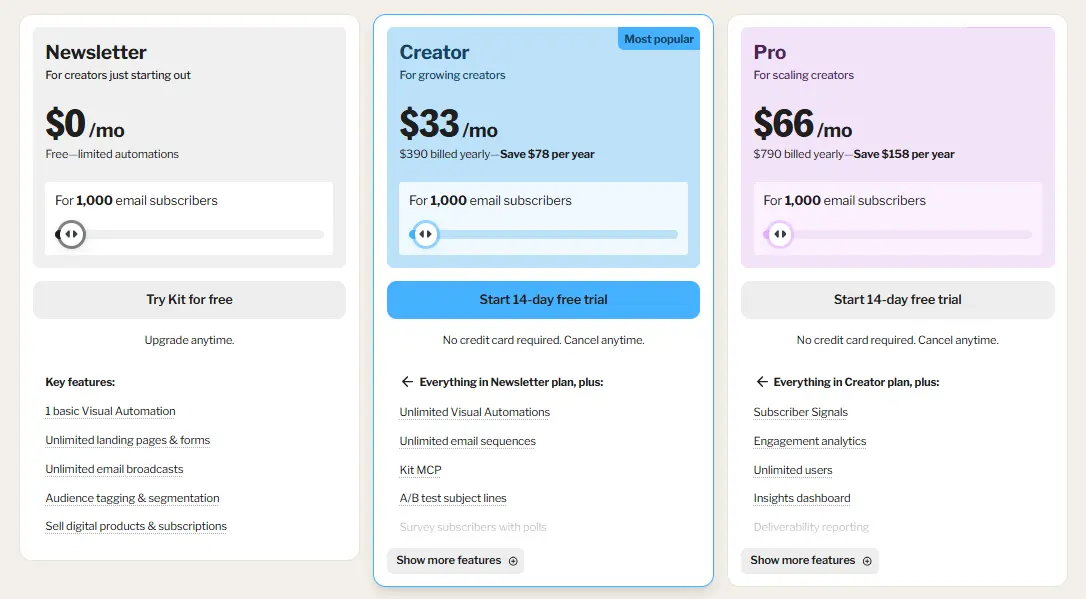
Kit Pricing:
- Newsletter: free up to 10,000 subscribers (Kit branding required)
- Creator: from $25/month
- Creator Pro: from $50/month
Best for: Bloggers, newsletter writers, podcasters, and solo creators building an audience they plan to monetize.
Now that you have seen all 11 tools in detail, the comparison tables below give you a direct side-by-side view across features and pricing.
Side-by-Side Feature Comparison of All 11 Email Automation Tools
Use this table to compare the key features of all 11 email marketing automation tools at a glance. It highlights the capabilities that matter most when choosing the right tool for your business.
| Feature | Mail Mint | FluentCRM | MailPoet | Groundhogg | Omnisend | Sender | ActiveCampaign | Brevo | MailerLite | Klaviyo | Kit |
|---|---|---|---|---|---|---|---|---|---|---|---|
| Visual automation builder | Yes | Yes | Yes | Yes | Yes | Yes | Yes | Yes | Yes | Yes | Yes |
| WooCommerce native triggers | Yes | Partial | Yes | Partial | Partial | Partial | Partial | Partial | Partial | Partial | No |
| Conditional branching | Yes | Yes | No | Yes | Yes | Yes | Yes | Yes | Yes | Yes | Partial |
| Pre-built automation recipes | Yes | No | Yes | No | Yes | Yes | Yes | No | Yes | Yes | No |
| SMS automation | No | No | No | No | Yes | Yes | Yes | Yes | No | Yes | No |
| LMS triggers | Yes | Yes | No | Yes | No | No | No | No | No | No | No |
| Site/page visit tracking | No | No | No | No | No | No | Yes | Partial | No | Yes | No |
| Free plan with automation | Yes | Yes | Yes | No | Yes | Yes | No | Yes | Yes | Yes | Yes |
| Flat annual pricing | Yes | Yes | No | Yes | No | No | No | No | No | No | No |
| No SMTP setup required | No | No | Yes | No | No | No | No | No | No | No | No |
| Self-hosted data | Yes | Yes | Yes | Yes | No | No | No | No | No | No | No |
While these are our top recommendations, they aren’t the only email marketing automation tools available. Here are a few additional platforms worth considering for specific use cases.
Tools Worth Knowing About That Didn’t Make This List
These tools didn’t make our top 11, but they’re still worth considering if you have specific requirements or use cases that better match what they offer.
- Moosend: Full automation from $9/month with unlimited sends. Did not make the list because MailerLite covers the same use case with better integrations and a stronger free plan.
- Drip: 50+ pre-built ecommerce workflows with strong revenue attribution. Did not make the list because Klaviyo covers e-commerce automation at a higher depth, and Mail Mint covers WooCommerce natively at a fraction of the cost.
- GetResponse: All-in-one platform with email, landing pages, and webinar hosting. Worth considering specifically if a webinar plus email in one platform is the requirement.
- HubSpot: The most complete CRM plus email automation suite available. Did not make the list because meaningful automation requires the professional plan at $800/month.
Choosing the right tool is only part of the process. A few setup decisions can have a big impact on how well your automations perform.
3 Setup Decisions That Affect Your Automation
Before you choose a tool, there are a few setup decisions that can affect how well your automations work. Understanding these will help you avoid common mistakes and choose the right solution.
1. SMTP Setup and Email Deliverability
Every WordPress plugin except MailPoet requires an external SMTP provider before you can send. Without it, your emails land in spam or are not delivered at all. Amazon SES and SendGrid both take 15 to 30 minutes to configure and cost almost nothing at typical store volumes.
2. Where Your Data Lives
WordPress plugins store contact data on your own server. SaaS platforms store it on theirs. This matters for GDPR compliance, platform dependency, and sync delays between your store and your automation triggers.
3. Trigger Timing and Sync Delays
SaaS platforms sync with WooCommerce on a schedule. A cart abandoned at 2:14 pm might not trigger the first recovery email until 3:00 pm or later.
WordPress-native plugins read from the same database your store writes to. The trigger fires at the moment the event happens.
The first 30 to 60 minutes after abandonment are the highest-converting window. A sync delay that pushes your first email outside that window directly reduces recovery revenue.
Now that you’ve compared the tools and understand the key setup considerations, let’s narrow down the best choice based on your business and goals.
Which Email Marketing Automation Tool Is Right for You?
Every tool on this list handles automation. The difference is in the type and for which kind of business.
You Run a WordPress or WooCommerce Store
Go with Mail Mint.
- Cart recovery fires the moment abandonment happens
- Order triggers come from the actual order, not a synced copy
- Automation runs from inside WordPress
- No per-subscriber pricing at any list size
You Run a Shopify Store or Need Email and SMS Together
Go with Klaviyo if revenue attribution is the priority.
- Per email revenue tracking connected to actual purchase data
- Shopping-behavior triggers built around real store events
- Predictive analytics for lifetime value and churn risk
Go with Omnisend if email and SMS need to run in one flow.
- Email, SMS, and push notifications in one automation builder
- No separate SMS platform to manage
- Pre-built ecommerce workflows ready to activate
You Are a Creator, Blogger, or Small Business Outside Ecommerce
Go with Kit if you are building an audience to monetize.
- Free up to 10,000 subscribers with unlimited sends
- Digital product sales and paid newsletters built in
- Creator network grows your list through cross-recommendations
Go with MailerLite if you want clean automation at an honest price.
- Unlimited sends on all paid plans
- Only charges for active subscribers
- Automation is included in the free plan
Still unsure? Remember, the best email marketing automation tool is the one that matches your business, not necessarily the one with the longest feature list.
Conclusion
The best email marketing automation tool isn’t necessarily the one with the most features. It’s the one that fits your business, your workflow, and your budget.
If you run a WooCommerce store, a WordPress-native plugin often gives you the best balance of automation, control, and long-term cost. If you’re on Shopify or need advanced multichannel marketing, a SaaS platform may be a better fit.
Whatever tool you choose, don’t try to automate everything on day one. Start with the workflows that have the biggest impact: a welcome series, abandoned cart recovery, and post-purchase follow-ups. Once those are delivering results, you can expand into win-back campaigns, product recommendations, and more advanced customer journeys.
For WooCommerce users, Mail Mint stands out by combining visual automation, real-time WooCommerce triggers, customer segmentation, and email marketing in one WordPress-native platform. If you’re looking for an easy way to automate your store without paying more as your subscriber list grows, it’s a great place to start.
Frequently Asked Questions
What is the difference between an autoresponder and email marketing automation?
An autoresponder sends a fixed sequence on a schedule. Every subscriber gets the same emails in the same order regardless of what they do.
Email marketing automation responds to behavior. A subscriber clicks a link, and a different email fires. A customer buys, and a post-purchase sequence starts.
What is the best email marketing automation tool for WooCommerce?
Mail Mint is the strongest fit. It reads directly from your WooCommerce database so triggers fire immediately, not after a sync delay. Cart recovery, order-triggered sequences, and post-purchase follow-ups all run from inside your WordPress dashboard.
Do I need an SMTP plugin alongside an email automation plugin?
Yes for most WordPress plugins. An SMTP plugin handles system emails. Your automation plugin handles campaigns and sequences. Both need to be running together. MailPoet is the exception — its built-in sending service removes the SMTP requirement.
Can I switch from a SaaS tool to a WordPress plugin without losing my subscribers?
Yes. Export your list as a CSV and import it into the new plugin. Keep the old tool active until every automation is confirmed to be working. Run the list through an email verification service first if it has not been cleaned recently.
Is the Mail Mint free plan enough to start with?
Yes, for most stores starting out. The free plan includes unlimited contacts and core automation. You can build and test a welcome series and a basic cart recovery flow before upgrading.
Which tool is best for membership and course sites on WordPress?
Groundhogg is the strongest option for complex conditional journeys. FluentCRM is the better choice when you also need CRM-level contact depth alongside LMS triggers.
How do I know if my automation is actually working?
Place a test contact through each trigger manually. Check the automation analytics to confirm the contact entered the workflow and moved through each step. Mail Mint’s visual canvas shows exactly where a contact is in any active automation in real time.