
As a WooCommerce store owner, you probably have the same goal as anyone else… to increase your revenue. And if you have some traction already, then the next best step for you is to increase your average order value.
Average order value (AOV) is the amount you earn on average for every order made in a given time.
Now, you’ve probably already tested a few things; maybe bundles, checkout offers, and discount campaigns to try and push customers to spend more. But speaking from experience, in most cases, these will give a short-term lift in sales, and then go back to normal. Can you relate?
Hence, if you are reading this, then I’m sure you are here because you want a concrete way to increase AOV rather than keep on testing.
And today, I’ve decided to prepare a guide to share a little, out of my 7 years of experience with WooCommerce, to help you have a solid action plan on increasing average order value.
Unlike most articles, I will focus on an organized plan that you can implement, rather than just listing a few tactics and strategies with no clear path forward. So by the end of this article, you will be able to take action immediately.
To make it easier, I have broken down the whole thing into 3 steps:
- Step 1 – Implement quick tactics to increase AOV in WooCommerce
- Step 2 – Measuring results and deciding what works best and what to improve
- Step 3 – Turning AOV into a system
So let’s begin.
Globally, the ideal average order value is about $155 (via WiseReview 2025). If you aren’t there yet, this guide will help a ton.
TL;DR – Ways To Increase Average Order Value in WooCommerce
- Average Order Value is one of the fastest ways to grow revenue without increasing traffic or ad spend.
- Focus on AOV once your store has initial traction in traffic and conversions, especially when margins are tightening or acquisition costs are rising.
- Implement proven tactics like free shipping thresholds, checkout order bumps, intentional bundles, and post-purchase one-click upsells.
- Use dynamic category-based funnels to automate relevant offers and increase acceptance rates.
- Protect margins by pricing strategically and measuring each tactic individually.
- Turn your best-performing AOV tactics into a structured, long-term system instead of running them as one-off experiments.
- Consider using a tool that can help you implement multiple AOV growth tactics (such as WPFunnels).
Before I get into details, I want to get clear on one thing: Should You Go All In With AOV Right Now?
>> You can skip to the 3 steps if you are absolutely sure.
Are You Sure Focusing On AOV Is Indeed The Best Action Right Now To Increase Your Revenue? Let’s Verify.
While, you might find this an odd question to ask, sometimes, investing in AOV growth is not the best thing to do at the moment.
For an eCommerce business, Revenue = Traffic × Conversion Rate × AOV
Here, increasing any one of them will lift the revenue. But there is a catch.
- If you don’t have enough traffic yet, simply relying on AOV won’t get you far.
- If your conversion rate is poor, no matter how high the traffic you have, with fewer people, it is difficult to make a profit out of aggressively increasing AOV.
So, the bottom line here is, only focus on AOV when you have some positive traction in terms of traffic and conversion rate.
AOV is a powerful revenue driver for eCommerce, but it will not work if you don’t have a constant flow of traffic or a good conversion rate.
After you have traction, the most appropriate times to focus on increasing the average order value are:
- When your profit margins are not growing, or
- Your acquisition costs are rising.
(Metrics like “profit margins” and “acquisition cost” can only be measured when you have invested in getting traffic and conversions.)
In case you are new to the term “AOV”, I recommend you gain some knowledge of it real quick. We have a simple resource to help you learn (which will take about 15 mins max.)
Now that we’ve cleared that up, and you are sure you are in the right stage of your business, let’s get into the main course of this dish – a concrete strategy to increase AOV.
Step 1: Implement Proven Ways To Increase Average Order Value
In this step, I will share 10 different tactics you can implement for your WooCommerce store with little to no effort, and still get high output.
Some of them, you may have heard elsewhere, and that’s okay. (I will make sure I share my two cents about them based on my own experience.)
But I promise you, you will find some tactics that are unique and will give you an edge over others.
Tactic 1 – Define Spending Goals To Claim Free Shipping
This is one of the most commonly used strategies to increase AOV because it is super easy to understand for you and your customers without much thought.
All you do is set up “free shipping thresholds” where you give customers a clear spending target to achieve a reward: The shipping cost is waived off!
For example, when a customer is on your website, they see a banner that says, “Spend $x to get free shipping.”
This will get them excited. So even after adding the product they actually need, they will try their best to find other products to add to the cart to meet the spending target and claim the free shipping offer.
Now here’s a fun fact:
People will be more motivated to achieve free shipping, than to try to get a coupon for the same amount.
As per SellerCommerce, 70% of shoppers are motivated by free delivery, while only 39.5% prefer coupons.
Yes, it sounds crazy.
If both amounts are the same, the buyer isn’t saving anything extra with one over the other.
But still, this is how buyers’ psychology works, and you have to leverage it.
So what’s the secret?
Well, it’s simply due to the use of the word “free”.
People respond more positively to free stuff than to discounted offers. So when you offer “Free” shipping, people are instantly hooked. A coupon or a discount doesn’t feel the same.
How To Implement This Tactic In WooCommerce?
Here’s what you do:
- Calculate how much you need to earn so that waiving off free shipping will not go below the minimum profit margin. This will be the minimum target you can afford to set.
- Find out if this amount is more than your current AOV. If not, decide on a target of at least $50 more than your current AOV.
- Get a plugin that specializes in advanced shipping rules.
- In the plugin, set the rule where the buyer has to spend at least $X amount to get Free shipping.
- Once this is set, you then take steps to promote this to the buyer using a banner, via email, or as text on the product page.
To implement these, you may use one of the following plugins:
- Advanced Shipping for WooCommerce by RexTheme
Best if you have a flat shipping rate and want a simple setup. - Free Shipping Bar for WooCommerce by VillaTheme
Best if you want to handle free shipping via WooCommerce shipping zones, and want to use a notification bar to display the spending target or how much is left to spend to get free shipping. - Flexible Shipping PRO for WooCommerce by Octolize
Best if you want to use table rate shipping and display a “x$ left to free shipping” bar to encourage customers to increase their order value.
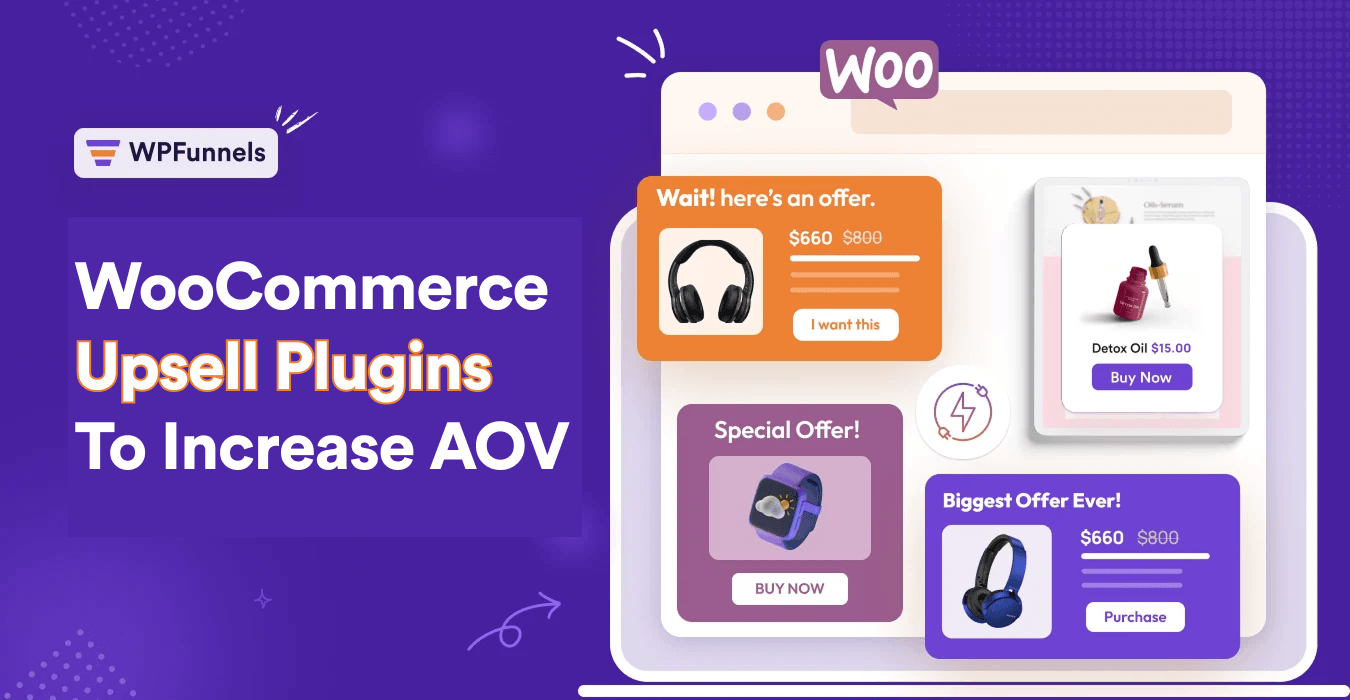
Tactic 2 – Checkout Bumper (Quick Cross Selling & Add-on Sales)
When you hear checkout, you automatically assume that it’s time for payment. So you do not think much of it other than optimizing it to reduce drop-offs.
But, you’d be surprised to know how easily you can make buyers spend more while on the checkout page, just before payment.
I refer to it as the checkout bumper.
You probably heard of it in the name “order bump” on the checkout page.
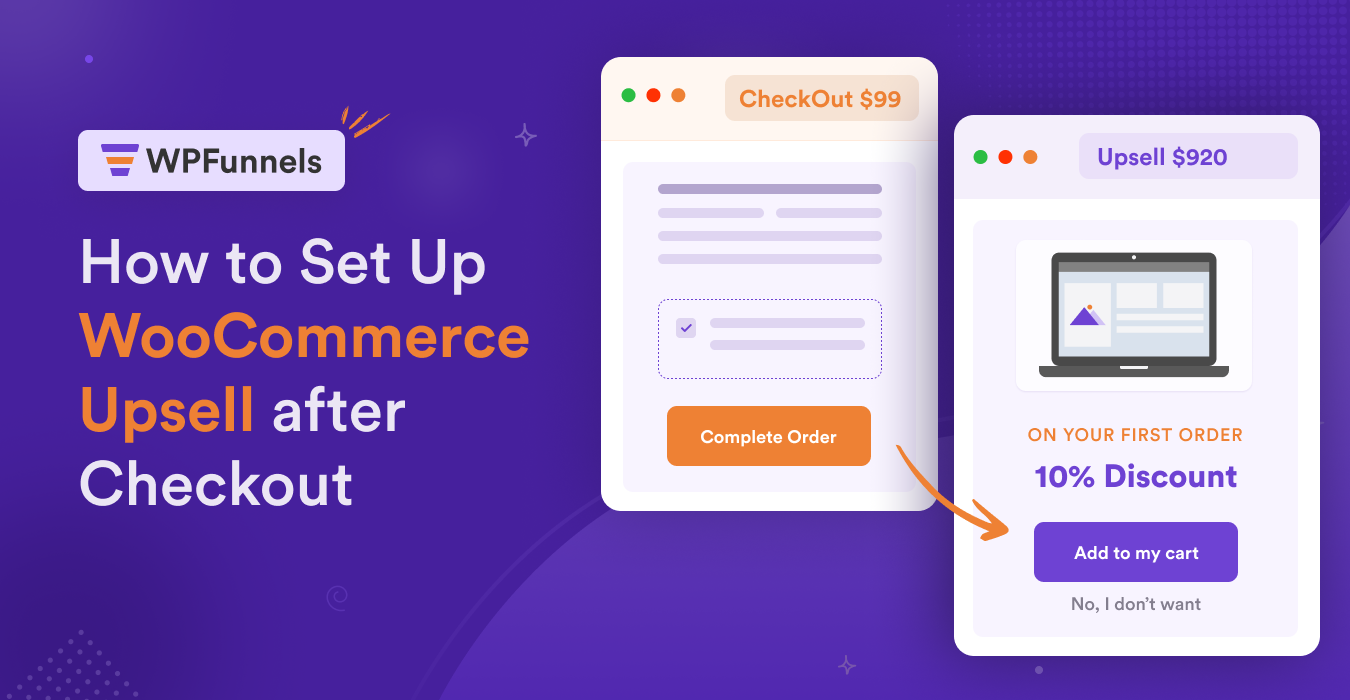
The idea is to simply make a quick offer right on the checkout page, which people can add to the cart with a single click.
For example,
Let’s say you sell running shoes, and suppose someone has a pair of shoes in the cart worth $100.
Now, during checkout, he sees there is a quick offer on 3 pairs of socks, with about $10 off, i.e., .at $25 instead of $35.
Since he will need socks with his new shoes, and this is an affordable amount he can spend, he may consider adding them to the cart.
Here, you earn an additional $25, and the customer is happy to have saved $10 on socks, while also getting them on the same order, instead of having to search and order again separately.
You could use this tactic to:
- Cross-sell complementary products (like socks with shoes)
- Sell Add-ons (such as extra cheese with a burger)
- Upsell package (such as subscription plan 2 instead of plan 1)
- Bump quantities (such as getting 3 t-shirts instead of 1)
- Upsell with a better alternative (such as more durable batteries instead of regular ones)
But for order bumps to work,
- You have to keep in mind that you are not offering something that will take too much extra amount.
- And you have to consider a small discount, which is not available in your regular store.
- Ensure the product is relevant to one of the products in the cart.
If done right, you can expect to get about a 5-10% increase in AOV.
How To Implement This Tactic In WooCommerce?
Here’s what you do:
- Start by choosing 3 of your best-selling products.
- For each, find a product you can offer as a cross-sell, upsell, or add-on, and not too expensive.
- Decide on a discount amount for each that will not exceed your acquisition cost.
- Get a plugin that allows you to add order bumps in WooCommerce checkout
- Create and design the order bump offers and place them in a suitable place on the checkout form. (We recommend you place it right above the order details area.)
**This will be most effective if you can make it dynamic per product rather than offering a static order bump.
To implement these, you may use one of the following plugins:
- Checkoutify by RexTheme
Best for customizing the default WooCommerce checkout form and placing static order bumps. - WPFunnels’ Order Bump For WooComerce
Best for adding dynamic order bumps based on conditions (such as product, category, price, etc).
Plus, you can also create individual funnels for products to run special campaigns. - CartFlows‘ Order Bumps
Best for creating funnels with rule-based order bumps, similar to WPFunnels.
Tactic 3 – Product Bundles That Lift AOV Naturally
Offering product bundles is a great tactic to increase average order value because you could earn about 3-5 times more from a single order than when the customer would buy a couple of individual products.
For example,
You could sell face wash for $50. Or you could sell a beauty bundle that includes this facewash, plus a lotion and a toner for $100 (after $30 discount).
If the placement is right and offered at the right time, many will rather go for the bundle.
But it’s not all that simple.
Product bundles seem like a simple tactic, but when you actually go ahead and try to create one, you will be surprised at how not-so-easy it will be to build.
Back when I was an amateur, I even planned bundles a couple of times, which resulted in 0 sales. 😅
Over the years, I have learned what went wrong there.
Here’s what I’ve learned in short.
When creating a product bundle, the following needs to be true:
- The products in the bundle must be highly complementary or at least relevant to a common need of the buyer.
- The use case and the perceived value should be easy to understand.
- The bundle price should offer a significant amount of savings compared to buying the products separately.
So, a bundle cannot be out of a hunch. It should be intentional.
Let me give an example of a good bundle and a bad bundle.
| Good Bundle | Bad Bundle |
|---|---|
| A Valentine’s bundle could include a rose, a couple of chocolates, and a heart-shaped pendant. This is a good bundle as it serves the need of the buyer to impress the person he/she will gift it to. | A bundle that includes a mug, two spoons, and a calendar. In this case, the mug and spoons were fine. But the calendar doesn’t make sense. |
Some people will suggest bundling up best sellers. But no. If they are not complementary or relevant to a common need, you shouldn’t offer them together. They are better off sold separately.
Now, creating a bundle is only the first part. The next challenge is how you will make it visible to the customers. Do not just create one and add it to the product listing. If you have a good bundle, you need to highlight it properly.
- You can highlight it in different areas, such as the home page banner, top bar, pop-up, or even as anchor offers beside the individual products that are part of the bundle.
- And of course, you need to email it to potential buyers that had purchased from the same category in the past.
- Running paid ads to highlight it is also not a bad option.
The idea is to earn a high amount of revenue from each customer using an intentional bundle offer, instead of hoping people will spend more.
How To Implement This Tactic In WooCommerce?
Here’s what you do:
- Choose a few products that you think can be bundled together (i.e., complementary or serve a similar need).
- (Optional) Try to create this bundle around a product that has some demand (i.e., some regular orders or more requests)
- Calculate the total price of all the products when added individually.
- Calculate the total variable cost for each product (which includes COGS, shipping & packaging costs, payment processing fees, fulfillment fees, etc.)
- Find out your total contribution margin (Contribution Margin = Total cost – Total Variable Cost).
Example:
If 3 products have a total cost of $100, and a variable cost of $30, then the contribution margin is $70.
The contribution margin is the highest amount you can discount. - Choose the amount you can waive off as a bundle pricing offer.
We recommend you keep at least 20-30% of your contribution margin to stay profitable. - Then create the bundle using a bundling plugin for WooCommerce.
- Once the bundle is ready, start highlighting it throughout your site via home page banner, notification bar, email, etc.
- (Optional) You may make it available for a limited time to invoke scarcity into the tactic.
- (Optional) Consider using re-targeting ads to reach past 2 months’ visitors and offer the bundle.
To implement these, you may use one of the following plugins:
- WooCommerce Product Bundles
A premium plugin, best for creating bundled products as part of your existing online store. - WPC Product Bundles by WPClever
A free solution with decent options to create product bundles in WooCommerce. - WPFunnels
Best for creating custom product bundle offers along with a sales funnel that’s not available in your existing store. - Foobar
Reliable plugin to place a notification bar on the site, where you can promote the bundle.
Tactic 4 – Post-Purchase 1-Click Upsell – High-Value Revenue Lift
Over the past few years, one-click upsells have gained great popularity.
Here’s how it works:
After someone has gone through checkout, you immediately take the buyer to a unique offer page where you try to upsell another product that costs a significant amount of money.
But you make sure it is an irresistible offer, i.e., a huge discount and high perceived value, which the buyer can accept with one click. (By one-click, we mean no longer needing to fill out a checkout form or submit payment info again.)
For example,
Let’s say a person ordered a course worth $100.
Right after checkout, you take him to an offer page to get a collection of 10 courses that cover everything around the topic of the initial course, which normally costs $1000, but the buyer can get it now at $500.
If the person sees value in this, he will consider investing the extra amount to get the whole package.
Meaning, the order value will be $500 instead of $100.
Now, not everyone will accept the offer. We found it to work for around 10-20% of the customers. But the amount you will earn per customer will give a huge push to the overall store’s average order value.
Having said that, we have proof that this tactic can actually generate 30% more AOV than usual, and contribute to 10-20% of the overall revenue.
So, this is literally the tactic with the highest potential to increase your overall revenue.
And I am not just saying it as a statement. This is something that I have personally used in our recent launch campaign.
Last year, we launched a new software. During the launch, our regular sales were supposed to be $19500 (from 30 orders). But, thanks to some smart upsell offers we set up, we earned an additional $9612 more as 12 customers accepted our upsell offer.
Instead of an average order value of $650, we actually ended up with an AOV of $970!!
(You can read the details here: How we lifted AOV with one-click upsells)
Why does one-click upsell not work for many, while others make a fortune out of it?
I have seen many simply wanting to skip this tactic because they haven’t gotten good results in the past.
But truth be told, the result really depends on if you have made the offer correctly.
As per the case study I shared, it worked quite well for us. So what did we do differently from those people who didn’t get good results?
It’s quite simple. No offers will work if you just choose them randomly or out of a hunch.
One-click upsells should have the following characteristics:
- The offered product has to be either a better alternative or a complementary product.
- What you offer should cost a significantly high amount, even at the offer price.
- The whole offer should have a high perceived value that justifies the high costs.
- You should give a huge discount on the offer that people won’t normally get from your store.
- The copy & structure of your offer page has to be highly persuasive.
If you get all of these right, your upsell offer is bound to work in your favor.
And as you saw above, you do not need a lot of upsell conversions. A few of them is enough to hit higher numbers.
How To Implement This Tactic In WooCommerce?
Here’s what you do:
- Start by choosing 3 of your best-selling products.
- For each, find a product you can offer as an upsell after checkout. Keep in mind, it has to be a better alternative or complementary product, and has to cost a significant amount (if possible, not too much less than the cost of the initial product).
**You can even consider creating a custom bundle to offer as an upsell. - Decide on a discount amount for each that will make it look irresistible. (It can’t be more than your average acquisition cost.)
- Get a plugin that will allow you to set up one-click upsells in your WooCommerce store.
- Design the upsell offer page and prepare a persuasive copy to get high results. (We recommend you try a VSL format.)
**This will be most effective if you can make it dynamic per product.
**If your tool doesn’t have the option to set up rules to make it dynamic, then you may have to create a separate funnel that includes the one-click upsell offer, not visible in the store, and promote it independently.
To implement these, you may use one of the following plugins:
- WPFunnels’ One-Click Upsells
Best for creating dynamic funnels for WooCommerce, where you can set up custom checkouts, and one-click upsells based on conditions (such as product, category, price, etc).
Plus, you can also create individual funnels for products to run special campaigns. - Cartflows’ Upsells
Best for creating static funnels for products with one-click upsells, which you can promote independently. - Systeme.io
Best for creating funnels outside your store website, if you do not have an issue with the high monthly costs.
Tactic 5 – Dynamic Product Funnels Per Category
Until now, you learned several tactics that you set up for different products. But now, here’s a tactic that will do the work for you and for all your products based on specific conditions.
You create a conditional funnel that includes dynamic order bump offers and one-click upsell offers based on the product category. The offered products will be from the same category as the initial product in the cart, meaning they will be relevant and more likely to convert.
For example,
A buyer comes to your online store and wants to order a facewash. On the checkout pages, she sees a special 10% discount on a toner if added to the cart. After checkout, she is also offered a body lotion at 20% discount.
If you notice, these are all beauty products, especially Women Skincare.
Now, in the same store, another buyer tries to order a men’s shaving cream. On the checkout page, he sees a discount on an aftershave. After checkout, he is offered a discount on a pair of razors.
This time, all the products are for men’s grooming products.
So, you can set dynamic offers for different categories in the same store, and have the offers be randomly made from the same category. You don’t have to plan product combinations or plan funnel journeys per product.
All you do is prepare a single funnel journey for a whole category with dynamic product offers.
This approach will give you a 20% higher chance of making people accept order bumps and upsells.
How To Implement This Tactic In WooCommerce?
To be honest, right now, this tactic can only be applied with one plugin, WooCommerce Funnel Builder – WPFunnels.
- Get WPFunnels growth plan, which includes dynamic WooCommerce funnels (or you may hear it as Global Funnels).
- Create a funnel starting with the checkout step and enable global funnels for it.
- Define for which category people will enter this funnel.
- Design the checkout page and set up an order bump with another product in the same category.
- Add an upsell page with a condition to offer a random product from the same category.
- On the upsell page, place the widget in a suitable place and write a product-neutral copy, mainly focused on the discount and the category, rather than any specific product.
And that’s it. Now, when a buyer tries to order a product in the category you defined in this funnel, they will enter this custom funnel and see the order bump you’ve set. And then, after checkout, he will see a random upsell offer with a product in the same funnel.
Here’s a video to see how you can set this up:
Point Of Interval – Let’s Take Sigh Of Relief Before Going To The Next
Once you have the above 5 in place, you will already see huge growth in AOV, as they are the most effective ones.
The remaining tactics are good to have. If you can implement them, great, if not, it’s okay. You should at least start with the first four.
But if you already have them in place and you want more, then read on.
Tactic 6 – Anchor Pricing Strategy
Anchor pricing is normally highly effective during specific campaigns where you may have some sort of special offer or bundle prepared.
The idea is, you have a regular product offer, and beside that, you place another offer, which costs way more, but has much higher perceived value.
So on the same offer page, you have two offers. One is easily affordable. But the other feels way more tempting to take, given the perceived value, even at the high price.
Let me give an example.
Suppose you sell books on your WooCommerce store..
Now, what you can do is create a landing page for one of your best-selling books.
But in the pricing section, you keep two columns. In the 1st column, you have your book for $30.
In the 2nd column, you have a package worth $500.
- This package includes 14 books that would cost him a total of $600
- Access to a course you have on the topic that is currently priced at $200.
- A 30-minute session with you to get any confusion off, which you normally charge $50.
So instead of $850, he will pay $500 and get access to everything needed to be an expert in the area.
A few of the customers who want the book will see this offer as a genuine opportunity to invest in their future development, not just due to the cost, but due to the overall value they will get.
(A session is much more effective than reading a book and staying confused. A course is much more practical than a book.)
So, you can expect 1 out of every 20 buyers to consider this offer. But this one customer will get you the revenue that you can earn if 16 buyers take the $30 book.
All in all, you both win in this situation.
You can prepare something similar during seasonal campaigns.
For example, during Valentine’s, you could offer a value-for-money bundle as an anchor offer when someone goes to buy a bunch of flowers, chocolates, etc.
For anchor pricing to work,
- You need to place it beside a product that people are willing to buy, i.e. a popular product in your store.
- The price of the anchor offer has to be significantly higher than your popular product (at least 3 x times).
- You need to be able to place it beside the pricing section of your initial offer.
- The anchor offer should have a much higher perceived value.
- It should offer a significant amount of savings.
If you want to use this strategy, you need to create separate funnel journeys with custom landing pages and checkout flows, as it is not easily possible in a traditional WooCommerce store.
How To Implement This Tactic In WooCommerce?
Here’s what you do:
- Choose a product that is popular or bound to be popular in the current season.
- Now, plan a unique package or bundle that includes this product, plus a few other products that add up to offer a higher perceived value to the user, and their overall costs are way higher when added.
- Then, decide on a good discount that will still keep the price 3-5 times more than the initial product, and will not exceed the contribution margin (explained in the Product Bundle section).
- Choose a plugin to create a funnel with a custom landing page and checkout flows.
- Prepare a landing page where your main offer is the popular product, but in the pricing section, you place both the product and the anchor offer side by side.
- Under the anchor offer, mention the things included, the overall perceived value, and the overall savings.
- From that part onward, explain why the special package makes more sense, maybe with a video right after.
- After the landing page is ready, use the plugin to create custom checkout pages (and thank you pages) for each of the offered products and link them to the CTA buttons in the pricing section.
- Once your funnel is ready, promote it online to bring in customers.
**As I said, this approach will not give you a huge number of conversions, but the few that will convert will make up for it through the amount they spend.
**Keep in mind, the anchor offer is not easy to make. You have to spend time planning this right so that the buyers actually find it more valuable overall, not just in terms of price.
To implement these, you may use one of the following plugins:
- WPFunnels
Best for creating custom funnel journeys with landing pages, checkouts, and offers for any WooCommerce products. - CartFlows
Best for creating static funnels for products with custom landing pages and checkouts. - ClickFunnels
Best for creating funnels outside your store website, if you do not have an issue with the high monthly costs.
Tactic 7 – Discount On Target Cart Total
Similar to offering free shipping on a target spending total, you can also consider offering discounts when a certain cart total is achieved.
For example, you can set up a threshold of $100 to get a 10% discount on the total cart.
So, if the buyer has added $80 worth of products in the cart, you highlight that he has to spend $20 more to get a special 10$ discount on the total.
And more often than not, people will try their best to hit this target to get that discount.
For this tactic to work, you need to keep the following in mind:
- The target threshold cannot be too high. We recommend keeping it below 200% of your current AOV.
- The discount offer should not be very high. You want this to increase AOV, not just get you more product orders.
How To Implement This Tactic In WooCommerce?
Here’s what you do:
- Find out your current AOV and then decide on a spending target for buyers, which we recommend to be at least twice 200% off your current AOV.
- Decide on a discount percentage. (We do not recommend offering more than 10-20%.)
- Get a plugin that specializes in offering discounts based on target cart total.
- In the plugin, set the rule where the buyer has to spend at least $X amount to get a Y% discount.
- Once this is set, you then take steps to promote this using a banner, email, or as text on the product page.
To implement these, you may use one of the following plugins:
- Dynamic Discounts For WooCommerce by RexTheme
Best to set a static rule in the whole store to get a discount upon meeting the threshold. - WPFunnels
Best for creating dynamic funnels for different products in WooCommerce to offer custom discounts upon target cart totals. (You can also include order bumps and upsells to the funnels to help with further AOV lift) - Discount Rules for WooCommerce by Flycart
Best for setting site-wide discount rules,including discounts based on cart total.
Tactic 8 – Better Alternative Recommendation Upon Add To Cart Action
When someone is interested in a product, normally, you want him/her to purchase it right away before he/she changes his/her mind.
But, in this unique tactic, you will set out to change the buyer’s mind at the point of decision.
When a buyer tries to add a product to the cart, you will immediately load a pop-up to recommend a better alternative instead.
For example, let’s say someone clicked add-to cart for a transparent phone cover, worth $15. Immediately, a pop-up appeared where the buyer was offered to get a custom-designed cover instead of just $10 more, i.e., at $25 ($5 discount). If the buyer is interested in the design and the amount is affordable, he will consider the switch.
The buyer gets a discount, while you earn some extra money.
You can also make better alternative recommendations on the product page, below the product description, hoping the buyer will find it and consider checking it out (although, this is not highly effective).
For this to work, you need to keep the following in mind:
- The recommended product literally has to be an alternative for the same use case.
- It should definitely be the better choice in terms of quality or reputation.
- The price of the recommended product must be higher than that of the initial product.
How To Implement This Tactic In WooCommerce?
Here’s what you do:
- Find a product that sells more, but you actually have a better alternative available at a higher price.
- List down reasons why it is a better alternative.
- (Optional) Decide on a discount you can offer that will not be higher than the acquisition cost, and will not reduce the price below the initial product.
- Get a plugin that allows you to load a pop-up upon clicking on add-to-cart to recommend some other product.
- On the pop-up, make sure to mention the reasons you think it is a better alternative.
To implement these, you may use one of the following plugins:
- Finch Cart by WPBean
Best to implement this tactic with product recommendations. - Added to Cart Popup by Koala Apps
Best to implement this tactic along with more customization options.
Tactic 9 – Cross-sell Recommendation On Cart Page
This one’s quite simple, which you can do in your default WooCommerce store.
When someone views his cart, there, you display some products that are relevant or complementary to some of his products in the cart. It’s that simple.
Why is this smart?
When a person visits the cart page, they already have an intention to buy. A good recommendation here will make them more curious and eager to buy that product as well.
How To Implement This Tactic In WooCommerce?
- Choose a product that sells well.
- Edit the product in WooCommerce and scroll down to the Liked Product section.
- Here, in the cross-sell, assign another product that is relevant.
That’s it. Now people will see recommendations when they visit the cart page with the selected product.
Tactic 10 – Create Your Own 3-Product Bundle
Now, this is a unique tactic I want to share with you, which you will probably not find elsewhere.
Compared to the rest of the tactics above, this one’s not yet a common approach, but it still holds great potential to make people spend more.
What you do is, you give people a list of products from which, they can add 3 of them to create a bundle and get a discount.
So, you are actually forcing people to buy 3 instead of one, quite easily pushing the AOV.
How To Implement This Tactic In WooCommerce?
- List down products that you think are on demand in your store.
- Assign them a specific category.
- Decide on a discount you would like to offer. We recommend not offering more than 30%.
- Use a bulk discount plugin that allows you to set this special bundling rule: If the cart includes ≥3 products from Category X, apply discount Y.
- Once this is set up, promote this around your store on the home page banner, notification banner, and via email.
- Also, consider running paid ads to highlight this.
To implement these, you may use one of the following plugins:
- YITH WooCommerce Dynamic Pricing & Discounts
Great for setting complex discount rules, including the one needed for this tactic. - Notification X
Great for setting up notification bars where you can promote this offer. - Mail Mint
Best for email marketing and automation for WooCommerce.
Make These Tactics More Effective With Urgency and Limited-Time Offers
For all the tactics above, find ways to use urgency and FOMO strategies. These are highly effective at making people place orders fast. So any tactic you use and any offer you have, if you can keep it tied to a limited time, and convey the FOMO tactic via your copy, it will increase the chances of conversion by at least 20%.
But urgency only works if the buyer actually sees it. If the limited-time angle lives only in your copy, most shoppers will scroll past it.
A “Limited Time” or “Only a Few Left” label on the product image is a much faster signal, and it reaches people while they are still browsing rather than after they have committed. That timing is what makes it work.
The buyer gets the information they need at the exact moment they are deciding, so they act instead of leaving to think it over, and that alone lifts your sales.
You can set this up with Better Badge, an advanced product badges & labels plugin for WooCommerce that applies labels across a category or a selected set of products and schedules them to disappear once the campaign ends, so your urgency stays believable.
So they tend to judge based on the current market trend, and the frequency of your campaigns to decide if they should ignore your urgency trigger or not.
For example, do not use limited-time offers when using order bumps during the off-season.
Maybe during summer sales, you can have a special discount that you normally do not offer. That you can highlight in the order bump.
But in regular times, a time barrier won’t motivate too many people to add the product to the cart.
On the other hand, when using dynamic product funnels per category, you can readily use FOMO tactics in the upsell offer page copy because that is indeed random, and the user may not get it the next time he places an order.
Most of the plugins recommended applying the tactics above allow you to keep the offers time-bound. For the rest, you have to manually control it.
Point Of Interval – Why AOV Results Often Feel Confusing (And Why That’s Normal)
By now, you have learned of 10 proven tactics to increase WooCommerce AOV.
You should now focus on implementing them with high quality.
But just putting them in place doesn’t end your work. After making AOV changes, results rarely move in one clean direction.
You add a bundle and AOV increases, but conversion drops. You add a checkout offer, and revenue per visitor barely moves. Sometimes AOV looks great at first, then repeat purchases slow down later.
This is usually the point where store owners start doubting the entire idea of AOV optimization. In most cases, nothing actually went wrong.
The average order value is a single number, but it represents several behaviors happening at the same time. When you change offers, pricing, or checkout flow, you change conversion behavior, spending behavior, confidence, and future intent together.
That’s why results rarely move in a straight line.
Conflicting results across devices, customer types, or traffic sources are normal. The mistake is trying to satisfy every segment at once instead of prioritizing the one that aligns with your goals.
More testing often makes this worse. When too many variables change at once, it becomes impossible to understand what caused what.
Once you accept that mixed results are normal, the real challenge becomes deciding what to keep, what to change, and what to remove.
That is what the next step focuses on.
Step 2 – Measuring Results And Deciding What Works Best And What To Improve
Now, to understand if your AOV tactic is working, you need to measure specific metrics per tactic.
Following is a table you can follow to analyze this.
| # | Tactic | Metrics to Track | Indication It’s Working | Indication It’s Not Working |
| 1 | Spending Goals to Claim Free Shipping | AOV, % of orders above threshold, Margin per order, Cart abandonment rate | AOV increases ≥10%, 20–40% of orders cluster just above threshold, Margin stable or improved | AOV unchanged, shipping cost eats margin, cart abandonment increases |
| 2 | Order Bump During Checkout | Order bump take rate (%), AOV, Checkout conversion rate, Revenue per visitor (RPV) | 20–40% bump take rate (low-priced item), AOV rises without lowering checkout CVR | Take rate <10%, checkout CVR drops, refund rate increases |
| 3 | Product Bundles | Bundle attach rate, Bundle margin, AOV, Units per transaction (UPT) | 15–30% of eligible buyers choose bundle, Higher margin per order vs individual items | Customers still buy items separately, margin per order decreases |
| 4 | Post-purchase One-click Upsell | Upsell conversion rate, Incremental revenue per order, Refund rate | 5–20% upsell conversion (depends on price), Net revenue per order increases | Conversion <3%, refund rate increases, customer complaints rise |
| 5 | Anchor Offer with Another Product | % choosing higher-priced option, AOV, Product mix shift | Clear shift toward mid/high tier (10–25% uplift), AOV increases | No product mix shift, customers default to cheapest option |
| 6 | Discount on Target Cart Total | % reaching target tier, Effective discount rate, Margin per order, AOV | AOV increases more than discount %, margin per order remains positive | Discount cost > incremental revenue, customers game system for discount |
| 7 | Better Alternative Recommendation Upon Add-to-Cart | Upgrade rate, AOV, Add-to-cart conversion rate | 10–20% upgrade rate, AOV rises without lowering add-to-cart rate | Add-to-cart rate drops, minimal upgrades (<5%) |
| 8 | Dynamic Product Funnels Per Category | Funnel conversion rate, AOV by category, Revenue per session | Higher AOV in optimized categories, funnel CVR stable or higher | Funnel drop-offs increase, no AOV lift per category |
| 9 | Cross-sell Recommendations on Cart Page | Cross-sell attach rate, AOV, Cart-to-checkout conversion rate | 10–25% attach rate, AOV increases, checkout CVR unaffected | Cart abandonment increases, low attach rate (<8%) |
| 10 | Create Your Own 3-Product Bundle | Bundle completion rate, AOV, UPT, Margin per bundle | 20%+ of buyers complete 3-item set, Higher UPT and stable margin | Customers add 1–2 items only, margin compressed due to discount |
Now, the benchmark numbers I used, you can choose different numbers, subject to the change you want.
For example, you might already have a 30% order bump acceptance rate. But you may want to hit higher numbers now, so you run A/B tests to hit higher goals.
So, for each tactic, when you implement, observe the metrics and check if the numbers speak “Good” or “Bad”. Based on that, they make changes or improve.
In case you are confused, you can reach out to eCommerce sales growth and funnel experts (such as the WPFunnels team) who have experience with specific tactics.
Step 3 – Fusing “AOV Growth” Into Your System
Well, so far, I have shared details on the AOV growth tactics that I have learnt till now. But here’s a common issue I face when I share my knowledge.
Most people try them out, treating them as one-off experiments.
But no, do not do that for this scenario.
If increasing AOV is not a core part of your revenue growth strategy, no matter how much effort you make in traffic and conversions, your overall acquisition costs will eventually make it less profitable.
So this is not optional.
At least, you need to include the first 5 tactics in your core sales system. And here are a few things to ensure you can fuse it into your system.
I. Do Not Mix Seasonal Promotions With AOV Growth Tactics
When you run seasonal campaigns, you prepare offers and promotional material around them.
But do not think you should use these AOV tactics only during seasonal campaigns.
They are to be used on a regular basis, at least the top 5 ones.
II. Understand When To Use The 5 Tactics And How
| # | Tactic | When To Use |
|---|---|---|
| 1. | Spending Threshold To Get Free Shipping | Keep this all year round, even when you have discount campaigns running, as long as you have flat shipping. For dynamic shipping, limit this to products with less weight only, or bound to a specific country. That way, you would have a chance of making a loss. |
| 2. | Checkout Bumper (Order Bumps) | Use order bumps for your best sellers at regular times, but do not offer urgency. Keep it solely value-based and discount-based. During sales season, set up multiple order bumps. Use one to cross-sell like usual, and use another to upsell bundles. Keep using this all year round. |
| 3. | Product Bundles | Have a value-for-money bundle available in your store at all times. During seasonal campaigns, create theme-specific bundles and keep them available for a limited time. Run separate promotional campaigns around bundles during sales season as it will generate higher revenue. But do not replace all promotional themes with bundles. You also have to promote your best sellers and new arrivals that match the seasonal theme. |
| 4. | Post-Purchase One-Click Upsells | During the regular season, use one-click upsells to promote better alternatives or the value-for-money bundle. And during sales season, always focus on selling high-value bundles. |
| 5. | Product Funnels Per Category | Set such conditional funnels throughout the year. Do not make any changes to this during seasonal campaigns. Keep those separate, as this will give constant conversions. |
III. Keep AOV As A Key Metric In Your Growth Scorecard
If you are not tracking your results on a regular basis, then you should start ASAP, as that is the only way you will know if your store is performing the way it should
But, if you are tracking already, make sure AOV is part of the key metrics you are tracking.
That way, you will always have strategies and tactics in place to increase average order value.
Final Takeaway: AOV Is About Better Offers, Not Pushing More Products
If you take one thing from this guide, let it be this: increasing average order value is not about convincing customers to buy things they don’t need. It’s about designing offers that make the buying experience better, easier, and more complete.
- When you bundle products around outcomes instead of categories, you’re helping customers solve their problems faster.
- When you add a relevant order bump at checkout, you’re completing the solution they already decided to buy.
- When you offer a post-purchase upsell, you’re anticipating their next need before they even realize it.
If done right, AOV optimization feels invisible. Customers don’t feel sold to, they feel served. And that’s the difference between tactics that work once and tactics that compound over time.
So, if you want to grow with long-term sustainability, do not chase just traffic and conversions. Include “increasing AOV” as one of your core areas to work on.
Now, go ahead. Start with one tactic. Implement it and see the results. Then move to the next. Once you have multiple AOV drivers in place, you will see a growing revenue graph in your reports that will stack over time.
And make sure to measure the metrics for each to ensure they are indeed working.
Try WPFunnels To Implement Some Of These AOV Growth Tactics
Now, not to brag, but some of the key AOV tactics explained here can actually be implemented with WPFunnels.
If you notice, with WPFunnels, you can:
- Create order bumps for WooCommerce products.
- Set up funnels and one-click upsells for WooCommerce
- Create dynamic product funnels based on categories.
- Offer discounts based on the target cart total.
- Create independent funnels for specific products where you can use bundles or anchor pricing strategies.
With so many possibilities, this will be a great tool to invest in.
But first, why don’t you give the free version a try and see how it works when offering order bumps and upsells?
Then you can consider trying the Pro features (such as dynamic product funnels).
Frequently Asked Questions
1. What is a good average order value for a WooCommerce store?
There is no universal benchmark that applies to every store. A good AOV is one that improves your own baseline while keeping conversion rate, margins, and customer trust stable. For WooCommerce stores, averages range from $85-92 globally, varying by industry (e.g., fashion $67).
2. Should I focus on AOV or traffic first?
If your store already gets consistent traffic, improving AOV is usually the faster and more efficient lever. It allows you to increase revenue without spending more on acquisition.
But if you have very low traffic, then it’s not the right time to go all in with AOV growth.
3. Can increasing AOV hurt conversions?
When offers are poorly timed or feel forced, conversion can drop. So it will totally depend on how well you managed to implement the strategy. If done right, it shouldn’t hamper conversions.
However, if your traffic quality is low, conversions will be low by default, not related to AOV.
4. How long does it take to see results from AOV changes?
Checkout and post-purchase changes often show instant results because intent is already high. Changes to offers, pricing, or bundles usually take longer to show a reliable impact.
5. What is the biggest mistake stores make with average order value?
The biggest mistake is treating AOV as a number to push instead of focusing on improving the buying experience and customer behavior over time.