
Normally, when you plan email marketing campaigns or decide to automate emails for your online store, what do you do?
You mostly rely on tools where you have a lot of manual work.
- First, you go to an AI platform to get the email written or plan the automation workflow,
- Then you jump into your email client. There, you have to add the copy, structure the email layout, and, in case of automation, define all conditions manually.
Yes, that’s what we’re all used to.
But what if you didn’t have to do all of that?
What if you could tell your email client what you need, just like you tell ChatGPT, and it would set up everything for you?
That’s exactly what you can do from now on.
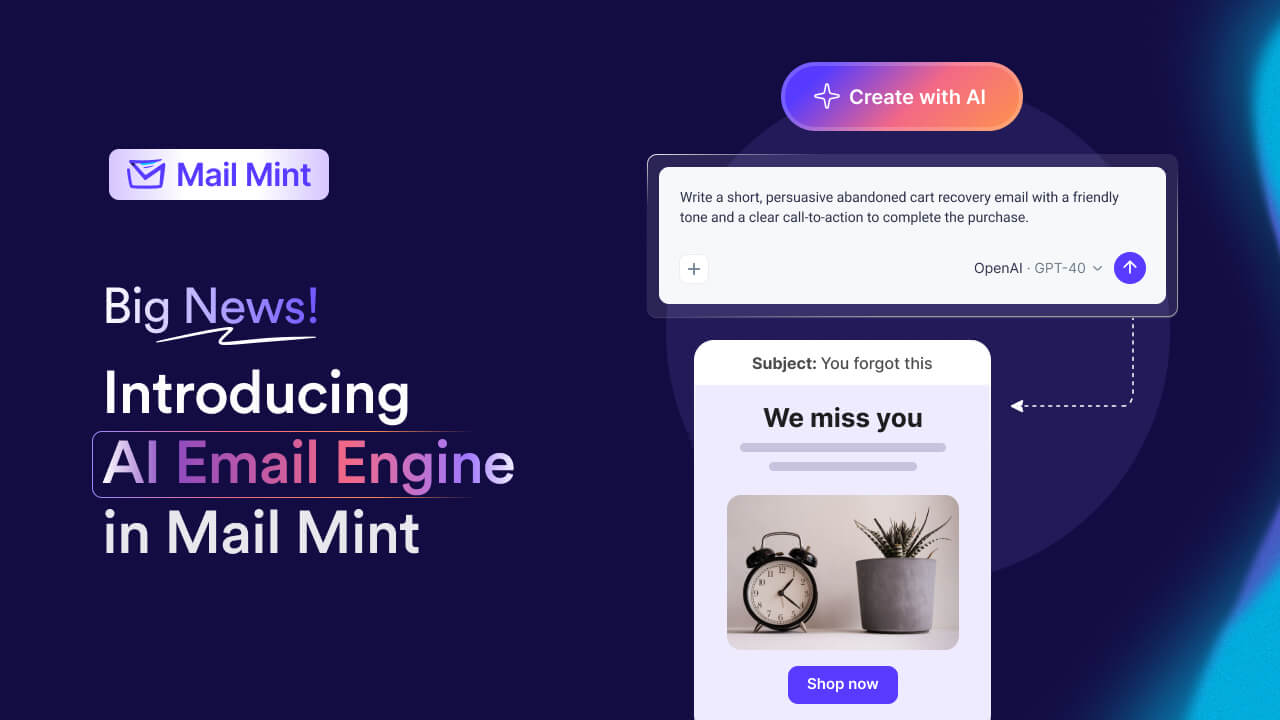
Introducing the new Mail Mint AI Email Engine!
Trust me, it’s something you haven’t seen in WordPress yet.
You Command, And Mail Mint Will Do The Rest
All these days, you only knew Mail Mint as a regular email marketing automation tool for WordPress and WooCommerce. But we weren’t satisfied with how things are done, even in today’s era, where AI is now part of our day-to-day necessities.
When we have AI, why should we work manually?
That’s why our team has been working on this idea of reducing all your efforts with the help of AI for the past few months.
Now, with this new addition, your work will be cut out to just:
“Command → Approve → Launch” that’s it!
A command-driven assistant like this is the product of focused AI chatbot development, where a conversational layer is wired directly into the app’s data and actions. Instead of jumping between multiple tools or doing all the manual work, now you can simply tell Mail Mint what you want, and your email campaigns and automation workflow – including the email copy, design, conditions, etc. – will all be set up for you.
You just review and hit send!
The Old Way vs The New Mail Mint Way
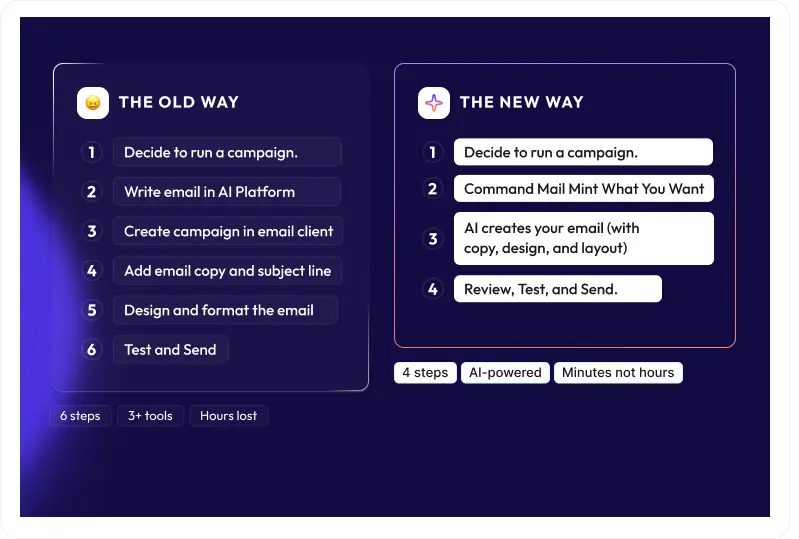
Old way to create an email campaign
- Decide to run a campaign.
- Write email in AI Platform
- Create campaign in email client
- Add email copy and subject line
- Design and format the email
- Test and Send
Creating an email campaign with AI Email Engine
- Decide to run a campaign.
- Command Mail Mint What You Want
- AI creates your email (with copy, design, and layout)
- Review, Test, and Send.
Old way to set up email automation workflows
- Decide what email journey to automate.
- Ask AI to plan the workflow
- Start creating an automation in your email client
- Add trigger
- Add all steps and configure manually
- Ask AI to help with email copy
- Add copy in email steps in the workflow
- Design and format the email
- Test and run.
Creating email automation workflow with AI Email Engine
- Decide what email journey to automate.
- Command Mail Mint What You Want
- AI plans the journey and asks for approval.
- AI creates the whole automation workflow (including triggers, steps, email copy, design, and layout)
- Review, Test, and Send.
The outcome is the same, but the journey is completely different.
Instead of spending your time manually creating everything, you get your email marketing done in less than half the time.
Now here’s a quick glance at how it works.
How AI Email Engine Works In Mail Mint
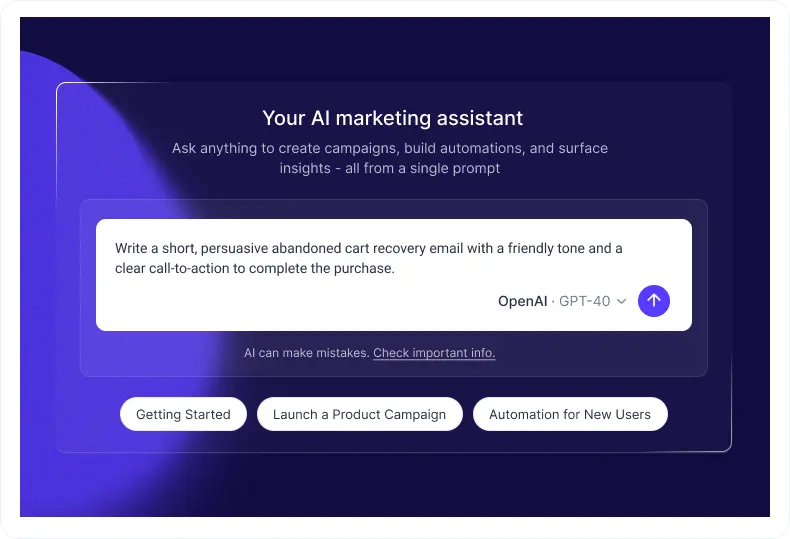
After you update Mail Mint today, you will notice that there is a slight change to all the pages within the Mail Mint plugin.
There is an AI Email Marketing Assistant!
On the dashboard, this is what you will see:
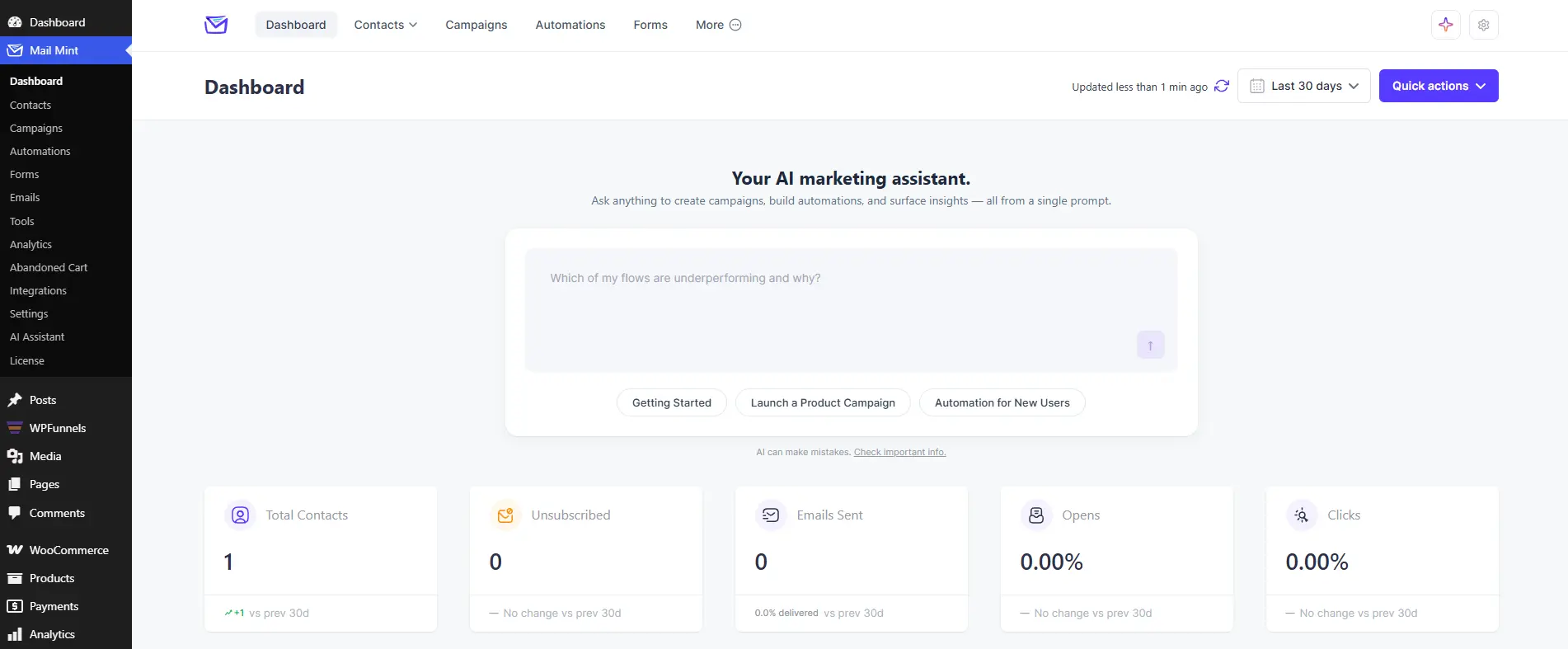
And to be able to use it, all you will need is to connect AI to your site or Mail Mint.
You can go in one of two ways:
- AI connected within WordPress.
- Connect your AI platform API to Mail Mint.
Whichever you prefer, you use BYOK to connect AI. Then leave the rest to Mail Mint.
Now let me walk you through your first experience.
Step 1 – Get Started with Mail Mint
If you’ve just installed Mail Mint, Getting Started is the best place to begin.
Instead of going through different settings pages and trying to figure out what needs to be configured first, simply click Getting Started.
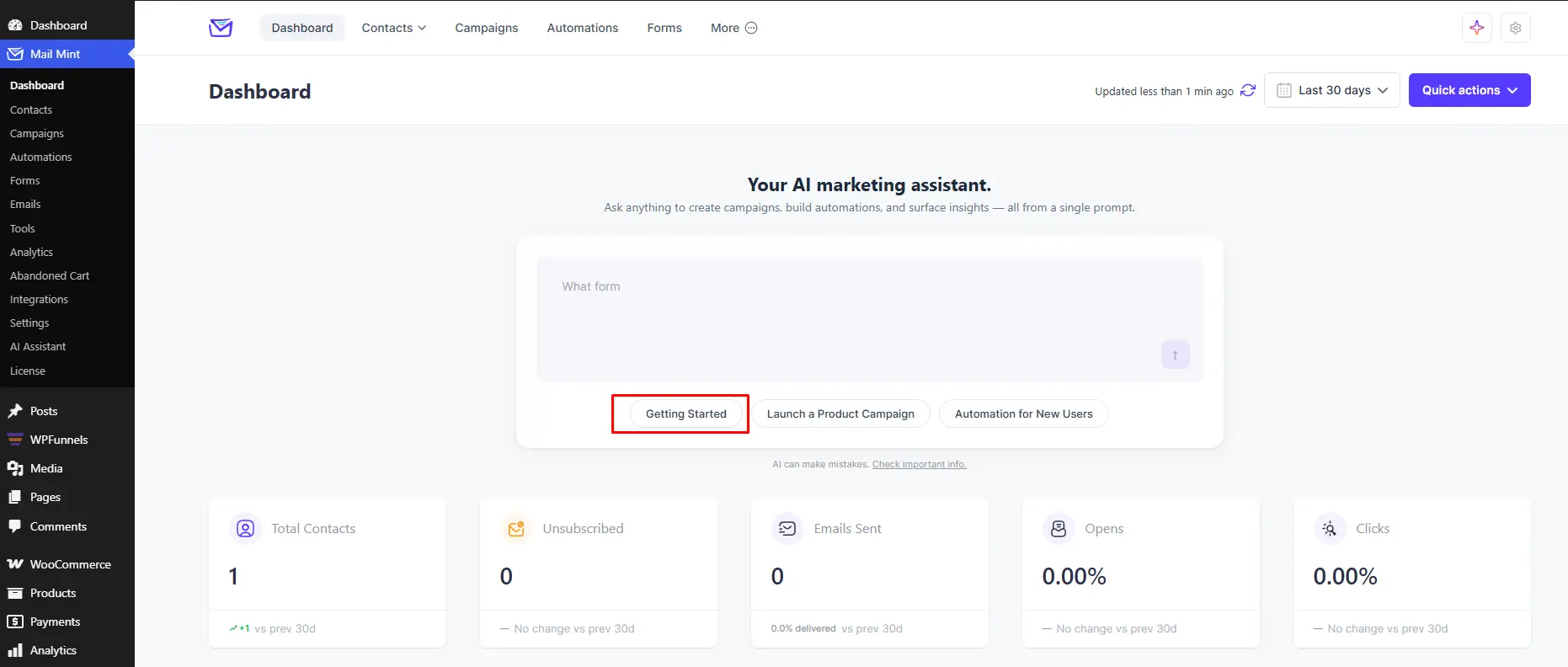
This runs the following prompt automatically:
“I’m new to Mail Mint. Help me set up everything I need to start collecting contacts, sending email campaigns, and creating automations.”
AI Email Engine then analyzes your Mail Mint workspace to see what’s already configured and what still needs your attention.
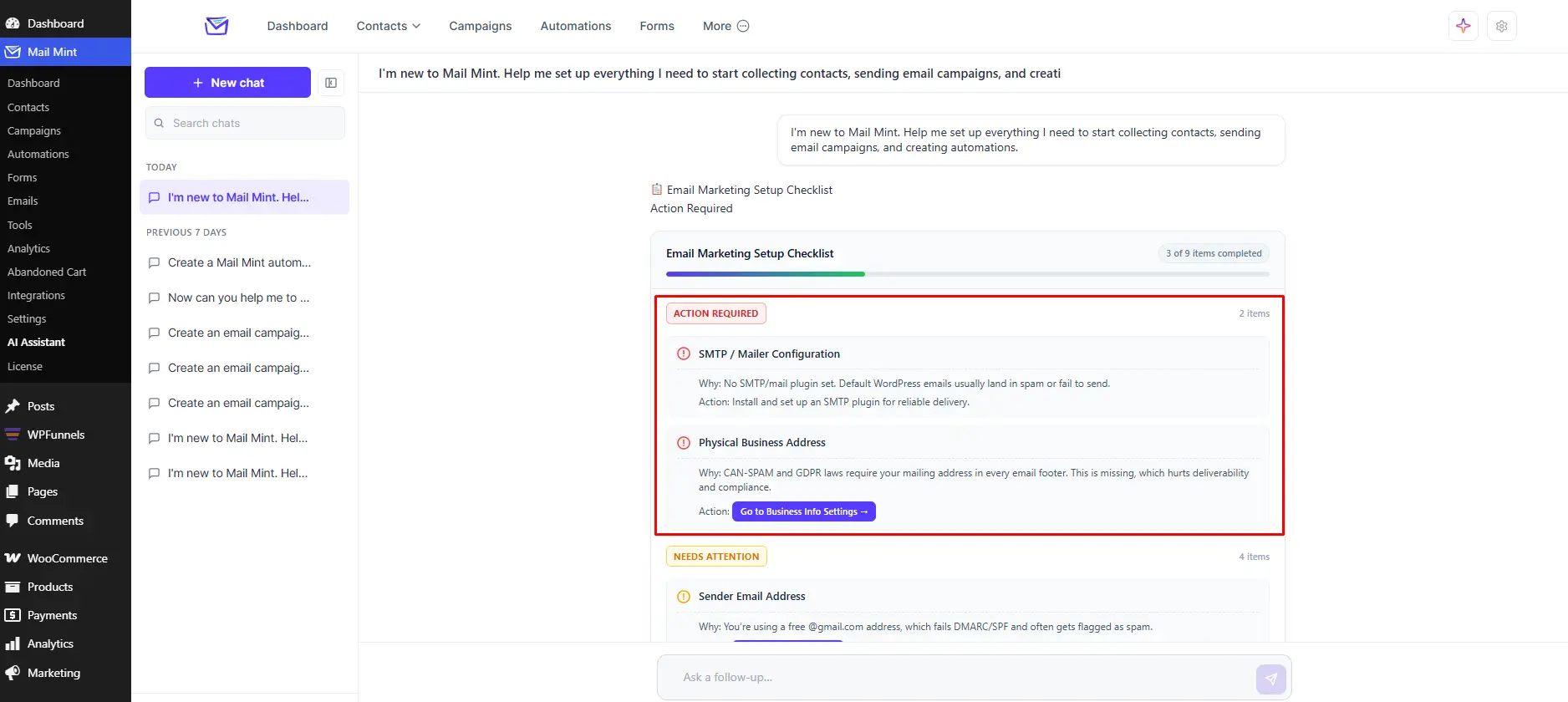
It checks important settings such as:
- Business Address
- Sender Name
- Sender Email
If anything is missing, AI will explain why it matters and guide you through the next steps. For supported settings, it can even help configure them directly after your confirmation.
Once your setup is complete, you’ll know you’re ready to start collecting contacts, sending campaigns, and building automations.
And that’s it. Instead of working through a setup checklist on your own, it helps you get everything ready through a simple conversation.
Step 2 – Launch Your First Product Campaign
Once your workspace is ready, the next step is creating your first campaign.
Normally, this means opening the campaign builder, writing a subject line, creating the email, and figuring out the right message to send.
With AI Email Engine, simply click Launch a Product Campaign.
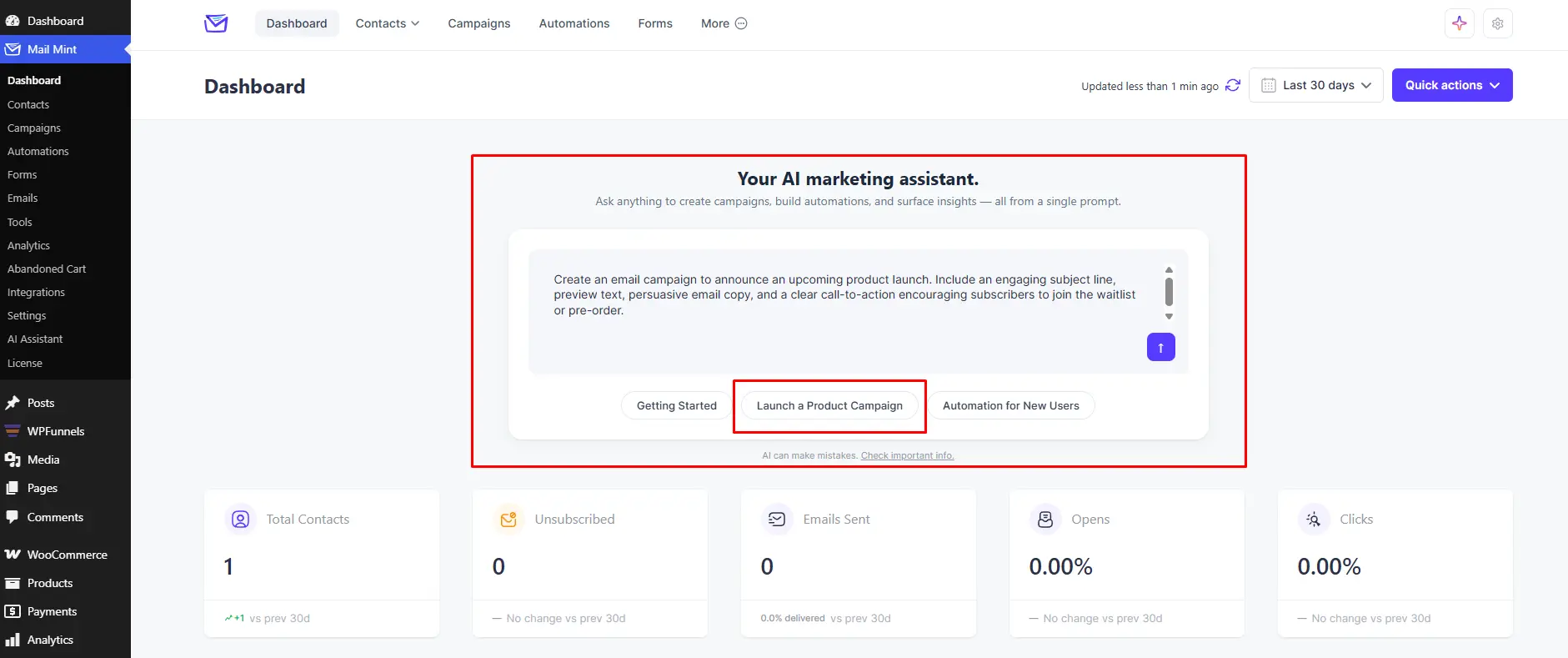
This runs the following prompt automatically:
“Create an email campaign to announce an upcoming product launch. Include an engaging subject line, preview text, persuasive email copy, and a clear call-to-action encouraging subscribers to join the waitlist or pre-order.”
Within a few seconds, AI generates everything you need for your email campaign:
- An engaging subject line
- Preview text
- Complete email copy
- A clear call-to-action
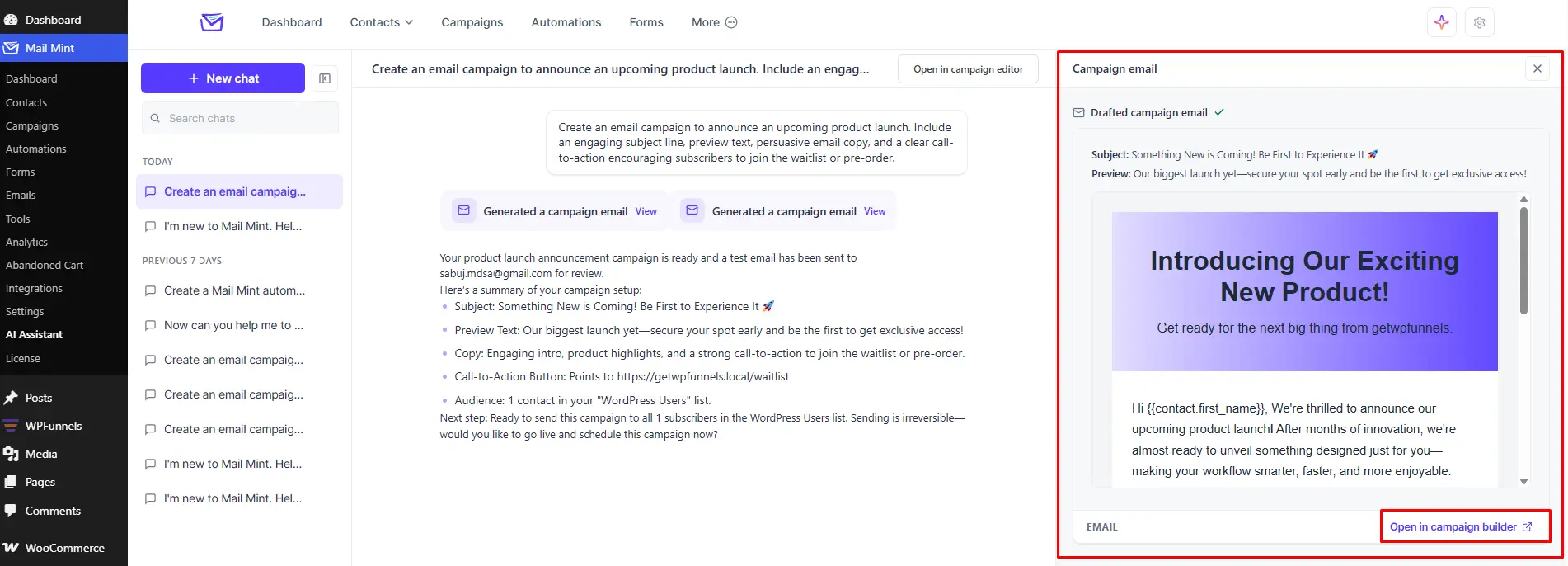
When you’re happy with the result, simply click Open in Campaign Builder.
The entire campaign is transferred to the Campaign Builder, where you can review the content, make any changes you want, adjust the design, and send it when you’re ready.
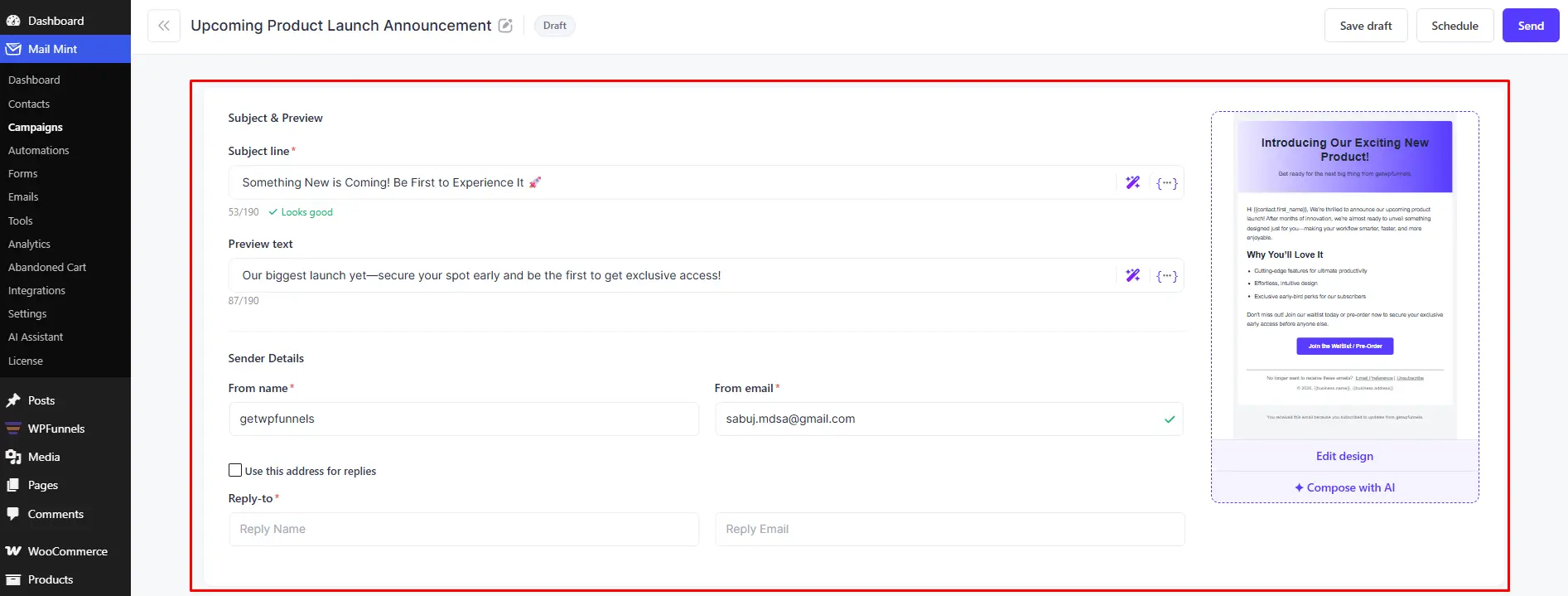
Instead of starting with a blank page, you’re starting with a complete campaign that’s ready for your review.
Step 3 – Build Your First Automation
After creating your first campaign, you may want to automate what happens next.
Instead of building an automation from scratch, simply click Automation for New Users.
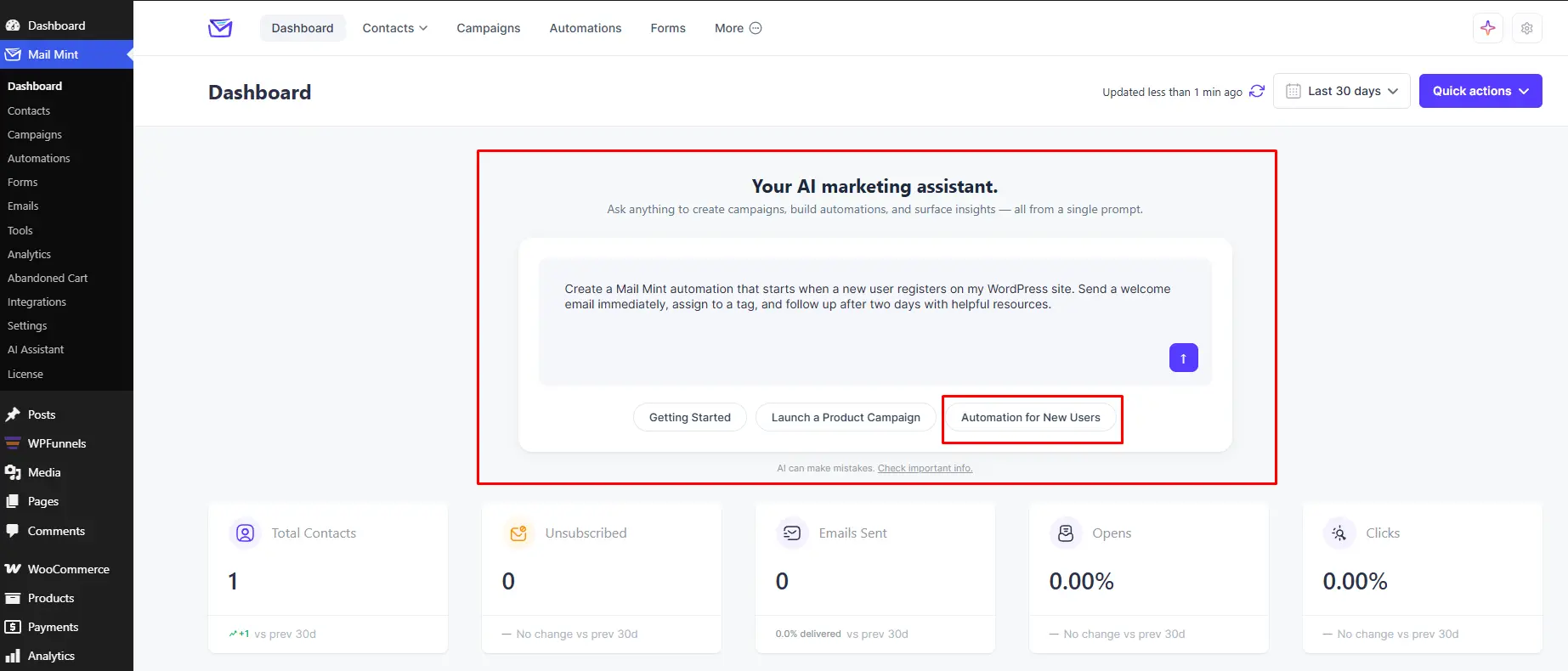
This runs the following prompt automatically:
“Create a Mail Mint automation that starts when a new user registers on my WordPress site. Send a welcome email immediately, assign to a tag, and follow up after two days with helpful resources.”
AI Email Engine understands the request and prepares the complete automation for you.
Before creating anything, it shows you exactly what will be added to your Mail Mint workspace and asks for your approval.
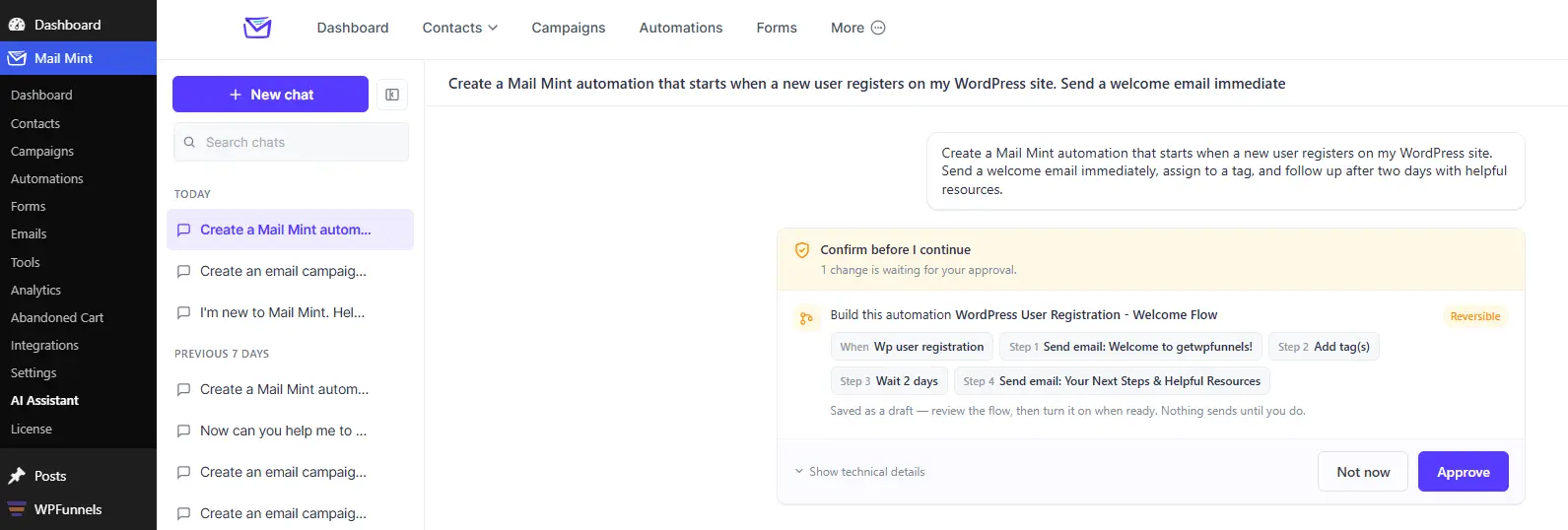
Once you click Approve, AI builds the complete automation for you.
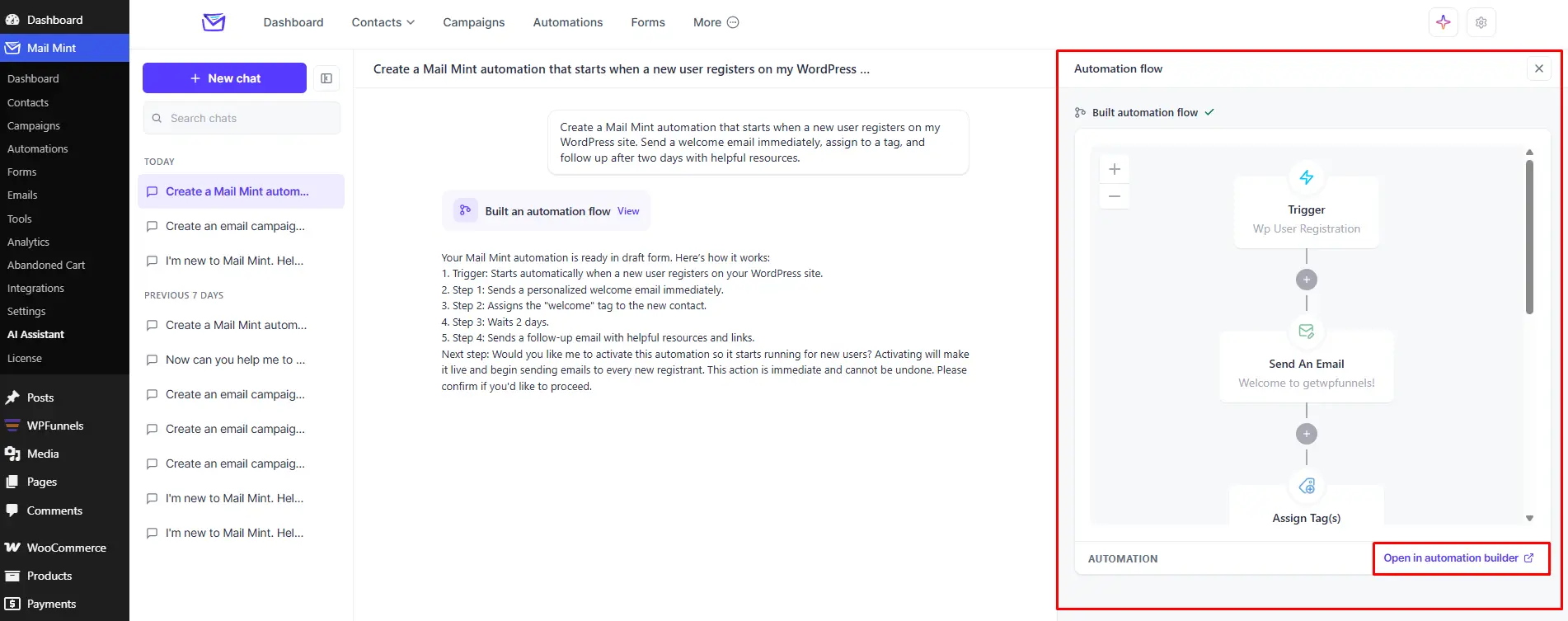
In this example, it creates:
- A WordPress User Registration trigger
- A welcome email sent immediately after registration
- Automatic tag assignment
- A 2-day delay
- A follow-up email with helpful resources
It also gives you a summary of the workflow and opens a visual preview, so you can review everything before making it live.
If you want to make any changes, simply click Open in Automation Builder to customize the workflow further.
Instead of manually configuring triggers, delays, actions, and emails, you simply describe the automation you want, and AI builds the foundation for you inside Mail Mint.
More Ways You Can Use AI Email Engine
The three Quick Actions are just the beginning.
AI Email Engine isn’t limited to pre-built prompts. You can ask it to help with almost any part of your email marketing workflow, and it’ll help you get the work done inside Mail Mint.
For example, if one of your recent campaigns didn’t perform as expected, you can ask:
“Why did my last campaign underperform?”
AI reviews your campaign performance, analyzes your open rates, click rates, and engagement trends, then explains what likely affected the results and suggests ways to improve your next campaign.
Or maybe you’re planning a re-engagement campaign and want to target your most active subscribers. Simply ask:
“Which of my contacts are the most engaged right now?”
AI analyzes your contact activity and helps you identify your most engaged subscribers based on their recent opens, clicks, and interactions.
Here are a few more things you can ask AI Email Engine to do:
- “Help me build a re-engagement automation for inactive subscribers.”
- “Suggest better subject lines for my latest campaign.”
- “Review this automation workflow and recommend improvements.”
- “Help me plan my next email campaign.”
- “Analyze my campaign performance and explain the results.”
The idea stays the same throughout.
Instead of searching through menus or figuring out which feature to use next, you simply describe what you want to accomplish, and AI helps you do it inside Mail Mint.
What’s Next?
We’re constantly working to make AI email marketing inside Mail Mint even more convenient for WordPress users, and AI Email Engine is no exception.
One of the next features we’re building is AI-powered A/B Test Analysis.
When it’s available, the AI Email Engine will review your A/B test results, explain why a variation performed better, highlight the key insights, and help you decide what to test next.
And that’s only one of the many AI capabilities we have planned.
Stay tuned…we have a lot more coming.
Start Using The New Mail Mint – Your Personal AI Email Engine
You’ve seen how AI Email Engine helps you create campaigns, build automations, and much more through a simple conversation.
Now it’s your turn to experience it.