


AI email automation can save WooCommerce store owners a lot of time.
It can help you write emails, generate subject lines, create campaigns, segment customers, and automate your email marketing.
But choosing an AI email automation tool takes a little more thought.
You might want to create a win-back campaign, recover abandoned carts, or follow up with customers after a purchase. In each case, you still need a working automation with the right trigger, conditions, timing, and emails.
And this is where AI gets interesting.
What if you could simply tell your email tool what you want to automate and let AI build the workflow for you?
That’s the idea behind a new generation of AI email automation tools.
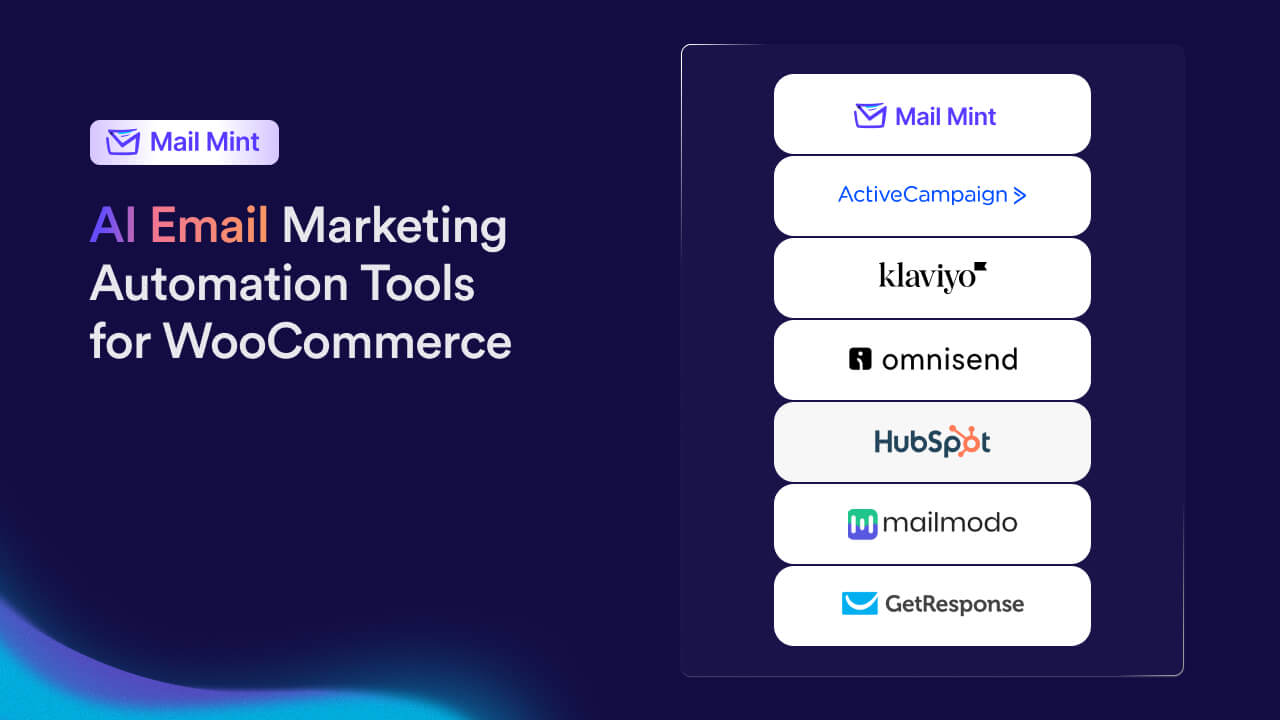
In this guide, I’ll walk you through 7 AI email automation tools for WooCommerce and look at what each one can actually do. You’ll see their AI features, automation capabilities, pricing, pros and cons, and who each tool is best for.
By the end, you’ll have a clear idea of which tool fits your WooCommerce store.
So, let’s begin.
Find the Best AI Email Automation Tool in 30 Seconds
Every tool has something it does really well. Take a quick look at the table below and see which one matches what you’re looking for.
| If your goal is… | Best tool | Why |
|---|---|---|
| Have AI build your WooCommerce email automation from a command | Mail Mint | AI Email Engine interprets a plain-language request and builds the automation workflow and emails for you to review and approve |
| Use AI automation alongside advanced CRM and lead scoring | ActiveCampaign | Active Intelligence pairs automation-building with a full CRM layer |
| Use AI for ecommerce segmentation plus automation | Omnisend | AI Segment Builder plus agent access built around ecommerce data |
| Use AI with deep ecommerce customer data | Klaviyo | Klaviyo Marketing Agent configures campaign logic from a prompt |
| Map a full automation sequence from one written instruction | Mailmodo | AI Automation Builder plans triggers and branching from a description |
| Combine AI automation with a full marketing and CRM platform | HubSpot | Loop Marketing generates multi-channel campaigns from one brief |
| Generate several campaign assets from a single prompt | GetResponse | AI Campaign Generator builds a landing page, welcome email, and newsletter together |
That gives you a quick answer. Now let’s take a closer look at what each tool can actually do.
7 Best AI Email Automation Tools for WooCommerce
1. Mail Mint
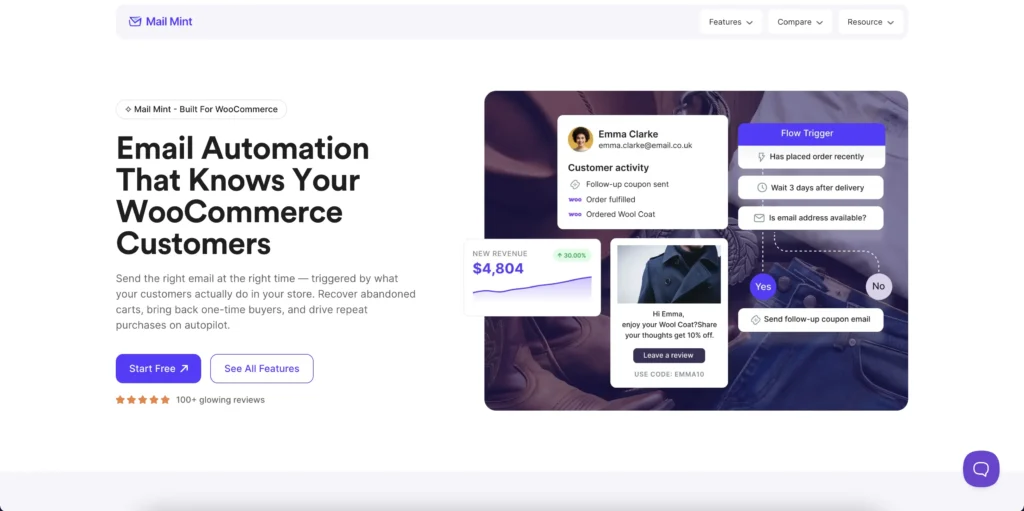
If you want AI to help you build your WooCommerce email automation, rather than just write emails for you, Mail Mint’s AI Email Engine is built for that.
You describe the customer journey or automation you want in plain language, and AI prepares the workflow inside Mail Mint for you to review.
For example, you can describe the trigger, customer condition, steps, delays, and emails you want. AI interprets the instruction and prepares the automation for you. You can review it, make changes, and approve it before launching.
The email part is handled there too. AI can prepare the subject line, preview text, email copy, and CTA for the emails used in your campaign or automation.
What you get with Mail Mint’s AI Email Engine
- AI-built automations: Describe the customer journey you want, and AI prepares the workflow, trigger, steps, delays, and emails for you to review.
- AI-generated email content: Create the subject line, preview text, email copy, and CTA without switching to another AI tool.
- Campaign creation: Give AI your campaign goal, and it can prepare the campaign content inside Mail Mint.
- Campaign insights: Ask AI about your campaign performance and get help understanding your results.
- Mail Mint setup help: AI can check your setup, identify what’s missing, and guide you through the next steps.
The important part for automation is that AI works on the workflow itself, not only the copy. You still review and approve what it creates before it goes live.
Mail Mint also supports A/B testing, so you can test different versions of your emails as part of your marketing workflow.
AI capability: AI Email Engine interprets natural-language instructions and helps create email campaigns and automation workflows inside Mail Mint.
WooCommerce fit: Native. Mail Mint works directly inside WordPress and WooCommerce, so your email automation stays within the environment where your store already runs.
Mail Mint Pros:
- AI can create the automation workflow instead of making you build every step manually.
- Campaigns and automations stay in the same platform.
- No per-contact pricing as your list grows.
Mail Mint Cons:
- You should review the generated workflow before launching it.
- WordPress-only.
Best for: WooCommerce store owners who want AI to turn a marketing goal into an actual campaign or automation.
Pricing: Free version available. Starter $149.99/year, Business $399.99/year, and Agency $599.99/year. No contact limits.
Pro Tip: Give AI enough context about what you want. “Win back lapsed customers” is vague. “Win back customers who haven’t ordered in 60 days, starting with a soft reminder” gives the engine a clearer journey to work with.
2. ActiveCampaign
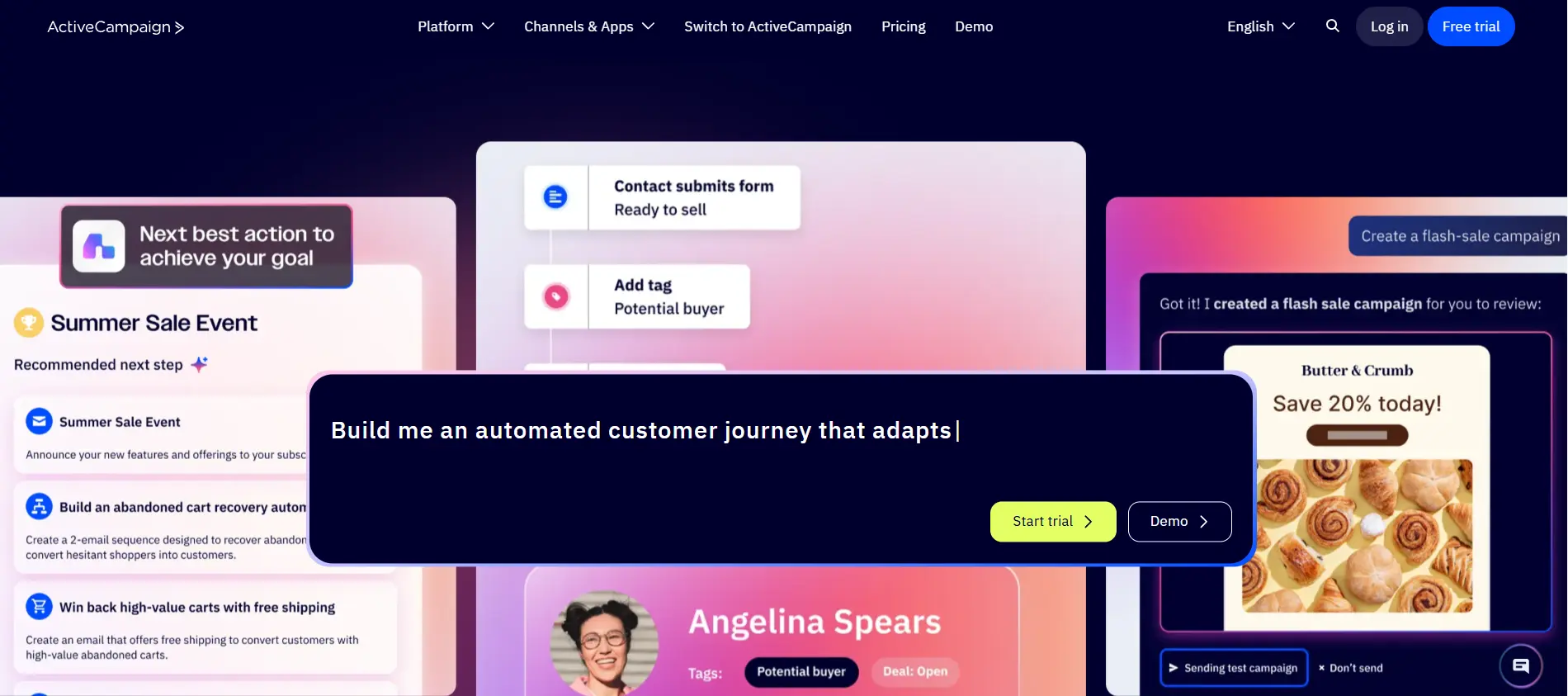
ActiveCampaign has been around email automation for a long time, and it has built its reputation around creating detailed customer journeys. Its AI layer, Active Intelligence, brings AI into that workflow.
You can describe the audience you want to target, and AI can help build the segment based on engagement history and lifecycle stage. It also offers predictive send-time optimization for individual contacts and supports more than 135 triggers with conditional branching. You can even split-test different paths within an automation.
WooCommerce fit: ActiveCampaign connects with WooCommerce through an integration that syncs store data rather than reading directly from your WordPress database. That can make time-sensitive workflows, such as cart recovery, less immediate than a WordPress-native solution.
What you get with ActiveCampaign
- AI-powered segmentation: Build audiences based on engagement and lifecycle data.
- Predictive send times: Choose when each contact is most likely to engage.
- Advanced automation: Use 135+ triggers, conditional branches, and split testing.
- CRM integration: Keep customer tracking and marketing automation in the same platform.
ActiveCampaign Pros:
- One of the deeper automation builders in this price range.
- CRM and email automation work together in the same platform.
ActiveCampaign Cons:
- Full Active Intelligence features require the Pro plan.
- Starter limits automations to 5 actions.
Best for: WooCommerce stores that need CRM-level customer tracking alongside more complex behavioral automation.
Pricing: Starter starts at $15/month, Plus at $49/month, Pro at $79/month, and Enterprise at $145/month.
Worth considering: If you don’t need deep CRM functionality and your main priority is ecommerce-focused email automation, Omnisend may be a better fit.
3. Omnisend
Omnisend was built for ecommerce, so a lot of its automation features revolve around what customers do in your store. That makes it a good option if you want your email marketing to follow things like purchases, abandoned carts, and customer behavior.
Its AI Segment Builder lets you describe the audience you want in plain language, and AI creates the segment for you using your store and customer data. Omnisend also has an MCP integration that connects your account with AI tools, so you can check performance, create campaigns, and manage segments from your AI workspace.
WooCommerce fit: Native. Omnisend has a dedicated WooCommerce plugin, and after the initial data import, store data is synced through WooCommerce webhooks and the REST API. Cart events sync instantly, while contacts and orders sync in near real time.
What you get with Omnisend
- AI segment building: Describe the customers you want to reach, and AI creates the segment using behavioral and purchase data.
- Ecommerce automation: Use pre-built workflows for abandoned carts, welcome emails, post-purchase follow-ups, reactivation, and more.
- AI through MCP: Connect your Omnisend account to supported AI tools and work with campaign, segment, and performance data through natural-language instructions.
- 27+ pre-built workflows: Start with ready-made ecommerce automations instead of building every journey from scratch.
Pros:
- Strong ecommerce-focused automation with ready-made workflows.
- AI segmentation can save time when you’re working with detailed customer behavior.
Cons:
- Some advanced AI features require a paid plan and connected store.
- SMS is available on Pro for new paid accounts.
Best for: WooCommerce stores that want ecommerce-focused automation with AI segmentation and customer data built into their marketing workflows.
Pricing: Free plan available. Standard starts at $14/month, while Pro starts at $59/month. Omnisend currently offers a 30% introductory discount for the first three months, bringing those prices to $11.20 and $41.30/month respectively.
4. Klaviyo
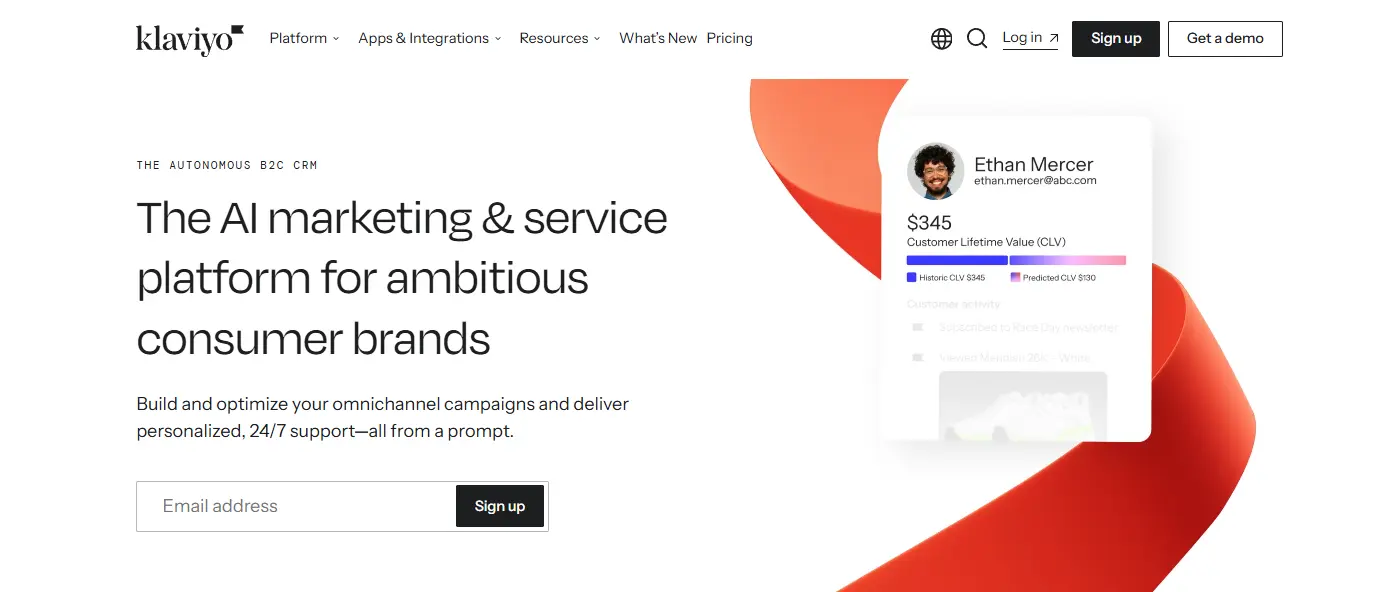
Klaviyo is built around customer data, so it makes a lot of sense for ecommerce brands that want their email marketing to respond to detailed customer behavior. Its AI layer has also moved well beyond email writing with Composer, Klaviyo’s AI marketing agent.
You can give Composer a goal or prompt, and it can build a complete campaign or flow using your customer data, segments, and performance history. It can work out the audience, messaging, timing, and channel setup, then give you the result to review before anything goes live.
What you get with Klaviyo
- AI campaign and flow creation: Give Composer a plain-language goal and it can build the campaign or flow for you.
- Customer data and segmentation: Use Klaviyo’s customer profiles and behavioral data to create more targeted campaigns.
- Predictive analytics: Klaviyo can use customer data for things like predicted lifetime value and churn risk.
- Ecommerce flows: Start with pre-built flows for cart abandonment, browse abandonment, win-back campaigns, and other customer journeys.
WooCommerce fit: Klaviyo has a dedicated WooCommerce extension. Its current integration syncs WooCommerce data to Klaviyo in real time, including customer, purchase, checkout, and product activity that can be used in flows.
Pros:
- One of the strongest customer-data and ecommerce analytics platforms on this list.
- Composer can create campaigns and flows from a plain-language prompt.
- Strong revenue attribution and customer-level reporting.
Cons:
- Pricing increases as your active profile count grows.
- Klaviyo can be more platform than a smaller WooCommerce store actually needs.
Best for: WooCommerce stores with a large customer base that want deep ecommerce data, revenue attribution, and AI-assisted campaign and flow creation in the same platform.
Pricing: Klaviyo has a free plan for up to 250 active profiles and 500 email sends per month. Paid pricing starts based on your active profile count and plan, with Composer credits included on the current platform.
5. Mailmodo
Mailmodo takes a slightly different approach to email automation. Its AI can take a written goal and turn it into a customer journey, including the trigger, delays, conditions, and other workflow logic.
For example, you can describe the journey you want to create, and Mailmodo AI can build the workflow for you to review. You can also ask it to add emails, delays, or conditions to an existing journey.
Its AI goes beyond the workflow, too. The AI Template Generator can create a complete email template from a description, including the layout and content, so you don’t have to start with a blank template.
What you get with Mailmodo
- AI automation building: Describe the journey you want, and AI can create the workflow and choose the trigger.
- AI workflow editing: Ask AI to add emails, delays, conditions, or logic to an existing journey.
- AI email templates: Generate complete email designs from a written description.
- Interactive emails: Mailmodo supports AMP emails with features such as forms, polls, calendars, and other interactive elements.
WooCommerce fit: Limited. Mailmodo does not have a direct WooCommerce integration. You can connect WooCommerce through tools such as Zapier, Pabbly, or Pipedream, or use APIs and webhooks to pass store events into Mailmodo.
Pros:
- Its AI genuinely reaches into automation logic, including triggers, delays, and conditions.
- Strong option if interactive email is important to your marketing.
Cons:
- WooCommerce requires a connector, API, webhook, or custom integration rather than a direct integration.
- AMP features won’t work in every inbox. Outlook, Apple Mail, and many corporate email systems don’t support AMP, so fallback HTML is still important.
Best for: Marketers who want prompt-based automation building and interactive email capabilities and don’t mind setting up the WooCommerce connection separately.
Pricing: Lite $27/month (500 contacts, billed annually). Pro $79/month (500 contacts, billed annually). Max custom.
6. HubSpot

HubSpot is much bigger than an email marketing tool. Email automation sits inside its broader CRM and marketing platform, so you get customer management, marketing automation, reporting, and AI in the same place.
Its AI layer, Breeze, works across the platform. HubSpot’s Loop Marketing can help turn a marketing objective into campaign work, while Breeze also helps with tasks, content, customer information, and workflows inside HubSpot.
What you get with HubSpot
- AI campaign creation: Use Breeze to help turn your marketing objectives into campaign work.
- CRM-powered automation: Build marketing workflows around the customer and company data already stored in HubSpot.
- Breeze AI tools: Use AI for content, customer information, workflow tasks, and other marketing work.
- Multi-channel marketing: Manage email alongside other marketing channels from the same platform.
WooCommerce fit: Integration rather than a native WooCommerce connection. The HubSpot marketplace has a certified WooCommerce app from MakeWebBetter that syncs WooCommerce customers, orders, and products with HubSpot.
Pros:
- One of the most complete CRM and marketing automation platforms on this list.
- A strong option if email is only one part of a larger sales and marketing setup.
Cons:
- The platform can be far more than a WooCommerce store needs if email automation is your main requirement.
- Advanced Marketing Hub automation is expensive compared with dedicated email marketing tools.
Best for: Businesses already using HubSpot, or businesses that want to manage their CRM, sales, marketing, and email automation in one platform.
Pricing: HubSpot has a free CRM and free marketing tools. Marketing Hub Professional starts at $800/month when billed annually and includes 2,000 marketing contacts, plus a required $3,000 one-time onboarding fee. The monthly list price is $890/month.
7. GetResponse
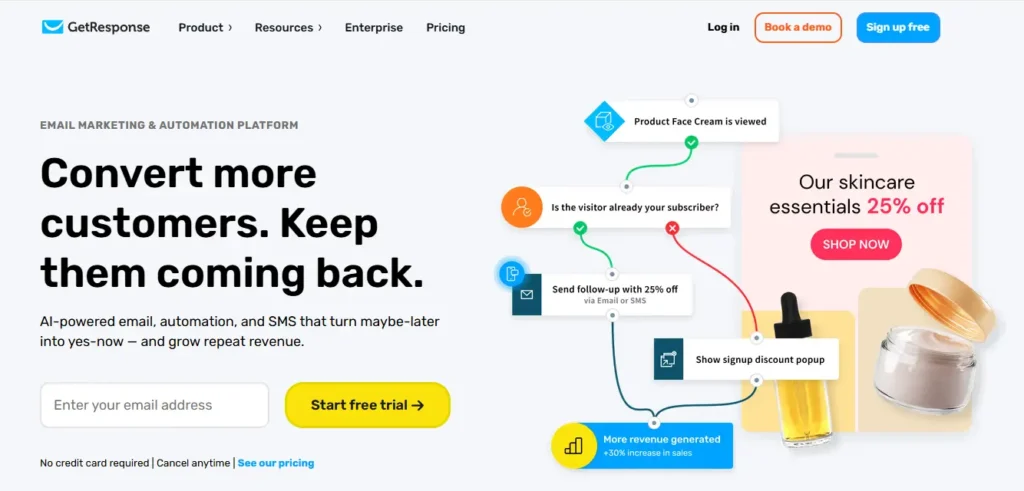
GetResponse takes an all-in-one approach to marketing, with email, landing pages, automation, and ecommerce tools under the same roof. Its AI Campaign Generator focuses on getting a complete campaign started from a single instruction.
Give it some information about your business, audience, and campaign goal, and it can create a landing page, welcome email, and newsletter for you. You can review each part, make changes, and publish them when you’re ready.
What you get with GetResponse
- AI campaign creation: Generate a landing page, welcome email, and newsletter from one campaign brief.
- AI email generation: Create email content based on your industry, keywords, and audience.
- Marketing automation: Build automated email workflows, with more advanced automation available on higher plans.
- WooCommerce integration: Sync customers, products, and ecommerce data with GetResponse.
WooCommerce fit: Integration-based. GetResponse connects with WooCommerce through its plugin and can bring customer, product, and ecommerce data into the platform.
Pros:
- Useful if you want AI to create several campaign assets together.
- You get email marketing, landing pages, and automation in the same platform.
Cons:
- The AI Campaign Generator focuses on campaign assets rather than building complex conditional automation logic.
- Starter limits the AI campaign and email generators to 3 uses.
Best for: WooCommerce store owners who want AI to create a landing page and email campaign together and also need a broader marketing platform.
Pricing: GetResponse has a free plan for up to 500 contacts and 2,500 newsletters per month. The current Starter plan starts at $19/month, or $15.58/month when billed annually. The AI Campaign Generator is available on paid plans, with Starter limited to 3 uses.
We’ve covered the broader AI email marketing landscape in more depth elsewhere: 11 Intelligent AI Email Marketing Tools For WordPress, which looks at AI writing and send-time features across a wider set of tools.
AI Email Writing vs. AI-Assisted Planning vs. AI That Builds Automation
Run the same goal through these three levels, and you’ll see how much the role of AI can change.
| Level | You type | AI gives you | What you still do |
|---|---|---|---|
| Level 1: AI writes | “Write me a win-back email” | Email copy | Build the trigger, timing, and workflow yourself |
| Level 2: AI plans | “Give me a win-back automation” | A suggested trigger, timing, and draft copy | Build the actual workflow |
| Level 3: AI builds | “Create a win-back automation for customers who haven’t ordered in 60 days” | The workflow logic and email content together, ready for review | Review and approve before launch |
The important part is how far the AI goes. At Level 1, it helps you write the email. At Level 2, it helps you figure out what the automation should look like. At Level 3, it takes your instruction and turns it into an actual workflow that you can review before launching.
The tools in this list cover different points across these levels. That’s why two tools can both advertise AI automation and still require very different amounts of manual work.
Key Takeaway: When you’re comparing AI email automation tools, don’t stop at the question, “Does it have AI?” Look at what the AI actually creates for you. Does it give you copy, suggest a workflow, or build the workflow itself?
With that in mind, let’s see how the 7 tools compare side by side.
Side-by-Side Feature Comparison
Each tool handles AI a little differently. Some focus more on email writing, while others can help with planning or building the automation itself. Here’s a quick look at what you get with each one.
| Tool | AI writes email | AI plans automation | AI builds automation & conditions | AI-assisted testing | WooCommerce fit |
|---|---|---|---|---|---|
| Mail Mint | Yes | Yes | Yes | Yes* | Native |
| ActiveCampaign | Yes | Yes | Yes | Yes | Integration |
| Omnisend | Yes | Yes | Partial | Not confirmed | Native |
| Klaviyo | Yes | Yes | Yes | Not confirmed | Integration |
| Mailmodo | Yes | Yes | Yes | Not confirmed | Limited |
| HubSpot | Yes | Yes | Yes | Not confirmed | Integration |
| GetResponse | Yes | Partial | Partial | No | Integration |
The biggest thing to look at is how much of the automation AI can actually handle. Writing an email is easy to automate. Building the workflow takes more.
Pricing matters too, so let’s see what you’ll actually pay for these features.
Side-by-Side Pricing Comparison
The starting price doesn’t always tell you what you’ll actually pay for the AI features you want. Some tools include them early, while others put their more advanced AI capabilities on higher plans or scale the price with your contact list.
| Tool | Entry price | Price for relevant AI features | Contact limits |
|---|---|---|---|
| Mail Mint | Free | Included in paid plans from $149.99/year | None |
| ActiveCampaign | $15/month | $79/month (Pro, at 1,000 contacts) | Scales with contacts |
| Omnisend | Free | $59/month (Pro; $41.30 introductory price for 3 months) | Scales with contacts |
| Klaviyo | Free, up to 250 profiles | +~$110/month for Composer (intro pricing) on top of base plan | Scales with profiles |
| Mailmodo | Free | $79/month (500 contacts) | Scales with plan |
| HubSpot | Free | $800/month (Professional, billed annually) | Scales with contacts |
| GetResponse | Free | $15.58/month (Starter, billed annually) | Scales with list size |
The price gap is worth keeping in mind when you compare these tools. The plan you actually need for the AI features can look very different from the entry price.
Now let’s put these features into practice and see what AI-built email automation can look like for a WooCommerce store.
Real-World AI Email Automation Examples
So, what does AI-built email automation actually look like for a WooCommerce store?
Here are a few common examples.
Cart recovery
You could ask:
“Create an abandoned cart recovery automation with a reminder and a follow-up offer.”
The AI Email Engine interprets the request and prepares the automation workflow and email content for you to review.
If you want to go deeper into the actual cart recovery process, our Abandoned Cart Recovery guide covers the triggers, follow-up emails, and workflow in more detail.
Post-purchase follow-up
You could ask:
“Create an automation that follows up with customers after they buy and asks for a review a few days later.”
AI prepares the workflow around that request, so you can review the steps before approving it.
Win-back
You could ask:
“Create a win-back automation for customers who haven’t ordered in 60 days.”
The AI prepares the workflow based on your instruction, including the emails, for you to review before approving it.
These are just a few examples. The same approach can be used for other customer journeys, depending on what you want to automate.
What Changes When AI Builds Your Email Automation?
The biggest change is simple: you spend less time setting up the automation and more time thinking about what you want it to achieve.
Less setup work. You don’t have to manually add every trigger, delay, condition, and email before you can see how the workflow comes together.
A lower barrier to experimentation. If you have an automation idea, you can start by describing it instead of opening the workflow builder and building everything from scratch.
More time to focus on the customer journey. You can spend more time deciding who should receive the emails, what you want to say, and when you want to say it.
There is still an important part that AI doesn’t replace: your judgment. Review the workflow, conditions, timing, and email content before you approve it. A vague instruction can also lead to a generic result, so the more context you give AI, the more useful the starting point can be.
Remember: AI Email Engine helps you build the starting point. You still decide whether the automation makes sense for your store.
The difference becomes much easier to see when you compare the process step by step. Let’s take a real win-back automation and build it both ways.
How Pricing Changes When AI Becomes Part of the Automation Layer
A low starting price can look attractive, but it doesn’t always tell you what you’ll pay once you need the AI and automation features you actually want.
The difference becomes clearer as your contact list grows. SaaS platforms usually charge more as your list gets bigger, while a flat-priced WooCommerce plugin can stay at the same price.
| Contact list size | Average SaaS cost | Mail Mint |
|---|---|---|
| 1,000 contacts | ~$25–$50/month | $149.99/year |
| 5,000 contacts | ~$75–$125/month | $149.99/year |
| 10,000 contacts | ~$125–$175/month | $149.99/year |
| 25,000 contacts | ~$250–$400+/month | $149.99/year |
Average SaaS costs are approximate. Actual pricing depends on the platform, plan, billing cycle, and features you need.
You can see the difference once the list starts growing. A SaaS platform may be affordable when you have 1,000 contacts, but the monthly cost can climb significantly as you move toward 10,000 or 25,000 contacts.
There’s another thing to consider: the AI features themselves. ActiveCampaign starts at $15/month, but its full Active Intelligence capabilities are on the Pro plan at $79/month. HubSpot has a free CRM tier, while its advanced marketing automation starts much higher.
Mail Mint takes a different approach. Its AI Email Engine is part of its WordPress and WooCommerce email marketing platform, and its paid plans don’t charge more as your contact list grows.
Good to Know: Don’t look only at the starting price. Think about the plan you actually need, the size of your customer list, and how that cost will change as your store grows.
Related read:Top 11 WordPress Email Automation Tools in 2026 breaks down pricing, automation features, and trigger depth across WordPress email automation tools.
So, pricing gives you one part of the answer. Now let’s look at which tool makes the most sense for different types of WooCommerce stores.
Which AI Email Automation Tool Is Right for Your WooCommerce Store?
Still not sure which one makes sense for your store? Here’s the simple version.
- Mail Mint: Choose it if you want AI to help build your WooCommerce campaigns and automations inside WordPress, without paying more as your contact list grows.
- ActiveCampaign: A good fit if you need advanced CRM features and behavioral automation alongside AI, and you’re okay connecting WooCommerce through an integration.
- Omnisend: Go with it if ecommerce segmentation, ready-made workflows, and multichannel marketing are more important to you than having AI build the entire workflow from one prompt.
- Klaviyo: Makes more sense for larger ecommerce stores that need deep customer data, revenue attribution, and predictive analytics and can justify pricing that grows with the size of the list.
- Mailmodo: Consider it if you want prompt-based automation building and interactive AMP emails, while WooCommerce-specific automation isn’t your main priority.
- HubSpot: A better fit if you’re already using HubSpot, or if you want your CRM, sales, marketing, and email automation to live in the same platform.
- GetResponse: Worth considering if you want AI to create several campaign assets, such as a landing page and emails, without needing advanced AI-built conditional workflows.
The choice becomes much easier once you know what each tool is actually good at. But there’s still one question left: what does AI-built automation look like compared with building the same workflow yourself?
Let’s use a real WooCommerce example and walk through it.
A Full Example: Building a Win-Back Automation With One Command
Let’s take one real goal: win back customers who haven’t ordered from your WooCommerce store in a while.
The manual way
You’d normally need to:
- Decide what customer journey you want to create.
- Open the automation builder.
- Add the trigger.
- Define the customer condition.
- Add the delays.
- Add the actions and steps.
- Create the first email.
- Write and add the email copy.
- Design the email.
- Add the follow-up emails and test the workflow.
- Review everything and launch.
None of these steps is particularly difficult on its own. The work adds up when you have to do all of them every time you create a new automation.
The AI Email Engine way
With AI Email Engine, you start by describing the journey you want:
- Describe the customer journey.
- Give the instruction to Mail Mint.
- AI interprets the request.
- AI prepares the automation workflow and email content.
- Review the proposed workflow.
- Approve, test, and launch.
Try this command
“Create a win-back automation for customers who haven’t ordered from my WooCommerce store in 60 days. Start with a re-engagement email, follow up after a few days, and include an A/B test where appropriate.”
Here, you’ve already given AI the important context: who you want to target, why you’re contacting them, when they should enter the automation, and what kind of sequence you want.
The AI Email Engine then prepares the workflow and email content around that instruction. You can review the proposed automation, make changes if needed, and approve it before launching.
So, what’s actually different?
The goal is the same. The automation is the same kind of customer journey.
The difference is where you start.
Traditional workflow: Goal → Builder → Trigger → Conditions → Emails → Design → Test → Launch
AI Email Engine: Goal → Command → AI prepares the workflow → Review → Approve → Launch
You still make the important decisions. You decide whether the condition makes sense for your customers, whether the timing feels right, and whether the emails sound like your brand.
What AI changes is the setup process. Instead of translating your idea into every individual step yourself, you can describe the journey first and let AI prepare the workflow around it.
Bottom Line: AI Email Engine doesn’t remove your decisions from the process. It helps turn the idea in your head into an automation you can review and launch.
If you want to try it yourself, start with Mail Mint free and create your first automation from a simple instruction.
Final Takeaway: AI Automation Is About Starting With the Goal
If you take one thing from this guide, let it be this: AI email marketing is becoming more useful when it can do more than write the email. The real value comes when you can describe what you want your customer journey to do and let AI help turn that idea into an actual automation.
- When you want to win back customers who haven’t ordered in 60 days, you can describe the goal instead of building the workflow step by step.
- When you want to recover abandoned carts, you can tell AI the journey you have in mind and review the automation it prepares.
- When you want to try a new post-purchase sequence, you can start with the idea and let AI help put the workflow together.
That’s the difference between using AI to write an email and using AI to help build your email marketing.
You don’t need to hand every decision over to AI, either. You still decide who you want to target, what you want to say, and whether the workflow makes sense for your store. AI simply takes some of the setup work out of the process.
And if you want to try this with your WooCommerce store, Mail Mint lets you create your campaigns and automations right inside WordPress. Its AI Email Engine can help turn a simple instruction into an email campaign or automation that you can review, edit, and approve.
Frequently Asked Questions
What is AI email automation?
AI email automation uses AI to help turn a marketing goal into an actual email workflow. Instead of only generating the email copy, the AI can help set up things like the trigger, conditions, timing, and emails that make up the automation. You can then review the workflow before launching it.
What’s the difference between AI email writing and AI email automation?
AI email writing helps you create the content, such as subject lines and email copy. You still need to build the automation yourself. AI email automation goes further by helping create the workflow around that content, including the trigger, conditions, timing, and other steps.
Which AI email automation tools are best for WooCommerce in 2026?
It depends on what you need from the tool. Mail Mint is a good fit if you want AI-assisted automation inside WordPress. Omnisend is worth considering for ecommerce segmentation and multichannel marketing. ActiveCampaign makes more sense if you also need CRM and advanced behavioral automation, while Klaviyo is a stronger option for stores that need deeper ecommerce data and revenue attribution.
Is there a free AI email automation tool for WooCommerce?
Yes. Mail Mint has a free version with core email automation features. Omnisend also offers a free plan, although some of its AI features, such as AI Segment Builder, require a paid plan. If your main goal is to have AI help create the automation itself, Mail Mint is the most direct free option covered in this list.