

ClickFunnels has its perks, but it’s not always the perfect fit. Many find themselves limited by its design, high costs, and steep learning curve.
There are smarter choices available tools that offer better customization, seamless interfaces, and greater value for your investment.
These alternatives are packed with features to help you create high-converting sales funnels effortlessly.
Today, you will learn about 11 ClickFunnels Alternatives that you can consider using to create sales funnels.
These tools all come with their unique advantages that you need to leverage to grow your business.
So let’s explore each one,
The Pros and Cons of Using ClickFunnels
ClickFunnels earned its reputation for a reason. It made building landing pages, checkouts, and upsell sequences possible without code, and a lot of businesses still run on it successfully.
However, it isn’t the right fit for every business, especially one that already sells through WooCommerce. Knowing its strengths and limits will make it easier to compare the alternatives below.

| ClickFunnels Pros | ClickFunnels Cons |
|---|---|
| Mature funnel builder with a large template library | Starts at $97/month and climbs to $297/month on the Optimize plan |
| Large community and years of tutorials | No free plan, only a 14-day trial |
| Built-in email marketing and course tools | Your funnels and customer data live on ClickFunnels’ servers, not your site |
| Simple drag-and-drop editor | No native WooCommerce integration, so your store and your funnels run as two separate systems |
| Unlimited funnels on every plan | Contact limits per plan (10,000 on Launch) push you to a higher tier as you grow |
Good to Know: None of this makes ClickFunnels a bad product. It was built to be your whole storefront.
If WooCommerce is already your storefront, you’re paying for a second one. Each alternative below takes a different approach to that problem.
Now, let’s explore the 11 ClickFunnels alternatives and see what each one can actually do for your store.
By the end, you’ll have a clearer idea of which tool fits your platform, your workflow, and your budget.
Find the Best ClickFunnels Alternative in 30 Seconds
Every tool on this list solves a slightly different problem. Take a quick look at the table below and see which one matches what you’re actually trying to fix.
| If your goal is… | A good fit | Why |
|---|---|---|
| Build funnels, bumps, and upsells inside your WooCommerce store | WPFunnels | Native WooCommerce funnels, a free plan, and Mail Mint integration |
| Optimize your WooCommerce checkout and funnels | CartFlows | Checkout-focused features, with order bumps and upsells available on paid plans |
| Get funnels plus CRM and email automation in one plugin | FunnelKit | Funnels and A/B testing on Plus, with automation and CRM on Professional |
| Build funnels for free without WordPress | Systeme.io | Free plan with 3 funnels, 2,000 contacts, and 0% transaction fees |
| Replace several marketing tools with one platform | Kartra | Funnels, email, video hosting, helpdesk, and affiliate tools in one platform |
| Sell courses, memberships, or coaching | Kajabi | Built around courses, communities, memberships, and digital products |
| Get a standalone checkout with subscriptions and upsells | SamCart | Checkout-focused platform with upsells and order bumps on Pro |
| Build checkout without a full funnel platform | ThriveCart | Checkout, order bumps, upsells, subscriptions, and A/B testing |
| Build landing pages and simple funnels inside WordPress | OptimizePress | WordPress page builder with funnels, checkout, and membership tools on Scale |
| Build WordPress landing pages and websites | SeedProd | Landing page and website builder with templates, Theme Builder, and WooCommerce support on Elite |
| Get a broad set of website and marketing tools in one platform | Builderall | Website building, funnels, email marketing, courses, and other business tools |
That gives you a quick answer. Now let’s take a closer look at what each tool actually does for you.
11 Best ClickFunnels Alternatives for WooCommerce Stores
Choosing a ClickFunnels alternative depends on what you want to improve in your current sales funnel setup.
Maybe you want to build funnels directly inside WooCommerce. Maybe you need better checkout and upsell features, or you just want a smaller monthly bill.
Each platform takes a different approach. Three are WordPress plugins that work natively with WooCommerce.
Two more run inside WordPress but focus on pages rather than store checkout. The rest are hosted platforms that replace your storefront instead of extending it.
In the following sections, we’ll explore each tool’s key features, pricing, pros and cons, and what makes it suitable for different types of businesses.
Let’s look at the alternatives one by one.
1. WPFunnels – WooCommerce Funnel Builder for Order Bumps, Upsells & Custom Checkout
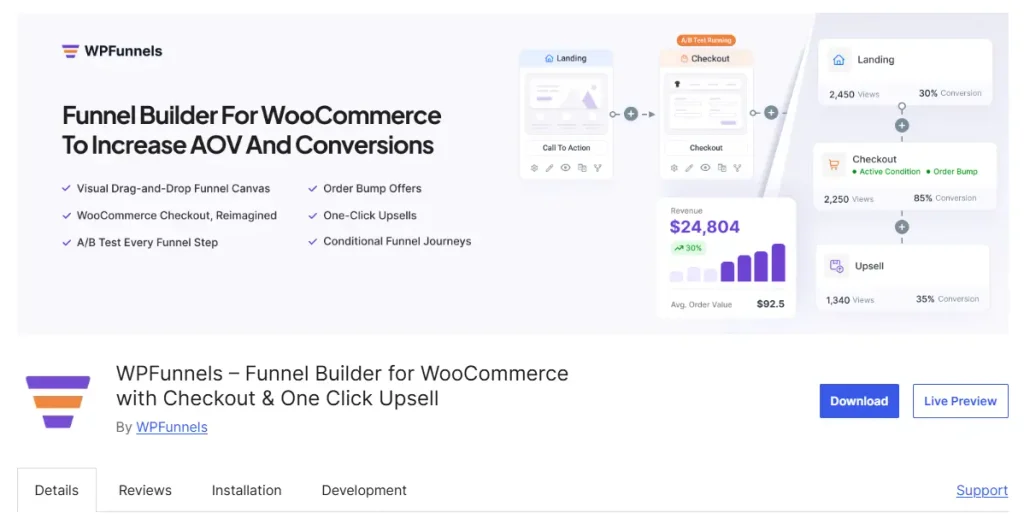
WPFunnels is a WooCommerce funnel builder for WordPress. It helps your store earn more from every order through custom checkouts, order bumps, and one-click upsells, without leaving your WordPress dashboard.
You plan the whole buyer journey on a visual canvas. Landing page, checkout, upsell, downsell, and thank-you page all sit on one screen, so you can see how each step connects instead of jumping between separate editors.
Every funnel uses your existing WooCommerce products, payment gateways, and store settings. There’s no second product catalog to maintain and no Zapier chain passing orders between two platforms.
WPFunnels also connects with Mail Mint, an email marketing and automation plugin from the same team. That means a funnel action, like an accepted upsell or an abandoned checkout, can trigger a follow-up email inside the same WordPress site.
Most tools on this list are hosted platforms that ask you to move your storefront to them. WPFunnels takes the opposite approach: it adds the funnel layer on top of the store you’ve already built.
How WPFunnels Helps You Sell More Without Adding Complexity
- See the whole funnel in one place: Map the buyer’s journey from landing page to post-purchase offer on one interactive canvas, so you can spot gaps before you launch, or start from readymade funnel templates.
- Replace your checkout with one built to convert: Choose a checkout layout that matches your brand’s unique style. The Checkoutify add-on, included from the Starter plan, adds deeper checkout field and layout customization.
- Add order bumps that feel like part of the checkout: The free version includes one order bump per funnel with 13 layouts to choose from. Paid plans remove that limit.
- Offer a one-click upsell right after payment: Customers accept a post-purchase upsell without re-entering their card details, supported across 11+integrated payment gateways.
- Personalize offers automatically (Business):Conditional funnels and dynamic upsell offers change what customers see based on what’s in their cart.
- Know what’s working:Detailed analytics and A/B testing, included from the Starter plan, show which funnel step, bump, or upsell is actually adding revenue.
Where WPFunnels Differs From ClickFunnels
- Price: WPFunnels Starter costs $103.99/year and already includes order bumps, one-click upsells, and A/B testing. ClickFunnels Launch costs $81/month billed annually, or $972 a year. That’s a difference of about $868 in the first year, and there’s a free version of WPFunnels to test before you pay anything.
- WooCommerce integration: WPFunnels runs inside WooCommerce and uses your real products, cart, and checkout. ClickFunnels runs its own separate checkout and product system.
- Data ownership: Your funnel pages, checkout data, and customer records stay in your own WordPress database. ClickFunnels stores them on its platform.
- Email automation: WPFunnels pairs with Mail Mint for email automation on the same site. ClickFunnels includes email too, but it lives outside your store’s order data.
Pros and Cons of WPFunnels
| Pros | Cons |
|---|---|
| Free version with 3 funnels, 1 order bump, and 1 upsell per funnel | Free version is capped at 3 funnels |
| Order bumps, upsells, A/B testing, and analytics all unlock on the $103.99 Starter plan | Conditional funnels and dynamic offers need the Business plan |
| Built specifically for WooCommerce order value, not a generic page builder | WordPress and WooCommerce only |
| Native Mail Mint integration from the same team, no connector needed | |
| 4.9/5 rating from 174 reviews on WordPress.org |
WPFunnels Pricing
| Free | Starter | Pro | Business | Agency |
|---|---|---|---|---|
| $0 | $103.99/year | $159.99/year | $319.99/year | $479.99/year |
| 3 funnels, 1 order bump + 1 upsell per funnel | 1 site: order bumps, upsells, A/B testing, analytics, Checkoutify | 1 site: Starter + email automation and abandoned cart recovery | 5 sites: conditional funnels, dynamic upsells | 50 sites: all add-ons |
Prices shown are current discounted rates (regular prices: $129.99, $199.99, $399.99, and $599.99).
A 15-day money-back guarantee applies to all paid plans.
Should You Switch to WPFunnels?
If you run a WooCommerce store and your main goal is to earn more from each order, WPFunnels is the most direct switch on this list. You keep your store exactly as it is and add checkout, order bumps, and upsells on top.
Start on the free version with one funnel. If a single bump and a single upsell are already adding revenue, the $103.99 Starter plan unlocks multiple offers, A/B testing, and detailed analytics.
It’s also the stronger pick if you want your funnels and your email follow-ups to come from one connected system rather than a funnel plugin wired to a separate email tool.
Pro Tip: Compare WPFunnels against the plan that unlocks the feature you’re switching for, not the entry price. On ClickFunnels, that’s still $97/month.
On WPFunnels, bumps and upsells start free and scale to $103.99 a year.
We’ve gone deeper on this exact comparison elsewhere: Why WPFunnels Is Considered a Powerful ClickFunnels Alternative
Try WPFunnels Free → | Get WPFunnels Now →
WPFunnels covers funnels and email as one system. The next tool puts almost all of its focus on the checkout itself.
2. CartFlows
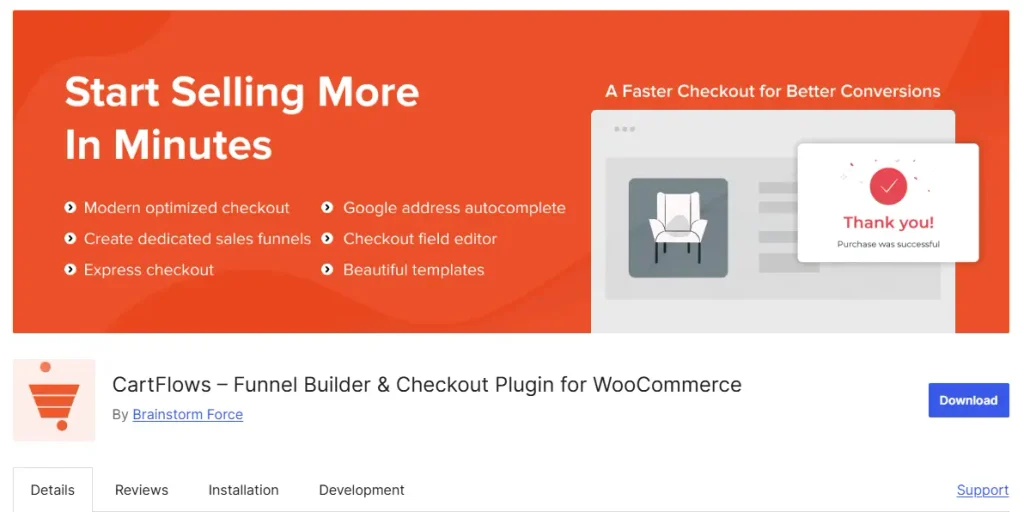
CartFlows is a WordPress funnel builder and WooCommerce checkout plugin. It lets you replace WooCommerce’s default checkout with a conversion-focused one and build sales funnels around your existing WooCommerce products.
The free version covers core funnel-building and checkout features, including checkout layouts, templates, and checkout customization. Order bumps and one-click upsells are not included in the Starter plan. They are available on the higher-paid tier, while A/B testing and advanced analytics require the higher Pro tier.
CartFlows also works with external tools and automation platforms, making it a good fit if you already use a separate email marketing tool and mainly want to improve your WooCommerce checkout and funnel.
How CartFlows Helps You Convert More at Checkout
- Replace the default WooCommerce checkout: Use conversion-focused checkout layouts instead of the standard WooCommerce checkout.
- Add order bumps: Higher paid plans let you add relevant offers during checkout.
- Offer one-click upsells and downsells: Add post-purchase offers without requiring customers to enter their payment details again.
- Test your funnel: The Pro tier adds A/B testing and advanced funnel analytics.
- Use your preferred page builder: CartFlows works with Elementor, Divi, Bricks, Gutenberg, Beaver Builder, Spectra, and other major page builders.
Pros and Cons of CartFlows
| Pros | Cons |
|---|---|
| Built specifically for WooCommerce checkout and funnel optimization | Order bumps and upsells are not available on the Starter plan |
| Supports checkout optimization, order bumps, one-click upsells, and funnel testing | A/B testing and advanced analytics require the higher Pro tier |
| Works with Elementor, Divi, Bricks, Gutenberg, and other major page builders | Email marketing is not its core focus, so you may need a separate email platform |
| Works with your existing WooCommerce products | Requires WordPress and WooCommerce |
| Suite includes additional WooCommerce tools | First-year pricing renews at a higher rate |
CartFlows Pricing
| Free | Starter | Pro | Suite |
|---|---|---|---|
| $0 | $99 first year, then $149/year | $199 first year, then $299/year | $299 first year, then $449/year |
| Basic funnel and checkout features | 1 site, checkout-focused features | 3 sites, advanced funnel features | 30 sites, Pro features plus additional WooCommerce tools |
If you’re comparing CartFlows with ClickFunnels because you specifically need order bumps and upsells, don’t use the $99 Starter price as the main comparison. Look at the paid tier that includes those features. If you also need A/B testing and advanced analytics, the higher Pro tier is the relevant option.
Should You Switch to CartFlows?
If your main focus is improving WooCommerce checkout conversion and you already have an email marketing tool you’re happy with, CartFlows can be a practical ClickFunnels alternative. It lets you build and optimize funnels inside your existing WooCommerce store instead of moving your products and checkout to a separate platform.
If order bumps or upsells are the main reason you’re switching, compare the plan that includes those features rather than choosing CartFlows based only on its $99 entry price. Also consider the renewal price when comparing long-term costs.
Good to Know: CartFlows and WPFunnels have similar entry-level pricing ($99 vs $103.99 a year), but their feature focus differs.
CartFlows focuses heavily on WooCommerce checkout, while WPFunnels combines funnel building with WooCommerce checkout and can work alongside Mail Mint for email marketing.
Not sure whether a bump or an upsell will earn you more? That question deserves its own guide: Order Bump vs Upsell – What Is Better To Increase AOV
CartFlows focuses on WooCommerce checkout and funnels. The next tool combines funnel building with marketing automation.
3. FunnelKit
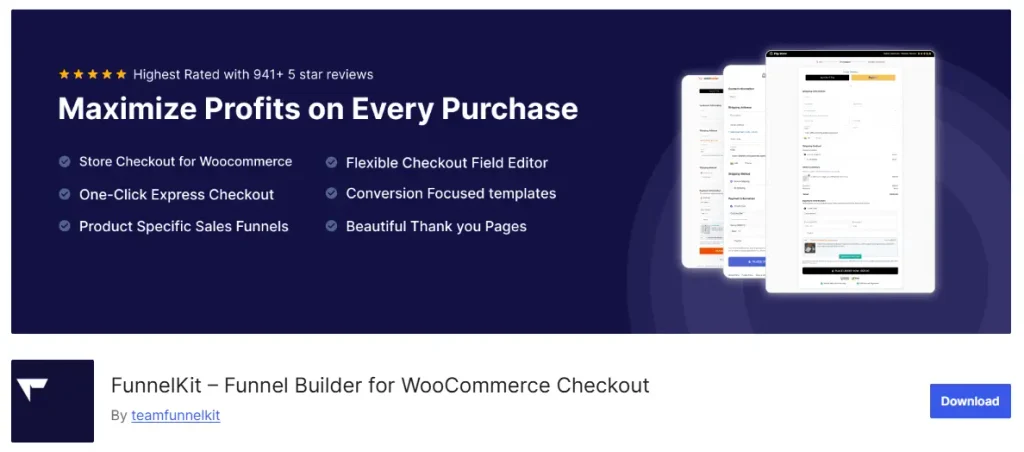
FunnelKit is a WooCommerce funnel builder that combines funnels, checkout optimization, upsells, and marketing automation in one WordPress ecosystem.
The free version, FunnelKit Lite, includes unlimited funnels, custom WooCommerce checkout pages, checkout field editing, thank-you pages, templates, and basic contact activity.
Order bumps, upsells, and A/B testing start on the Plus plan. Email, SMS, and advanced automation features are available on the Professional plan.
That makes the plan structure important when comparing FunnelKit with ClickFunnels. The $99.50 Basic plan focuses mainly on checkout optimization, while Plus adds the funnel revenue features and Professional adds marketing automation.
How FunnelKit Helps You Sell More With Built-In Automation
- Optimize your checkout: Create conversion-focused WooCommerce checkout pages, including one-step and multi-step layouts.
- Add order bumps: Plus lets you create rule-based order bumps based on cart items, cart value, coupons, and other conditions.
- Offer upsells and downsells: Add rule-based one-click upsells and connect multiple offers into different paths.
- Test your funnel: A/B testing lets you test funnel pages, products, prices, offers, checkout pages, and order bumps.
- Automate customer follow-up: Professional adds email and SMS automation, conditional branching, contact journeys, and other automation features.
- Use your existing page builder: FunnelKit works with Elementor, Divi, Oxygen, Gutenberg, Bricks, Beaver, and other page builders.
Pros and Cons of FunnelKit
| Pros | Cons |
|---|---|
| Free version includes unlimited funnels and checkout customization | Order bumps and upsells require the Plus plan |
| Combines funnels, checkout, and marketing automation | A/B testing requires a paid plan |
| Professional adds email, SMS, and contact management | Email and SMS automation require the Professional plan |
| Works with major WordPress page builders | More features and settings can make it more complex than a checkout-only plugin |
| Supports rule-based bumps and upsells | Higher plans can be unnecessary if you only need basic checkout optimization |
FunnelKit Pricing
| Free | Basic | Plus | Professional | Elite |
|---|---|---|---|---|
| $0 | $99.50/year | $149.50/year | $199.50/year | $299.50/year |
| Unlimited funnels, checkout, and thank-you pages | 1 site: checkout optimization | 2 sites: funnels, order bumps, upsells, A/B testing | 3 sites: + email, SMS, automations, CRM | 30 sites: full feature set |
Renewal prices are $129/year for Basic, $299/year for Plus, $399/year for Professional, and $599/year for Elite.
Should You Switch to FunnelKit?
If you want a ClickFunnels alternative that combines WooCommerce funnels, checkout optimization, upsells, and marketing automation, FunnelKit is worth considering.
For checkout optimization alone, Basic at $99.50/year is the relevant plan. If you need order bumps, upsells, and A/B testing, plus at $149.50/year is the better comparison. If you also need email, SMS, and automation, Professional at $199.50/year is the relevant tier.
Good to Know: FunnelKit’s $99.50 Basic plan is not the plan to compare with ClickFunnels if you need order bumps and upsells. Plus at $149.50/year is the first tier that adds those funnel revenue features.
Related read: 9 Best WooCommerce Sales Funnel Builders & Plugins (2026)
That covers the three WooCommerce-native plugins. The next tools are hosted platforms that replace your storefront rather than extend it.
4. Systeme.io
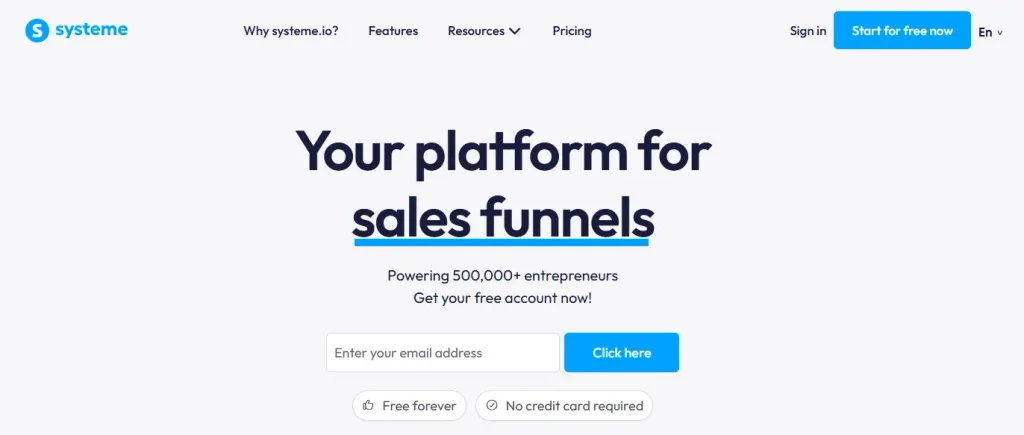
Systeme.io is a hosted all-in-one platform that combines sales funnels, email marketing, courses, automation, and affiliate management in one dashboard. It is designed for businesses that want these tools in one place instead of managing multiple platforms.
Its free plan is permanent, not a trial. It includes 3 sales funnels, 2,000 contacts, 1 course, unlimited email sending, and 0% transaction fees. You don’t need a credit card to start.
Systeme.io is not a WooCommerce funnel plugin. It provides its own website, funnel, product, and checkout system, so moving from WooCommerce means moving your selling setup to Systeme.io rather than simply adding funnels to your existing store.
How Systeme.io Helps You Start Without Spending Anything
- Build funnels for free: Create up to 3 funnels and manage up to 2,000 contacts without a time-limited trial.
- Run your marketing from one place: Funnels, email marketing, automation, courses, and affiliate management are built into the platform.
- Sell without platform transaction fees: Systeme.io charges 0% transaction fees on payments processed through Stripe or PayPal.
- Scale by contact volume: Paid plans increase your contact, funnel, automation, and course limits, with Unlimited at $97/month removing the main capacity limits.
Pros and Cons of Systeme.io
| Pros | Cons |
|---|---|
| Permanent free plan with 2,000 contacts | Not a WooCommerce plugin |
| Funnels, email, courses, and automation in one platform | Moving from WooCommerce means moving your selling setup |
| 0% platform transaction fees | Free plan is limited to 3 funnels |
| Unlimited email sending on every plan | Contact and feature limits increase as your business grows |
| Lower-cost paid plans than many all-in-one funnel platforms | Less suitable if you want to keep your existing WooCommerce store |
Systeme.io Pricing
| Free | Startup | Webinar | Unlimited |
|---|---|---|---|
| $0 | $17/month | $47/month | $97/month |
| 2,000 contacts, 3 funnels | 5,000 contacts, 10 funnels | 10,000 contacts, 50 funnels | Unlimited contacts and funnels |
Annual billing gives you 2 months free: Startup is $170/year, Webinar is $470/year, and Unlimited is $970/year.
Should You Switch to Systeme.io?
If you’re starting from scratch and want funnels, email marketing, automation, and other business tools in one platform, Systeme.io’s free plan gives you a way to test the platform without paying upfront.
For an existing WooCommerce store, the decision is different. Systeme.io isn’t designed to extend WooCommerce; it gives you a separate hosted selling environment. So switching means moving your funnel and selling setup rather than simply adding funnel functionality to your current store.
Good to Know: Systeme.io’s biggest advantage over ClickFunnels is its free entry point and all-in-one approach. You can start with $0, while paid plans scale mainly around contacts and platform limits.
If an agency-style all-in-one like GoHighLevel is also on your shortlist, we compared its closest rivals here: 8 Best GoHighLevel Alternatives for Marketing Agency
Systeme.io gives you an all-in-one hosted platform at a low entry price. The next platform takes that all-in-one approach even further.
5. Kartra

Kartra is a hosted marketing platform built for businesses that want to manage more of their online operations from one place. It combines funnels, email marketing, memberships, video hosting, automation, calendars, affiliate management, and customer support tools.
The key difference from the WordPress options above is that Kartra isn’t designed to extend an existing WooCommerce store. It’s a replacement platform where your pages, products, customers, and marketing activities can live together.
That makes Kartra particularly relevant if you’re currently paying for several separate tools and want to consolidate them into one system.
How Kartra Helps Replace Your Marketing Stack
- Build and manage complete campaigns: Kartra includes funnel mapping, landing pages, forms, checkout, email campaigns, and automation, so you can manage the customer journey from one dashboard.
- Sell more than physical products: You can sell products, memberships, and courses while also hosting the related content inside Kartra.
- Keep video hosting in the same platform: Starter and higher plans include video hosting, useful for businesses selling courses or video-based products.
- Manage customers after the sale: Higher plans add tools such as helpdesk, calendars, surveys, quizzes, and customer management.
- Run affiliate programs: Growth and higher plans include affiliate management, so you don’t need another platform just to manage referrals.
- Scale the whole system together: Instead of adding separate tools as your business grows, higher Kartra plans increase contacts, domains, automation, team members, and other capabilities.
Pros and Cons of Kartra
| Pros | Cons |
|---|---|
| Replaces several marketing and business tools in one platform | Doesn’t extend an existing WooCommerce store |
| Funnels, email, memberships, video, and automation work together | More expensive than specialized funnel tools |
| Includes tools for affiliates, appointments, and customer support | Essentials has a 5% transaction fee |
| Useful for businesses selling products, courses, and memberships | Moving from WooCommerce means moving your selling setup |
| Higher plans add deeper automation and team features | Can be more platform than a small store actually needs |
Kartra Pricing
| Essentials | Starter | Growth | Professional |
|---|---|---|---|
| $59/month | $119/month | $229/month | $549/month |
| $52/month billed annually | $99/month billed annually | $189/month billed annually | $429/month billed annually |
| 500 contacts, 5% transaction fee | 2,500 contacts, 0% fee | 12,500 contacts, 0% fee | 25,000 contacts, 0% fee |
The plans scale mainly by contacts and business capabilities. Starter adds unlimited pages and products, video hosting, team members, and calendars. Growth adds funnel automation, affiliate management, surveys and quizzes, while Professional adds larger contact capacity and additional advanced tools.
All plans come with a 30-day money-back guarantee.
Should You Switch to Kartra?
Kartra makes the most sense when your problem isn’t just building funnels but managing too many separate marketing tools.
For example, if you’re paying separately for a funnel builder, email platform, video hosting, membership system, calendar, and affiliate software, Kartra gives you a way to bring much of that into one account.
It’s a different decision for a WooCommerce store. If your products, orders, and customers already live in WooCommerce and you simply want better funnels, a WooCommerce-native plugin may require less disruption. Kartra becomes more relevant when you’re willing to move beyond your existing WordPress stack.
Good to Know: Don’t compare Kartra only by its $59/month entry price. Essentials carries a 5% transaction fee. If you’re expecting meaningful sales volume, compare the cost of the plan without that fee against the separate tools Kartra would replace.
Still weighing Kartra against similar platforms? Two of our guides go further:
- Top 8 Kartra Alternatives for Effective Course Funnels And Campaigns and
- Kartra vs Kajabi – Which One is The Best for Selling Courses
Kartra is about consolidating your marketing stack into one platform. The next alternative takes a more specialized approach for businesses built around courses and memberships.
6. Kajabi
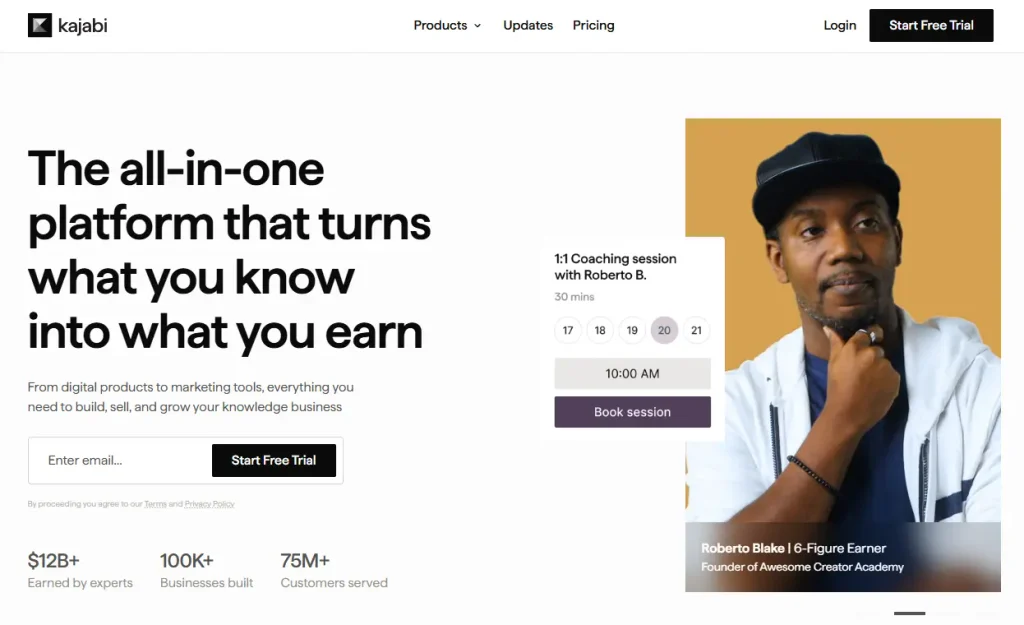
Kajabi is a platform built around courses, coaching, memberships, and digital products. It combines course delivery, communities, email marketing, landing pages, checkout, and automation, so creators can run the business around their expertise from one place.
Unlike the WooCommerce-focused tools earlier in this list, Kajabi isn’t designed to optimize an existing physical-product store. Its core strength is helping creators package knowledge, sell access to it, and manage the customer experience after the sale.
How Kajabi Helps You Sell Courses and Memberships
- Build and deliver courses: Create structured courses with lessons, content releases, progress tracking, and assessments.
- Sell memberships and communities: Connect paid access, content, and community participation in one system.
- Build the marketing journey: Create landing pages, email campaigns, funnels, and automated follow-ups without adding separate tools.
- Sell different offer types: Support one-time payments, subscriptions, payment plans, upsells, and order bumps.
Pros and Cons of Kajabi
| Pros | Cons |
|---|---|
| Purpose-built for courses, memberships, coaching, and digital products | Expensive compared with most funnel builders |
| Course delivery, community, email, funnels, and checkout work together | Not designed for WooCommerce stores or physical-product catalogs |
| Strong student and member experience | Product and contact limits on Basic and Growth |
| Built-in marketing and automation reduce the need for separate tools | Higher plans become expensive as your audience grows |
| 30-day free trial | Can be more than you need if you only want funnel and checkout features |
Kajabi Pricing
| Basic | Growth | Pro |
|---|---|---|
| $143/month | $199/month | $399/month |
| Billed annually ($179/month monthly) | Billed annually ($249/month monthly) | Billed annually ($499/month monthly) |
| 5 products, 2,500 contacts | 50 products, 25,000 contacts | Unlimited products, 100,000 contacts |
The current annual plans also include 1 website on Basic and Growth, and 3 websites on Pro. Kajabi currently offers a 30-day free trial.
Should You Switch to Kajabi?
If you’re selling courses, coaching, memberships, or other knowledge-based products, Kajabi can replace several separate tools for content delivery, marketing, payments, and community.
For a WooCommerce store selling physical products, the calculation is different. Kajabi isn’t built to extend WooCommerce, so you’d be moving toward a different business platform rather than simply adding better funnels to your existing store.
Good to Know: Kajabi starts at $143/month when billed annually, which makes it one of the more expensive alternatives in this comparison. Its value comes from combining course delivery, community, marketing, checkout, and automation rather than simply providing another funnel builder.
If you’re selling courses on WordPress, we’ve covered several alternatives:
- 10 Best Kajabi Alternatives To Create & Sell Courses Online,
- Kajabi vs Teachable,
- Thinkific vs Kajabi, and
- Podia vs Kajabi.
Kajabi is built around delivering and monetizing expertise. The next two tools take a much narrower approach, focusing primarily on checkout and post-purchase offers.t.
7. SamCart
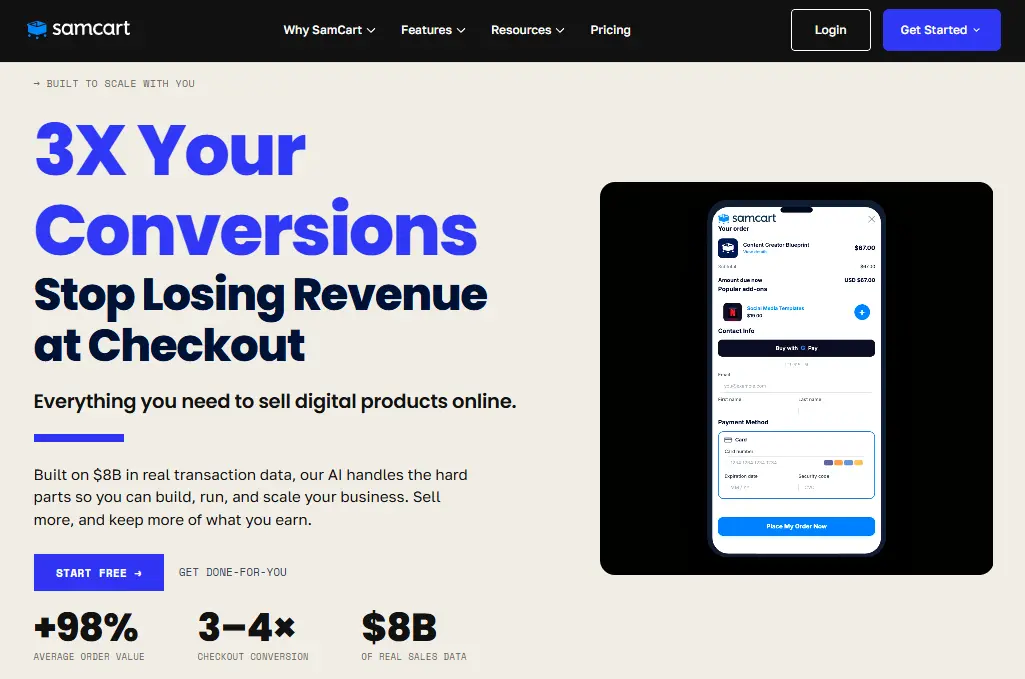
SamCart is a hosted checkout and selling platform designed to help businesses sell products, subscriptions, and courses through optimized checkout pages.
Instead of trying to replace your entire website or WooCommerce store, SamCart focuses on the part of the customer journey where the purchase happens. It includes checkout pages, payment options, cart abandonment, subscriptions, and conversion tools such as upsells and order bumps.
SamCart doesn’t run inside WooCommerce. Your products and checkouts are managed through SamCart, so it’s better suited to businesses that want a standalone selling system rather than a WooCommerce-native funnel builder.
How SamCart Helps You Convert at Checkout
- Build checkout pages quickly: Create unlimited checkout pages and products, with AI-assisted product and page design.
- Support different payment models: Sell products through subscriptions and payment plans while managing recurring purchases.
- Increase order value on Pro: Add one-click upsells and order bumps after upgrading to Pro.
- Optimize checkout performance: Pro includes A/B testing and advanced analytics to help identify better-performing checkout experiences.
- Recover abandoned carts: Cart abandonment tools are included with the Core plan.
- Manage affiliate sales: The Pro plan includes an affiliate center for promoting your products through partners.
Pros and Cons of SamCart
| Pros | Cons |
|---|---|
| Focused specifically on checkout and selling | Upsells and order bumps require the Pro plan |
| Unlimited pages, products, and checkouts on Core | A/B testing and advanced analytics require Pro |
| Supports subscriptions and cart abandonment | Hosted platform rather than a WooCommerce plugin |
| AI-assisted product and page design | Pro costs $199/month on monthly billing |
| 25% discount with annual billing | Core is limited to 1 team seat |
SamCart Pricing
| Core | Pro | Done For You |
|---|---|---|
| $79/month ($59.25/month billed annually) | $199/month ($149.25/month billed annually) | Custom pricing |
| Unlimited pages, products, and checkouts; AI Assistant; courses; cart abandonment | Everything in Core, plus upsells, order bumps, A/B testing, affiliate center, advanced analytics, and 10 team seats | White-glove setup, dedicated account manager, priority support, and other managed services |
The annual prices work out to $711/year for Core and $1,791/year for Pro, based on the 25% annual discount shown on SamCart’s pricing page.
Should You Switch to SamCart?
If you already have your traffic, website, or sales pages in place and want a standalone checkout system focused on increasing revenue per customer, SamCart is worth considering.
The important pricing distinction is that Core covers the basic checkout and selling experience, while Pro is the relevant plan if you need one-click upsells, order bumps, A/B testing, affiliate management, and advanced analytics.
If you’re already using WooCommerce, however, a WooCommerce-native tool can keep your products, checkout, and customer data inside WordPress instead of moving the selling process to a separate platform.
Want more checkout-first options to compare? Here’s a shortlist we put together: 5 Best SamCart Alternatives for Effective Business Growth
SamCart uses a recurring subscription model, with Core starting at $79/month. The next tool takes a different approach: a one-time payment for its checkout platform.
8. ThriveCart
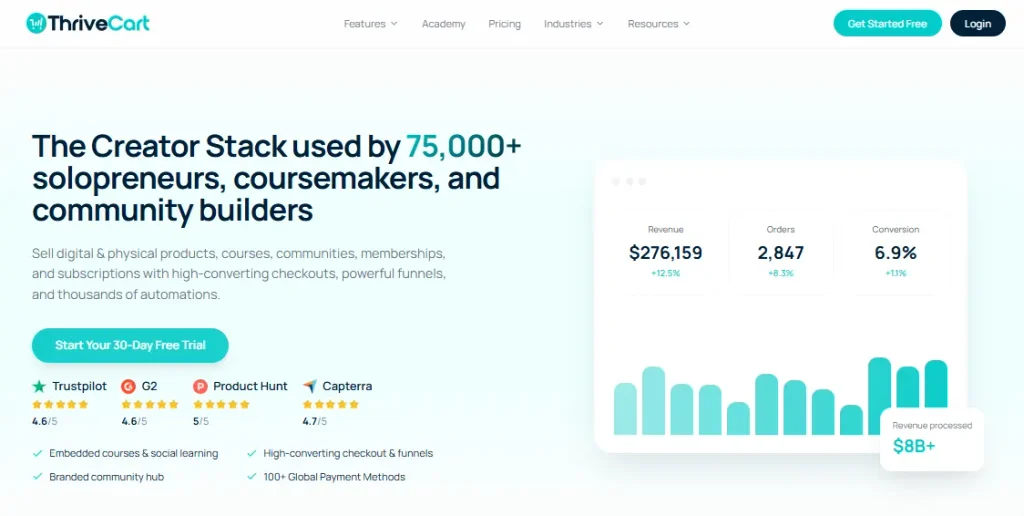
ThriveCart is a hosted checkout and cart platform focused on increasing revenue from each transaction. It combines checkout pages with order bumps, one-click upsells and downsells, subscriptions, affiliate management, and basic course delivery.
Unlike WooCommerce-native tools, ThriveCart manages the checkout outside your WordPress store. Its main appeal is giving you dedicated checkout and revenue optimization tools without building a complete website or funnel platform around them.
How ThriveCart Helps You Increase Revenue
- Build optimized checkout pages: Create customized checkout and cart pages and sell products to customers in 100+ countries.
- Increase order value: Standard includes one-click upsells, downsells, and order bumps, so you don’t need to upgrade just to add post-purchase offers.
- Run subscriptions: Manage recurring subscriptions and payment plans directly through the checkout.
- Manage affiliates: Pro+ adds affiliate management features, including affiliate payouts and customer/vendor management.
- Sell courses: ThriveCart Learn Starter is included with Standard for basic course delivery, with additional Learn capabilities available on higher plans.
- Test your checkout: A/B split testing is included in the Standard plan.
Pros and Cons of ThriveCart
| Pros | Cons |
|---|---|
| Order bumps and one-click upsells included on Standard | Hosted checkout rather than a WooCommerce-native solution |
| A/B split testing included on Standard | Not a complete website or funnel builder |
| Supports subscriptions and payment plans | Advanced features require Pro+ |
| Built-in affiliate management on Pro+ | Monthly pricing starts at $47 |
| Course delivery included through ThriveCart Learn | May be more than you need if you only want basic checkout |
ThriveCart Pricing
| Standard | Pro+ | Enterprise |
|---|---|---|
| $47/month | $87/month | Custom |
| Checkout and cart, order bumps, one-click upsells/downsells, A/B testing, subscriptions, ThriveCart Learn Starter | Everything in Standard, plus revenue optimization, advanced subscriptions, affiliate management, tax calculation, and additional tools | Tailored implementation, VIP service, dedicated account manager, priority support, and enterprise features |
Should You Switch to ThriveCart?
If your main priority is checkout optimization, order bumps, upsells, subscriptions, and affiliate sales, ThriveCart gives you those tools without requiring a full funnel-building platform.
The bigger consideration for WooCommerce users is where your checkout lives. ThriveCart is a separate hosted system, while WooCommerce-native tools keep the checkout and funnel experience inside your existing WordPress store.
So if you want a dedicated checkout platform, ThriveCart is worth considering. If you want to improve your existing WooCommerce store without moving the selling process elsewhere, a WooCommerce-native funnel builder may make more sense.
That covers the hosted checkout options. The final alternative takes us back to WordPress, with a focus on building fast landing pages and funnels directly inside your site.
9. OptimizePress

OptimizePress is a WordPress suite for building landing pages, sales pages, funnels, checkouts, and membership areas inside your own website.
The Launch plan focuses on the page builder, while Scale adds OptimizeFunnels, OptimizeCheckouts, and OptimizeMentor. This makes OptimizePress useful for building and managing different parts of a marketing funnel directly in WordPress.
How OptimizePress Helps You Build Funnels in WordPress
- Build landing and sales pages: The drag-and-drop builder lets you create unlimited landing pages, sales pages, and website pages.
- Create funnels: The Scale plan includes OptimizeFunnels for building funnels.
- Add checkout pages: OptimizeCheckouts lets you accept payments through Stripe and PayPal.
- Create membership sites: OptimizeMentor lets you build membership sites and courses.
- Use conversion-focused templates: The plans include access to 600+ landing page and website templates.
Pros and Cons of OptimizePress
| Pros | Cons |
|---|---|
| Runs inside WordPress | Launch doesn’t include funnels or checkout |
| Unlimited landing pages | No free plan |
| Funnels, checkout, and membership tools available on Scale | WooCommerce-specific funnel features aren’t its main focus |
| 600+ templates included | Higher features require Scale or Elevate |
| 30-day money-back guarantee | — |
OptimizePress Pricing
| Launch | Scale | Elevate |
|---|---|---|
| $129/year | $199/year | $249/year |
| 1 site, landing page builder | 5 sites, Funnels, Checkouts, Mentor | 25 sites, all Scale features + client websites |
All plans renew annually at the same displayed price: $129, $199, or $249 per year, respectively.
Should You Switch to OptimizePress?
If you need to build landing pages, sales pages, and funnels directly inside WordPress, OptimizePress provides those tools in one suite.
The Launch plan is focused on landing pages, while Scale adds Funnels, Checkouts, and Mentor. If you need those additional tools, Scale is the plan to consider.
Want to compare it directly with ClickFunnels? Here’s our detailed breakdown: OptimizePress vs ClickFunnels – Choosing The Better Sales Funnel Builder
OptimizePress gives you page building, funnels, checkout, and membership tools inside WordPress. The next alternative focuses more heavily on building landing pages quickly with WordPress.
10. SeedProd
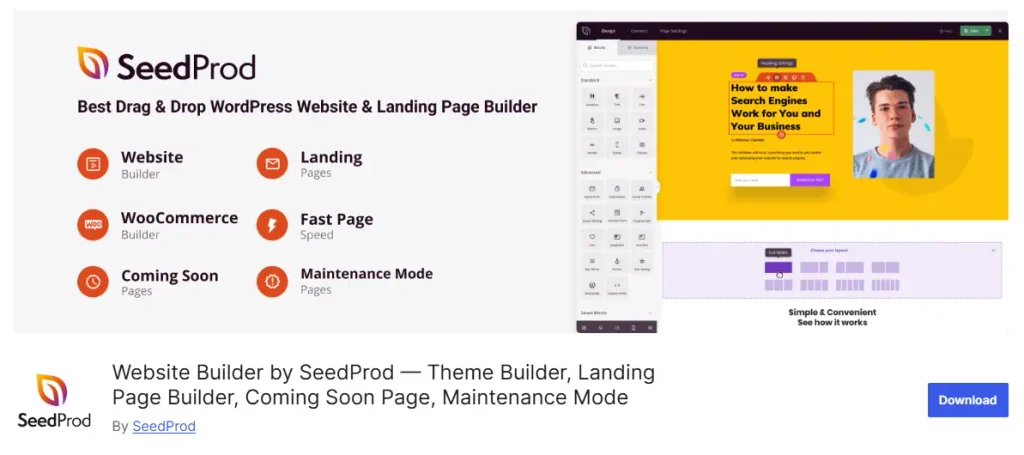
SeedProd is a WordPress landing page and website builder for creating landing pages, websites, and custom themes with a drag-and-drop editor.
Its focus is on building pages and websites, rather than creating complete sales funnels. The higher plans add features such as theme building, email marketing integrations, dynamic text, and WooCommerce support.
How SeedProd Helps You Build Pages in WordPress
- Build landing pages quickly: Create pages with the drag-and-drop builder without coding.
- Create complete websites: Plus and higher plans include full website kits and the Theme Builder.
- Use ready-made templates: Higher plans include 100+ and 300+ templates along with additional section and page blocks.
- Connect your marketing tools: Pro and Elite include email marketing integrations and 3,000+ Zapier integrations.
- Add WooCommerce support: The Elite plan includes WooCommerce support for building ecommerce pages.
Pros and Cons of SeedProd
| Pros | Cons |
|---|---|
| Drag-and-drop WordPress page builder | Higher features require paid plans |
| Landing pages and website building in one tool | WooCommerce support starts with Elite |
| Theme Builder available from Plus | Not focused on complete sales funnel features |
| Large collection of templates and page blocks | More expensive plans are needed for advanced features |
| Email marketing and Zapier integrations on higher plans | — |
SeedProd Pricing
| Basic | Plus | Pro | Elite |
|---|---|---|---|
| $39.50/year | $99.50/year | $199.50/year | $239.60/year |
| 1 site, 50 Pro templates, 90+ page blocks | 3 sites, Theme Builder, 100+ templates, 100+ section templates | 5 sites, 300+ templates, Dynamic Text, 3,000+ Zapier integrations | 100 sites, WooCommerce support, Easy Digital Downloads, 300+ templates |
Should You Switch to SeedProd?
If you need a WordPress tool for building landing pages or complete websites, SeedProd provides those features through its different plans.
The Basic plan focuses on landing page creation, while Plus adds the Theme Builder and website-building features. Pro adds more templates and integrations, while Elite adds WooCommerce support.
If you’re specifically looking for WooCommerce funnel features such as order bumps and upsells, you’ll need to compare SeedProd with the dedicated WooCommerce funnel builders covered earlier in this list.
SeedProd focuses on building WordPress pages and websites. The final alternative takes a broader all-in-one approach.
11. Builderall
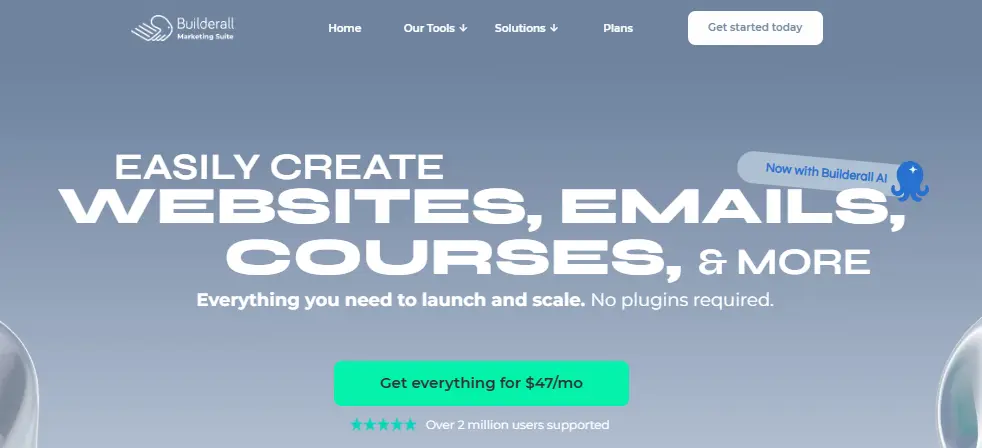
Builderall is a hosted all-in-one platform that brings website building, funnels, email marketing, courses, and other marketing tools together under one subscription.
Instead of using separate tools for different parts of your marketing setup, Builderall gives you access to multiple business and marketing tools from one platform. It also offers different plans based on the number of websites, email subscribers, storage, and other resources you need.
How Builderall Helps You Build Your Marketing Stack
- Build websites and pages: Create websites with the built-in website builder and increase the number of published websites as you move to higher plans.
- Manage email marketing: Higher plans include larger monthly email sending limits and more subscribers.
- Run marketing campaigns: Builderall includes marketing tools alongside its website builder and business toolkit.
- Manage multiple websites: The plans scale from 1 published website on Core to 25 on Premium.
- Scale your resources: Higher plans increase storage, AI credits, subscribers, email volume, and team accounts.
Pros and Cons of Builderall
| Pros | Cons |
|---|---|
| Combines multiple business and marketing tools in one platform | Hosted platform rather than a WooCommerce plugin |
| Website builder and marketing tools included | Higher resource limits require higher plans |
| Email marketing included on paid plans | No dedicated WooCommerce checkout focus |
| Supports multiple websites on higher plans | — |
| 30-day money-back guarantee | — |
Builderall Pricing
| Core | Essentials | Advanced | Premium |
|---|---|---|---|
| $12.75/month | $35.25/month | $72.75/month | $185.25/month |
| 1 website, 2 GB storage, 250 Builderall AI credits | 3 websites, 10 GB storage, 60K emails/month, 3,000 subscribers | 10 websites, 30 GB storage, 250K emails/month, 10,000 subscribers | 25 websites, 75 GB storage, 1M emails/month, 100,000 subscribers |
Should You Switch to Builderall?
If you want to bring your website, email marketing, funnels, and other marketing tools together under one platform, Builderall offers several plans based on the size of your business.
The Core plan supports 1 website, while Essentials increases that to 3 websites and adds email marketing. Advanced and Premium increase the number of websites, email volume, subscribers, storage, and team accounts.
If you’re specifically looking for WooCommerce-based checkout, order bumps, and upsells, the WooCommerce-focused tools earlier in this list are more directly aligned with those requirements.
Good to Know:Leadpages and Groove are also commonly considered alongside ClickFunnels when comparing all-in-one or funnel-building platforms.
You can also see our comparisons: 8 Best Leadpages Alternatives and Leadpages vs Unbounce.
That’s all 11 alternatives. Now let’s compare them side by side.
Side-by-Side Feature Comparison of ClickFunnels Alternatives
Each tool handles your store a little differently. Some run inside WooCommerce, while others replace it with their own checkout.
Here’s a quick look at what you get with each one.
| Tool | Runs On | WooCommerce Data Access | Free Plan | Order Bumps & Upsells | Billing Model |
|---|---|---|---|---|---|
| WPFunnels | Your WordPress site | Native | Yes, 3 funnels | 1 bump + 1 upsell per funnel | Flat annual fee |
| CartFlows | Your WordPress site | Native | Yes, checkout only | From Pro* | Annual, higher renewal |
| FunnelKit | Your WordPress site | Native | Yes, unlimited funnels | From Plus | Annual, higher renewal |
| Systeme.io | Hosted | None | Yes, 3 funnels | Included | Monthly, by contacts |
| Kartra | Hosted | None | No, 14-day trial | Included | Monthly, by contacts |
| Kajabi | Hosted | None | No, 30-day trial | Included | Monthly, by contacts and products |
| SamCart | Hosted | None | No, 7-day trial* | Pro plan | Monthly |
| ThriveCart | Hosted | None | No | Included on Standard | Monthly / annual options* |
| OptimizePress | Your WordPress site | Not WooCommerce-focused | No | Not WooCommerce-focused | Flat annual fee |
| SeedProd | Your WordPress site | Elite plan | Yes, pages only* | No | Annual, higher renewal |
| Builderall | Hosted | None | No | Not established from source | Annual / monthly options* |
WPFunnels, CartFlows, and FunnelKit are the only three tools here that read your WooCommerce products and orders natively. The next section shows what each one actually costs, and what that cost buys you.
Side-by-Side Pricing Comparison of ClickFunnels Alternatives
The starting price doesn’t always tell you what you’ll actually pay. What matters is the price of the plan that unlocks the feature you’re switching for.
| Tool | Entry Price | Price to Unlock Order Bumps & Upsells | Transaction Fees |
|---|---|---|---|
| ClickFunnels | $97/month (Launch) | $97/month ($970/year billed annually)* | None from ClickFunnels |
| WPFunnels | Free | Free for 1 bump + 1 upsell per funnel; advanced features from $103.99/year | None |
| CartFlows | Free | $199/year (Plus) | None |
| FunnelKit | Free | $149.50/year (Plus) | None |
| Systeme.io | Free | Included on free plan | 0% |
| Kartra | $59/month (Essentials) | $59/month, but Essentials has a 5% transaction fee | 5% on Essentials, 0% above |
| Kajabi | $179/month ($143 annual) | Included | Payment processing only |
| SamCart | $79/month (Core) | $199/month ($149.25 annual) on Pro | Payment processing applies |
| ThriveCart | $47/month | $47/month on Standard | 0% from ThriveCart |
| OptimizePress | $129/year | $199/year for funnels and checkout (Scale) | None |
| SeedProd | Free | No native order bumps or upsells | None |
| Builderall | $12.75/month billed annually | Varies by plan | No platform transaction fee |
The plan you need can look very different from the entry price. But a price only means something next to what the plan earns you, so let’s put numbers on that.
How Much You Save With WPFunnels Over Time
A lower starting price is useful, but the bigger difference becomes clear when you look at what you pay year after year. ClickFunnels charges a recurring annual fee, while WPFunnels gives you the same core funnel setup at a much lower annual cost.
| Years of Use | ClickFunnels | WPFunnels | Approx. Savings With WPFunnels |
|---|---|---|---|
| 1 year | $970/year | $103.99/year | ~$866/year |
| 2 years | $1,940 | $207.98 | ~$1,732 |
| 3 years | $2,910 | $311.97 | ~$2,598 |
| 5 years | $4,850 | $519.95 | ~$4,330 |
Key Takeaway: In the first year, WPFunnels costs about $866 less than ClickFunnels. Over five years, that difference grows to roughly $4,330, assuming both prices stay unchanged.
That’s the bigger pricing difference between the two. ClickFunnels gives you a hosted funnel platform with a recurring subscription, while WPFunnels lets you build your funnels inside WordPress for a much lower annual cost. Now let’s look at which one makes more sense based on what you’re actually trying to build.
Best ClickFunnels Alternatives for Specific Use Cases
After comparing all 11 alternatives, the right choice depends on what you need to build and where you want to run it. Some tools are built around WooCommerce, while others focus on hosted funnels, courses, or checkout optimization.
Best ClickFunnels Alternative for WooCommerce Stores
WPFunnels is built for creating sales funnels inside WordPress and WooCommerce. You can build funnel steps, customize checkout, add order bumps and one-click upsells, and run A/B tests without moving your store to another platform.
Because it works with your existing WooCommerce store, your products, orders, and customer data stay within your WordPress setup. Its pricing is also based on an annual license rather than a monthly subscription.
ClickFunnels’ Launch plan costs $970/year when billed annually, while WPFunnels’ Starter plan costs $103.99/year. That’s a difference of about $866 in the first year.
If you mainly need WooCommerce checkout and funnel features, CartFlows is another option to consider. If you want funnels combined with CRM, email, and SMS automation, FunnelKit’s Professional plan adds those capabilities.
Ready to set up your first post-purchase offer? This walkthrough covers it step by step: Detailed Guide On Creating WooCommerce One Click Upsell To Increase AOV
Best Free ClickFunnels Alternative
Systeme.io gives you a hosted funnel platform with a permanent free plan. The free plan includes 3 funnels, up to 2,000 contacts, unlimited email sending, order bumps, and one-click upsells.
If you’re using WordPress and WooCommerce, WPFunnels, CartFlows, and FunnelKit also have free versions. WPFunnels’ free version includes one order bump and one one-click upsell per funnel.
Related read: 4 Best Free WordPress Funnel Builder Plugins For More Conversions
Best ClickFunnels Alternative for Courses and Memberships
Kajabi is built around courses, memberships, coaching, and other digital products. It combines course delivery, communities, email marketing, landing pages, checkout, and automation in one platform.
Its Basic plan starts at $143/month when billed annually. If you prefer to keep your courses on WordPress, WPFunnels can be used with LMS platforms such as LearnDash and TutorLMS to build funnels around your courses.
Best ClickFunnels Alternative for Checkout Only
If you already have your website and traffic and mainly need a standalone checkout with order bumps and upsells, ThriveCart and SamCart are two options in this list.
ThriveCart Standard costs $47/month on the pricing plan shown in our comparison and includes order bumps, one-click upsells and downsells, subscriptions, and A/B testing.
SamCart Core starts at $79/month, while its $199/month Pro plan adds one-click upsells, order bumps, A/B testing, and advanced analytics.
For WooCommerce stores, the key difference is whether you want to keep your checkout inside WordPress or use a separate hosted checkout platform.
Conclusion: Find the Right ClickFunnels Alternative
Choosing a ClickFunnels alternative really comes down to what you’re selling, where your store runs, and which funnel features you actually need.
If you’re running a WooCommerce store, you don’t necessarily need to move your products and checkout to another platform. Tools like WPFunnels, CartFlows, and FunnelKit let you build funnels around your existing WooCommerce setup. If you want a hosted platform, options like Systeme.io, Kartra, and Kajabi take a different approach by bringing more of the selling process into one platform.
The pricing comparison matters too. Don’t just compare the starting price. Check the plan that includes the features you need, especially order bumps, upsells, A/B testing, automation, or checkout optimization.
Bottom Line: If you run a WooCommerce store, start with WPFunnels’ free version. You can build up to 3 funnels and add one order bump and one one-click upsell per funnel before deciding whether you need the additional features in a paid plan.
If you’re still comparing options, go back to the features and pricing tables above and compare the tools based on your platform, required features, and budget.
We hope this guide helped you understand the main ClickFunnels alternatives and find one that fits your setup.
Frequently Asked Questions
What is ClickFunnels?
ClickFunnels is a hosted sales funnel builder that lets you create landing pages, checkouts, upsells, and email campaigns without code. It was founded in 2014 by Russell Brunson and Todd Dickerson.
Plans start at $97/month and run up to $297/month, plus an annual-only Dominate plan, and there’s no free plan beyond a 14-day trial.
What’s the best ClickFunnels alternative in 2026?
It depends on your platform. For a WooCommerce store, WPFunnels is the strongest fit because it adds funnels, order bumps, and upsells inside your existing store, starting free.
CartFlows and FunnelKit are the closest alternatives. Off WordPress, Systeme.io is the best free option and Kajabi is best for courses.
What’s the cheapest alternative to ClickFunnels?
Systeme.io and WPFunnels both have free plans that include working funnels.
For paid plans with order bumps and upsells, CartFlows Starter ($99 first year) and WPFunnels Starter ($103.99/year) are the lowest-cost options, compared with ClickFunnels’ $972 a year on annual billing.
Can I build a full sales funnel inside WordPress without ClickFunnels?
Yes. WPFunnels, CartFlows, and FunnelKit all handle landing pages, checkout, order bumps, and one-click upsells inside WordPress and WooCommerce.
You can start on each plugin’s free version, then upgrade to the plan that unlocks the features you need.
Do ClickFunnels competitors charge transaction fees?
Most don’t. Kartra’s Essentials plan charges a 5% transaction fee, which goes away on Starter and above.
Systeme.io, ThriveCart, and the WordPress plugins (WPFunnels, CartFlows, FunnelKit) don’t add their own fees, so you only pay your payment processor’s standard rates.
Which ClickFunnels alternative is best for course creators?
Kajabi, if courses are your main business. Its course player, communities, and email tools are built for that model, starting at $143/month on annual billing.
If you want to keep courses on your own WordPress site, WPFunnels’ Business plan supports funnels for LearnDash and TutorLMS.