

Quick Answer
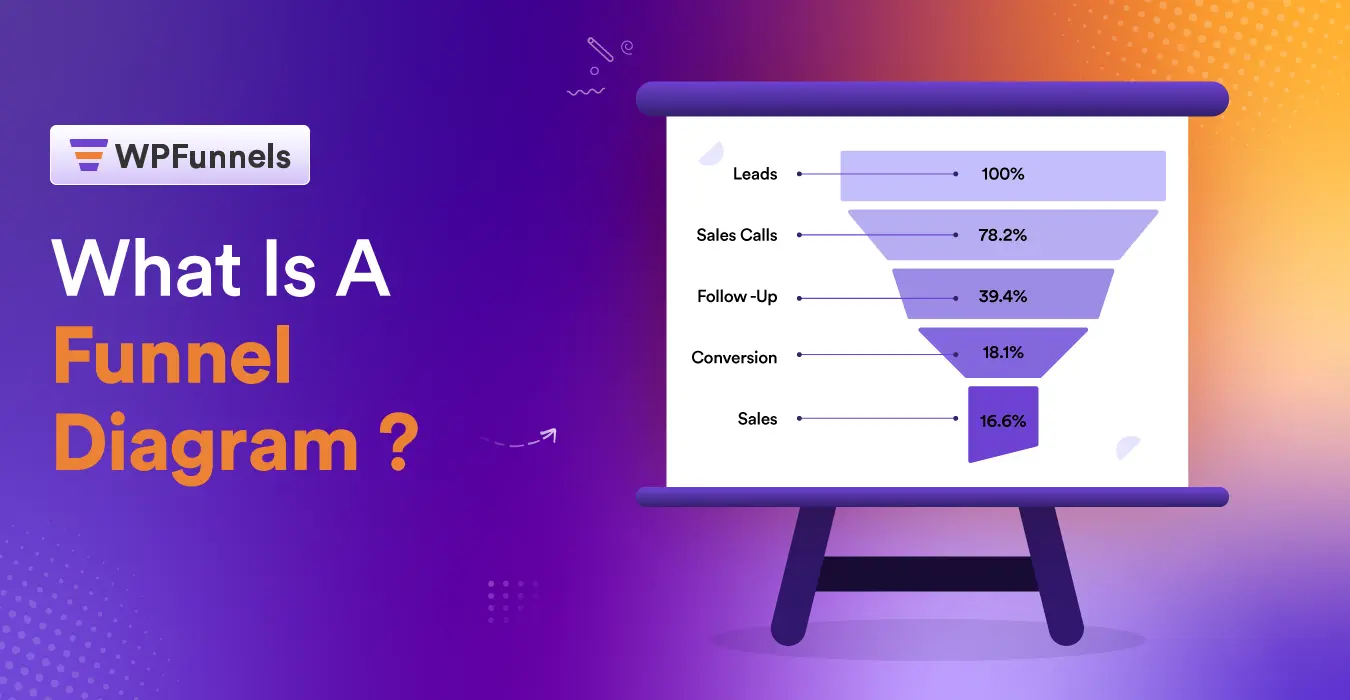
A funnel diagram is a visual chart showing how many people (or orders) make it through each stage of a buying journey.
It narrows from the widest point (visitors) to the narrowest point (completed sales).
For a WooCommerce store, it’s only genuinely useful when the diagram is also the tool you use to build that journey. Not just a report you make after the fact.
TL;DR – Funnel Diagrams Explained 2026
- A funnel diagram narrows top to bottom, showing where prospects or orders drop off between stages.
- The classic 5–7 stage version comes from B2B sales theory. Most WooCommerce stores only need 3 or 4.
- A chart-only tool tells you where the drop-off happened. It can’t fix it.
- A canvas-based funnel builder shows the same shape, but each stage is a real page you can edit.
- Fastest way to see the value: find the stage with the steepest drop and check if there’s an offer sitting on it yet.
Open ten articles about funnel diagrams and nine show you the same inverted triangle.
Wide top. Narrow bottom. A few labeled bands in between.
That’s an accurate picture of what a funnel diagram looks like. It doesn’t tell you what to do with one if you’re running a WooCommerce store with a real catalog, real cart abandonment, and real pressure on margins.
For a store owner, here’s the distinction that matters:
A funnel diagram only earns its keep when it’s the same canvas you build your checkout and offers on. Not a chart you export after the numbers already happened.
And the stage count should match what you can actually change. Not a number borrowed from an enterprise sales deck.
Key Takeaway
A funnel diagram is only as useful as the actions tied to it. If a stage doesn’t map to something you can change, it’s decoration, not insight.
What a Funnel Diagram Actually Shows
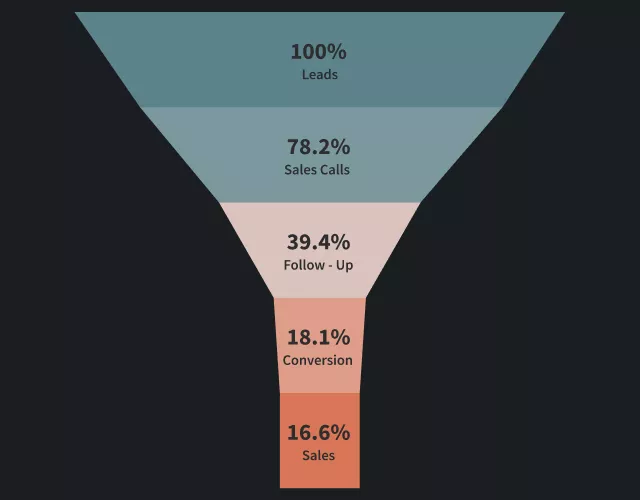
A funnel diagram represents a sequence of stages where a starting count shrinks at each step.
Visitors, leads, applicants — whatever you’re tracking, fewer make it to the bottom than entered at the top.
You’ll see funnel diagrams used well beyond e-commerce. Recruiters track candidates through hiring stages. Marketers track leads through campaigns. Event teams track sign-ups through promotion. The shrinking-triangle shape is the same everywhere.
This piece focuses on the WooCommerce version specifically, because a store’s stages map to real pages you can act on — cart, checkout, post-purchase — in a way a generic sales pipeline doesn’t.
For a WooCommerce store, the raw version looks like this:
- Total visitors
- Product views
- Add-to-carts
- Checkouts reached
- Completed orders
Each number is smaller than the last. Plotted as bars or a triangle, you get the familiar funnel shape.
What the diagram doesn’t do on its own is explain why the shrinkage happens.
A 40% drop between cart and checkout could mean shipping costs surprised someone. It could mean the checkout form asked for too much. Or there was just no reason to keep going.
Good to Know
The chart shows you the cliff. It doesn’t show you the railing you could put there.
Bottom Line
A funnel diagram tells you the count at each stage. It’s the actions tied to those stages that actually move the number.
Why 5–7 Stages Is a B2B Default, Not a Rule for Your Store
Most funnel-diagram guides recommend five to seven stages, based on the classic AIDA model: Awareness, Interest, Desire, Action — sometimes with a Sale or Loyalty stage tacked on.
That structure comes from B2B sales pipelines. A deal genuinely passes through a rep, a demo, a proposal, a negotiation.
Each stage is a different person doing a different job.
A WooCommerce store doesn’t work that way. There’s no sales rep moving the deal along. The buyer moves themselves, usually in one sitting.
Stretching that into seven labeled stages doesn’t add insight. It just adds boxes that all mean the same thing: “still thinking about it.”
| Mistake | Better Approach |
|---|---|
| Adding stages to “look thorough” | Keep only stages tied to a real action |
| Copying the AIDA template exactly | Map stages to actual WooCommerce pages |
| Treating stage count as a quality signal | Judge the diagram by what it lets you fix |
The stage count that actually helps is tied to a real decision. For most WooCommerce stores, that’s three or four:
- Product Page
- Cart
- Checkout
- Post-Purchase
Each one already has a lever sitting on it inside WooCommerce. A related-products cross-sell. A cart-page nudge. An order bump at checkout. A one-click upsell right after the sale.
A fifth stage only earns its place if there’s a genuinely separate action tied to it — a lead magnet before the product page, say, or a win-back sequence after the first purchase.
Bottom Line
More stages isn’t more insight. Match the stage count to the number of levers you can actually pull.
Where the Diagram Stops Being Useful — and Where It Starts
A static funnel chart is just a snapshot.
You export last month’s numbers, add them to a template, and identify where the funnel narrowed the most.
That’s useful for reporting.
But it doesn’t help you fix the problem.
You still need to switch to another tool to update your checkout page, landing page, or upsell offer.
By the time you measure results again, you’re repeating the same process.
Common Mistake
Building a beautiful funnel chart in one tool, then rebuilding the actual checkout flow somewhere else. You’ve doubled the work, and the two versions will eventually disagree.
A canvas-based funnel builder eliminates that round-trip.
The stages aren’t just labels on a chart. They’re the actual pages a buyer moves through, laid out on the same screen where you edit them.
If checkout is where you’re losing the most orders, you don’t export a report and go find a developer. You open that step on the canvas and add an order bump directly to it.
Pro Tip
Before adding a new tool to fix a drop-off stage, check if your existing funnel builder already has a lever for it. Order bumps, upsells, and cart nudges are often one click away.
Bottom Line
A funnel diagram shows where customers leave. A funnel builder lets you improve that stage immediately.
What a WooCommerce Funnel Diagram Looks Like in WPFunnels
WPFunnels’ visual canvas is built around one idea: the diagram and the build surface are the same screen.
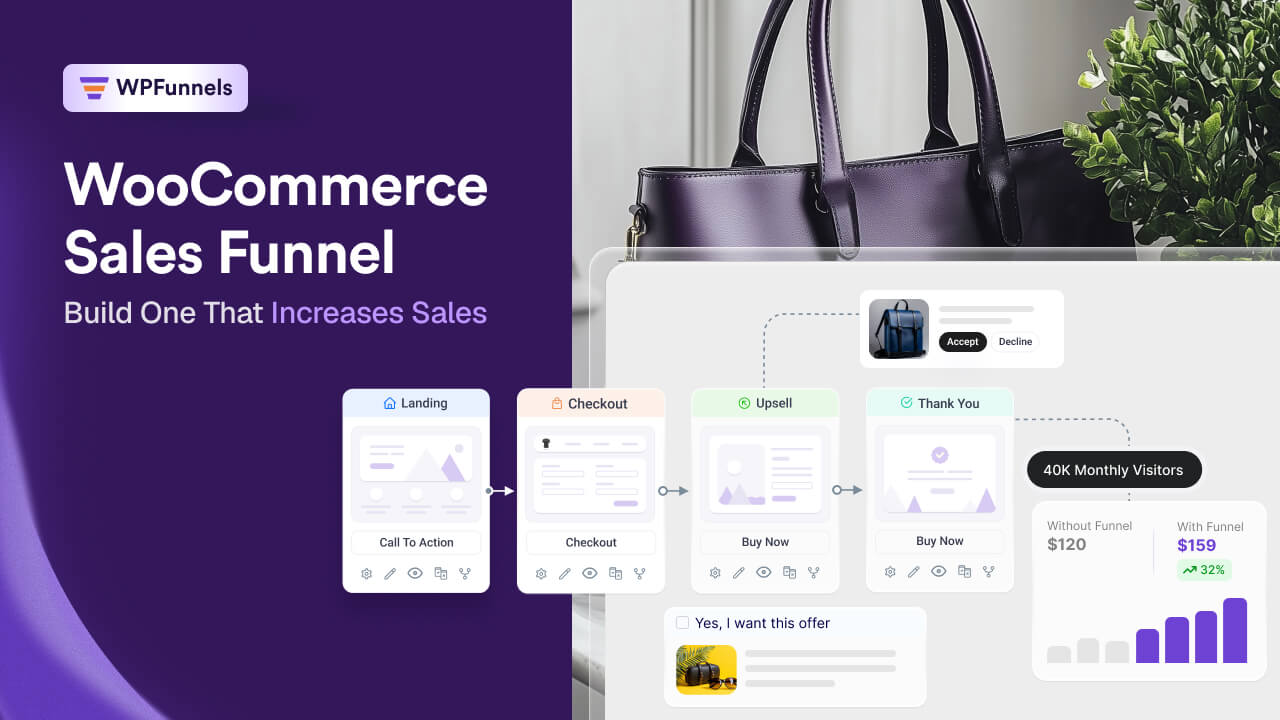
When you lay out a funnel — landing page, checkout, post-purchase offer, thank-you page — you’re looking at a live funnel diagram of your actual buyer journey.
Every box on it is editable in place.
Add an order bump to the checkout step, and you’ve changed both the diagram and the live page at once.
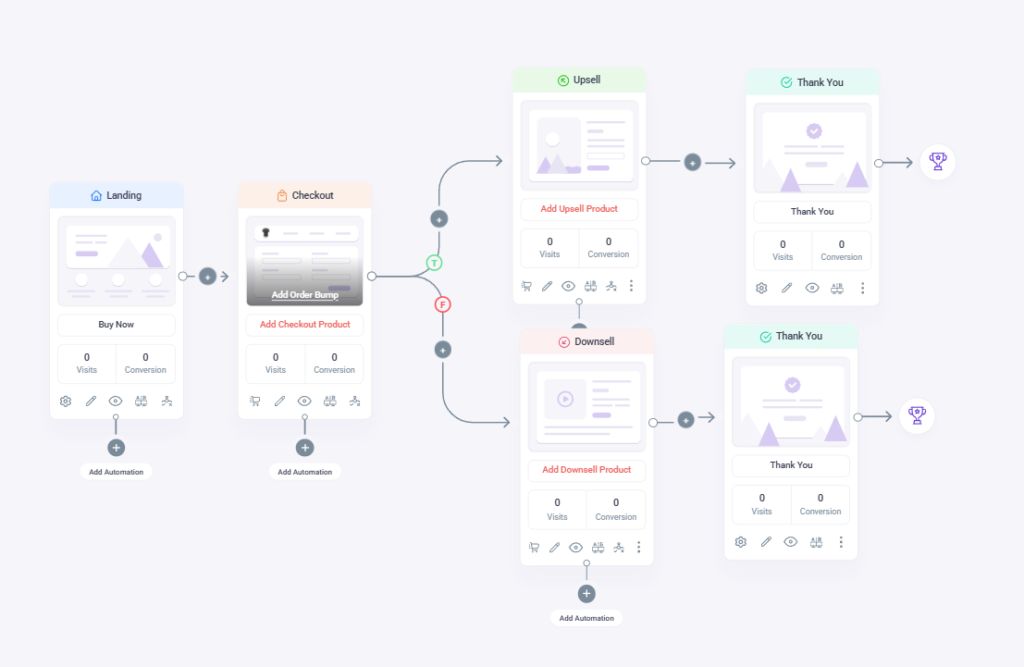
The plugin’s 3.12.0 release added a Vertical Funnel Flow mode to the canvas, specifically so longer funnels read top-to-bottom like a traditional funnel diagram, instead of left-to-right like a flowchart.
Good to Know
One WPFunnels user — a WordPress and Divi developer who reviewed the plugin publicly on WordPress Repo — said the canvas makes the flow obvious, and the order bump and upsell tools are easy to add.
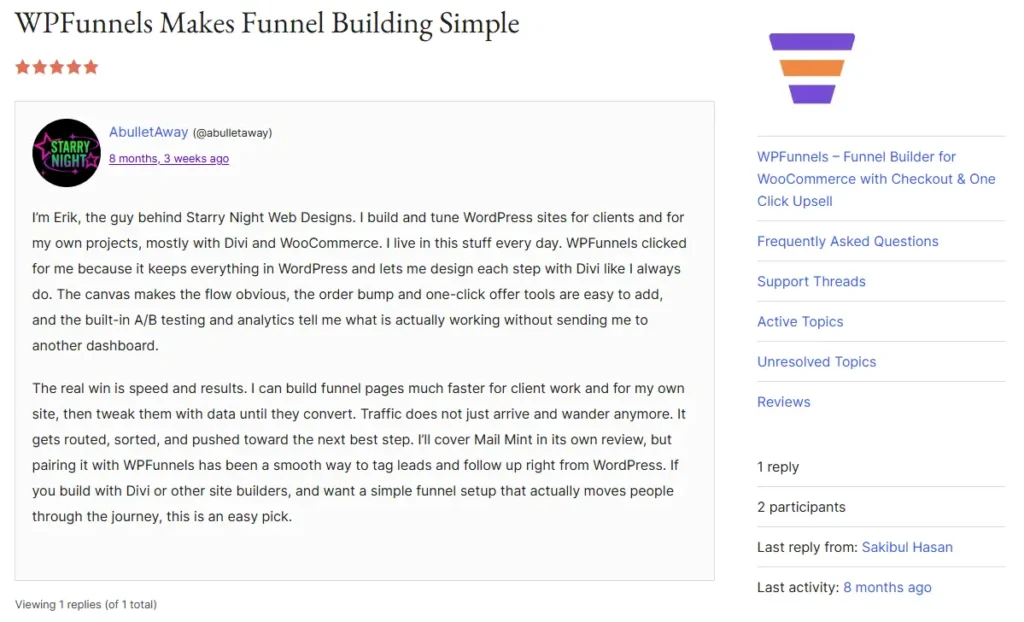
Source: WordPress Repo Review – “WPFunnels Makes Funnel Building Simple”
That’s the real test for whether a funnel diagram is doing its job. Not whether it looks clean in a slide deck, but whether looking at it tells you what to click next.
Decision Framework: Which Kind of Funnel Diagram Do You Actually Need?
Not every situation calls for a canvas. Here’s the honest breakdown.
You need a simple reporting chart if you’re:
- Presenting quarterly numbers to a co-founder or investor
- Comparing campaign performance after the fact
- Building a one-off slide for internal reporting
A quick chart tool is faster for a single job like that.
You need a canvas-based funnel builder if:
- The goal is to actually change the outcome
- You want to reduce cart abandonment, add an order bump, or launch an upsell
In that case, the diagram and the fix live in the same place. Every edit updates both at once.
For example, a WooCommerce supplement store notices a steep drop between Cart and Checkout. Instead of just charting it, they open that stage on their funnel canvas and add a small order bump — a travel-size version of the same product — right on the checkout page.
You only need more than 3–4 stages if you can name a distinct action tied to each additional one.
Remember
Automation and visuals save time, but the actual lever you place at each stage is what drives the sale.
Tools You Can Use to Build a Funnel Diagram
Here are five real options — from general-purpose design tools to a WooCommerce-native builder.
- WPFunnels — Builds funnel diagrams directly inside WordPress. The canvas doubles as your actual checkout and offer pages, not just a picture of them. Best if you’re running WooCommerce and want the diagram and the build in one place.
- Lucidchart — Detailed, customizable diagramming with templates built for flowcharts and funnels. Good for teams that want a polished static diagram without connecting it to live store data.
- Canva — Quick, visually clean templates. Good if you just need a funnel graphic for a deck or report, fast.
- Miro — A collaborative whiteboard. Better suited to brainstorming a funnel with a team than building the final version.
- Microsoft PowerPoint — Basic shapes and text are enough for a simple internal presentation.
Bottom Line
Any of these will draw the shape. Only WPFunnels lets that shape also be the page your customer actually buys from.
Common Mistakes When Building a Funnel Diagram
The most common one is treating stage count as a badge of thoroughness. A 7-stage diagram doesn’t look more professional than a 4-stage one — it just takes longer to build and update, and most of those extra stages won’t correspond to anything you can change.
The second is skipping labels or using vague ones. “Interest” and “Consideration” mean different things to different people reading the same chart six months later. Labeling a stage “Added to Cart, Not Yet Paid” tells you exactly where the number came from.
The third, and the one this whole piece has been building toward, is separating the diagram from the build. If you make a beautiful funnel chart in one tool and then rebuild the actual checkout flow somewhere else, you’ve doubled your work and guaranteed the two will eventually disagree with each other.
Bottom Line
A diagram you have to rebuild elsewhere isn’t saving you time — it’s adding a second job.
Final Thoughts
A funnel diagram is still a genuinely useful way to see where a buying journey narrows.
What’s changed is what counts as useful for a WooCommerce store.
Not a chart with the textbook number of labeled bands. A diagram whose stages match real, actionable pages in your store — viewed on the same screen where you can fix what’s narrowing too fast.
If you’re mapping your first WooCommerce funnel diagram, start with three stages: Cart, Checkout, and Post-Purchase. Add a fourth only once you can name the specific lever that belongs on it.
WPFunnels’ visual canvas lets you build that mapped-out version directly, and turn each stage into a live page, order bump, or upsell without switching tools. Try WPFunnels for free to see your own funnel laid out this way.
Frequently Asked Questions
How many stages should a WooCommerce funnel diagram have?
Most stores only need three to four: Product/Cart, Checkout, and Post-Purchase — sometimes with a Repeat-Buyer stage for email follow-up.
Is a funnel diagram the same as a funnel chart?
Yes. Funnel diagram and funnel chart describe the same narrowing visualization — the terms are used interchangeably.
Can I build a funnel diagram without design software?
Yes. Canva, PowerPoint, Lucidchart, and Miro all work for a static chart. If you want the diagram to double as the actual pages your customers see, a WooCommerce-native canvas builder like WPFunnels replaces the need for a separate design tool.
Does a funnel diagram help with cart abandonment specifically?
It helps you see where abandonment happens. But the diagram alone doesn’t recover that revenue — you still need something placed at that stage, like a simplified checkout or an order bump.
How often should I update a funnel diagram?
At least monthly if you’re using it for reporting. If it’s a live canvas like WPFunnels, it updates in real time as orders come in, so there’s nothing separate to “update.”
What’s the difference between a funnel diagram and a customer journey map?
A funnel diagram tracks a shrinking count through one sequential path. A customer journey map is broader — touchpoints, emotions, and channels across the full relationship — and doesn’t necessarily narrow at each step.
Should every WooCommerce store use the same funnel structure?
No. A store selling one low-price product might only need Cart → Checkout → Upsell. A store with multiple product lines or a lead-generation offer upstream may need an extra stage before Cart.