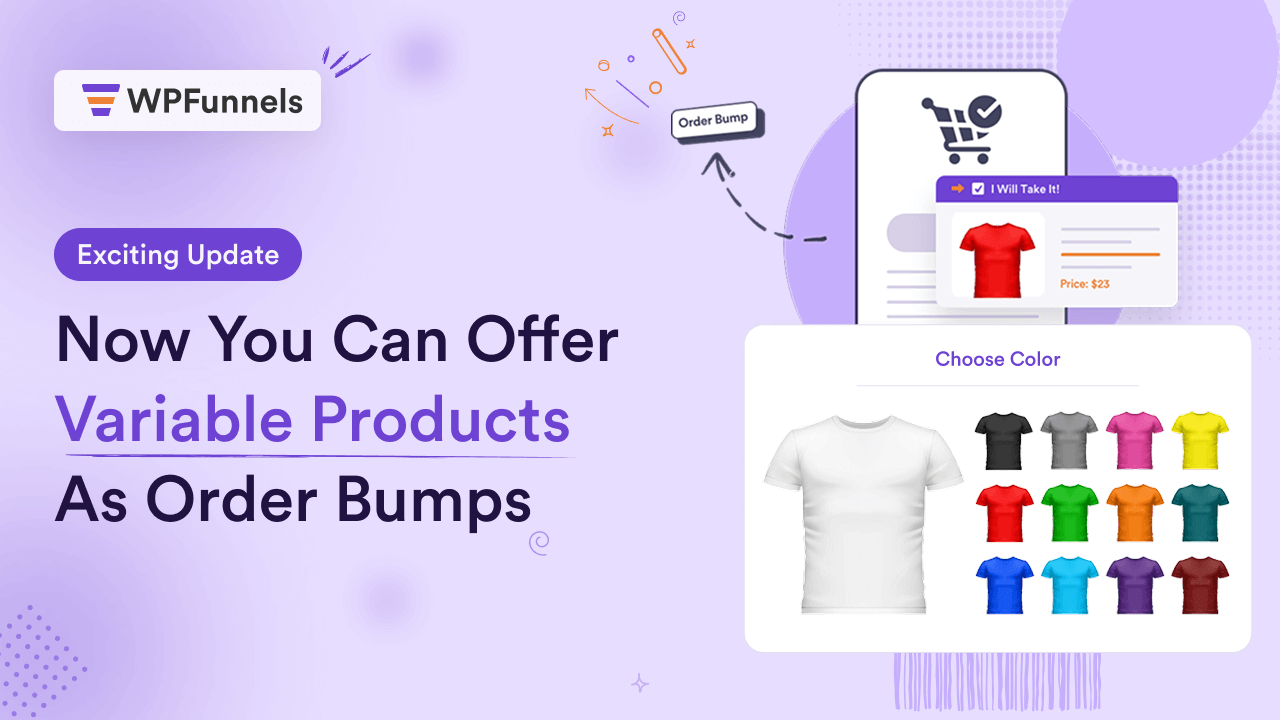

Today, we have great news for WPFunnels users.
Now, you can offer variable products as order bumps during checkout!
Last week, our team quietly rolled out a feature that may not sound major at first, but it can actually help you increase the conversions using order bump offers.
I’m sure you agree that using order bumps during checkout can help increase average order value (AOV), i.e., the overall revenue.
But, if you want to offer a variable product, such as a t-shirt, then people would want to be able to choose the size, color, or available variations.
Until now, in WPFunnels, there was no option to allow people to make a choice off of order bumps.
You either had to offer a simple product, or a specific variant as order bump
With this new update, you can start offering those variable products as order bumps and let people choose the variable attributes they prefer.
That way, you can make conversion-optimized offers, while buyers can confidently add the offer to the cart with exactly what they want.
You get the picture right?
How Offering Variable Products As Order Bumps Can Increase AOV
Let’s make it practical with a couple of examples.
Suppose you are running a promotion on a Leather Jacket. And let’s say you’ve created a funnel journey as follows:
Paid Ads > Landing Page > Checkout Page > Confirmation Page.
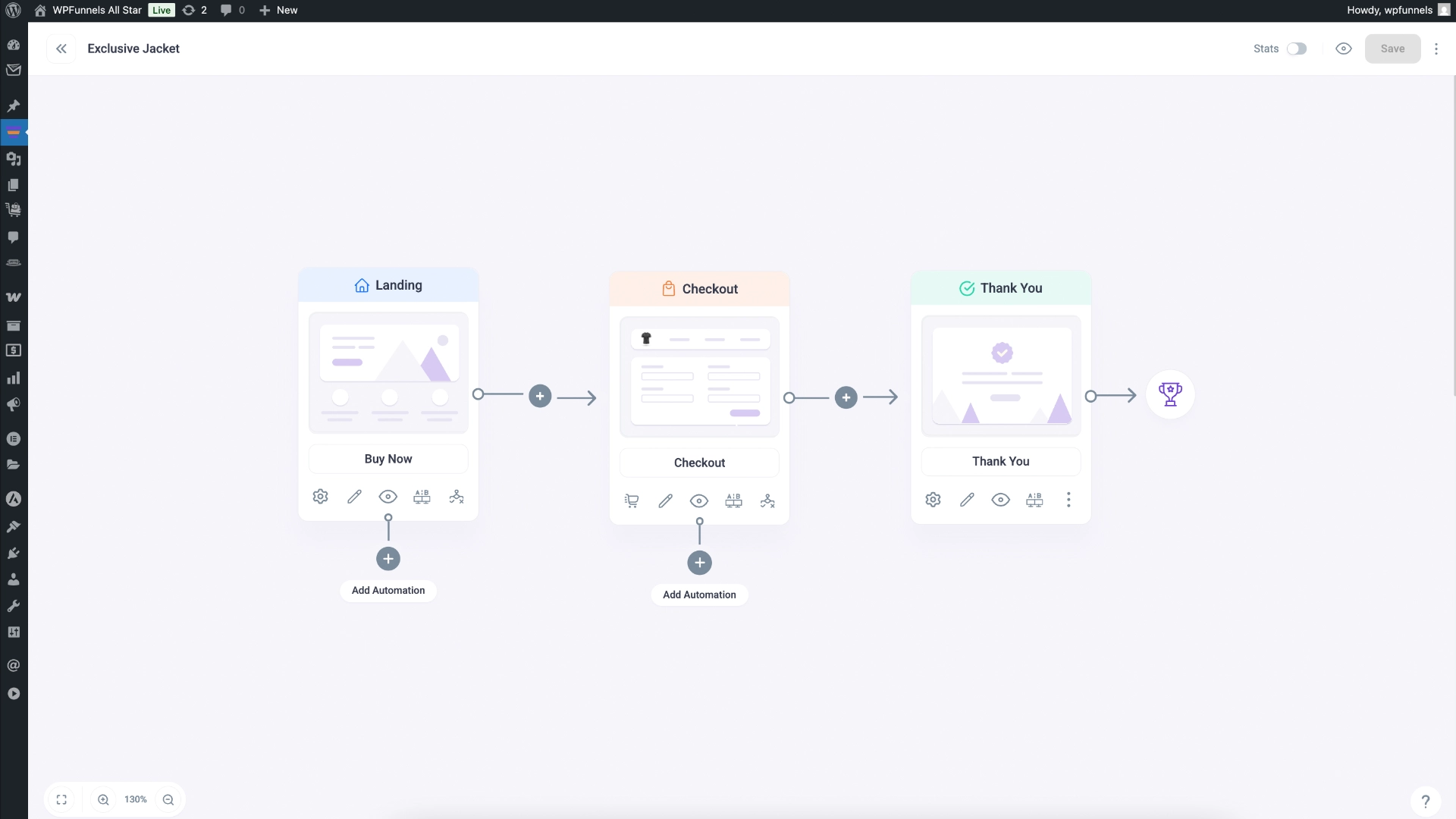
Now, you know, people usually wear t-shirts with their jackets. You could easily offer a t-shirt to the same buyer and it will be sensible.
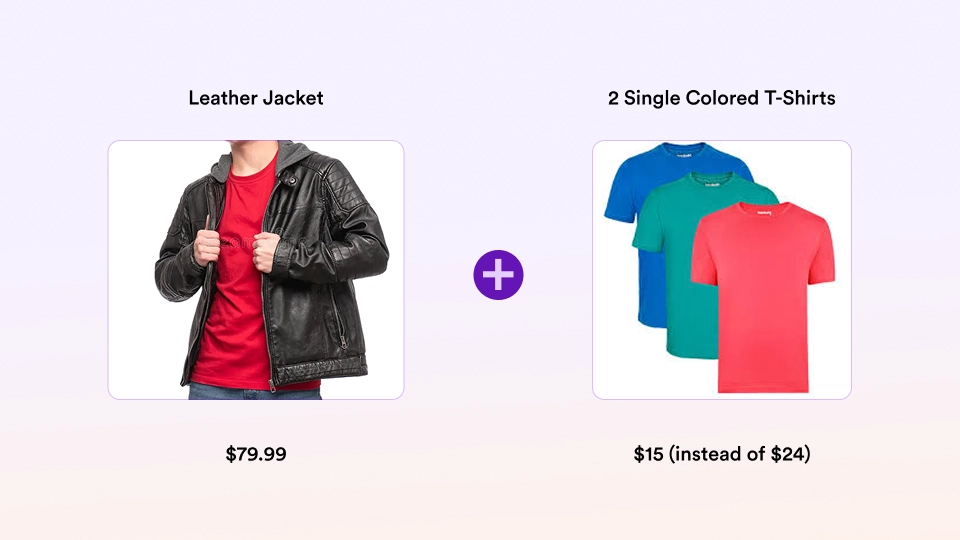
So, you may consider placing an order bump on the checkout page at a discounted price, and many people will find it sensible.
But, for a t-shirt, it is mandatory to be able to order the right size.
If your preferred size is L, you wouldn’t want to get an M or an XL delivered.
So, if you do not allow this choice, people will likely avoid the offer because it’s uncertain if it will fit them.
Hence, when you offer a t-shirt as an order bump,
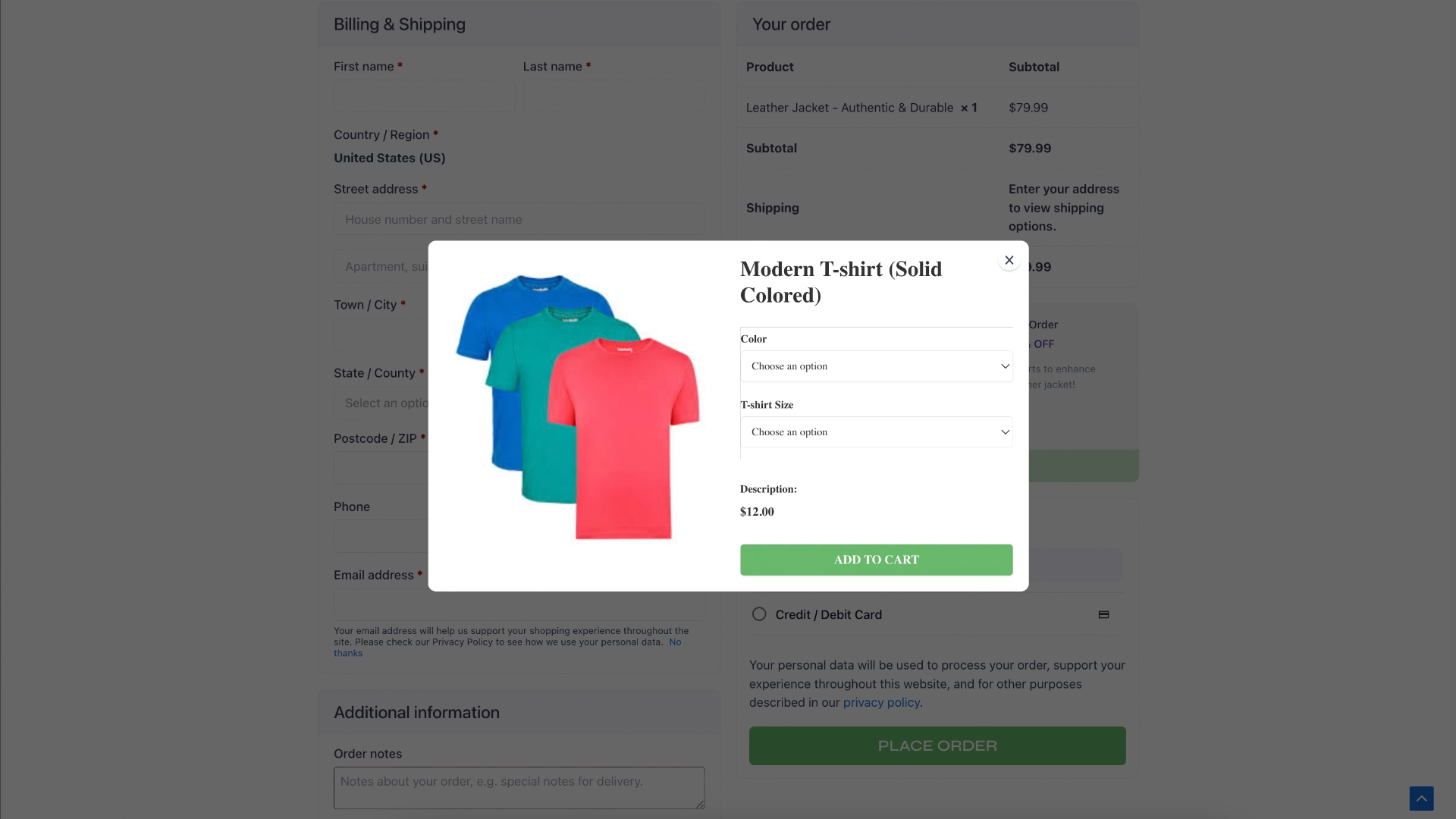
With our new update, when you offer a t-shirt as an order bump, buyers will be able to choose the right size before adding it to the order.
Let’s look at another scenario.
Suppose you’re selling a digital course on “Email Marketing Mastery” at $25.
And while selling it, it would make sense to try and earn a few bucks extra by offering Email Template Packs.
Now, let’s say you have two plans for the templates:
- Starter (with 20 email templates) at $10.
- Pro (with 50+ email templates and blueprints) at $25.
In this case, you may decide to offer the Email Template Packs at 50% off.
But instead of creating two order bumps there, you simply create 1, and let people choose the plan they want to add.
This will keep things less cluttered and allow buyers to feel confident about their decision.
Similarly, any product that may require “choosing” by the buyer, you can now offer them as order bumps without leaving them confused or distracted.
Overall, this will ensure your order bump is conversion-optimized.
How It Works?
It’s actually quite simple and for you, it’s little to no change at all.
1. Simply create an order bump.
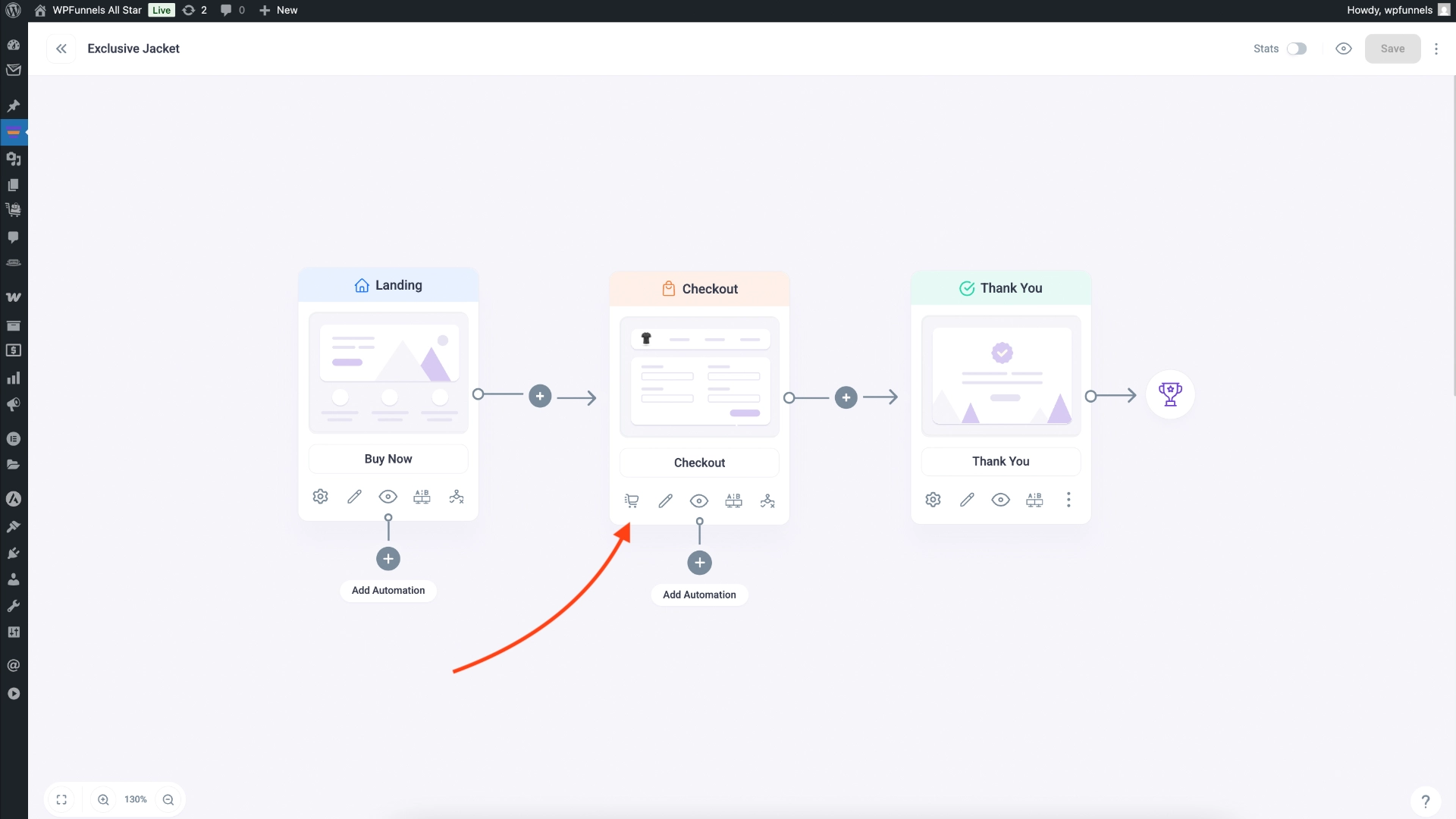
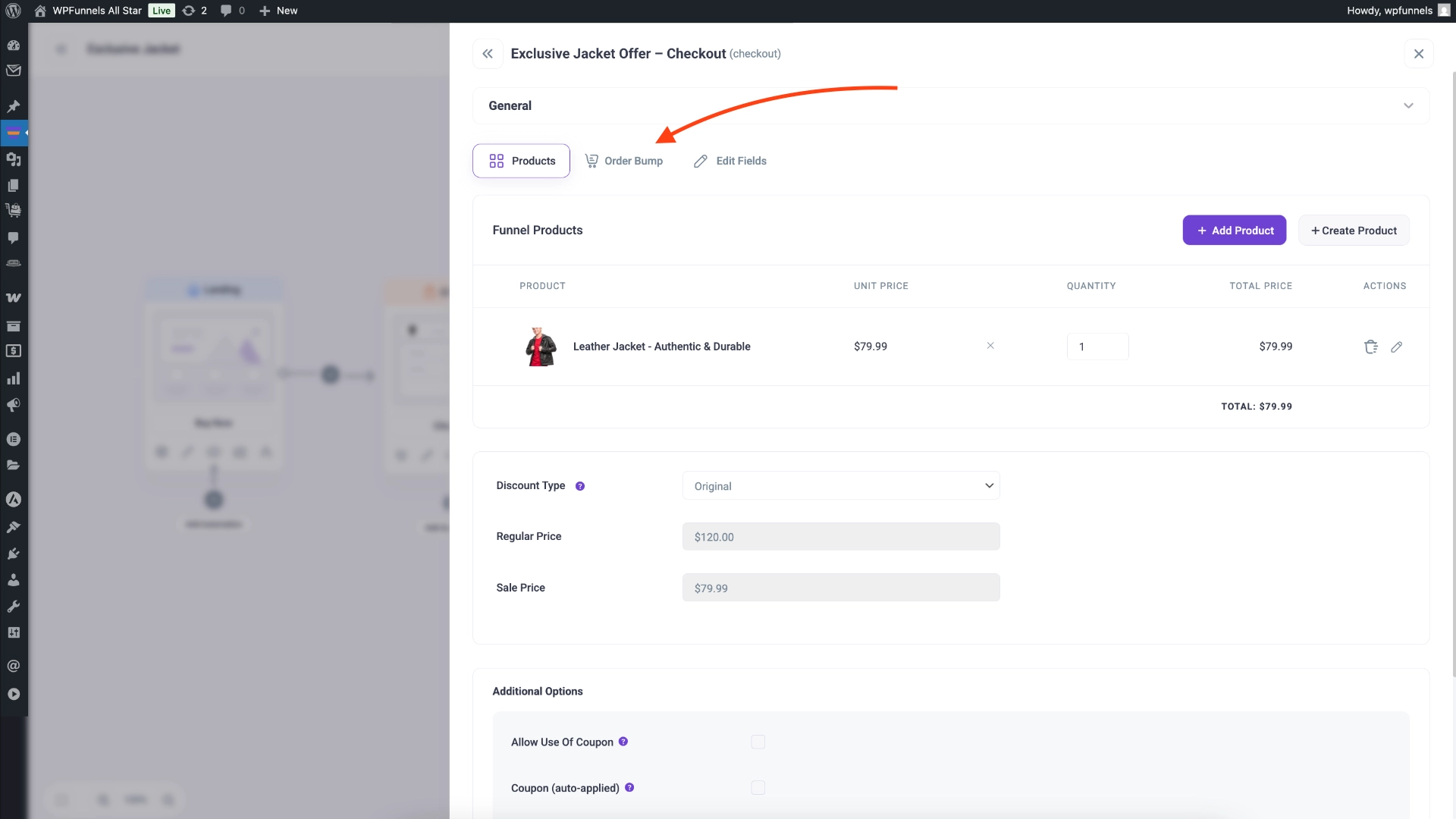
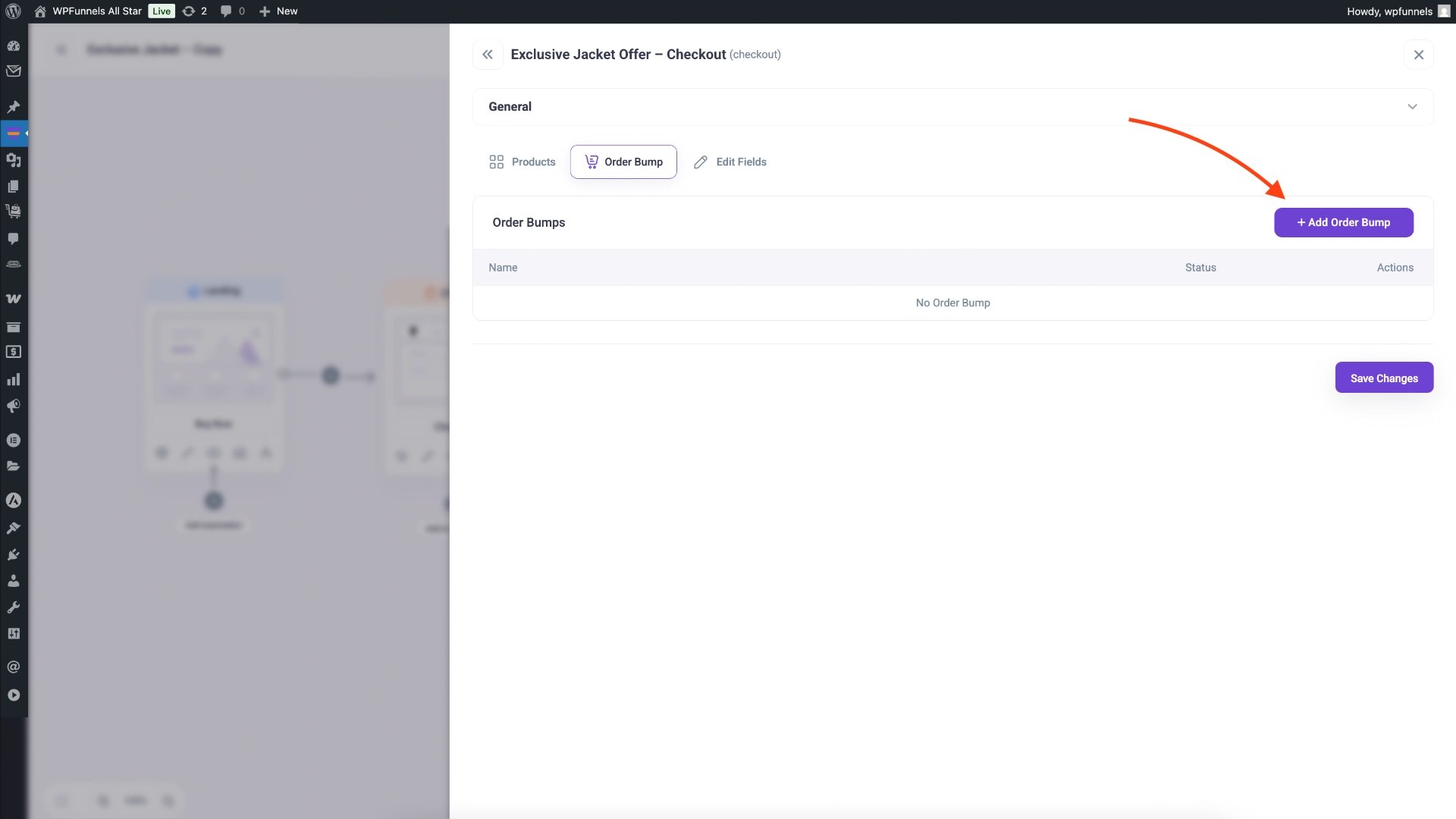
2. And then choose the variable parent product as the offer.
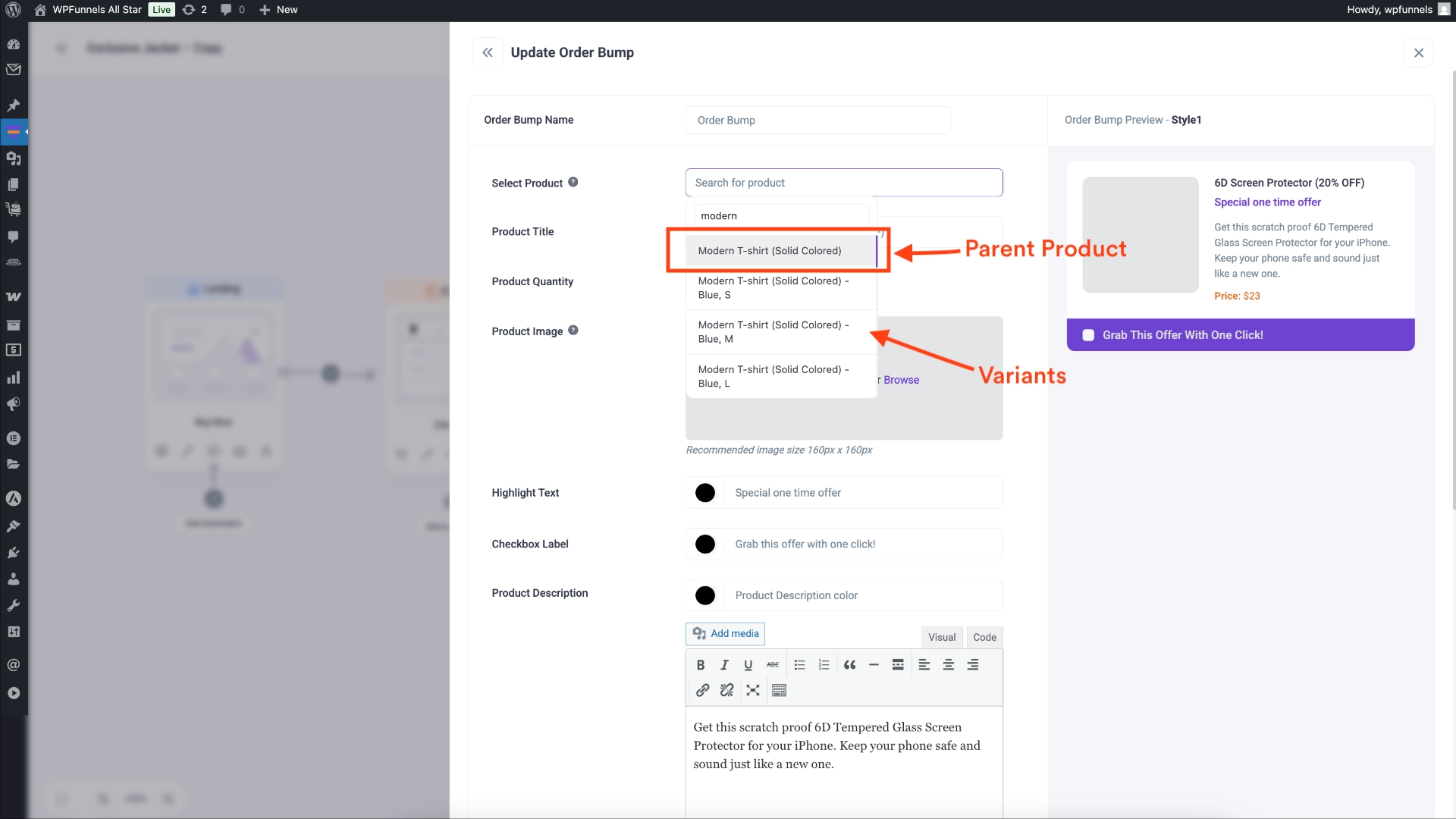
And that’s all you need to do.
The rest are the usual stuff-choose order bump position, design it, and add proper content to make it convincing.
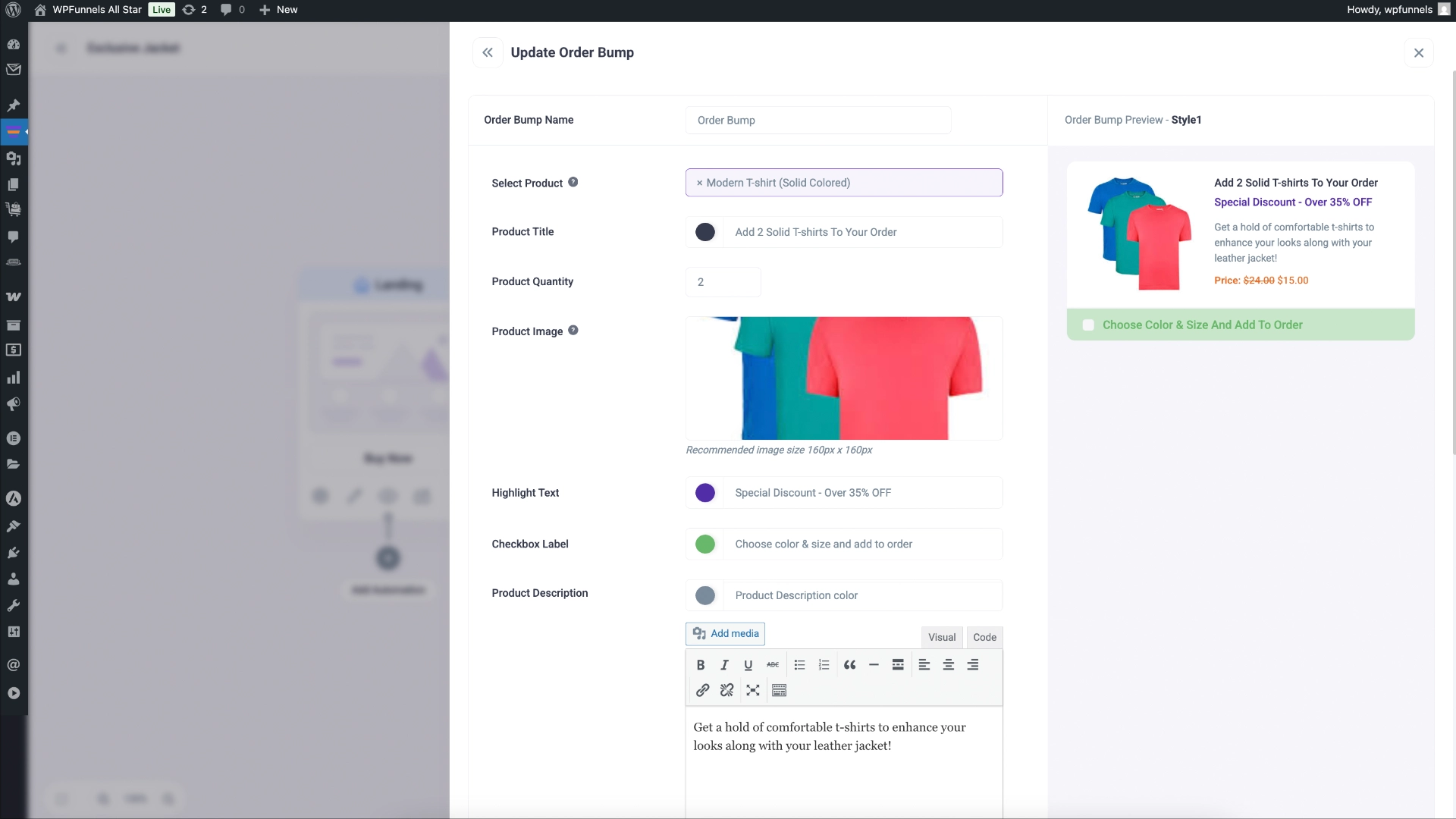
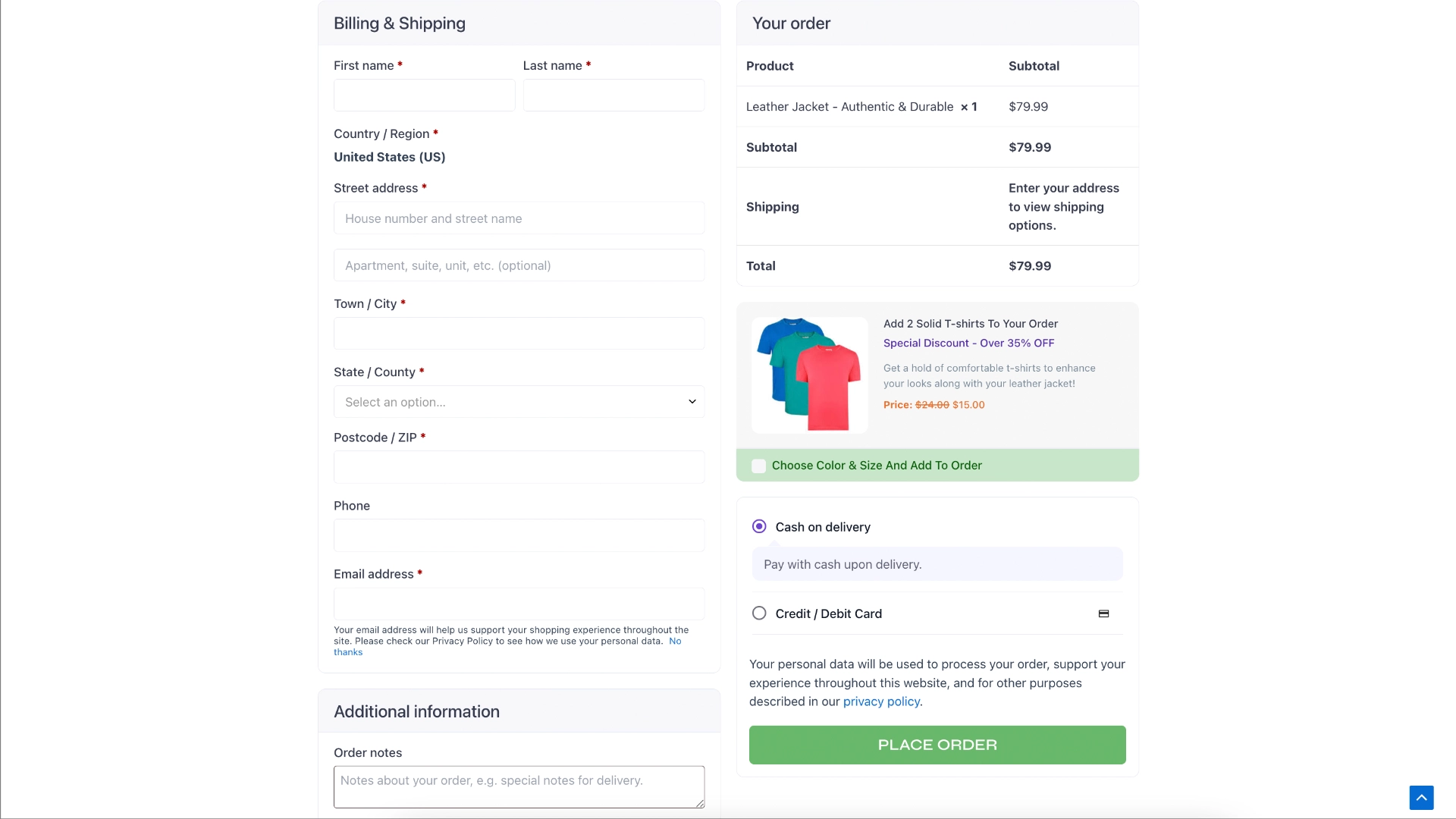
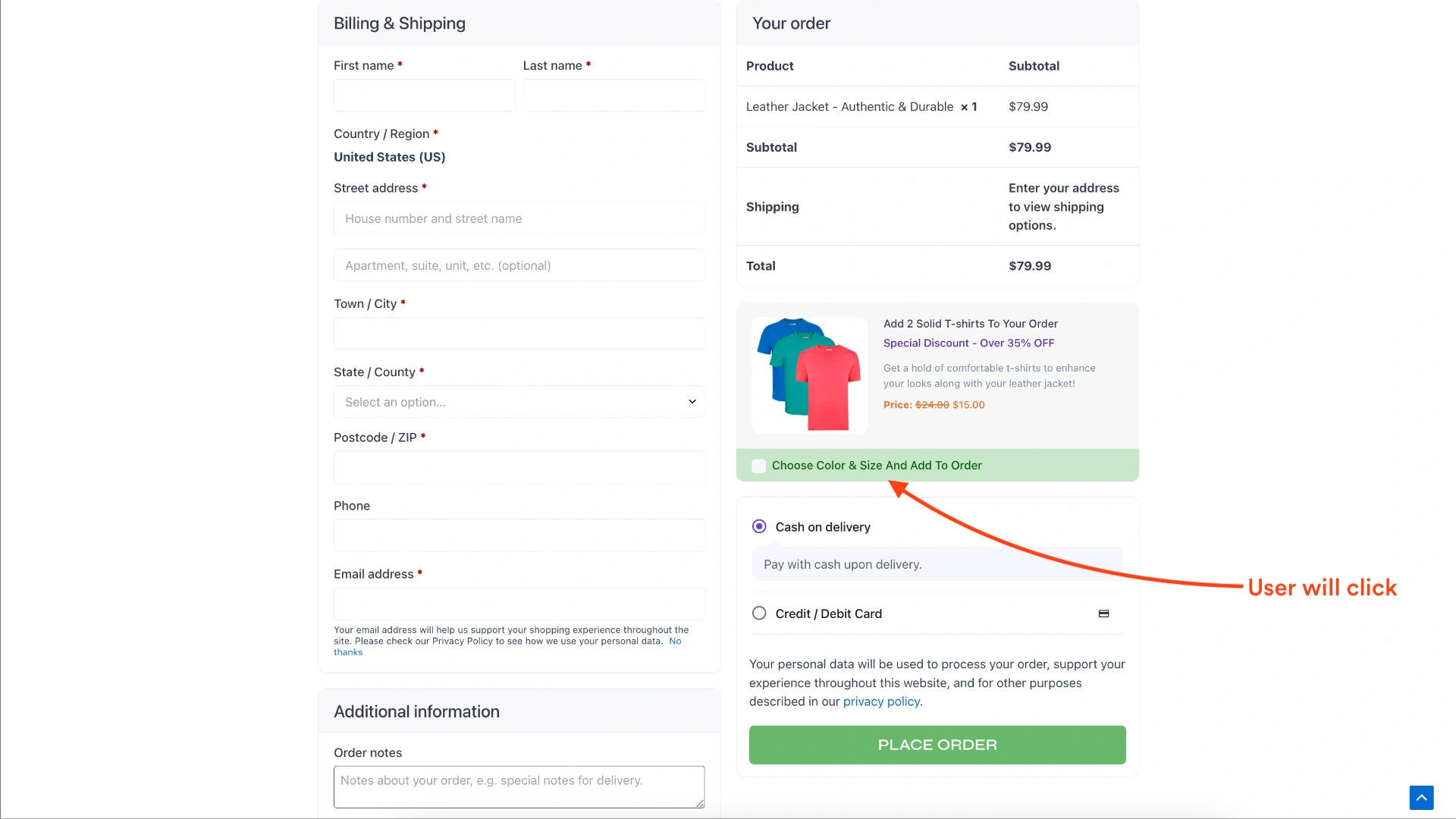
3. The Output
Now, when people click on the order bump, they will get a pop-up where they can choose the variants and add the right one to the order.
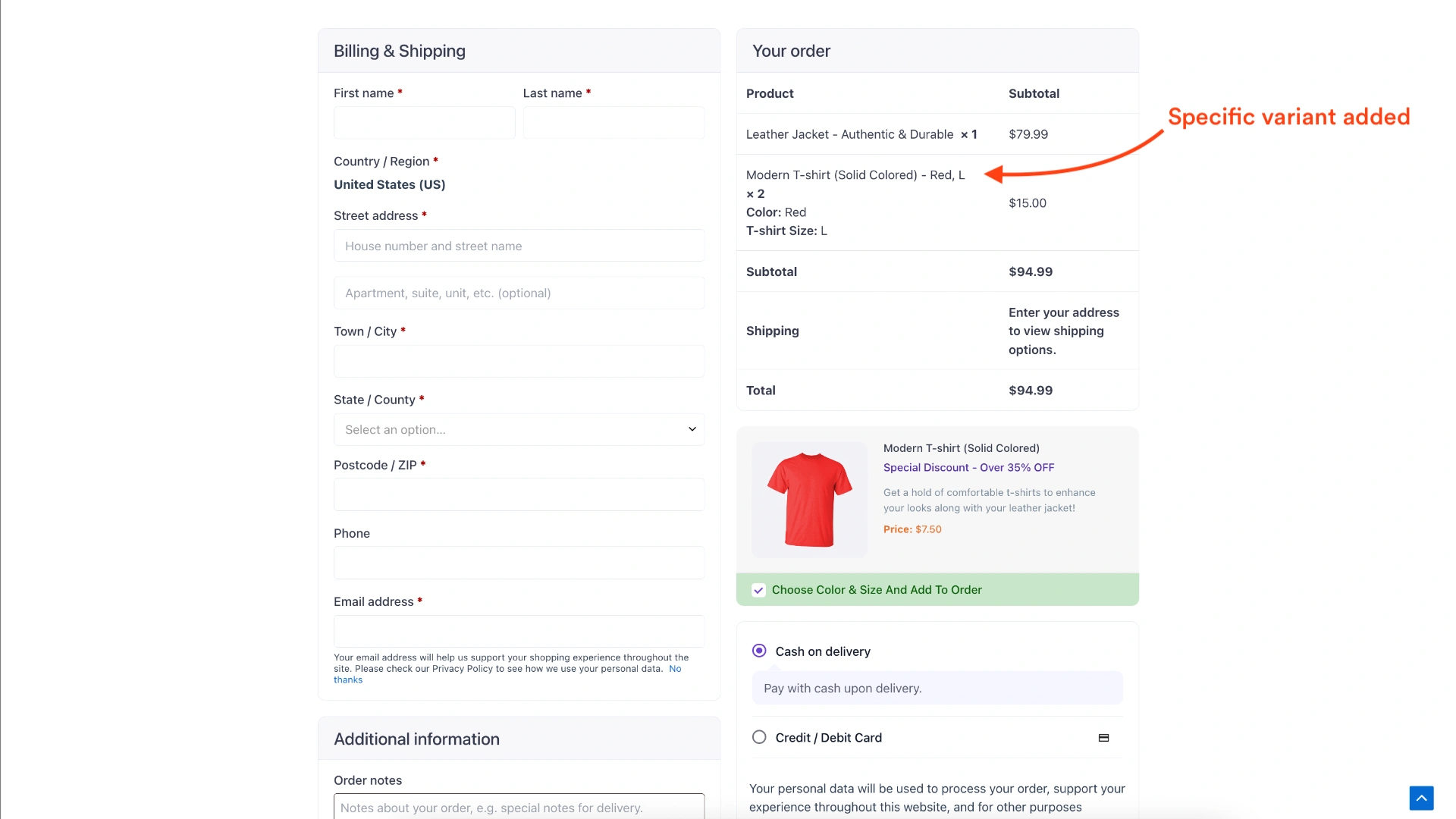
So while nothing changes for you during funnel setup, you could use it to plan your offers with more freedom.
What’s Next?
This is just one of the many planned features for WPFunnels. We do have some more exciting stuff cooking for the quarter:
- Analytics for email automation flows of your funnels.
- More funnel templates with designs aligning with latest trends.
- Integration with booking forms.
and many more.
Plus, just to give you a heads up, we are working on a pretty big feature that will make a huge difference for all of you.
Let’s just say it will help you have a funnel builder that is not dependent on other eCommerce tools (such as WooCommerce or SureCart).
Stay tuned for that.
Wrapping Up
As you saw, this update doesn’t seem much, but in reality, this little change could help you get higher conversions from order bumps.
We would definitely appreciate it if you could give the feature a try and let us know what you think about it, and maybe offer suggestions to improve.
So go ahead and start using order bumps more effectively today!
And if you haven’t already, get WPFunnels Pro top start creating high-converting funnels easily.