
You’ve probably noticed it before: people visit your store, browse a few products, maybe add something to their cart, and then leave without buying. I know it’s frustrating because you’re driving traffic, but it doesn’t always convert into sales.
Another frustrating part is that when you search for the fix, most of the advice out there tells you to “improve your UX” or “add trust badges.” It rarely explains where to start, which pages matter most, or what actually makes a difference for your store. And following these generic tips can leave you spinning your wheels without seeing results.
That’s why this guide takes a different approach. I’m sharing 10 ecommerce CRO strategies for 2026 that are practical, specific, and easy to implement. You’ll see exactly where small changes can make a real impact on your conversions and how to prioritize them based on your store’s needs.
By the end, you’ll have a clear, step-by-step plan to turn more visitors into buyers and make the most of the traffic you already have.
Let’s go!
TLDR — Ecommerce CRO in 2026
What This Guide Covers
- What Is Ecommerce Conversion Rate Optimization (CRO)
- Why Ecommerce CRO Matters More in 2026
- What Is a Good Ecommerce Conversion Rate in 2026
- How to Set Conversion Rate Goals That Actually Make Sense
10 Ecommerce CRO Tips That Bring Results
- Build landing pages around a single buying intent
- Remove visual noise from product pages, not features
- Place trust signals exactly where doubt appears
- Optimize mobile checkout separately
- Reduce checkout fields based on purchase risk
- Match messaging across ads, pages, and checkout
- Test one variable that impacts revenue
- Personalize based on behavior
- Fix page speed where buyers hesitate most
- Audit cart abandonment with intent
Also Covered
- 4 Essential Ecommerce CRO Tools to Support These Optimizations
- Common Ecommerce CRO Mistakes to Avoid in 2026
What Is Ecommerce Conversion Rate Optimization (CRO)?
Conversion rate optimization is simply the process of making the visitors you already have take the actions you want, like viewing products, adding items to the cart, and completing purchases.
Imagine you are an eCommerce store owner who gets 10,000 visitors in a month but only 150 purchases. CRO focuses on the 9,850 visitors who didn’t buy and finds the specific reasons they dropped off, then fixes them.
So, you notice the product pages and see many shoppers are leaving without adding items to the cart because the “Add to Cart” button is buried below long descriptions, and key product details are hard to scan. Then you move the button above the fold and highlight the essential features. Right after that, more visitors click through and eventually make a purchase.
Ecommerce CRO works like that, step by step. It’s not guessing or changing random elements but finding real obstacles in your product pages, checkout, or mobile experience, then fixing them so more visitors complete the actions you want.
What Counts as a “Conversion” in Ecommerce?
When you hear “conversion,” most people immediately think of a purchase. In ecommerce, that’s only part of the picture. A conversion is any action a visitor takes that moves them closer to buying, and tracking just purchases can hide problems earlier in your funnel.
Primary conversions are straightforward, making a purchase or completing checkout. But secondary conversions matter just as much. These include:
- Adding products to the cart
- Starting the checkout process
- Clicking key CTAs, like “Buy Now” or “See Details.”
- Signing up for emails from product pages
Monitoring these actions helps you spot friction points before a sale is lost. For instance, if visitors frequently add items to the cart but drop off at checkout, you know the issue isn’t traffic or interest; it’s the checkout experience itself.
Read this guide: 5 Stages Of An eCommerce Conversion Funnel
How to Calculate Ecommerce Conversion Rate
Once you know what counts as a conversion, measuring it is simple. The basic formula is:
Conversion Rate = (Conversions ÷ Total Visitors) × 100
For example, if 150 people buy from 10,000 visitors, your store’s conversion rate is 1.5%.
But looking at your overall store conversion rate alone can be misleading. Different pages and traffic sources behave differently:
- Product-level conversion rates show which items need better descriptions or images.
- Checkout-level conversion rates reveal friction in forms, shipping options, or payment methods.
- Traffic-source-level conversion rates help you understand which ads or campaigns bring buyers, not just visitors.
Tracking these separately gives a clear picture of where improvements are needed. That’s how you make real, data-backed changes instead of guessing what might work.
Why Ecommerce CRO Matters More in 2026
Once you start breaking down conversions by pages and traffic sources, one thing becomes clear, getting more traffic is getting harder and more expensive. Ad costs keep rising, shoppers decide faster, and they leave the moment something slows them down or feels unclear. That shift is exactly why ecommerce CRO matters more now than ever.
CRO is no longer an optional optimization. It’s a direct revenue lever that determines whether your existing traffic turns into profit or wasted spend.
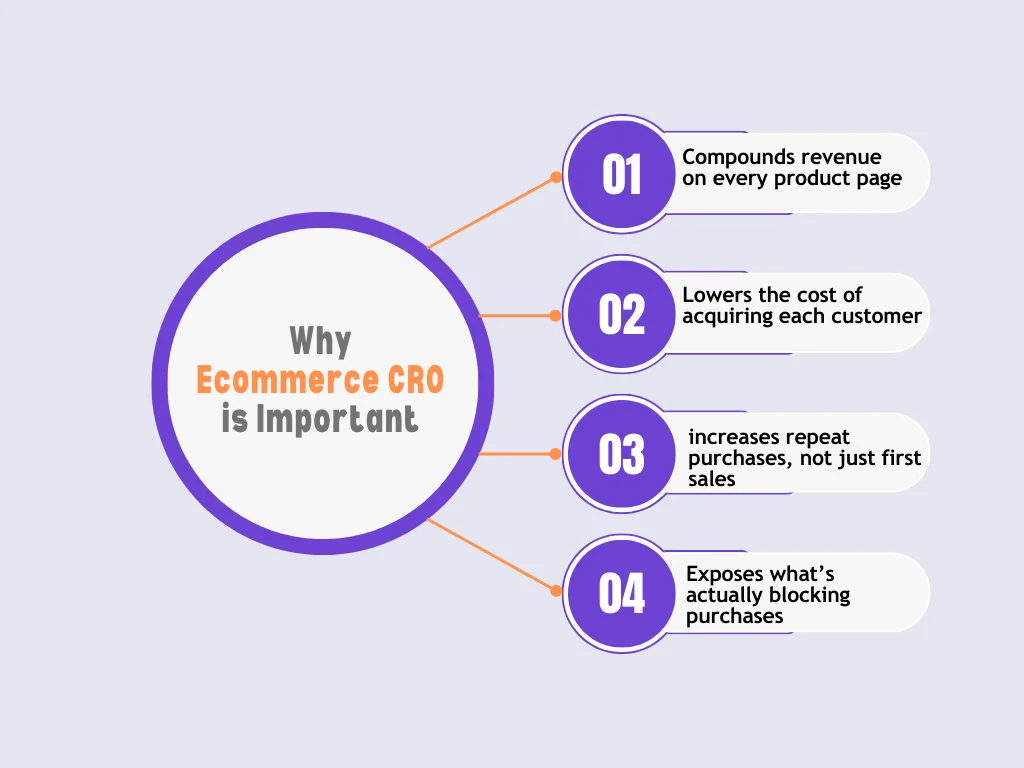
Here’s exactly why it matters:
- CRO compounds revenue on every product page– Improving the add-to-cart rate or checkout completion applies to every visitor going forward. A single fix can increase revenue across all campaigns, not just one promotion.
- CRO lowers the cost of acquiring each customer– When more visitors convert, you need fewer ad clicks to make the same revenue. That reduces pressure on paid ads and makes scaling more sustainable.
- CRO increases repeat purchases, not just first sales– Clear product info, predictable checkout, and fewer surprises create a better first purchase. That directly affects how often customers come back and buy again.
- CRO exposes what’s actually blocking purchases– Drop-offs at product pages point to unclear value. Drop-offs at the checkout point to friction or trust issues. CRO shows you where revenue is leaking instead of relying on assumptions.
When you treat Ecommerce CRO as an ongoing process, your store becomes easier to scale, easier to optimize, and far more resilient as traffic costs continue to rise.
What Is a Good Ecommerce Conversion Rate in 2026?
When you measure conversions properly, it becomes clear that common “good” benchmarks are misleading. The average ecommerce conversion rate in 2026 is around 1.8%, but it varies widely depending on traffic source, device, and price point.
- Traffic source matters. Visitors from search convert at about 1.5%, while social traffic converts closer to 0.9%. Comparing across channels can lead to wrong expectations.
- Device differences. Desktop users spend more per order ($230+) compared to mobile ($145), even though mobile drives volume. Optimizing separately prevents hidden losses.
- Price and industry impact. High-ticket products, like automotive items ($800+ AOV), naturally convert lower than cheaper products. Context matters more than a generic benchmark.
The takeaway is to focus on your store’s current baseline and improve it step by step. Chasing vague “industry averages” rarely translates to meaningful growth.
How to Set Conversion Rate Goals That Actually Make Sense
Instead of aiming for a single store-wide number, break goals into actionable areas:
- Funnel stage. Set separate targets for product pages, add-to-cart rates, and checkout completion. For example, if your add-to-cart rate is below 2.3%, that page needs attention first.
- Traffic intent. Measure search, email, and social traffic separately. High-intent visitors behave differently, so goals should reflect that.
- Device behavior. Track mobile and desktop conversion rates independently to catch device-specific friction.
- Focus on micro-wins. Small improvements, like boosting add-to-cart clicks or smoothing one checkout step, compound faster than chasing unrealistic store-wide jumps.
10 Irresistible Ecommerce CRO Tips That Bring Results
Now that you understand what good conversion rates look like and how to set realistic goals, it’s time to get practical.
These aren’t the same tired tips you’ve read a thousand times. We’re diving into the specific conversion blockers that plague most ecommerce sites. Each strategy targets a real leak in your sales funnel.
Apply these changes to stop losing revenue and start seeing results.
1. Build Landing Pages Around a Single Buying Intent
If your product or campaign pages try to do too much, your visitors leave without acting. For example, a single landing page might show your main product, a newsletter pop-up, a seasonal offer, and multiple recommendations all at once. Your visitor doesn’t know where to focus, so they scroll past everything.
Here’s how to fix it on your store:
- One main CTA: Decide on the single action you want on the page. If it’s a product page, make the “Add to Cart” or “Buy Now” button the focus. Move secondary actions like newsletter signup below the fold.
- One message: Keep the headline, product copy, and images aligned with the same promise. Don’t mix sales for multiple products on the same page.
- One audience intent: Make the page match the visitor’s source. Paid social visitors usually need lifestyle context first, while search visitors are ready to buy and want the product immediately.
When you focus the page like this, visitors know exactly what to do. It removes confusion, and even small stores see measurable lifts in add-to-cart clicks and checkout starts. You can implement this today by auditing your key landing pages and removing anything that competes with your primary CTA.
2. Remove Visual Noise From Product Pages, Not Features
Cluttered product pages overwhelm visitors and cause indecision. But removing elements blindly is a mistake, you shouldn’t remove information that actually drives purchase.
Here’s what to do on your store:
- Prioritize buying information: Keep the price, main product features, and “Add to Cart” button front and center.
- De-emphasize secondary elements: Move extra badges, cross-sell suggestions, or long descriptions below the fold. Don’t remove them entirely, they just shouldn’t distract from the main purchase action.
- Make the next step obvious: Your “Add to Cart” button or product variant selector should be the first thing the visitor sees after reading the key info.
For example, if your product page currently has multiple banners, popups, and blocks above the fold, reorganize so the purchase path is clear.
3. Place Trust Signals Exactly Where Doubt Appears
Once your page is clear and focused, the next barrier is trust. Visitors often hesitate at specific points before clicking “Add to Cart” or completing a purchase. Placing trust signals correctly matters more than adding random badges everywhere.
Focus on these spots on your store:
- Near the price: When a visitor sees the cost, they naturally pause. A small reassurance like “Secure payment” or “30-day money-back guarantee” right next to the price reduces hesitation.
- Near the Add to Cart button: This is where the visitor decides whether to commit. Highlight reviews, star ratings, or a secure checkout note here.
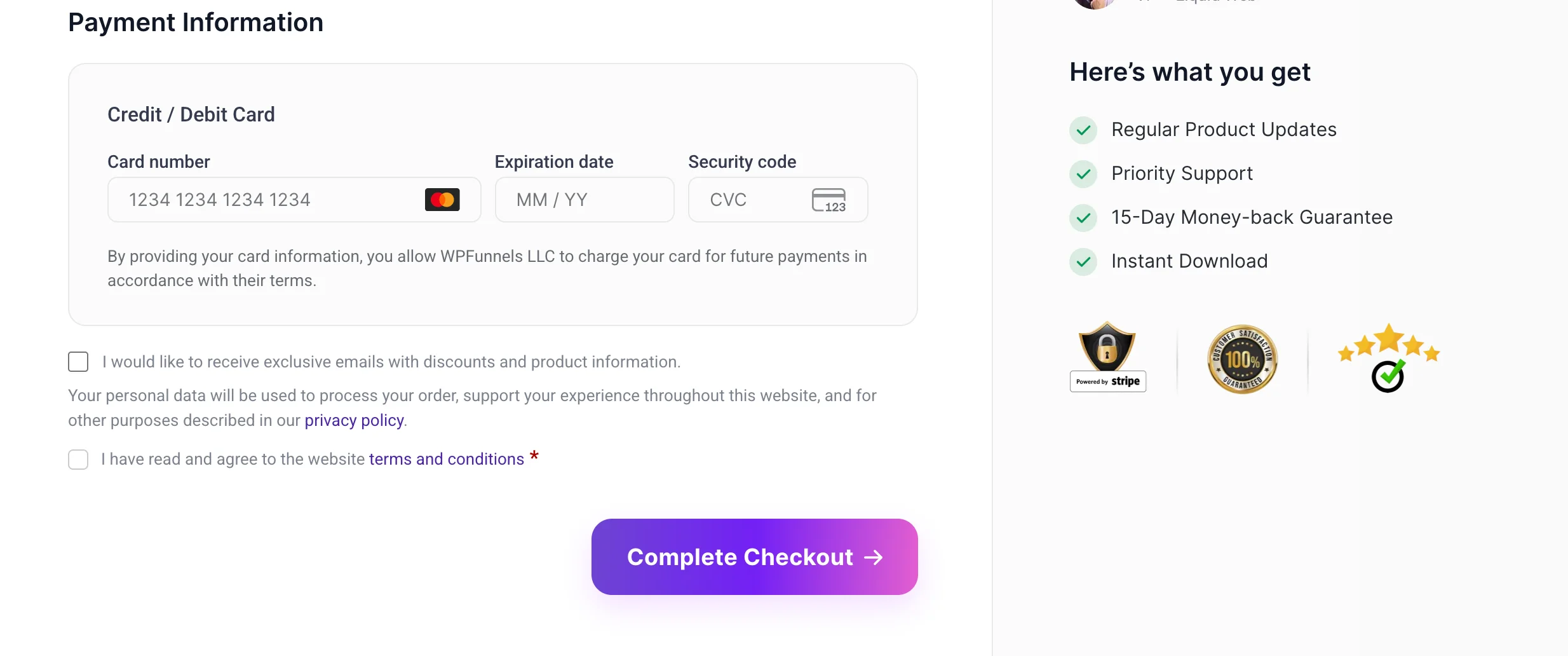
- At checkout: Remind them that their payment is safe, and show any guarantees again. A subtle trust signal here prevents last-minute drop-offs.
Placement is key. Adding multiple trust badges in the sidebar or footer does little if they’re far from the points of friction. If you apply this to your product pages and checkout, you’ll see fewer abandoned carts and more visitors moving confidently toward purchase.
Look, for WPFunnels, we placed it in checkout.
4. Optimize Mobile Checkout Separately, Not as a Responsive Afterthought
After trust, your next bottleneck is mobile conversion. Many stores treat mobile as a scaled-down desktop version. That’s a mistake cz mobile shoppers behave differently, and your checkout needs to reflect that.
Here’s what to do for your store:
- Thumb-friendly layouts: Make buttons large enough to tap easily and place them where thumbs naturally reach. Avoid tiny links or dense fields.
- Fewer fields: Mobile users are less likely to fill long forms. Only ask for essential information. Extra details can be collected after purchase if needed.
- Faster load perception: Mobile users abandon pages that feel slow. Even if your load speed is decent, keep the visual flow simple so the page feels responsive.
When you optimize mobile checkout separately, you stop losing buyers simply because the experience feels cumbersome. This tip often shows quick gains, especially if mobile traffic makes up a large portion of your store visitors.
5. Reduce Checkout Fields Based on Purchase Risk, Not Design Preference
Once your mobile checkout is clear, the next conversion blocker is too many unnecessary fields. Many store owners make checkout long because they “look better” or follow a template. In reality, the type of product and purchase risk should guide your form.
Here’s how to adjust it for your store:
- Low-risk purchases: Products like accessories or low-cost items don’t need a lengthy checkout. Ask only for essential info like shipping address and payment. Fewer fields means fewer drop-offs.
- High-ticket items: For expensive products, removing steps isn’t always the answer. Visitors need reassurance. Include trust signals, payment options, and return policy reminders to reduce anxiety without adding friction.
This approach is strategic, not aesthetic. By tailoring checkout depth to the purchase, you reduce abandonment while keeping necessary details intact.
6. Match Your Messaging Across Ads, Pages, and Checkout
Even if your landing pages and checkout are optimized, inconsistent messaging can kill trust instantly. Visitors expect the promise in your ad to match the page and checkout experience.
Here’s how to fix it on your store:
- If your ad highlights free shipping, make sure the product page clearly mentions it.
- If the landing page promises 24-hour delivery, the checkout should confirm it too.
- Keep product benefits, pricing, and offers consistent across all touchpoints.
For example, one store ran a Facebook ad promoting “50% off select jackets.” Visitors landed on a page showing full-price jackets with the discount buried in fine print. Even with optimized buttons and checkout, most visitors left confused. When the messaging was aligned, conversion rates jumped significantly.
Consistency reassures visitors and keeps them moving through your funnel without hesitation.
7. Test One Variable That Impacts Revenue, Not Everything at Once
After aligning messaging, the next step is testing. Many stores run tests on multiple elements at the same time, different buttons, images, headlines without a plan. The result is confusing data and no clear wins.
Here’s how you should approach testing on your store:
- Identify high-impact pages: Focus on pages that drive revenue, like product pages, checkout, or key landing pages. Testing a blog post or a minor info page won’t move the needle.
- Test one meaningful variable: Change only one thing that could significantly affect revenue, like the “Add to Cart” button text, product image size, or checkout field order.
- Learn from failed tests: Not every test will increase conversions. Analyze why it didn’t work and apply that insight to the next test.
By testing strategically, you improve the parts of your store that actually affect revenue, instead of wasting time on small changes that don’t matter.
8. Personalize Based on Behavior
Once testing is in place, the next step is personalization. Too often, stores try random recommendations or generic AI tools without considering visitor behavior. Instead, focus on simple, behavior-driven personalization.
Here’s what to apply in your store:
- Returning vs new visitors: Show new users top sellers or best-intro products, while returning visitors see items they’ve viewed or similar products.
- Viewed products: Remind visitors of products they recently looked at, so your page feels relevant.
- Cart behavior: Suggest complementary items or highlight abandoned carts based on what they’ve already added.
Behavioral personalization doesn’t need AI hype. Simple rules based on what visitors actually do can increase conversions immediately. When you implement this, your store feels smarter to visitors, and they’re more likely to complete a purchase.
9. Fix Page Speed Where Buyers Hesitate Most
After personalizing your store, the next conversion blocker is speed. Many stores talk about “improving site speed” in general, but not all pages impact revenue equally. Your focus should be where buyers hesitate:
- Product pages: Visitors drop off if images take too long to load or product info lags. Compress images and prioritize above-the-fold content.
- Cart: Slow cart pages make buyers rethink the purchase. Keep the summary and buttons loading first.
- Checkout: Even small delays here cause abandonment. Minimize scripts and streamline form fields for fast rendering.
Think beyond actual speed. Perceived speed matters too. A page that shows content quickly but loads other elements in the background keeps visitors engaged and reduces drop-offs. Fixing speed where it matters most often gives immediate lifts in conversions.
10. Audit Cart Abandonment With Intent, Not Assumptions
Finally, the last common leak is cart abandonment. Most stores guess why buyers leave, and apply generic fixes that barely move the needle. Instead, you need intent-based analysis.
Here’s how to approach it in your store:
- Identify the abandonment point: Track whether visitors leave at product selection, shipping options, payment, or review pages.
- Match fixes to intent: If visitors drop at payment, simplify fields or add payment options. If they drop at shipping, show costs earlier.
- Avoid blanket solutions: Don’t assume free shipping or discount popups will solve every abandonment issue; they work only if aligned with the actual friction.
By analyzing why each cart is abandoned and applying the right fix, you can recover sales that would otherwise be lost. Stores that implement this see significant revenue gains without increasing traffic.
4 Essential Ecommerce CRO Tools to Support These Optimizations
Fixing conversion leaks isn’t about having the fanciest plugin. It’s about seeing where visitors hesitate, testing changes, and following up in the right way. These tools help you do exactly that, without guessing.
i. Google Analytics – When You Don’t Know Where the Problems Are
Before you can fix anything, you need to know what’s actually happening on your site. Google Analytics shows you where visitors drop off, which pages convert, and which traffic sources bring the most revenue.
For example:
- You notice a high-traffic product page but low sales, so you track checkout abandonment by traffic source
- You compare desktop vs mobile conversions to see where optimizations are needed
- You check which product categories perform best to focus your CRO efforts strategically
It gives you the numbers and clarity you need before making changes elsewhere.
ii. WPFunnels – When Visitors Drop Off in Your Funnel
Once people land in your store, most ecommerce CRO issues aren’t really about the product. Sometimes someone likes what you’re selling but never makes it to checkout. Usually, it’s the path they take that’s the problem, which is not clear or personalized enough.
That’s where dynamic WooCommerce funnels can actually help.
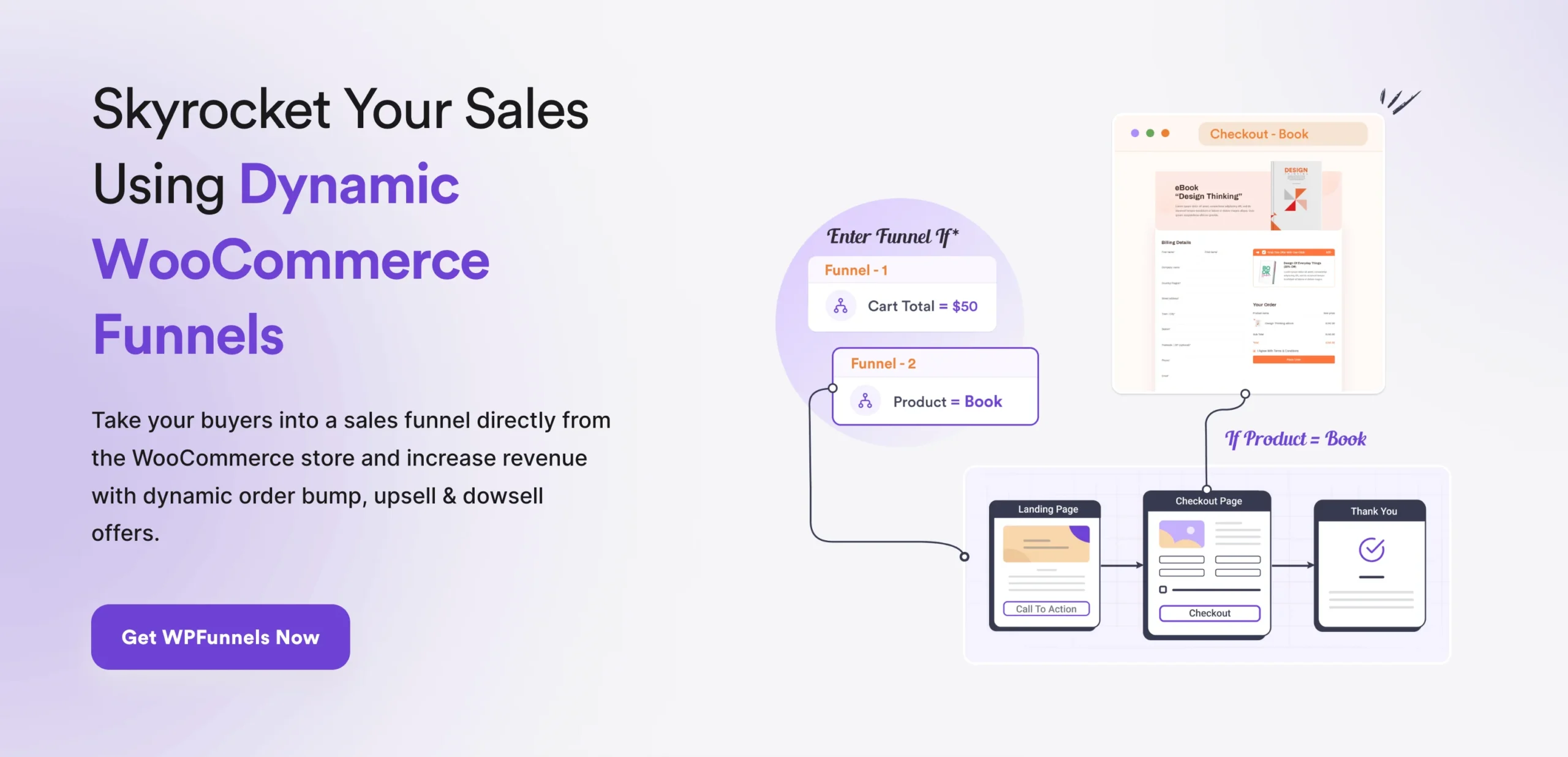
Here’s how they work in real life:
- Dynamic Category-Based Funnels: Say someone adds a t-shirt from your “Shirts” category. They enter a funnel built just for shirts, showing upsells and related items only from that category. Meanwhile, someone buying pants goes into a separate funnel made for pants. This way, every shopper sees exactly what’s relevant, which reduces confusion and makes it more likely they’ll finish their purchase.
- Target Cart Total to Get Offers: Imagine a shopper adds a best-selling backpack to their cart. Once their total hits $100, a special offer funnel pops up, maybe a free water bottle or a discounted accessory. It gives them a little nudge to complete the checkout while feeling like they’re getting extra value.
- Sales Funnel for Popular Products: Your best-selling products get extra attention. A dedicated funnel for these items can highlight limited-time offers or complementary bundles, helping buyers move from product page to checkout without distractions.
- Dynamic Offers on Specific Products: When someone’s looking at a particular item, like a premium smartwatch, they see targeted offers for accessories or warranty upgrades right there. It keeps the focus on what they’re already interested in and can bump up the average order value.
With funnels like these, your visitors always know what to do next. Since each one follows how people actually shop, conversions improve on their own. Instead of guessing or testing everything at once, you can focus on tweaking your messages, pricing, and trust signals, not worrying about the flow itself.
iii. Mail Mint – When Buyers Hesitate After Adding to Cart
A lot of conversion loss happens after the visit ends. Cart abandonment, checkout hesitation, or delayed buying decisions are all CRO problems, just outside the page itself.
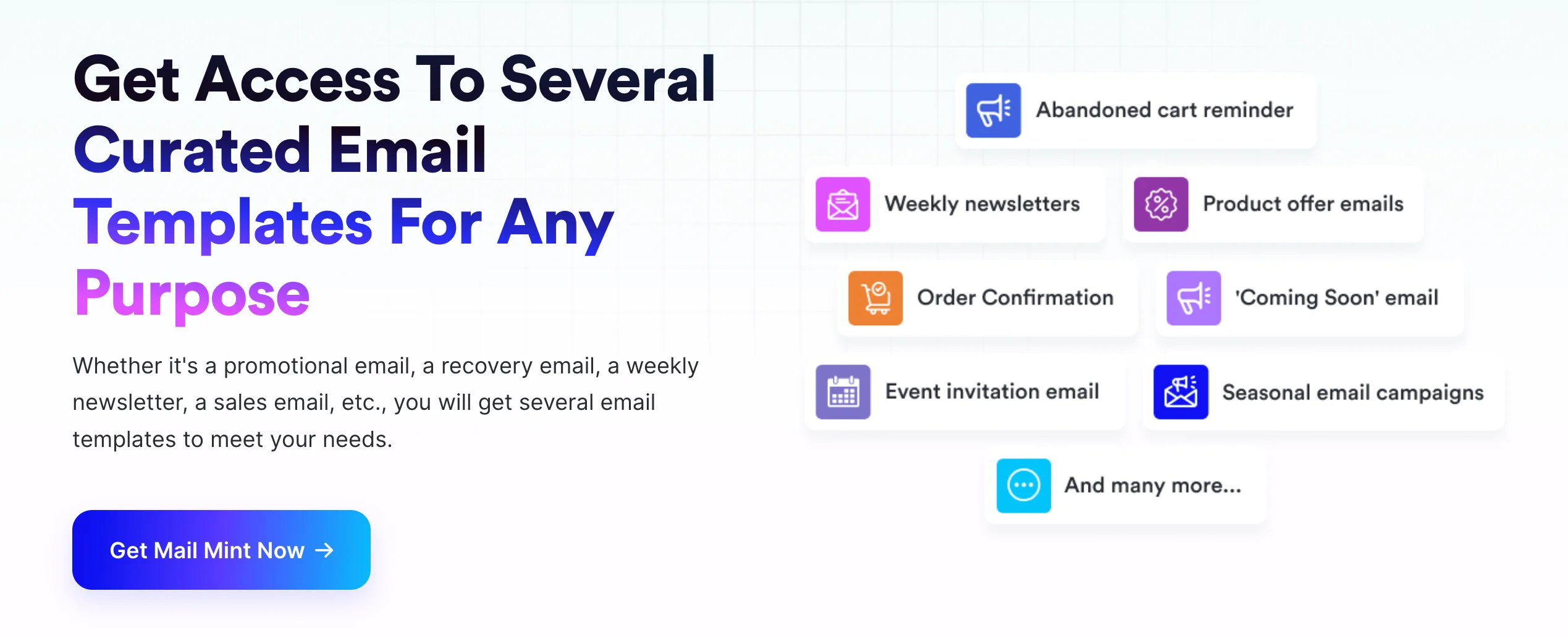
Mail Mint supports this stage using behavior-based email templates designed for ecommerce actions, not generic newsletters. The value of these templates is timing and relevance.
You work with templates such as:
- Abandoned cart email sequences that reference the exact product left behind
- Browse abandonment templates that follow up based on viewed categories or items
- Post-purchase follow-up emails that reinforce trust and guide the next step
These templates help because Ecommerce CRO isn’t about sending more emails. It’s about sending the right message at the moment hesitation shows up.
By starting with templates that already match buyer intent, you spend your effort improving clarity and offers instead of figuring out what to send and when.
iv. Microsoft Clarity & Crazy Egg – When You Need to See What’s Happening
Even if the funnel looks good, visitors may still get stuck in ways you can’t see. Tools like Microsoft Clarity and Crazy Egg give heatmaps, session recordings, and click tracking.
For example:
- Clarity shows that people hesitate near shipping options, so you reorganize for clarity
- Crazy Egg reveals that visitors ignore a CTA, so you adjust placement or wording
- Both let you make data-driven changes instead of guessing
Common Ecommerce CRO Mistakes to Avoid in 2026
You’ve spent time analyzing funnels, testing buttons, and optimizing pages, but even with all that, some stores still lose conversions because of avoidable mistakes.
Let’s break down the ones that hurt ecommerce most and what you can do about them.
1. Blindly Copying Competitors
Many store owners see what a competitor is doing and try to replicate it exactly. You might copy their homepage layout or product page style but your audience isn’t identical to theirs.
What to do instead:
- Observe why it works for them, not just what looks nice.
- Test your own version of their principle on your site. For example, if they highlight reviews above the fold, try the same with your top-selling product, then measure the impact.
2. Testing Without Traffic Context
Running tests on pages with very few visitors can give false positives. You might think changing a CTA color boosted sales, but it could just be random traffic behavior.
What to do instead:
- Prioritize pages that get consistent traffic: top products, main landing pages, and checkout steps.
- Let tests run long enough to gather meaningful data, usually a couple of weeks at least.
- Track results by traffic source and device type to avoid skewed conclusions.
3. Overusing Discounts to Mask UX Issues
Discounts can spike sales, but if your checkout is confusing or product info is unclear, visitors still drop off. Relying on coupons doesn’t solve the root problem.
What to do instead:
- Fix the actual friction points first: simplify checkout, clarify shipping, and highlight key product details.
- Use discounts strategically, for example, a small incentive for first-time buyers or to clear high-inventory items, not as a band-aid for poor UX.
4. Ignoring Post-Click Experience
Getting clicks is only half the battle. If the page they land on doesn’t match expectations, visitors leave fast.
What to do instead:
- Match every page to the ad or campaign promise. If your ad says “Free Shipping Today,” make it highly visible on the product page.
- Review your messaging, images, and CTA placement to ensure the path to purchase is clear.
5. Neglecting Mobile Optimization
Many stores assume mobile shoppers can just deal with responsive desktop pages, but mobile behavior is different. Small buttons, long forms, or cluttered layouts slow people down.
What to do instead:
- Design mobile-specific layouts for product and checkout pages.
- Keep forms short and thumb-friendly.
- Test on actual devices, not just browser previews, to ensure everything is easy to use.
Each of these mistakes silently eats into conversions, but tackling them head-on with these practical fixes can lift sales without throwing more money at ads.
Turn Traffic Into Revenue With Smarter CRO
By now, you’ve seen how small, targeted changes can make a real difference in your WooCommerce store. CRO isn’t about trying to fix everything at once—it’s about clarity, making confident decisions, and keeping momentum going.
Start with one funnel that addresses your biggest conversion gap. Maybe it’s a dynamic category-based funnel, a special offer triggered by cart total, or a funnel for your best-selling products. Set it up, watch how shoppers move through it, and tweak based on what you see.
Consistency is what matters. Each funnel you implement builds on the last, helping more visitors reach checkout and boosting your revenue step by step. Treat CRO as an ongoing process, and you’ll see results grow naturally.
Check out WooCommerce Funnels now and start turning your existing traffic into paying customers.
** FAQs **
1. What is CRO in ecommerce?
Ecommerce CRO improves how visitors move from product views to purchases. Using conversion rate optimization for ecommerce ensures more sales without increasing traffic.
2. Is 30% conversion rate good?
A 30% conversion rate is excellent for most stores, but focus on your baseline first. Conversion rate optimization tips help improve results even if your store is already performing well.
3. How is CRO calculated?
CRO marketing strategy starts with simple math: divide completed actions by total visitors. Tracking these metrics guides practical conversion rate optimization for ecommerce.
4. What are CRO marketing tools?
CRO marketing tools let you test pages, track behavior, and adjust flows. Using conversion rate optimization examples shows what works in real ecommerce stores.
5. What are common CRO mistakes?
Ignoring user behavior and copying competitors are frequent issues. Following conversion rate optimization tips prevents these mistakes and boosts revenue naturally.