
You probably spend a lot on ads, post on social, and tweak your SEO to get more people to your store. Traffic goes up, and it feels like things should be picking up.
But then… sales barely move. Super frustrating, right?
You can think the problem is traffic, so you push even harder to get more visitors. I’ve seen so many stores do this – more effort, more money, but still the same results.
Here’s the thing – your store probably has tiny leaks that are quietly stealing your sales.
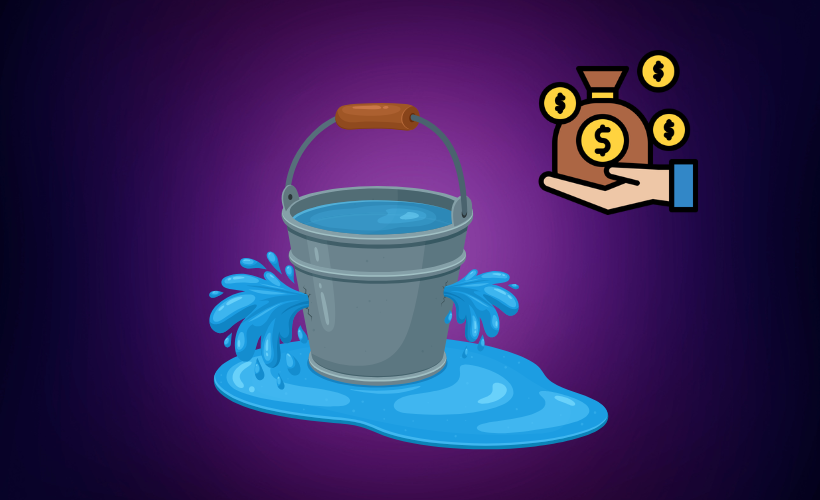
For example, your own a bucket: every visitor is water you pour in, but if there are holes, most of it just drains away before it even counts.
Even when someone buys, small issues in checkout or product pages can make them spend less than they would otherwise.
Before trying to bring in more visitors, find and fix those leaks first. Patch the holes, smooth out the buying process, and then traffic actually turns into real sales.
So let’s get started,
TL;DR – Hidden Revenue Leaks in WooCommerce
- Many WooCommerce stores lose revenue from slow pages, weak product pages, complicated checkout, missing upsells, and no purchase funnels.
- These leaks are easy to miss because traffic looks fine, but small issues add up.
- Identify leaks by tracking conversion rate, cart abandonment, and Average Order Value (AOV).
- Fix leaks by simplifying checkout and guiding buyers with a high-converting funnel.
- Final Verdict: Use upsell and order bump in your WooCommerce funnel to increase AOV and capture revenue from visitors you already have
What are Hidden Revenue Leaks in WooCommerce?
Hidden Revenue Leaks are small problems in your store that make people leave without buying or spend less than they could.
For example, someone took decision to buy your products, but a confusing checkout or slow page makes them abandon their cart.
Common causes include:
- Friction in the buying process: too many steps or unclear instructions can frustrate your visitors. Even small annoyances can make them leave.
- Confusing checkout: if checkout is complicated or asks for too much info, people often quit before buying. A simple checkout keeps more buyers.
- Lack of trust signals: no reviews, badges, or secure payment signs can make your visitors hesitate. Showing trust signals helps them feel safe to buy.
- Weak product presentation: poor images or vague descriptions leave people unsure about the product. Clear product pages make it easier for them to decide.
You may think these are small issues, but these small issues can add up and quietly drain your huge revenue. Fixing them immediately can help you turn more visitors into real sales.
Why Most Store Owners Don’t Notice These Revenue Leaks
Your revenue is probably leaking, but because you’re still making sales, it’s easy to miss. You may feel like things are moving, but when you look at your numbers after a year, it hits you that you could have earned a lot more.
Here’s why these leaks often go unnoticed
- Analytics Focus: Most reports highlight visitors, clicks, and sessions, but not what happens after visitors land on your store. High traffic can look great, even if most visitors leave your store without buying.
- Revenue Loss: Small leaks like abandoned carts, low conversion rates, or missing upsell opportunities can add up over time. Because the impact is gradual, it rarely triggers an alarm in analytics.
- Multiple Pages: Revenue leaks aren’t always on the homepage or checkout. They can hide on product pages, cart pages, or even post-purchase flows, making them hard to spot.
Let me give you an example with this formula:
- Traffic = Water
- Your Store = Bucket
- Revenue Leaks = Holes in the Bucket
No matter how much water you pour in, if your bucket has holes, most of it will spill out. That’s why simply bringing in more visitors won’t fix your revenue problem.
In this case, the smart move is that you should patch the leaks first. Improve your product pages, smooth out checkout, and increase order value.
Once your store stops leaking, every visitor you bring in actually starts generating more revenue.
The Real Hidden Revenue Leaks in WooCommerce
Now I am going to disclose the real hidden revenue leaks in your WooCommerce store. You’re about to learn where money is slipping and what’s silently holding back your sales.
1. Weak Product Pages That Kill Buying Confidence
After checking your speed, you should focus on your product page as this is the first thing people check out. If your images are blurry, benefits aren’t clear, or you don’t have reviews, people just scroll away.
For example, if someone sees your hoodie with a tiny photo and no info, they’ll think, “Not sure if this is worth it,” and bounce before you even get a chance.
Even small things matter. Every little hesitation is money slipping out before anyone even hits “Add to Cart.”
2. Complicated Checkout That Causes Cart Abandonment
Okay, let’s say your page speed is fast and your product page looks awesome your visitor loves what they see and clicks “Add to Cart.” But then… they hit checkout.
Too many fields, forced account creation, limited payment options, or no trust signals can make them hesitate or just leave. One small frustration here, and your visitor disappears.
For example, Maybe they see a long form with 10 fields, have to create an account, and can only pay with one option. They get frustrated and close the tab your sale is gone in seconds.
In fact, 18% of US shoppers have abandoned their order due to a “too long / complicated checkout process
Every time this happens, it’s a major revenue leak. You’ve done the hard work to get them this far, and now friction at checkout is stealing your sales right from under you.
3. No Upsells, Cross-Sells, or Order Bumps
Let’s say your page speed is fast, your product page looks great, and checkout is smooth you’ve fixed the big leaks.
Now you have a real chance to make more revenue with the same visitors, without spending more cost on traffic acquistion.
For example, your customer buys a $50 skincare serum. If you offered a $15 travel-size version as an add-on, that order could jump to $65. Without it, you’re leaving money on the table for free.
Without upsells, cross-sells, or order bumps, your Average Order Value stays low and revenue per customer drops.
Although it is small orders or in upsell big orders if you calculate with this opprtunities at the end of month you could see more $500 – $1000 revenue in a month that was not possible before.
Here you are making the weight of water greater. one drop of water can give you small revenue but a big drop of water like an ice can fill your bucket easily.
4. No Cart Recovery or Follow-Up Emails
Even when people are ready to buy, many visitors abandon their carts. Without follow-up, that intent disappears.
For example, your customer adds a $50 product to their cart but gets distracted and leaves. Without a recovery system, that sale just slips away.
Using abandoned cart emails or a tool like MailMint for reminders and follow-ups can bring those buyers back and increase completed purchases. You can also use limited-time incentives to inspire them to finish the order.
Without these recovery systems, stores lose ready-to-buy customers, and revenue leaks at the very end of your buying journey.
5. Lack of a Structured Purchase Funnel
Most WooCommerce stores just go product → cart → checkout. It works, but it doesn’t guide your customers through a proper purchase funnel.
A well-structured funnel helps buyers move step by step, making it easier for them to explore more products and complete their purchase.
For example, A customer adds a few items to their cart but isn’t shown related products or suggested next steps. Without guidance through a funnel, they may buy less than they could.
Without a clear purchase funnel, buyers drop off easily, sales opportunities are missed, and hidden revenue leaks appear throughout the buying journey.
6. Slow Page Speed That Kills Buying Intent
When your pages load slowly, visitors leave before they even see your products. Slow loading frustrates people and kills their buying intent.
For example, if your product page takes 5 seconds to load, studies show more than half of visitors will leave before even scrolling through the products. That means fewer clicks, fewer adds to cart, and fewer purchases.
Because of slow page speed, what actually happens in your store:
- Higher Bounce Rates: Visitors exit before engaging with anything.
- Lower Product Engagement: Even if they stay, they interact less with products.
- Reduced Conversions: Fewer purchases, fewer sales overall.
This creates revenue leakage before visitors explore your store. Every second your pages lag is money slipping through the cracks. Faster pages keep customers engaged, increase conversions, and turn more traffic into revenu
How to Identify Hidden Revenue Leaks in Your WooCommerce Store
You’ve just learned about Hidden Revenue Leaks in WooCommerce, and now I’m going to show you how to identify exactly where your store is losing money.
1. Key Metrics That Reveal Revenue Leakage
To understand where your store might be leaking revenue, a few key metrics can tell you a lot about what’s really happening.
Start with the conversion rate, which shows how many visitors actually buy. If 1,000 people visit your store but only 20 complete a purchase, that’s a 2% conversion rate.
When conversions stay this low, it usually means something on your site is stopping visitors from becoming customers.
Another important number is your cart abandonment rate. Imagine 100 people add products to their cart, but 80 leave before finishing the order.
That usually signals friction in the checkout process, and it’s a clear sign that sales are slipping away at the last step.
Then there’s Average Order Value (AOV), which tells you how much each customer spends. If most orders stay around $20 when they could easily reach $30 with small add-ons or upsells, you’re missing a chance to grow revenue from the same buyers.
Finally, look at your checkout completion rate. If many visitors start the checkout but only half actually finish, it shows that something in the process, like too many fields or confusion, is getting in the way of completing the purchase.
2. Quick Audit to Detect the Leak Bucket Problem
If you want to stop revenue from slipping away, a quick audit of your store can show exactly where the leaks are. You don’t need fancy tools just a few simple checks can reveal the weak spots.
Let’s say you notice your product pages are confusing, checkout is a bit clunky, or upsells aren’t set up. That’s a clear sign your “bucket” is leaking, and fixing these areas can recover sales fast.
Here’s a quick checklist to follow:
- Page Speed: Are your pages loading fast enough for visitors to stick around?
- Product Page Clarity: Are your images, descriptions, and benefits clear and convincing?
- Checkout Friction: Is the process smooth, or are visitors dropping off before completing their order?
- Upsell Opportunities: Are you offering add-ons or cross-sells to increase each order?
- Funnel Structure: Does your store guide buyers step by step, or are they left guessing what to do next?
This simple audit helps you spot the leaks in your store, so you can fix them and keep more of the revenue your traffic is already bringing in.
How to Fix Hidden Revenue Leaks in WooCommerce
Once you’ve identified where your WooCommerce store is leaking revenue, it’s time to fix those issues and start keeping more of the money your traffic is already bringing in.
1. Optimize Your Checkout Experience
A smooth checkout can make a huge difference in your sales. The easier it is for your customers to buy, the more orders you’ll complete, and the better your checkout completion rate looks.
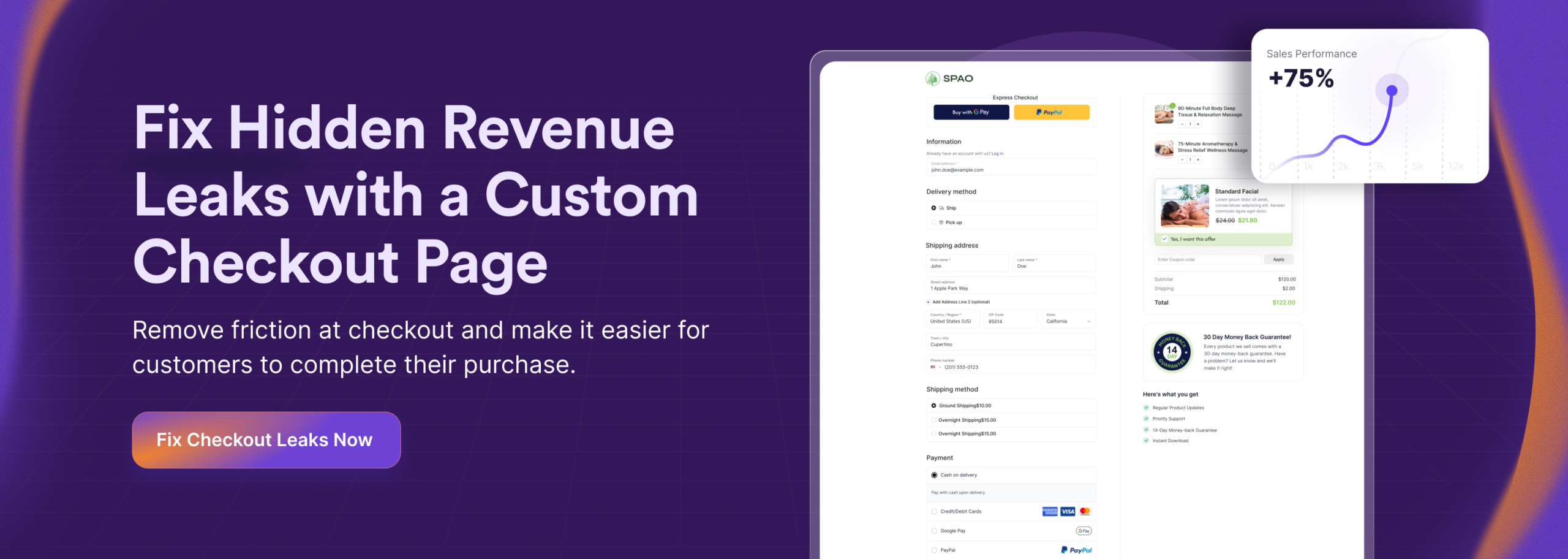
Let’s say you have a custom checkout page with fewer fields, allow guest checkout, and show trust badges. Visitors feel confident, face fewer hidden friction points, and can finish their purchase without getting frustrated or distracted.
Simplifying checkout doesn’t just make the experience better; it directly increases conversions and helps prevent critical revenue leaks in your store.
In that case you can use custom checkout page to remove this leakage from your bucket.
2. Build a High-Converting Purchase Funnel
A smart purchase funnel guides your customers step by step, making it easier for them to move from interest to purchase without confusion.
For instance, a visitor adds a pair of running shoes to the cart and sees matching socks with a “20% off today” offer and a message like “Only 4 pairs left.”
The urgency and scarcity encourage them to add it before the deal disappears.
This simple approach boosts conversions, improves the buying experience, and helps reduce Revenue Leaks in your store. making it easier for them to move from interest to purchase without confusion.
3. Increase Revenue Per Customer
Once a customer decides to buy, you have a great chance to increase the value of that order. Small additions during the buying journey can easily increase how much each customer spends.
For instance, someone buying a smartphone might see a quick add-on for a protective case or wireless charger before completing the purchase. Since they already need the device, adding these accessories feels natural.
Using order bumps, upsells, cross-sells, and post-purchase offers helps increase the value of each order. This closes the Leak Bucket and helps you maximize revenue from the customers you already have.
Conclsuion
Many WooCommerce stores have hidden revenue leaks they don’t notice at first. These small issues slowly reduce conversions and order value over time.
Once you spot these leaks, you can start fixing them and recover lost revenue. Even small improvements can make a big difference.
When your store experience becomes smoother, your existing visitors start converting more and spending more. That’s how real growth happens without chasing new traffic.
Even WooCommerce’s default checkout has revenue leaks. Let’s see why it quietly leaks your revenue and what’s holding back your store from getting more.
** FAQs **
Why are visitors leaving at checkout?
If your checkout is complicated or shows unexpected shipping fees, visitors get frustrated and leave. Making it simpler, showing cart summaries, and allowing guest checkout help reduce hidden friction points. These changes improve your checkout completion rate and keep more sales.
How can I stop small revenue leaks?
Revenue leaks happen from slow pages, cart abandonment, or missing upsells. Fixing related performance issues, smooth checkout experience, and adding order bumps or cross-sells can stop revenue leaks.
Why are some payments failing?
Payment gateway timeouts or complicated forms can stop customers from completing purchases. Reducing unnecessary fields and fixing checkout field validation errors makes your checkout smooth. This builds customer confidence and prevents lost orders.
How can I get customers to spend more?
You can increase Average Order Value (AOV) with upsells, order bumps, or post-purchase offers. Adding small extras while they’re buying encourages more purchases. This boosts revenue without spending more on traffic.
How do I know what’s hurting my sales?
Traffic numbers don’t tell the whole story; you need to track cart abandonment challenges and checkout optimization strategies. Monitoring hidden friction points shows where sales are lost. Fixing these specific pain points increases your completed orders.