

You’ve decided to move away from ActiveCampaign. Now comes the next challenge: finding an alternative that actually works for your WooCommerce store.
There are plenty of options to choose from. Some focus on simple email marketing, others offer advanced automation, and some are designed specifically for ecommerce businesses.
But how do you know which one is worth your time and money…?
One platform might offer the automation features you need, while another might have better WooCommerce integration. Some offer affordable plans at the beginning, but their pricing can change as your contact list grows.
And choosing the wrong tool can leave you dealing with the same problems all over again.
So, what should you look for when comparing ActiveCampaign alternatives? Which platforms offer the right features for WooCommerce, and how much will they actually cost?
That’s what we’ll explore in this guide.
I’ve put together 13 ActiveCampaign alternatives for WooCommerce in 2026, covering their key features, pricing, and what each platform offers for ecommerce businesses.
But before we explore the alternatives, let’s take a closer look at ActiveCampaign’s strengths and weaknesses.
Pros and Cons of ActiveCampaign
ActiveCampaign has earned its reputation for a reason. It offers powerful automation, CRM capabilities, and a wide range of marketing features.
However, it may not be the right fit for every business. Understanding its strengths and limitations will make it easier to compare the alternatives below.
| Pros | Cons |
|---|---|
| Deep automation engine with hundreds of pre-built recipes and conditional branching | No permanent free plan, only a 14-day trial |
| CRM and deal pipeline included on higher-tier plans | Pricing that climbs sharply as your contact list grows |
| Strong email deliverability track record | A learning curve before you can use the automation builder confidently |
| Wide range of native integrations | WooCommerce integration runs through a third-party connection rather than reading store data natively |
| Unlimited email sends on every plan | Reporting dashboard offers limited customization |
Good to Know: These limitations don’t make ActiveCampaign a bad product. They simply show why certain businesses may want to explore other options. Each alternative below takes a different approach to email marketing, automation, or ecommerce integration.
Now, let’s explore the 13 ActiveCampaign alternatives and see what each one can actually offer your WooCommerce store.
By the end, you’ll have a clearer idea of which tool fits your needs, workflow, and budget.
Find the Best ActiveCampaign Alternative in 30 Seconds
Every tool on this list solves a different problem. Take a quick look at the table below and see which one matches what you’re actually trying to fix.
| If your goal is… | Best tool | Why |
|---|---|---|
| You are on WordPress or WooCommerce | Mail Mint | Self-hosted, unlimited contacts, saves $798+ per year vs ActiveCampaign at 5k contacts |
| Cut your bill while keeping automation simple | Brevo | Billed on email volume, not contacts stored |
| Combine email with a full sales CRM | HubSpot | Free CRM tier, though paid automation costs far more |
| Get deep ecommerce segmentation and predictive data | Klaviyo | Native WooCommerce data, billed on active profiles |
| Grow an audience or content business, not a transactional store | Kit | Free to 10,000 subscribers, unlimited sends |
| Keep webinars as part of your marketing | GetResponse | Webinar hosting bundled on specific tiers |
| Run a Shopify-first ecommerce brand | Omnisend | Free plan includes every feature |
| Build deep, purchase-driven automation for a pure ecommerce store | Drip | Ecommerce CRM with advanced tagging |
| Keep things simple and inexpensive | MailerLite | Easy to use, generous free plan |
| Stay self-hosted on WordPress without WooCommerce depth | FluentCRM | One-time payment, self-hosted CRM |
| Spend as little as possible to start | Sender | Low-cost entry plan with a generous free tier |
| Personalize campaigns without a steep setup | Moosend | AI-assisted segmentation and recommendations |
| Send polished, design-forward campaigns fast | Campaign Monitor | Large library of professionally designed templates |
That gives you a quick answer. Now let’s take a closer look at what each tool actually does for you.
13 Best ActiveCampaign Alternatives for WooCommerce
Choosing an ActiveCampaign alternative depends on what you want to improve in your current email marketing setup.
Do you need a simpler way to manage campaigns? Are you looking for better WooCommerce features? Or is pricing your main concern as your customer list grows?
Each platform takes a different approach to email marketing. Some focus on automation, some on ecommerce marketing, and others on affordability or ease of use.
In the following sections, we’ll explore each tool’s key features, pricing, pros and cons, and what makes it suitable for WooCommerce businesses.
Let’s look at the alternatives one by one.
1. Mail Mint – Email Marketing, Automation & WooCommerce Emails with AI Assistance
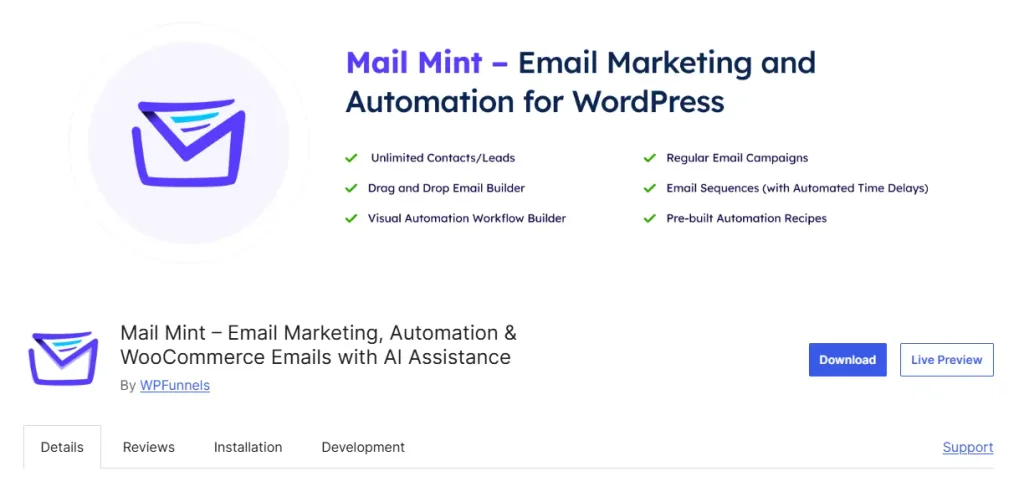
Mail Mint is a self-hosted, AI-powered email marketing and automation plugin for WordPress and WooCommerce.
It helps online stores increase sales and drive repeat purchases through targeted email campaigns, automated customer journeys, and WooCommerce-focused marketing.
You can create email campaigns, segment customers, and build automation workflows directly from your WordPress dashboard.
Mail Mint supports promotional campaigns, welcome emails, abandoned cart recovery, post-purchase follow-ups, and behavior-based campaigns, giving you different ways to engage customers throughout their buying journey.
Its AI Email Engine goes beyond writing email copy.
You can use it to create complete email campaigns, build automation workflows, analyze campaign performance, and promote WooCommerce products through a conversational assistant.
It follows a Command → Approve → Launch workflow, so you can review what the AI creates before putting it into action.
Most tools on this list are SaaS platforms that connect to WooCommerce through integrations.
Mail Mint takes a different approach by running inside your WordPress environment, keeping your marketing data on your own server, and connecting directly with your WooCommerce store.
This makes it a practical option for store owners who want more control over their data, automation, and email marketing costs.
How Mail Mint Helps You Sell More Without a Growing Bill
- Keep your email marketing costs predictable: Mail Mint offers unlimited contacts across its plans, including the free version, without increasing its subscription price based on your contact count. Your data stays on your own server, while email delivery uses your configured SMTP service.
- Get campaigns live faster with AI: Use the AI Email Engine to create complete email campaigns from a simple prompt, including the subject line, preview text, email copy, and design. You can also use it to build automation workflows, so you spend less time setting everything up manually.
- Turn subscribers into customers: A visual, drag-and-drop email builder helps you create professional campaigns without needing a designer for every email. You can also use the dedicated products block to feature real WooCommerce products and encourage customers to make a purchase.
- Recover carts and encourage repeat purchases: Set up automated follow-ups based on lead collection, order status (Pro), or customer behavior (Pro). This helps you recover potential lost sales and stay connected with customers after their purchase.
- Make your transactional emails work harder: Customize WooCommerce’s default order and confirmation emails with branded designs using the same visual email builder, giving your customers a more consistent experience.
Where Mail Mint Differs From ActiveCampaign:
- Price: Mail Mint’s Starter plan costs $149.99/year, compared with $79/month for ActiveCampaign’s Pro plan at 1,000 contacts. That’s a difference of approximately $798 in the first year, based on these prices. The gap can grow as your contact list increases.
- WooCommerce integration: Mail Mint runs directly inside WordPress and WooCommerce, while ActiveCampaign typically connects through an external integration. Mail Mint can work with your store’s data within the same environment.
- Data ownership: Your subscriber and marketing data stays within your WordPress environment with Mail Mint. ActiveCampaign stores your data on its cloud platform.
- Funnel integration: Mail Mint integrates with WPFunnels, allowing you to connect funnel building and email automation within the same ecosystem.
Pros and Cons of Mail Mint
| Pros | Cons |
|---|---|
| Flat annual pricing with no contact ceiling on any tier | Order-status and customer-behavior automation triggers require a paid plan |
| Self-hosted email marketing within WordPress | WordPress and WooCommerce only |
| AI Email Engine for campaign creation and automation workflows | Doesn’t include its own sending infrastructure, so an SMTP service is required |
| Dedicated product blocks for promoting real store products in email | |
| Can customize WooCommerce’s default transactional emails | |
| Data stays on your own server |
Mail Mint Pricing
| Free | Starter | Business | Agency |
|---|---|---|---|
| $0 (core builder + lead automation) | $149.99/year | $399.99/year | $599.99/year |
No contact limits on any tier, including the free version.
Should You Switch to Mail Mint?
If you run a WooCommerce store and you’re tired of a bill that grows every time your list does, Mail Mint solves that permanently with a flat yearly price and no contact ceiling.
It’s also the switch to make if you want your abandoned cart, order-status, and post-purchase automation reading real store data directly, instead of syncing through a third-party connection that can lag or break.
The one thing to plan for: you’ll need to connect an SMTP service, since Mail Mint doesn’t include its own sending infrastructure. Most WooCommerce stores already have one through their host, and setup usually takes a few minutes.
Pro Tip: Compare Mail Mint’s flat $149.99/year against ActiveCampaign’s cost at your actual contact count, not the entry price. The gap widens every time your list grows, because only one of the two prices moves.
2. Brevo
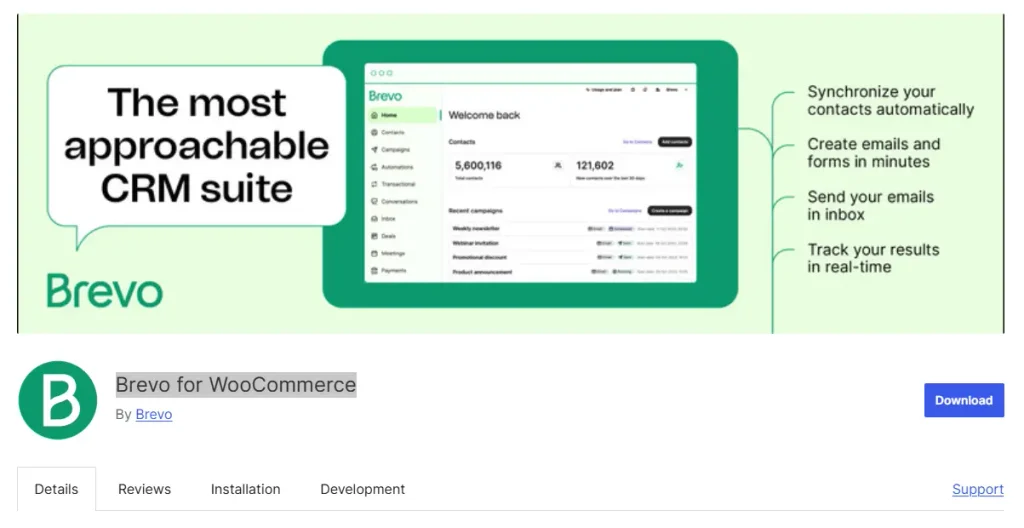
Brevo (formerly Sendinblue) is a cloud-based email marketing and automation platform designed to help small businesses and ecommerce stores run campaigns, transactional email, and SMS from one hosted account.
It lets you build email campaigns, automate customer journeys, and manage contacts through Brevo’s own dashboard, separate from your WordPress site.
Brevo supports welcome sequences, abandoned cart recovery through its WooCommerce plugin, transactional email, and SMS or WhatsApp campaigns.
Its AI tools can suggest subject lines and draft email copy, but as with every SaaS tool on this list, your contact and campaign data lives on Brevo’s servers rather than inside your store.
How Brevo Helps You Cut Your Email Bill Without Losing Automation
- Stop paying for contacts you barely email: Billing is based on how much you send, not how many contacts you store, so a big, quiet list doesn’t inflate your bill.
- Grow your list without hitting a wall: The free plan includes unlimited contacts, so storage never forces an upgrade on its own.
- Recover lost sales without custom development: Cart recovery, welcome flows, and transactional email run through Brevo’s WooCommerce plugin out of the box.
- Reach customers on more than one channel: Email, SMS, and WhatsApp campaigns run from the same account, so you’re not stitching together three separate tools.
- Protect your sender reputation: Built-in sending infrastructure with a track record of reliable inbox placement means fewer emails landing in spam.
Pros and Cons of Brevo
| Pros | Cons |
|---|---|
| Unlimited contacts on the free plan | WooCommerce integration runs through a plugin, not native order-table access |
| Billed on send volume, not list size | Automation logic doesn’t match ActiveCampaign’s or Mail Mint’s branching depth |
| Solid deliverability reputation | Entry plan adds Brevo branding to your emails, removable at extra cost |
| Transactional email included rather than sold separately | Marketing and transactional sends share the same monthly volume |
What Brevo Pricing
| Free | Starter | Business |
|---|---|---|
| Unlimited contacts, 300 emails/day | Scales with send volume, roughly from $9 to $30/month depending on tier | Scales with send volume |
Should You Switch to Brevo?
If your real problem with ActiveCampaign is the bill, and your automation needs stay fairly simple, welcome flows and basic cart recovery rather than complex branching, Brevo is worth switching to.
It’s a particularly good fit for a store with a large list it doesn’t email often, since you’re billed on what you send rather than what you store.
If you also need order-triggered automation that reads your WooCommerce data natively rather than through a plugin sync, Mail Mint is the closer match.
Good to Know: If your list is large but mostly quiet, Brevo’s volume-based billing can cost less than a per-contact platform, even one priced fairly like Mail Mint at high contact counts.
Brevo fixes the bill. The next tool solves a completely different question: what happens when email isn’t your only need.
3. HubSpot
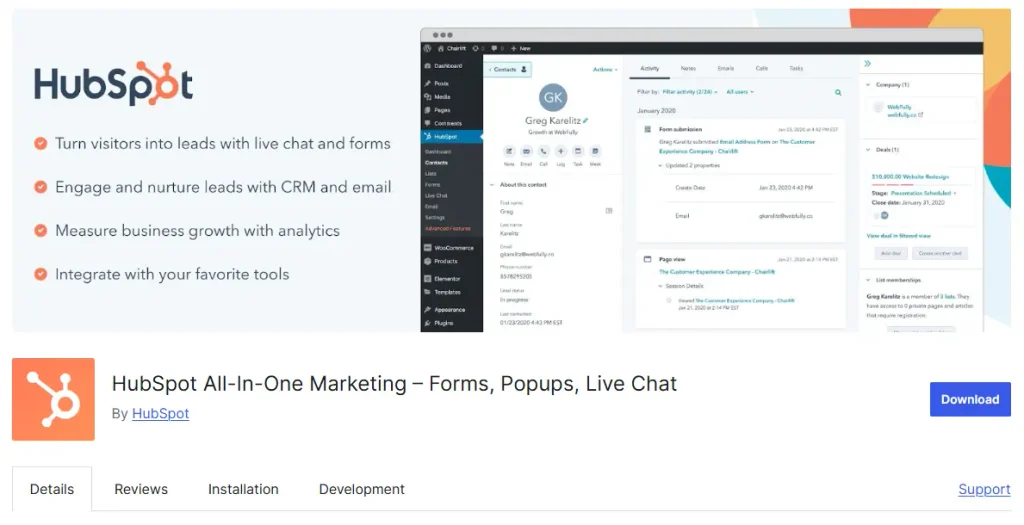
When your business needs more than email automation, HubSpot brings CRM, sales, customer support, and marketing tools together in one platform. Its email marketing features are part of a broader system designed to manage the entire customer journey.
You can manage contacts, deals, support tickets, and email campaigns from a hosted dashboard without running the platform inside your WordPress site.
HubSpot supports lead-nurturing sequences, marketing automation workflows, multi-channel campaigns, and detailed reporting across the customer lifecycle.
Its AI layer, Breeze, helps turn marketing goals into campaign content. However, WooCommerce data reaches HubSpot through a separate certified integration rather than a native connection.
How HubSpot Helps You Run Sales and Email From One System
- Keep customer information in one place: HubSpot’s free CRM tier helps you manage contacts, deals, and support tickets, so your sales team can see what is happening across the customer journey.
- Get campaigns moving faster: Breeze AI can help turn a marketing objective into campaign content, reducing the time needed to prepare emails and other marketing materials.
- Manage multiple marketing channels: Run email campaigns alongside other marketing activities from one platform instead of switching between different tools.
- Connect email activity with revenue: HubSpot’s reporting helps you track how marketing activities contribute to deals and revenue, rather than focusing only on opens and clicks.
Pros and Cons of HubSpot
| Pros | Cons |
|---|---|
| Free CRM tier is genuinely usable, not just a limited trial | Can offer more features than a WooCommerce store needs if email automation is the main requirement |
| Sales pipeline, ticketing, and marketing work in one system | Marketing Hub Professional is expensive compared to dedicated email marketing tools |
| Connects email performance with deal and revenue data | Advanced automation and reporting come with a learning curve |
HubSpot Pricing
| Free CRM | Starter | Professional |
|---|---|---|
| $0 | ~$20/month (1,000 contacts) | $800/month billed annually, 2,000 contacts, plus a $3,000 one-time onboarding fee ($890/month if billed monthly) |
Should You Switch to HubSpot?
HubSpot makes sense if you need a CRM and sales pipeline alongside your email marketing. Its free CRM tier gives you a starting point for managing customer relationships, while its paid plans add more advanced marketing and automation features.
However, if your main goal is to automate WooCommerce emails and follow up with customers after purchases, HubSpot may offer more than you actually need. The cost can also increase significantly when you move from the free CRM to the Professional plan.
Remember: The jump from a free CRM to an $800-a-month Professional plan is where many WooCommerce-only stores may find HubSpot expensive.
Related read: If HubSpot’s broader CRM features are what attracted you, 10 Best HubSpot Alternatives for CRM & Email Automation explores tools designed to compete with its CRM capabilities.
HubSpot is designed to manage the wider customer relationship, including sales and support. The next tool focuses more directly on e-commerce customer data and email marketing.
4. Klaviyo
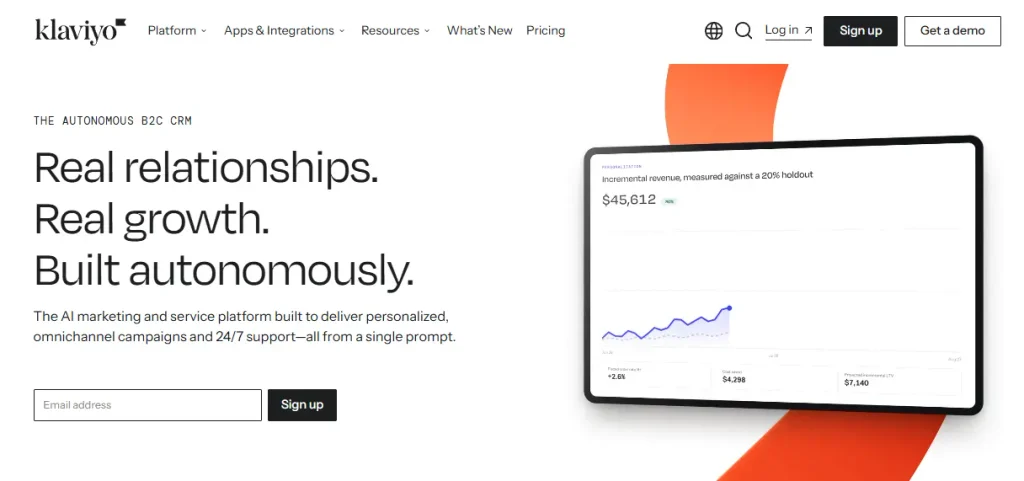
Klaviyo is an e-commerce marketing platform that uses customer and purchase data to help online stores run targeted email and SMS campaigns.
You can build customer segments, automated flows, and marketing campaigns from its hosted dashboard. The platform connects with your store and manages the data outside your WordPress website.
Klaviyo supports cart and browse abandonment flows, post-purchase sequences, win-back campaigns, and predictive analytics such as customer lifetime value and churn risk.
Its AI marketing agent, Composer, can help create complete campaigns and flows from a simple prompt. However, your customer data stays on Klaviyo’s platform, where your pricing is also based on your active profiles.
How Klaviyo Helps You Turn Store Data Into More Repeat Purchases
- Target customers based on their behavior: Create segments using purchase history, browsing activity, and predicted customer lifetime value instead of relying on basic list segments.
- Recover abandoned carts and browsers: Use pre-built flows for cart abandonment, browse abandonment, and win-back campaigns without creating every automation from scratch.
- Identify customers at risk of leaving: Predictive analytics estimate churn risk and customer value, helping you plan campaigns for customers who may stop buying.
- Keep your store data connected: Klaviyo’s WooCommerce integration syncs customer, purchase, checkout, and product activity with the platform.
Pros and Cons of Klaviyo
| Pros | Cons |
|---|---|
| Strong ecommerce data and analytics capabilities | Pricing increases as your active profile count grows |
| Detailed revenue attribution and customer-level reporting | May offer more features than a smaller WooCommerce store needs |
| Purpose-built ecommerce automation | Focuses on email and SMS rather than providing landing pages or built-in social advertising tools |
Klaviyo Pricing
| Free | Growth |
|---|---|
| Up to 250 active profiles, 500 sends/month | Starts around $20/month at 500 profiles and rises to roughly $100/month at 5,000 profiles |
Should You Switch to Klaviyo?
Klaviyo may be a good fit if your business depends on ecommerce and you need detailed purchase-based segmentation, customer insights, and revenue attribution.
However, its pricing is based on active profiles rather than only the contacts you email. If you have a large list with many inactive subscribers, your costs may be higher than expected.
If you’re using WooCommerce and want purchase-based automation without profile-based pricing or storing your customer data on an external platform, Mail Mint offers a different approach.
Worth considering: If your list is large but mostly inactive, compare Brevo’s volume-based pricing before choosing a platform with profile-based billing.
Klaviyo focuses on deep ecommerce segmentation and customer data. If your business needs extend beyond ecommerce marketing, you may want to consider a platform with broader marketing or CRM features.
5. Kit (formerly ConvertKit)
Kit is an email marketing platform built for creators and audience-driven businesses. It focuses on helping users grow and monetize their email lists through newsletters, digital products, and paid subscriptions.
You can build landing pages, forms, and automated sequences from its hosted dashboard. Its features are designed more for audience growth and newsletter businesses than order-based automation.
Kit supports welcome sequences, broadcast newsletters, tagging-based segmentation, and simple visual automations.
It doesn’t have a native WooCommerce connection, so store data such as orders and purchases needs to reach Kit through a separate integration or a connector like Zapier.
How Kit Helps You Grow and Monetize an Audience
- Start building your list at no cost: The free plan supports up to 10,000 subscribers with unlimited sends, making it easier to grow your audience without an initial email marketing cost.
- Sell digital products from the same platform: Kit lets you sell digital products and paid newsletter subscriptions without needing a separate selling platform.
- Capture leads without a developer: Its landing pages and forms are designed for newsletter signups and audience growth.
- Keep your automations simple: Create subscriber-based sequences for welcome emails and basic nurturing without dealing with a complex workflow builder.
Pros and Cons of Kit
| Pros | Cons |
|---|---|
| Free plan supports up to 10,000 subscribers with unlimited sends | Not designed for WooCommerce or order-based automation |
| Built for newsletter and audience growth | Requires a separate connection to access store order data |
| Includes digital product and paid subscription features | Paid plans may become expensive depending on your requirements |
Kit Pricing
| Free | Creator |
|---|---|
| Up to 10,000 subscribers, unlimited sends | From ~$33/month |
Should You Switch to Kit?
Kit may be a good fit if growing your audience and monetizing a newsletter are as important as your email marketing. It focuses on newsletters, digital products, and subscriber-based automations rather than ecommerce order flows.
However, if most of your emails are triggered by WooCommerce orders, abandoned carts, or customer purchases, Kit may not meet your needs without additional integrations.
Bottom Line: Kit is designed for creators and newsletter-focused businesses, while transactional WooCommerce stores usually need more ecommerce-specific automation.
Kit covers the audience-building side of email marketing. The next tool focuses on a specific feature gap: webinars.
6. GetResponse
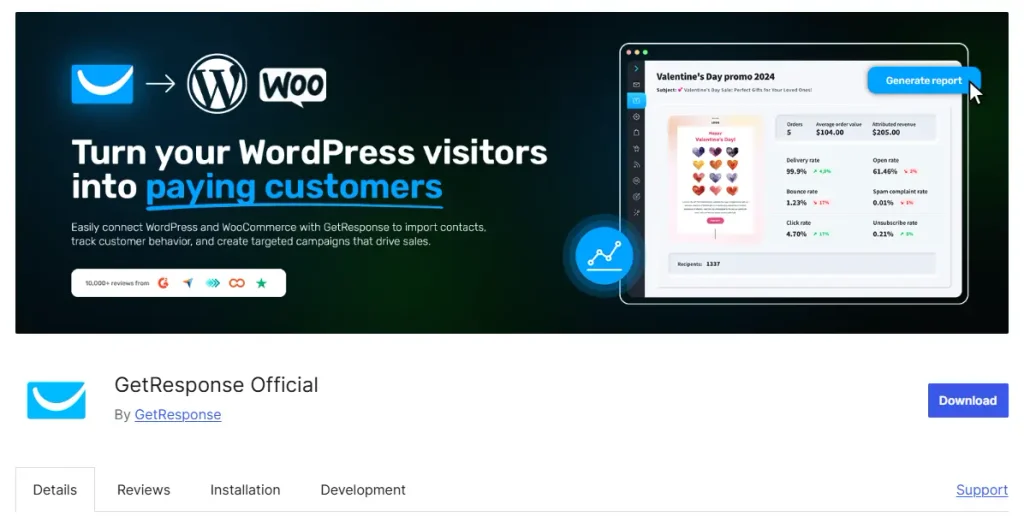
GetResponse is an all-in-one marketing platform that brings email marketing, automation, landing pages, and webinar hosting together in one account.
You can create campaigns, automated workflows, and webinars from the GetResponse dashboard. Its WooCommerce plugin connects your store data to the platform rather than running the email marketing tools directly inside your website.
GetResponse supports welcome flows, abandoned cart automation on its Ecommerce Marketing tier, product recommendation emails, and live or on-demand webinars.
Its AI Campaign Generator can create a landing page, welcome email, and newsletter from a single prompt. However, your contact and campaign data is stored on GetResponse’s servers rather than inside your store.
How GetResponse Helps You Combine Email, Funnels, and Webinars
- Run live sessions without a separate tool: Webinar hosting is bundled with your email marketing on specific plans, cutting out a dedicated webinar platform’s cost.
- Take a lead from click to customer in one workflow: The conversion funnel builder sets up a lead-capture page, nurture sequence, and sales page together.
- Recover sales and recommend products automatically: The Ecommerce Marketing tier includes abandoned-cart and product-recommendation automation.
- Keep your store data current: GetResponse’s WooCommerce plugin brings customer, product, and ecommerce data into the platform without manual updates.
Pros and Cons of GetResponse
| Pros | Cons |
|---|---|
| Webinar hosting bundled at specific tiers, something most alternatives don’t offer | Webinar access is plan- and attendee-cap-gated, not a blanket feature |
| Ecommerce tier includes useful abandoned-cart automation | Base Email Marketing plan doesn’t include webinars at all |
| Built-in funnel builder alongside email | Analytics limited on lower tiers |
What GetResponse Pricing
| Free | Starter | Marketing Automation | Ecommerce Marketing |
|---|---|---|---|
| Up to 500 contacts, 2,500 newsletters/month | $19/month, or $15.58/month billed annually | ~$59/month, includes 100-attendee webinars | ~$119/month, includes 300-attendee webinars |
Should You Switch to GetResponse?
If webinars are genuinely part of your marketing plan and you want them bundled with ecommerce automation, GetResponse is worth switching to.
If webinars aren’t actually the deciding factor for you, GetResponse’s Ecommerce tier costs more per year than Mail Mint’s flat annual price, for automation that still isn’t native to WooCommerce.
Related read: If ongoing automated sequences (not just webinars) are the actual goal, Follow-Up Email Automation covers how to structure those flows regardless of which platform you land on.
That covers the first six. The next seven round out the list with more ecommerce-specific, budget-focused, and design-focused options.
7. Omnisend
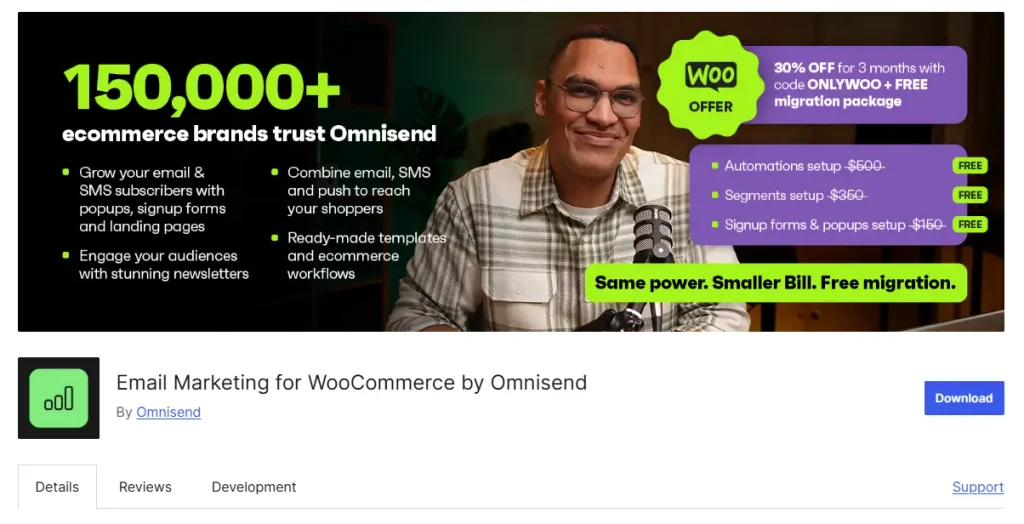
Omnisend is an ecommerce marketing platform focused on email and SMS campaigns.
It helps online stores manage customer communication, automate follow-ups, and bring customers back for repeat purchases.
You can create automated workflows, segments, and campaigns from its dashboard.
Omnisend connects with WooCommerce, Shopify, and BigCommerce to bring store data into the platform.
It supports pre-built automations for cart recovery, welcome emails, and post-purchase follow-ups. You can also reach customers through SMS and push notifications.
One thing that makes Omnisend stand out is its free plan, which includes the platform’s main features with limits on contacts and sends.
How Omnisend Helps You Automate Ecommerce Without Paying for Features You Don’t Use
- Get the full toolkit before you pay anything: The free plan includes the platform’s complete feature set, not a limited preview.
- Recover carts and win back customers automatically: Pre-built workflows handle cart recovery, welcome series, and win-back campaigns without you building them from scratch.
- Reach customers wherever they check first: Email, SMS, and push notifications run from one platform instead of three.
- Keep store data in sync without manual work: Native connections to WooCommerce, Shopify, and BigCommerce update automatically.
Pros and Cons of Omnisend
| Pros | Cons |
|---|---|
| Free plan includes the platform’s full feature set | Fewer app integrations than larger, more general-purpose competitors |
| Strong ecommerce-focused automation out of the box | Some users report inconsistent deliverability |
| Multi-channel campaigns (email, SMS, push) built in | Advanced tracking options are more limited than Klaviyo’s |
What Omnisend Pricing
| Free | Standard | Pro |
|---|---|---|
| Full feature set, limited contacts/sends | ~$16/month | ~$59/month |
Should You Switch to Omnisend?
If you run an ecommerce store, particularly on Shopify, and want automation built around purchases and browsing behavior without ActiveCampaign’s CRM-driven pricing, Omnisend is worth switching to.
Its WooCommerce integration works well, though it doesn’t read store data as natively as a plugin built specifically for WordPress. If you’re on WooCommerce and want that native depth, Mail Mint is the closer match.
Omnisend and Klaviyo solve a similar problem in different price ranges. The next tool takes ecommerce automation even further upmarket.
8. Drip
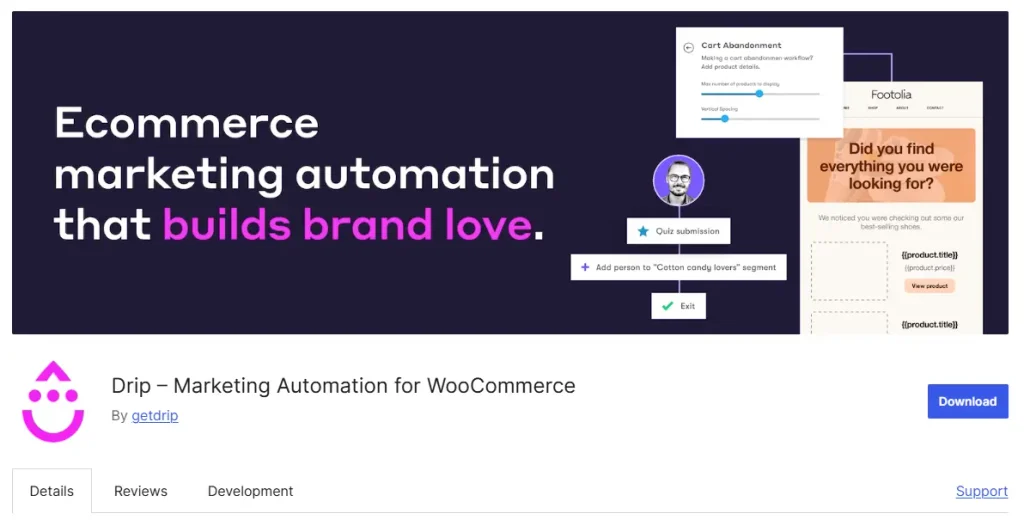
Drip focuses on helping businesses turn customer activity and purchase data into targeted email campaigns and automated customer journeys.
You can create detailed segments, multi-step workflows, and personalized campaigns based on customer behavior, purchase history, and tagging.
Its WooCommerce integration brings customer details, orders, and product data into Drip. You can use this information to trigger automations, personalize emails, and track revenue from your campaigns.
Drip doesn’t offer a free plan, and its pricing starts at $39 per month. The platform is designed for businesses that need deeper segmentation and purchase-driven automation.
How Drip Helps You Automate Deep, Purchase-Driven Journeys
- Segment customers based on their purchases: Use purchase history and detailed contact tags to create specific customer segments and send more relevant emails.
- Build workflows around customer behavior: Set up multi-step automations using ecommerce triggers, tags, and purchase activity.
- Personalize campaigns using customer data: Use information about customer actions and purchases to create more relevant email experiences.
- Track the revenue generated by campaigns: Revenue-focused reporting helps you connect campaign performance with actual sales.
Pros and Cons of Drip
| Pros | Cons |
|---|---|
| Ecommerce-focused CRM and automation | No free plan |
| Detailed contact tagging for specific segmentation | More expensive than some general email marketing tools |
| Advanced workflows based on purchase behavior | May be more complex than smaller stores need |
| Revenue-focused campaign reporting | Limited value if you only need basic email campaigns |
What Drip Pricing
| Entry Plan |
|---|
| From $39/month (2,500 contacts), no free plan |
Should You Switch to Drip?
If you’re running an ecommerce store and need detailed, purchase-based automation, Drip is worth considering. Its segmentation and workflow features help you create campaigns based on customer behavior, purchase history, and engagement.
The platform is more expensive than some other email marketing tools. It may also offer more features than you need if your main goal is to send basic newsletters or simple follow-up emails.
If your business needs advanced customer segmentation and revenue-focused automation, Drip is worth exploring. If you want a simpler email marketing setup with predictable pricing, another tool may suit your needs better.
Drip focuses on customer data and purchase-driven automation. The next two tools take a simpler approach with an emphasis on ease of use and cost.
9. MailerLite
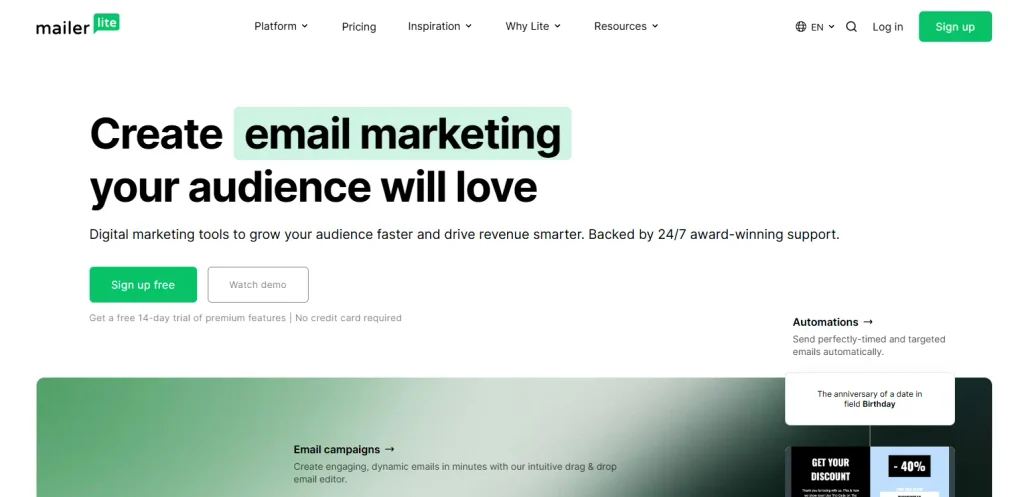
MailerLite focuses on keeping email marketing simple for small businesses, creators, and individuals who want to launch campaigns without spending too much time learning the platform.
You can create email campaigns, landing pages, websites, and basic automation workflows from its dashboard.
MailerLite supports welcome sequences, simple segmentation, and a website and landing page builder. These features make it easier to manage your email marketing and online presence from one place.
The platform is easy to get started with, although its automation and reporting features are less advanced than what you get with tools such as ActiveCampaign or Mail Mint.
How MailerLite Helps You Get Started Without a Learning Curve
- Launch your first campaign quickly: Its straightforward interface helps you create and send emails without spending hours learning the platform.
- Build your online presence in one place: The website and landing page builder lets you create pages without paying for a separate tool.
- Automate common email tasks: Welcome sequences and basic triggered emails cover essential marketing needs for small businesses.
- Manage your marketing on a smaller budget: MailerLite offers a free plan and affordable paid options for businesses with smaller subscriber lists.
Pros and Cons of MailerLite
| Pros | Cons |
|---|---|
| Easy to use with a minimal learning curve | Marketing automation is less advanced than ActiveCampaign’s or Mail Mint’s |
| Affordable for smaller subscriber lists | Reporting and analytics are limited |
| Includes a free plan | No built-in CRM |
| Website and landing page builder included | May not offer enough depth for complex customer journeys |
MailerLite Pricing
| Free | Paid |
|---|---|
| Available with a limited subscriber count | Starts at roughly $9 to $33/month, depending on subscriber count and current promotions |
Should You Switch to MailerLite?
If your automation needs are simple, welcome sequences, basic segmentation, a newsletter, and you want the lowest possible learning curve and cost, MailerLite is a sensible switch.
It won’t replace ActiveCampaign’s or Mail Mint’s deeper, multi-branch automation, so a WooCommerce store with more complex order-based journeys will likely outgrow it.
MailerLite solves for simplicity. The next tool takes a different route to the same budget-conscious audience: a one-time payment instead of a subscription.
10. FluentCRM
FluentCRM is a self-hosted marketing automation plugin for WordPress, offering email automation, detailed customer segmentation, and CRM-style contact management at a one-time cost rather than a recurring subscription.
It lets you manage contacts, tags, segments, and email sequences directly inside your WordPress dashboard, similar in spirit to Mail Mint’s self-hosted approach.
FluentCRM supports customizable email sequences, conditional automation workflows, and detailed campaign analytics, along with a newer abandoned cart module for WooCommerce stores.
Its main selling point is the pricing model: pay once per site license, with no ongoing subscription fee.
How FluentCRM Helps You Avoid Recurring Subscription Fees
- Pay once instead of every month: A single license fee replaces the recurring subscription most tools on this list charge.
- Keep contact data on your own server: Self-hosted automation means your list and campaign history live in your own WordPress database.
- Build real logic into your automation: A visual workflow builder with conditional logic supports more than simple linear sequences.
- Know what’s actually working: Detailed campaign analytics cover opens, clicks, and email performance.
Pros and Cons of FluentCRM
| Pros | Cons |
|---|---|
| One-time payment with no recurring fees | Requires you to handle your own SMTP and hosting setup |
| Self-hosted, so contact data stays in your own WordPress database | Bulk actions are capped at a limited number of contacts at a time |
| Advanced automation with a visual workflow builder | Running it reliably requires a properly configured cron job |
| Detailed campaign analytics | Its WooCommerce cart-recovery automation is a newer addition to the plugin |
What FluentCRM Pricing
| Solo/Blogger | Small Business | Agency License |
|---|---|---|
| $103/year | $199/year | $399/year |
| 1 site license | 5 site license | 50 site license |
Should You Switch to FluentCRM?
If you want a self-hosted, WordPress-native tool and you’re comparing it against Mail Mint as much as against ActiveCampaign, the real question is depth on the WooCommerce side specifically.
FluentCRM is a legitimate self-hosted alternative with genuine automation depth, but its WooCommerce cart-recovery and product-focused features are a newer part of the plugin, while Mail Mint’s dedicated product blocks, order-triggered automation, and AI Email Assistant were built around WooCommerce stores from the start.
If your priority is native, WooCommerce-specific automation rather than general-purpose self-hosted email, that difference is worth weighing before you choose.
FluentCRM is the other self-hosted option on this list. The next tool takes the opposite approach again: the lowest possible entry cost.
11. Sender
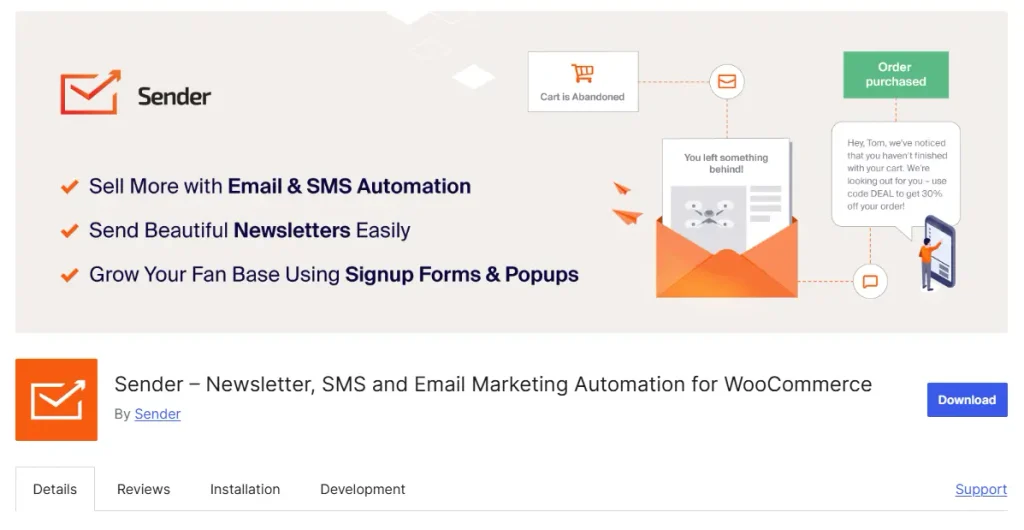
Sender is an email marketing platform focused on affordability and ease of use. It is designed for small businesses and beginners who want to start email marketing without a large monthly expense.
You can create email campaigns and basic automation workflows from its dashboard. The platform also offers a free plan, making it easier to get started with a small subscriber list.
Sender supports welcome sequences, basic segmentation, and straightforward automation. Its features cover essential email marketing needs, although it doesn’t offer the depth of a dedicated CRM or ecommerce-focused platform.
Its main appeal is the pricing, especially for businesses that want to keep their email marketing costs low.
How Sender Helps You Start Email Marketing on a Tight Budget
- Start for free and keep costs low: The free plan and affordable paid options make Sender suitable for small businesses with limited budgets.
- Automate essential email tasks: Create welcome sequences and basic triggered campaigns without dealing with complicated workflows.
- Get campaigns running quickly: Its simple interface helps beginners create and send emails without a long learning process.
Pros and Cons of Sender
| Pros | Cons |
|---|---|
| Easy to use | Reporting is less advanced than larger platforms |
| Affordable, with a generous free plan | Smaller template library |
| Solid automation features for the price | Fewer integrations than ActiveCampaign |
What Sender Pricing
| Free Forever | Standard | Professional | Enterprise |
|---|---|---|---|
| $0/month | From $6.30/month | From $10.50/month | Custom pricing |
| Up to 2,500 subscribers | Up to 500 subscribers | Up to 500 subscribers | For large organizations |
| Up to 15,000 emails/month | Up to 6,000 emails/month | Up to 12,000 emails/month | Custom sending volume |
Should You Switch to Sender?
If cost is the only real issue you have with ActiveCampaign and your automation needs are straightforward, Sender is worth trying, especially at a small list size.
It won’t match ActiveCampaign’s or Mail Mint’s automation depth, so a WooCommerce store planning more advanced order-based sequences should treat it as a starting point rather than a long-term fit.
Sender covers the tightest budget. The last two tools take different, more specialized approaches: personalization and design.
12. Moosend
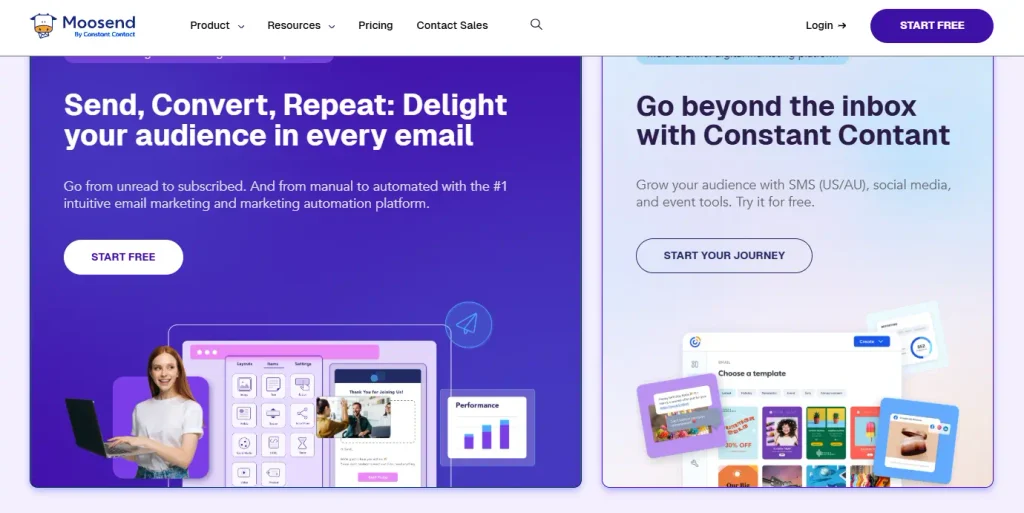
Moosend helps businesses create personalized email campaigns and automate customer communication through a simple visual editor.
You can build campaigns, automation workflows, and landing pages from its dashboard.
Its drag-and-drop editor also makes it easier to design emails without much technical or design experience.
Moosend supports behavior-based automation, AI-powered product recommendations for ecommerce, and reporting tools for improving campaign performance.
Its AI features can recommend products based on customer behavior. You can also use A/B testing to compare different subject lines and email content.
How Moosend Helps You Personalize Campaigns Without a Steep Learning Curve
- Design emails without a learning curve: A drag-and-drop editor with templates gets a campaign built quickly, without design experience.
- Trigger the right email at the right moment: Automation workflows fire based on real user actions rather than a fixed schedule.
- Recommend products customers actually want: AI-powered recommendations can be inserted into campaigns based on browsing and purchase behavior.
- Test what actually improves results: Built-in A/B testing helps you optimize subject lines and content before scaling a campaign.
Pros and Cons of Moosend
| Pros | Cons |
|---|---|
| Easy-to-use interface with drag-and-drop builder and templates | Advanced automation can require more setup and customization |
| Personalized automation based on user behavior | Some advanced features take a learning period |
| Advanced analytics, A/B testing, and reporting tools | Support responsiveness may not match larger platforms |
| AI tools for segmentation and product recommendations |
What Moosend Pricing
| Pro | Moosend+ | Enterprise |
|---|---|---|
| $9/month at 500 contacts (annual billing) | Custom pricing | Custom pricing |
Should You Switch to Moosend?
If your priority is fast, personalized campaigns without a steep setup process, Moosend is a straightforward switch from ActiveCampaign, particularly if you don’t need a deep CRM.
If you’re specifically on WooCommerce and want automation tied to real order data rather than general behavioral triggers, Mail Mint solves that more directly.
Moosend covers personalization on a budget. The last tool on this list takes a different angle entirely: design.
13. Campaign Monitor
Campaign Monitor focuses on helping businesses create professional-looking email campaigns with polished designs and an easy-to-use editor.
You can build campaigns, automated journeys, and signup forms from its dashboard. The platform also offers professionally designed templates that help you create emails without starting from scratch.
Campaign Monitor supports basic automation, list segmentation, and integrations with ecommerce platforms, including WooCommerce.
Its features are better suited to businesses that prioritize email design and straightforward campaigns. Stores that need detailed purchase-based automation may require a more advanced solution.
How Campaign Monitor Helps You Send Polished Emails Fast
- Ship a professional-looking campaign fast: A large library of pre-built, designer-made templates removes the need to build layouts from scratch.
- Send the right message to the right group: List segmentation targets specific groups of subscribers rather than blasting your entire list.
- Keep new customers engaged automatically: Basic automated journeys handle welcome sequences and simple triggered follow-ups.
- Connect to your store without custom code: Native integrations bring WooCommerce and other ecommerce data into your campaigns.
Pros and Cons of Campaign Monitor
| Pros | Cons |
|---|---|
| Strong template library and design-forward campaign builder | Automation depth doesn’t match ActiveCampaign’s or Mail Mint’s branching logic |
| Straightforward list segmentation | No free plan |
| Ecommerce integrations available, including WooCommerce | Pricing based on contact count, so it climbs as your list grows |
What Campaign Monitor Pricing
| Lite | Essentials | Premier | Enterprise |
|---|---|---|---|
| $11.70/month | $27.90/month | $153.90/month | Custom pricing |
Should You Switch to Campaign Monitor?
If design polish and simple automation are your priority, and you don’t need deep ecommerce-specific triggers, Campaign Monitor is a reasonable switch.
For a WooCommerce store that wants automation built around actual order and cart data, Mail Mint or Klaviyo will get you further for a similar or lower cost.
That’s all 13. Now let’s see how they compare side by side.
Side-by-Side Feature Comparison
Each tool handles WooCommerce a little differently. Some read your store’s data directly, while others connect through an integration. Here’s a quick look at what you get with each one.
| Tool | WooCommerce Data Access | Free Plan | Automation Depth | Billing Model |
|---|---|---|---|---|
| Mail Mint | Native, reads order table directly | Yes, core builder + lead automation | Order-status and behavior triggers on paid plans | Flat annual fee, no contact limits |
| Brevo | Via WooCommerce plugin | Yes, unlimited contacts | Standard sequences | Per email volume sent |
| HubSpot | Via certified integration | Yes, free CRM | High, built around sales pipeline | Per contact, steep jump at Professional |
| Klaviyo | Native extension (cloud-hosted) | Yes, up to 250 active profiles | High, ecommerce-specific flows | Per active profile kept |
| Kit | No native connection | Yes, up to 10,000 subscribers | Built for audience growth, not orders | Per subscriber |
| GetResponse | Via plugin | No | Solid on Ecommerce tier | Per contact, webinars gated separately |
| Omnisend | Native extension (cloud-hosted) | Yes, full feature set | Strong, ecommerce-specific | Per contact/send |
| Drip | Via plugin | No | High, ecommerce-only | Per contact |
| MailerLite | Via plugin | Yes | Basic | Per subscriber |
| FluentCRM | Self-hosted, newer cart module | Limited/trial | Advanced, general-purpose | One-time license fee |
| Sender | Via integration | Yes | Basic | Per subscriber |
| Moosend | Via integration | No | Behavior-based, moderate depth | Per contact |
| Campaign Monitor | Via integration | No | Basic | Per contact |
Mail Mint and FluentCRM are the only two tools on this table that run inside WordPress instead of on a vendor’s servers. The next table shows what the cloud-hosted alternative costs.
Side-by-Side Pricing Comparison
The starting price doesn’t always tell you what you’ll actually pay once your list grows. Some tools stay flat, while others scale with your contact count.
| Tool | Entry Price | Price at Meaningful Scale | Contact Limits |
|---|---|---|---|
| ActiveCampaign | No permanent free plan, 14-day trial | $79/month (Pro, at 1,000 contacts) | Scales with contacts |
| Mail Mint | Free | $149.99/year (Starter) | None |
| Brevo | Free (unlimited contacts) | Scales with send volume | None on free plan |
| HubSpot | Free CRM | $800/month (Professional, 2,000 contacts) + onboarding | Scales with contacts |
| Klaviyo | Free (250 active profiles) | Scales with active profile count | Scales with profiles |
| Kit | Free (10,000 subscribers) | $39/month (Creator, 1,000 subscribers) | Scales with subscribers |
| GetResponse | Free (500 contacts) | Approximately $19/month (Starter, 1,000 contacts) | Scales with list size |
| Omnisend | Free | Approximately $16/month (Standard) | Scales with contacts |
| Drip | No free plan | $39/month (2,500 contacts) | Scales with contacts |
| MailerLite | Free (limited count) | Approximately $12.90 to $27/month | Scales with subscribers |
| FluentCRM | No free plan | $129/year (Solo/Blogger) | Scales by license tier, not contacts |
| Sender | Free (limited count) | Approximately $9/month (Standard) | Scales with subscribers |
| Moosend | No free plan | $7/month (500 contacts) | Scales with contacts |
| Campaign Monitor | No free plan | Approximately $13/month (Lite, 500 contacts) | Scales with contacts |
The plan you actually need can look very different from the entry price. Now let’s see how that plays out as your list actually grows.
How Pricing Changes as Your List Grows
A low starting price looks attractive, but it doesn’t tell you what happens once your store’s list gets bigger. SaaS platforms usually charge more as your list grows, while a flat-priced WordPress plugin can stay at the same price.
| Contact list size | ActiveCampaign (Pro plan) | Mail Mint | Approx. annual savings with Mail Mint |
|---|---|---|---|
| 1,000 contacts | $79/month ($948/year) | $149.99/year | ~$798/year |
| 5,000 contacts | ~$149 to $179/month | $149.99/year | ~$1,650+/year |
| 10,000 contacts | ~$219 to $259/month | $149.99/year | ~$2,450+/year |
| 25,000 contacts | ~$400+/month | $149.99/year | ~$4,650+/year |
Key Takeaway: At 5,000 contacts, ActiveCampaign can cost more in a single month than Mail Mint costs for the entire year. That gap only gets wider as your list grows, because only one of the two prices moves.
That’s the math behind why so many WooCommerce stores start looking for alternatives in the first place. Now let’s break this down by the specific situation you’re actually in.
Best ActiveCampaign Alternatives for Specific Use Cases
After comparing all 13 tools, these three options stand out for different needs. Each one serves a different type of business, so the right choice depends on your requirements and budget.
Best ActiveCampaign Alternative for WordPress and WooCommerce
Mail Mint is a practical choice if you want to manage email marketing directly inside your WordPress dashboard. It includes WooCommerce automation, customer segmentation, promotional campaigns, a dedicated product block, and WPFunnels integration.
Its self-hosted setup gives you more control over your data and campaigns. The pricing is also more predictable because you pay an annual license instead of paying more as your contact list grows.
For example, ActiveCampaign’s Pro plan costs $79 per month when billed annually for 1,000 contacts, which equals $948 per year. Mail Mint’s Starter plan costs $149.99 per year.
That means you could save approximately $798 per year with Mail Mint at this pricing level. The savings can become more significant as your contact list grows, although ActiveCampaign’s exact pricing depends on your plan and number of contacts.
Best Free ActiveCampaign Alternative
Kit is a useful option for creators, bloggers, and newsletter-focused businesses that want to grow an email audience without paying at the beginning.
Its free plan supports up to 10,000 subscribers, making it suitable for creators who need basic email marketing tools, landing pages, forms, and automation.
You can start building your list without a monthly subscription. This can help you save money during the early stages of your business. However, Kit is more focused on audience growth and creator newsletters, so it may not offer the same WooCommerce-specific features as Mail Mint or ecommerce-focused platforms.
Best ActiveCampaign Alternative for Ecommerce
Klaviyo is worth considering if your store needs advanced customer segmentation, purchase-based campaigns, and detailed revenue reporting.
It uses customer and purchase data to help you create targeted campaigns, such as product recommendations, abandoned cart emails, and post-purchase follow-ups. This makes it suitable for ecommerce businesses that want to connect email marketing with customer behavior.
Klaviyo also offers a free plan for smaller lists, which allows businesses to test its features before paying. However, its pricing increases as your active profile count grows. If your store has a large customer database, you should compare the ongoing subscription cost with a flat-priced solution such as Mail Mint.
Conclusion: Find the Right ActiveCampaign Alternative
So, there you have it. Whether you want to reduce your email marketing costs, simplify your automation, or manage WooCommerce campaigns directly from WordPress, there are several ActiveCampaign alternatives worth exploring.
Each tool has its own strengths, pricing structure, and limitations. Some focus on affordability, while others offer advanced CRM features, ecommerce automation, or email design.
Before making a decision, consider the features your business actually needs, your current contact count, and how much you’re willing to spend as your list grows. This will help you choose a tool that fits your workflow and budget.
If you’re running a WooCommerce store and want to manage email marketing from your WordPress dashboard, you can start with Mail Mint’s free version and explore its features before choosing a paid plan.
We hope this guide helped you understand your options and find an ActiveCampaign alternative that works for your business.
Frequently Asked Questions
What is ActiveCampaign?
ActiveCampaign is a marketing automation platform that combines email marketing, automation, CRM, and sales tools in one place. It was founded in 2003 by Jason VandeBoom and is headquartered in Chicago, Illinois. It’s known for deep automation and lead-scoring capabilities, which suit B2B marketing teams and long sales cycles, but that depth comes with a real learning curve and pricing that scales steeply as your list grows.
What’s the best ActiveCampaign alternative in 2026?
It depends on what’s actually broken for you. For a WooCommerce store that wants unlimited contacts without a growing bill, Mail Mint is the strongest fit. For pure cost relief with simple automation, Brevo, MailerLite, Sender, or Moosend. For CRM and sales pipeline needs beyond email, HubSpot.
Is ActiveCampaign worth it for a small WooCommerce store?
It can be, if you’re running complex, multi-stage automation across more than just order events. For most single-store WooCommerce owners, you’re paying for lead scoring and CRM depth you’ll rarely touch, while still needing a separate integration to read your store’s own order data.
What’s the cheapest ActiveCampaign alternative for a WooCommerce store?
On a flat-cost basis, Mail Mint is the cheapest at scale: $149.99 a year with no contact ceiling, versus platforms that charge monthly and grow with your list size. Moosend, Sender, and MailerLite can be cheaper at very low contact counts.
Can I switch from ActiveCampaign without losing my subscribers?
Yes. Every tool on this list supports importing your existing subscriber list, and most provide migration guides or support to help with the move. For most list sizes, the process takes well under an hour.
Which platforms offer marketing automation similar to ActiveCampaign?
Mail Mint, Brevo, and HubSpot all offer visual automation builders. The difference is what data each one can see natively, and where that data lives. Mail Mint reads WooCommerce order data directly and keeps it on your own server, while Brevo and HubSpot connect through an integration layer and store your data on their own platforms.
Is ActiveCampaign better than Mailchimp?
For automation depth and CRM features, ActiveCampaign is generally more capable. Mailchimp is simpler and cheaper to start with, but caps automation on its lower plans and has a lighter CRM. Neither is built for native WooCommerce order data the way Mail Mint is.
Is FluentCRM better than Mail Mint for WooCommerce?
Both are self-hosted WordPress plugins, so neither carries ActiveCampaign’s per-contact pricing. The difference is depth: Mail Mint’s WooCommerce automation, including dedicated product blocks and order-triggered workflows, was built specifically for WooCommerce stores, while FluentCRM’s cart-recovery features are a more recent addition to a more general-purpose CRM plugin.

Comments are closed.





Comments (2)
I have been using ActiveCampaign for a few years and I am pleased with the functionality and the appealing price point.
Thanks for sharing this amazing blog.
Hey Kennie,
Thanks for sharing your thoughts about the positive feedback on ActiveCampaign in real experience regarding functionality and pricing points.
Keep in touch with us to get an updated blog on ActiveCampaign and other tools on our website.
Thank you