


I’ve been working with emails for a few years now, and through real execution, I’ve learned a few important things about email marketing success.
Now, this particular article is about one of those learnings that had a huge impact on the results I can bring today via emails. And here, you will learn about eCommerce Customer Segmentation, but not in the usual way that most people describe it.
Trust me, segmentation doesn’t mean only separating prospects via demographics and location only. There could be many ways to segment customers. But today I’ll talk about an effective segmentation that is highly effective for eCommerce shops.
Before we start, picture this:
Your last email reached three different leads.
- One found what they wanted and bought it within minutes.
- One added a product to the cart, but then left without placing the order.
- The third used to buy it every month, but hasn’t opened an email since February.
Tomorrow morning, you will send another email blast about more products.
All three of those prospects will get the exact same message.
Well, you already know how that goes.
- The new buyer orders again if the need is there.
- The cart abandoner may probably ignore your email.
- And the cold VIP, the one who used to be your best customer, hits unsubscribe.
Believe me, this is a common scenario for most WooCommerce stores.
(Well, they don’t send emails to just 3 contacts. But a large chunk of the email list consists of these 3 types of prospects.)
So, what do you do when that happens? Your instinct will make you think about “what to fix” in the email design or writing style.
But I’ll tell you this. The problem is not always in the email copy or design.
In this case, sending the same message to three people who are at three completely different stages of their journey IS THE PROBLEM.
And the solution to this is straightforward:
Segment your customers according to their activity or purchase behavior, and send personalized emails.
But… though it sounds so simple, most stores never quite get there. And as I said a moment ago, the reason has nothing to do with the email itself.
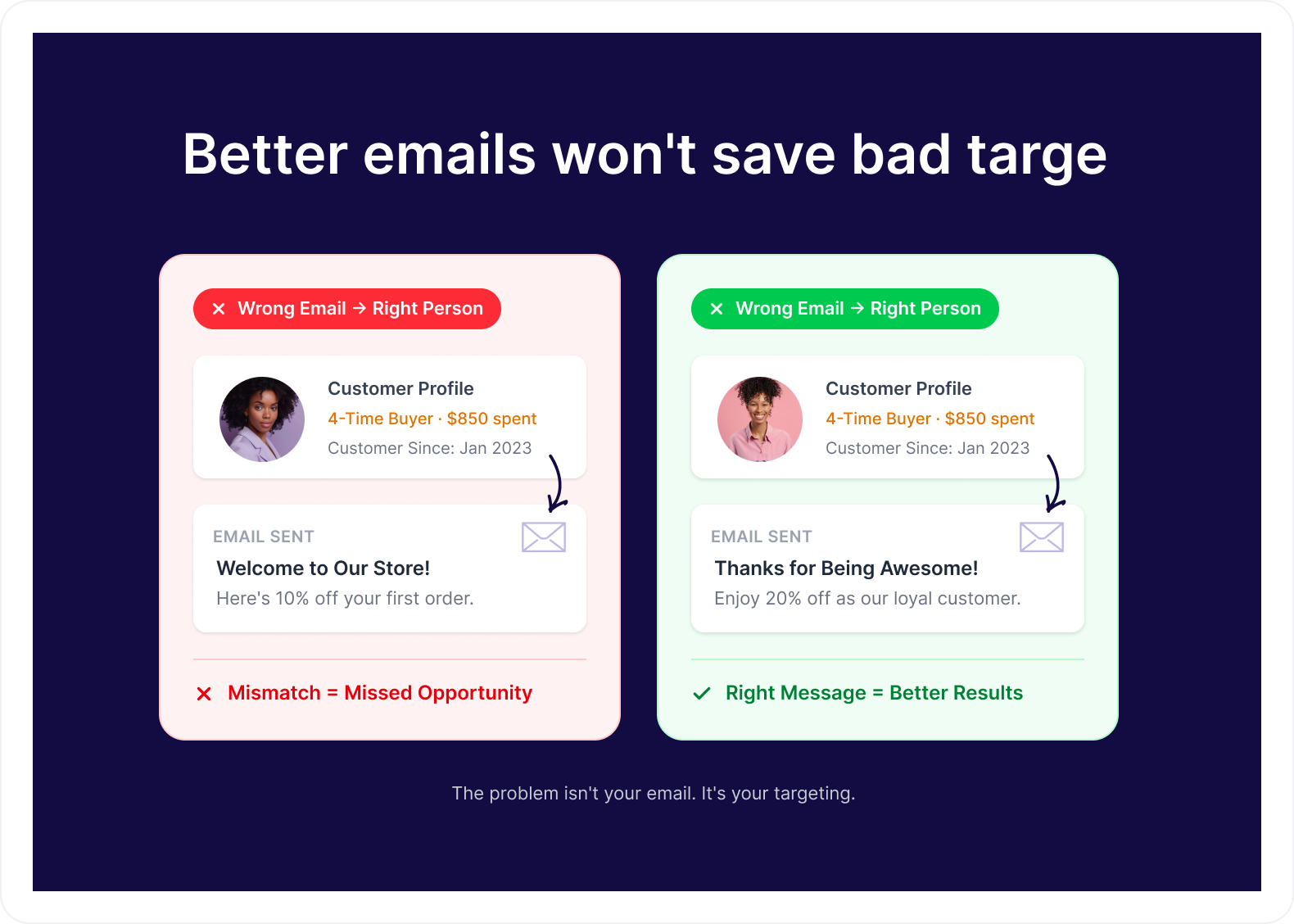
Better emails won’t save bad targeting
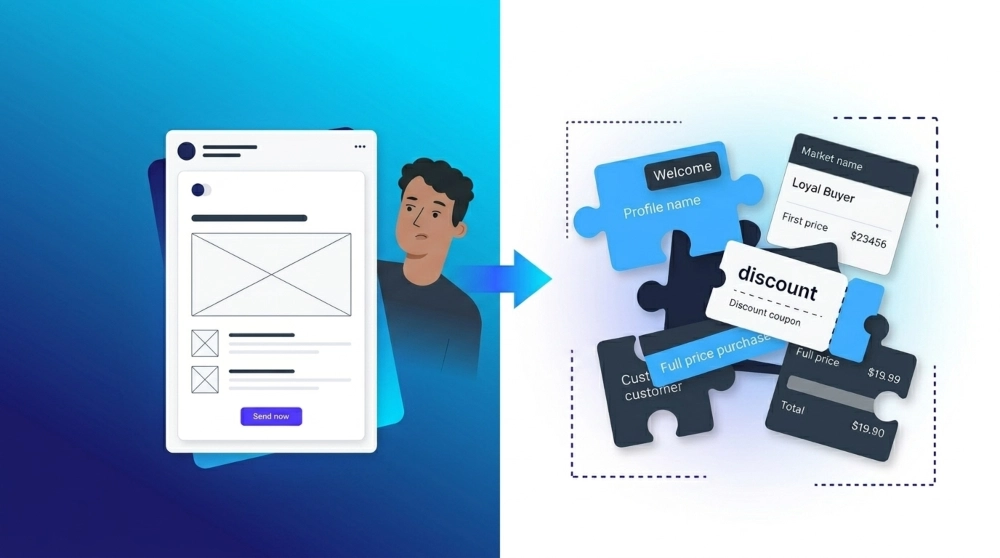
When your open rates drop or your campaigns stop converting, the first thing most store owners do is go back to the email itself. Rewrite the subject line. Tweak the offer. Try a different sending time.
And sometimes that lifts things for a week. Then the numbers slide back.
Here is what is actually happening.
The email was never a problem. The problem is who received it.
Think about what your sends look like right now:
- You send a win-back email to a customer who ordered three days ago. They already came back. The email doesn’t just fail. It tells them you have no idea who they are.
- You send a welcome sequence to someone who has ordered six times in eight months. “Welcome to our store” doesn’t feel friendly to a loyal customer. It feels like you never noticed them.
- You send a 15% first-purchase discount to a repeat buyer who was already planning to order today at full price. The copy was great. The offer was fine. You just handed away margin on a sale that was already coming.
“Segmented campaigns generate 14.31% higher open rates and 100.95% more clicks than non-segmented sends.” — Mailchimp
That difference has nothing to do with better writing. It comes from sending the right message to the right person at the right moment.
And that starts before you write a single word.
So if the email isn’t fixed, the natural next move is to go upstream. Most store owners go one step too far in the wrong direction.
More customer data won’t fix your segmentation
Be honest for a second.
How many tags are sitting inside your store right now?
Twenty? Forty? More?
And how many of them are you actively using in a campaign this month?
That’s the problem.
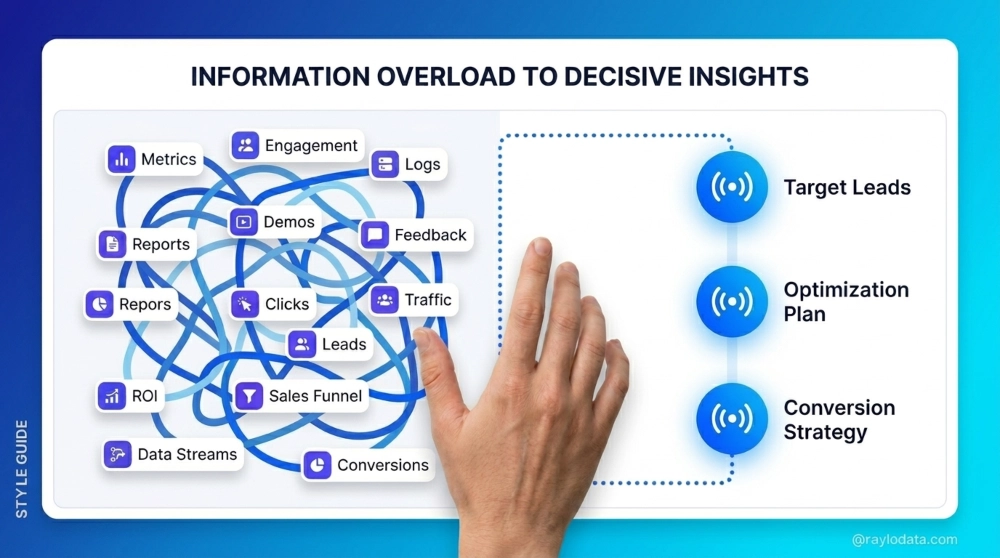
Once store owners realise targeting is the issue, the instinct is to collect more data. More custom fields. More product tags. Ask for location, preferences, and role.
All in the hope that more data means more precise targeting.
And then they end up here, in conversations you can find repeated across every WooCommerce community and email forum:
“I have 40 tags now, and my segments overlap everywhere. I keep sending the same person three emails in a day.”
More data does not create better segments. It creates more maintenance work.
And the moment segments become hard to maintain, they stop getting updated. The moment they stop getting updated, they drift.
The wrong customers end up in the wrong groups, and the right email starts going to the wrong person.
The stores that get segmentation right aren’t sitting on the most data. They’re the ones who decided to stop collecting more and start acting faster on less.
Specifically, three signals your WooCommerce store is already producing every single day.
You don’t need more data. You need the right data.
Forget age. Forget industry. Forget job title.
You need three things.
1. What they have spent
Look at two customers.
One has spent $300 with you across four orders in the last 60 days.
The other bought a $25 product eight months ago and disappeared.
Would you send them the same email?
Of course not.
That’s why spending matters. Not the total. The pattern behind it.
Spending tells you who’s loyal, who’s drifting, and who used to be your best customer but is quietly slipping towards an inactive status.
2. What they are interested in
A customer browsed your running gear category three times this week. They haven’t bought it yet. But they told you exactly what’s on their mind.
You don’t have to guess. You don’t have to survey them. The signal is sitting in your store right now.
So why would your next email to them be about kitchenware?
3. What they have done recently
This is the one that matters most.
Forget what a customer did when they first subscribed. What did they do this week?
Did they buy? Browse and leave? Abandon a cart? Open three emails in a row and click nothing? Go quiet for 90 days?
That is why some teams may experiment with RL environments to test segmentation logic against synthetic customer populations before the rules ever touch real subscribers.
A customer who abandoned a cart yesterday and one who abandoned it four months ago look identical in a spreadsheet.
They are not the same customer.
Recent behavior is the only thing that tells you which one is worth chasing today. That’s why real-time behavioral data, not static purchase history, is what separates a segment that actually converts from one that’s already stale
These three signals already exist inside your store. (In this context, an AI email automation tool or an AI CRM manager can use those signals to decide the next message and its timing for each customer as their behavior changes.)
You’re not missing data. You’re missing a system that acts on the data you have, fast enough to matter.
And even when you do have the right signals, something else breaks the segmentation. Fast.
Why static segments break, even when you have the right data
Here’s the problem: customers don’t stay the same long enough for static segments to work.
Think about your own store right now.
How many customers bought for the first time last month?
How many of them have already bought again?
How many of your “most engaged subscribers” from January haven’t opened anything since March?
You probably don’t know off the top of your head. Most store owners don’t.
That’s not the issue. The issue is that your segments don’t know either.
A customer can move through the full lifecycle in under 60 days:
Subscriber → First-Time Buyer → Repeat Buyer → VIP → Inactive
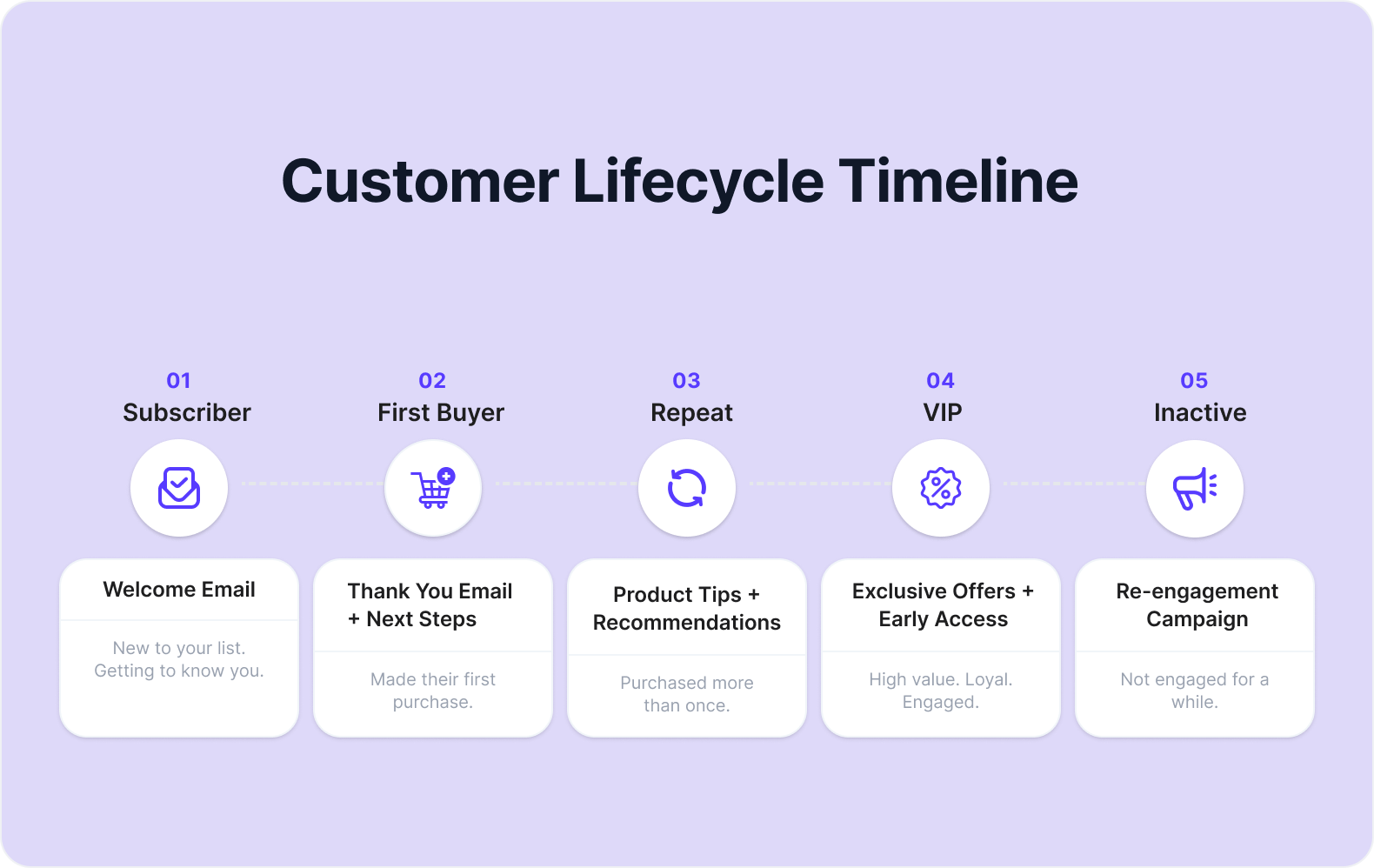
If you’re updating segments manually, you do it once a month at best. Once a quarter in reality.
The gap between when a customer’s behavior actually changed and when your segment finally caught up? That’s exactly where the wrong emails live.
What does that drift actually cost you
Let’s do the math on a 2,000-contact list. Most of you reading this are somewhere in that range.
- 25% of segments drift in a year = 500 wrong customers in the wrong groups
- 10% of them receive a discount they didn’t need = 200 contacts
- Average Order Value: $65
- 15% welcome discount = $9.75 off margin per sale
200 misplaced contacts × $9.75 = $1,950 in margin gone from one campaign.
The copy wasn’t the problem. The customer had already moved on. The segment just hadn’t caught up.
This isn’t a strategy failure. It’s a maintenance failure.
And you can’t solve a maintenance failure by working harder at maintenance. The only real fix is segments that don’t need you to maintain them at all.
Customers move faster than your segments
What happens in your store when a cart abandoner finally buys it?
In most stores? Nothing.
They stay inside the abandoned cart sequence until someone notices and pulls them out manually. Which usually means they get the “you forgot something” email the morning after they already paid.
That’s the conversation you don’t want to have with a customer.
Dynamic segmentation fixes it automatically.
- A customer places their second order → they exit First-Time Buyer on their own.
- A cart abandoner completes their purchase → they exit the recovery sequence before the next email fires.
- A customer hits 90 days of no activity → they slide into Win-Back by themselves.
The segment always reflects where the customer actually is right now. Not where they were when you last cleaned up a spreadsheet.
And timing matters more than most people realise.
“Cart abandonment emails sent within the first hour have an average conversion rate of 20.3%. Wait 24 hours, and that rate drops to 12.2%.” — Barillance
That’s purely a timing difference. And timing depends entirely on how fast your tool reads what a customer just did.
So the question is, which tool actually does this inside your WooCommerce store, without adding another integration to maintain?
So What Happens When Someone Buys, Abandons, Or Goes Quiet?
That’s where automation takes over and sends the right email without you having to monitor customer behavior yourself.
How Mail Mint keeps your segments accurate automatically
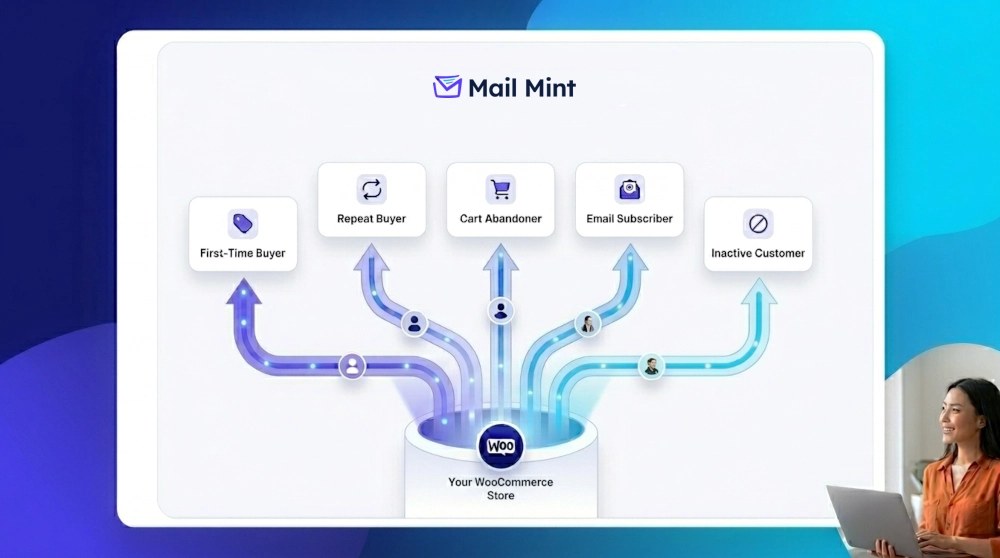
Mail Mint lives inside WordPress and reads directly from the same database your WooCommerce store runs on.
When a customer does something in your store, Mail Mint sees it and updates the segment right then.
Here are the five segments worth building first.
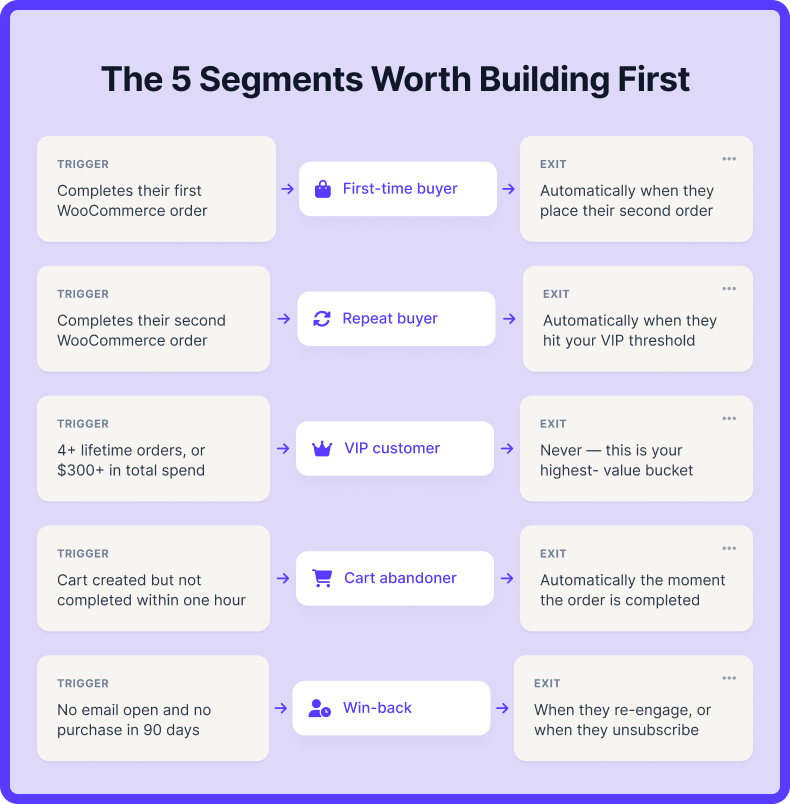
Each one is a one-time setup. After that, customer behavior keeps everything accurate on its own.
- First-Time Buyer
- Trigger: Completes their first WooCommerce order.
- Exits: Automatically when they place their second order.
This is the most fragile moment in the customer relationship. They just spent money with you for the first time. They’re still deciding if it was worth it.
The goal here isn’t to push another sale. Confirm they made a good decision. A delivery update. A useful tip about the product they bought. A review request.
Earn the second purchase. Don’t demand it.
- Repeat Buyer
- Trigger: Completes their second WooCommerce order.
- Exits: Automatically when they hit your VIP threshold.
These customers have shown you a pattern. They came back. That’s not an accident.
Use their actual purchase history. If they buy running shoes twice, they don’t need your generic newsletter. They need to know about the new running gear you just stocked or the bundle that pairs with what they own.
- VIP Customer
- Trigger: 4+ lifetime orders or $300+ in total spend (set what fits your store).
- Exits: Never. This is your highest-value bucket.
These customers already trust you enough to pay the full price. Sending them a discount isn’t generous. It’s margin erosion dressed up as personalisation.
What works here is treating them like an insider. A short personal note offering early access. A surprise free shipping code as a genuine thank-you, not a promotion.
This kind of message costs almost nothing and builds the loyalty that turns a good customer into someone who refers to other people.
- Active Cart Abandoner
- Trigger: Cart created but not completed within one hour.
- Exits: Automatically the moment the order is completed.
The first recovery email needs to arrive within 60 minutes. That’s when the conversion rate is highest.
No discount in that first email. If they were ready to buy, they’d buy. If they don’t respond, a second email 24 hours later can introduce a small incentive.
And the moment they complete the purchase, they exit this segment. No second recovery email fires after a conversion.
- Win-Back
- Trigger: No email opens and no purchase in 90 days.
- Exits: When they re-engage or when they unsubscribe.
A customer who’s been quiet for 90 days isn’t necessarily gone. But they’re close.
Blasting them with the same campaign as everyone else tends to accelerate the exit, not reverse it.
What works better is a sequence that acknowledges the silence directly. “Have we lost you?” performs better as a subject line than a promotional hook because it feels honest. Give them one clear reason to come back. And an equally easy way to leave if they’re done.
A clean list of 800 engaged contacts outperforms a bloated list of 2,000 unresponsive ones. Every single time.
You set these five segments up once. After that, customer behavior keeps everything accurate on its own.
The work of segmentation stops being worked on at all.
Conclusion
Ecommerce customer segmentation isn’t about collecting more data. It isn’t about building more lists. And it definitely isn’t about writing better emails to send to the wrong people.
It’s about knowing where each customer actually is right now and making sure what you send them reflects that.
- Spending tells you their value.
- Interests tell you what they want.
- Recent behavior tells you where they stand today.
The challenge isn’t creating customer segments.
The challenge is keeping them accurate as customers move through your store.
Mail Mint handles that automatically by updating customer segments based on real-time behavior, purchases, and engagement.
What If You Never Had To Manually Update A Segment Again?
Mail Mint automatically updates customer segments and triggers the right email as customer behavior changes.
Frequently Asked Questions
What happens if a customer fits more than one segment at the same time?
Behavior segments override lifecycle segments. A Repeat Buyer who abandons a cart should get the cart recovery email, not the loyalty offer, because the cart is the more recent signal. Once they convert, they go back to receiving Repeat Buyer messages.
Should subscribers who have never bought anything get their own segment?
Only if you actively send pre-purchase content to them. An empty segment is worse than no segment at all.
How do I set the VIP threshold without guessing?
Sort your existing customers by lifetime value and look at the top 10 to 15 percent. Whatever number that range starts at is your threshold. There is no industry standard that works for every store.
Will dynamic segmentation slow down my WordPress site?
Segments that read directly from the WordPress database add very little overhead. The actual performance hit usually comes from sending campaigns, not from the segments themselves.
What happens to a customer who unsubscribes from one segment? Are they removed from all of them?
Yes. An unsubscribe removes them from all marketing emails across every segment. This is why the Win-Back sequence matters — letting disengaged customers exit cleanly protects your active segments from blanket unsubscribes.





Comments (1)
Amazing article guys. I enjoyed reading this. Very informative