

Running a WooCommerce store means you are always looking for ways to increase your sales and revenue.
And the holiday season is probably the biggest opportunity you have to do that.
Thanksgiving, Black Friday, Christmas, and New Year’s are coming one after another, and people are spending more online.
According to Adobe Analytics, US shoppers spent $257.8 billion online during the 2025 holiday season, up 6.8% from the previous year.
So let me ask you something:
How much are you expecting to make this holiday season?
And how much of that revenue are you expecting your holiday emails to bring in?
You already know the usual holiday newsletter ideas like Gift guides, special offers, abandoned cart emails, early access, last-minute deals, and so on.
But here’s the thing. Having a good holiday newsletter idea doesn’t necessarily mean it will bring you more sales.
The same idea can work very differently depending on who you send it to, when you send it, and what you use to trigger it.
Confusing?
Well, let’s dig a bit deeper and look at six holiday newsletter ideas that can help you drive more sales this holiday season.
Quick Answer
A holiday newsletter is a specially crafted email sent during the holiday season that includes special offers and recommendations that are aligned with the occasion. It works better when you use your real WooCommerce order and cart data instead of sending the same email to everyone. Start with gift recommendations, a repeat-buyer coupon, and abandoned cart recovery. These can give you some of the quickest results. Then, automate them with a WooCommerce-native tool, so the emails go to the right customers without you sending each one manually.
TL;DR – Holiday Newsletter Ideas
Your email design and subject lines still matter, but sending the right email to the right customer matters too.
The holiday newsletter ideas may be similar, but the way you automate them can make a big difference.
The six ideas below show you the trigger and conditions you need to turn each idea into a WooCommerce automation.
Bringing back a past holiday customer can cost much less than finding a new customer during the busy holiday season. You’ll see the cost comparison below.
You don’t need a complicated setup. A WooCommerce-native email tool can use your store’s order and cart data to run these automations for you.
Why the Idea Isn’t What’s Costing You Sales
You’ve probably already seen plenty of holiday newsletter ideas. Gift guides, countdowns, thank-you emails, and special offers are all good ideas. So the idea itself isn’t the problem.
The real question is: how are you using that idea?
Let’s say you want to send a gift recommendation. You can write it once and send the same email to your whole list. Or, you can use your store data to send recommendations based on what each customer bought last year or what they have in their cart right now.
Picture two stores running the exact same gift recommendation idea, the same holiday, even the same discount.
One sends the email to everyone. The other sends it based on what each customer actually bought before or what they have in their cart.
The idea is the same, but the email feels different.
One feels like it was written for everyone. The other feels like it was written for that particular customer.
This becomes even more important during the holiday season. Your subscribers may be dealing with fifty emails an hour, while also trying to figure out what to buy for everyone on their list.
A generic holiday email can easily become another email they skip. But when your email talks about something they actually bought before or something they left in their cart, it gives them a reason to stop and take another look.
And that second look can matter during BFCM.
If your store is in the $20 to $150 range, your margins may already feel tight before you add holiday ad spend.
For example, if it costs you $20 to $45 to acquire one customer, getting 100 new customers could cost you $2,000 to $4,500.
So before you spend more to bring in new customers, it’s worth looking at the customers and traffic you already have.
You already have their purchase history, cart activity, and other store data. Using that information to send more relevant emails can help you get more from the customers you’ve already worked to acquire.
6 Holiday Newsletter Ideas, Built as Automations
Here are six holiday newsletter ideas you can use for your store. But I won’t just give you the idea. I’ll also show you the trigger and condition behind each one, so you know when to send it and who should receive it.
You don’t need to use all six at once. Start with two or three that fit your store and go from there. Trying to set up all six in the same week can leave you with too much to manage, especially when Black Friday is getting closer.
1. Gift Recommendation, Segmented by Last Year’s Category
The simple version of this idea is to send a gift guide to your whole list. The automated version uses your customers’ holiday orders from last year to send a different, shorter guide to each group.
Trigger: Customer has an order from the previous Nov 1 to Dec 31 holiday period.
Condition: Segment customers by the product category they bought, such as home goods, accessories, or consumables.
Send: A short, category-specific guide with three to five products instead of your full catalog.
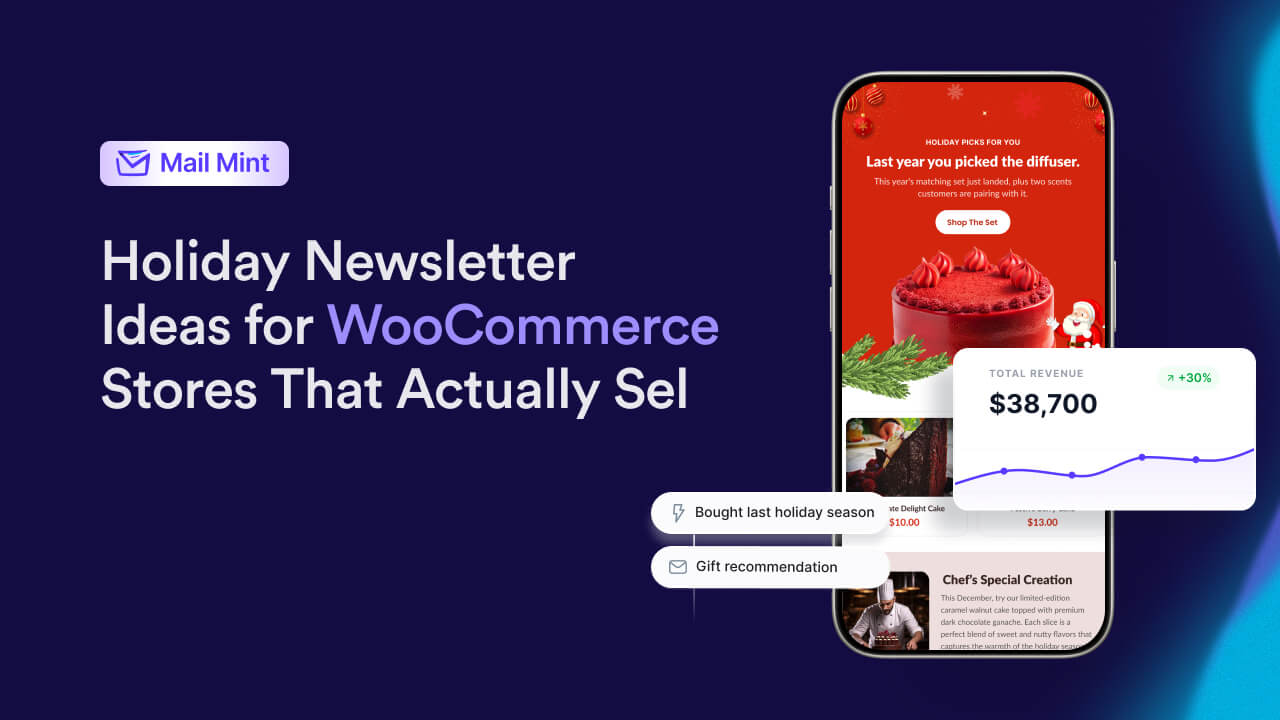
For example: A candle and home-fragrance store might send customers who bought a diffuser last December a message like: “Last year you picked up the Cedarwood diffuser for the holidays. This year’s matching set just landed, along with two scents customers are pairing with it for gifting. Here’s what’s new in your corner of the shop.”
That simple line, “last year you picked up,” does something a generic “Our Holiday Gift Guide Is Here” subject line can’t. It shows the customer that the email is based on something they actually bought, rather than being sent to everyone.
The same logic works even if you don’t have a full year of order history yet. Segment your customers by your store’s largest product category and start building that “last year” data point for next season.
2. Repeat-Buyer Coupon, Triggered Off Purchase Timing
This is a coupon idea you can use during the holiday season. The generic version sends the same discount to every customer on a fixed date. The automated version sends a personal coupon a set number of hours after a specific purchase, when that customer is most likely to be thinking about buying a second gift.
Trigger: Order placed during a defined holiday window, such as Black Friday, Cyber Monday, or a named sale period.
Condition: 24 to 48 hours have passed since the order, and no second order has followed.
Send: A coupon that mentions the specific item the customer bought instead of sending a general “here’s 20% off” offer.
For example: “Noticed you picked up the walnut cutting board yesterday. If you’re gifting more than one this season, here’s 15% off your next order, good through Sunday. Board: WALNUT15.”
Mentioning the specific product makes the email feel like a follow-up to the customer’s purchase rather than another holiday email sent to everyone.
You can find more coupon and email personalization ideas here.
3. Abandoned Cart Recovery, Compressed for Holiday Urgency
You’ve already looked at how to bring a customer back after they make a purchase. But what about the customers who add something to their cart and leave without buying?
Abandoned cart recovery can help here. But during the holidays, you may need to change the timing of your usual sequence. Holiday shoppers move faster and compare more, so a cart abandonment email that works on a normal Tuesday in March may be too slow during the week before Christmas.
Trigger: Cart abandoned, with the item(s) still in stock.
Condition: During a defined holiday window, shorten your normal wait time. If you usually wait 24 hours before the first reminder, reduce it to 2 to 4 hours during peak shipping-deadline weeks.
Send: A reminder that focuses on the shipping deadline instead of simply saying, “You left something behind.”
For example: “Your cart’s still here, and so is our last guaranteed-by-Christmas shipping date: this Friday. Complete your order today to make sure it arrives in time.”
Shipping deadlines give you a natural urgency that you don’t have during the rest of the year. When you mention the actual deadline, the email feels more like helpful information than pressure, which is important for keeping your customers’ trust.
Here’s a deeper list of abandoned cart subject lines if you want more angles on this one.
. VIP Early Access, Segmented by Spend or Order Count
Now that you’ve looked at customers who bought and customers who left something in their cart, there’s another group worth paying attention to: your best customers.
The simple version of early access is to give your whole list the same 24-hour head start. But if everyone gets it, it doesn’t really feel like early access. It’s just another email.
Instead, use your customers’ lifetime spend or order count to find your top segment and give them a real head start before the sale opens to everyone else.
Trigger: Customer is in your top spend or order-count percentile. The top 10 to 20% is a reasonable starting point.
Condition: The sale has not opened to your general list yet.
Send: An early-access email that makes it clear they’re getting access because they’ve earned it, not because everyone received the same offer.
For example: “You’ve placed more orders with us this year than most of our customers, so you’re getting first access to our Black Friday collection, a full 24 hours before it opens to everyone else.”
This is also a segment where you don’t need to rely on bigger discounts. Your best customers already know your store. A smaller, well-timed offer that makes them feel recognized can be more useful than giving everyone a bigger discount.
5. Weekly Highlight, as a Recurring Automation Instead of a Manual Send
Giving your best customers early access is one way to use automation during the holidays. But you can also use automation to handle the weekly holiday emails you need to send.
Instead of writing a fresh “holiday highlight” email by hand every week from Thanksgiving through New Year’s, set up one recurring automation and use it throughout the holiday season. Mail Mint’s weekly recurring email workflow handles the schedule, and you just update which product you want to feature.
Trigger: Recurring, set for the same day and time each week during your holiday window.
Condition: Exclude anyone who already purchased the previous week’s featured product.
Send: One product, with two or three smaller alternatives underneath for anyone who wants a different option.
The condition keeps the email from feeling repetitive for the same subscribers. Without it, you could end up showing someone a product they already bought in a previous week’s highlight.
6. Last-Minute Offer, Triggered by the Shipping Deadline
The “special last-minute offer” can work, but only if the deadline in your email is real. If you say a 24-hour discount is ending soon but the offer is still available three days later, your customers may stop taking your urgency messages seriously.
Trigger: A set date, usually the day or two before a major shipping cutoff.
Condition: Time-box the discount code at the coupon level in WooCommerce, not just in the email copy, so it actually expires when the email says it will.
Send: A short, direct message. This is the one holiday email that benefits from being the shortest one you send all season.
For example: “Last call: your discount bumps to 40% off for the next 24 hours only, then it’s back to 30%. Code expires tonight at midnight.”
Before you decide which automation to build first, it’s worth looking at what bringing back a past holiday customer can actually cost you.
For example: “Last call: your discount bumps to 40% off for the next 24 hours only, then it’s back to 30%. Code expires tonight at midnight.”
If automated sends bring back 25 of those 100 dormant holiday buyers, at a $50 average order value: 25 × $50 = $1,250 in recovered revenue Cost per reactivated customer: $150 ÷ 25 = $6
In this example, bringing back 25 customers generates $1,250 in recovered revenue, while the annual automation cost is $150.
That puts the cost at $6 per reactivated customer, against whatever you’re currently paying to acquire a new one through holiday-season ads, right when auction prices are at their highest point of the year.
Bottom Line: The automation is what makes that $6 number possible without you manually following up with every past buyer yourself. Set it up once, and it works the gap for you throughout the whole season.
Setting Up Your First Holiday Automation
Now that you’ve seen what a simple reactivation campaign can look like, you don’t need to set up all six ideas before Black Friday. Pick the one with the clearest trigger for your store. Abandoned cart recovery is usually the fastest first win, so that can be a good place to start.
- Map your trigger before you open the email builder. Decide the exact WooCommerce event that should start the automation: an order in a specific category, a cart sitting untouched for X hours, or a customer reaching a certain spend. Write it down in one sentence before you build anything.
- Set your condition. This keeps the automation from sending to the wrong person. You can exclude customers who already converted, already received the same email, or don’t match the segment you’re targeting.
- Build the send as a short sequence, not a single email. Use two to three emails, spaced a day or two apart, rather than sending the same email only once.
- Time-box anything with urgency copy at the automation level. If your email says an offer ends at a certain time, make sure the automation or coupon actually enforces that deadline. Don’t rely on the subject line alone.
- Test the trigger with a dummy order before your holiday traffic arrives. A misfired automation during Black Friday week can be much more costly than a mistake during a normal week.
Reliable Email Marketing Tools for Holiday Automation
You’ve already got the holiday automation ideas. Now you need the right email tool to run them.
The first thing I would check is whether the tool can actually read your WooCommerce order and cart data in real time. Without that, the automations above won’t work the way you want them to.
When choosing an email marketing tool for your holiday email marketing, make sure it can handle these four things:
- WooCommerce automation triggers so you can start an email based on what happens in your store.
- Segmentation that updates as your customers place orders.
- Email writing to help you create your holiday email copy faster.
- Templates so you don’t have to build every email from scratch when you’re short on time.
These are the main things to look at before you choose a tool for your holiday campaigns.
Here are three of the best tools for holiday email automation, based on these requirements.
1. Mail Mint
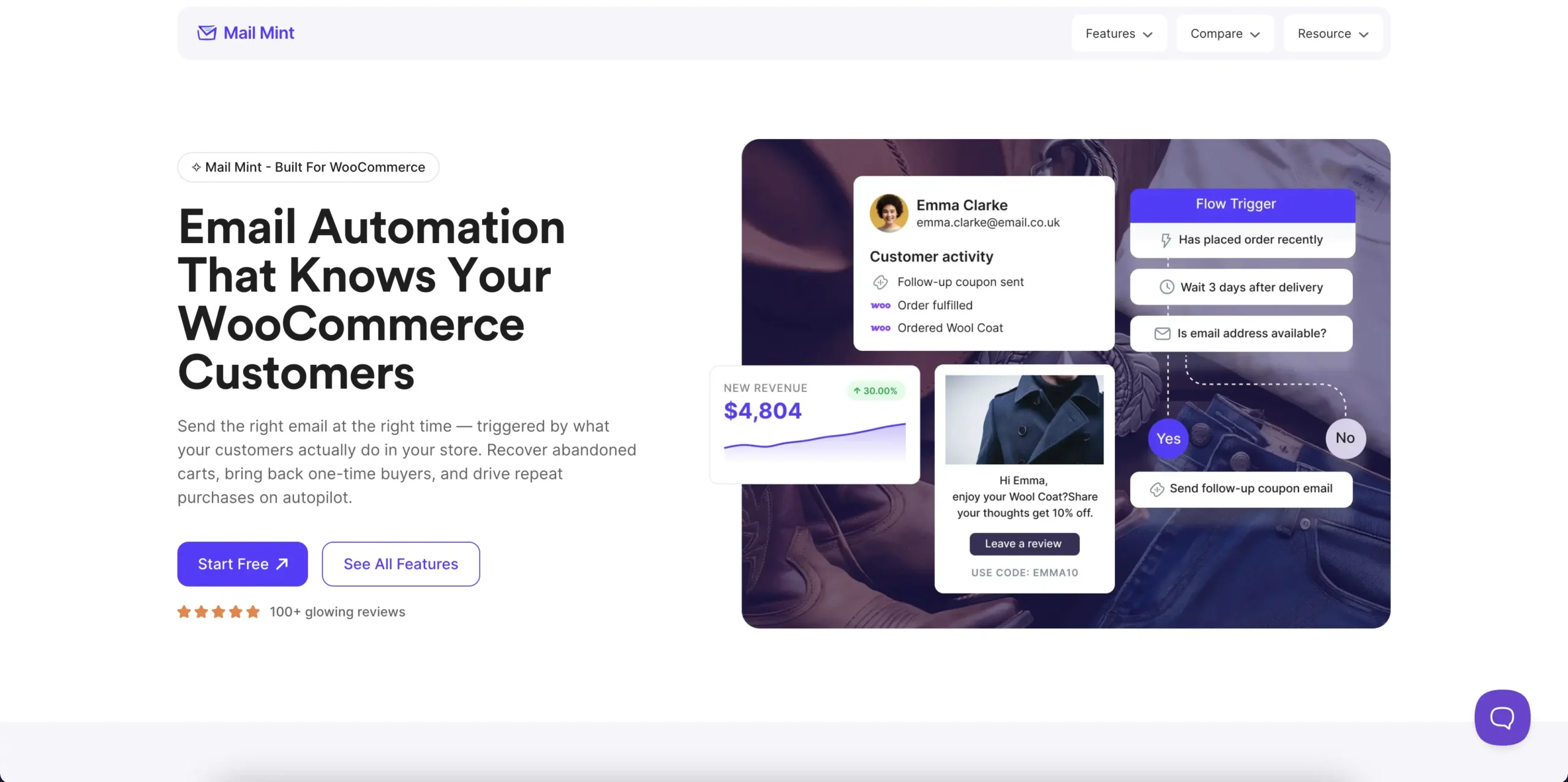
Mail Mint is an email marketing automation plugin for WordPress and WooCommerce. It lets you manage your email marketing right from your WordPress dashboard.
You can create campaigns, set up automations, and send emails based on what your customers do. For example, you can welcome new subscribers, follow up after a purchase, recover abandoned carts, or send emails to customers who haven’t purchased in a while. Everything stays in one place, so you don’t have to keep switching between different tools.
Mail Mint also comes with an AI Email Engine that can handle much of the work for you. Give it a simple prompt and it can create a campaign or automation, write your email copy and subject lines, look at your audience data, and set up A/B tests. You can start with an idea and let the AI help turn it into an actual email marketing campaign.
Key features:
- Email campaigns: Create newsletters, promotions, follow-ups, product emails, and more with a drag-and-drop email builder.
- Email automation: Build visual workflows that respond to customer actions and other triggers.
- AI Email Engine: Create campaigns and automations, write copy, analyze audience data, and set up A/B tests with simple prompts.
- WooCommerce marketing: Promote products, send post-purchase emails, recover abandoned carts, and automate emails around customer and order activity.
- Lead capture and segmentation: Collect leads with built-in forms and organize contacts with lists, tags, and segments.
- Self-hosted: Keep your contacts and campaign data on your own WordPress server instead of sending them to a separate email marketing platform.
- Email analytics: Track opens, clicks, bounces, unsubscribes, lead growth, and campaign performance.
Mail Mint has a free version with unlimited contacts, so you can try it out and start building your email marketing without committing to another paid email platform.
Pro Tip: Start with one holiday automation. Give AI Email Engine a simple prompt, review what it builds, test it, and launch it. Once you’re happy with it, move on to the next campaign.
2. Mailchimp
Mailchimp is a well-known email marketing platform that helps businesses create campaigns, automate emails, manage audiences, and track campaign performance. It also supports ecommerce marketing through its WooCommerce integration.
With Mailchimp, you can create targeted email campaigns, build automation workflows, segment your audience, and track how your campaigns perform. It also offers a range of integrations, making it useful for businesses that use multiple marketing and ecommerce tools.
For WooCommerce users, Mailchimp connects with your store through an integration, while Mail Mint runs directly inside WordPress. Both can be used for WooCommerce email marketing, but they take a different approach to how you manage your email marketing setup.
Mailchimp’s core features:
- Customizable email templates
- Automation workflows
- Audience segmentation
- Campaign analytics and reporting
- Third-party integrations
3. Brevo
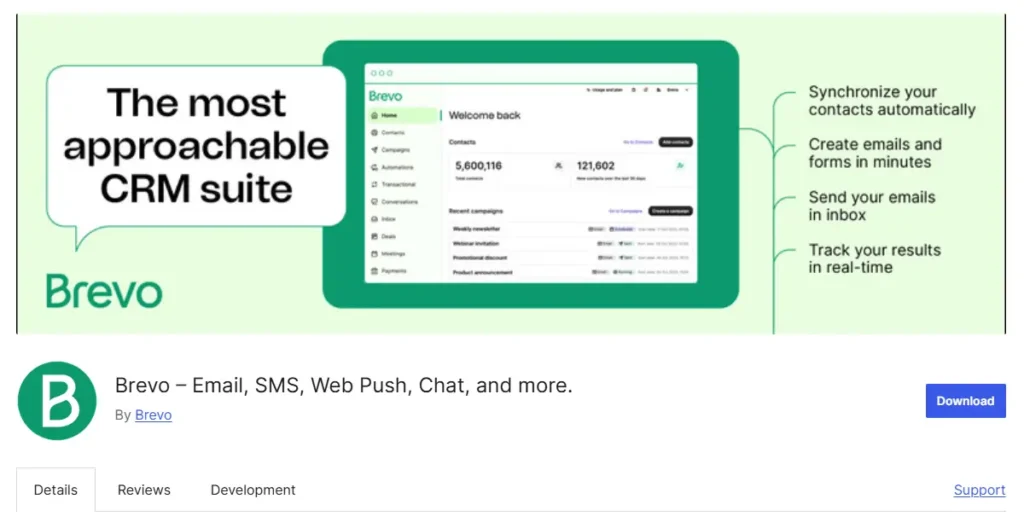
If email is only one part of your customer communication, Brevo gives you more channels to work with from the same platform.
Brevo combines email marketing with SMS, WhatsApp, and transactional messaging, alongside contact management and marketing automation. You can create campaigns, build automated workflows, segment contacts, and track how your campaigns perform.
For WooCommerce stores, Brevo also connects with your store so you can use customer and order data in your marketing. It’s a good option if you want your email marketing platform to handle customer communication across multiple channels.
What you get with Brevo:
- Email campaigns with customizable templates
- Marketing automation workflows
- Contact management and segmentation
- SMS and WhatsApp campaigns
- Transactional email
- Campaign analytics and reporting
- WooCommerce integration
The deciding factor isn’t which of these three has the longest feature list. It’s whether the automation triggers you build run off your store’s real, current order and cart data, or off a periodic sync that can lag behind what’s actually happening in your store. That gap is small most of the year and much bigger during a high-volume week like Black Friday, which is exactly when you need the trigger to be accurate.
Which Automation to Build First
Your first sale date should decide where you start. If you still have four or more weeks, use that time to prepare the order-history segments needed for gift recommendations or VIP early access.
If Black Friday is only one to three weeks away, go with a trigger-based automation like abandoned cart recovery or a repeat-buyer coupon. And if you’re already less than a week away, keep it simple and use the last-minute FOMO offer.
| Time before your first sale | Build this first | Why |
|---|---|---|
| 4+ weeks out | Gift recommendation segments (#1) and VIP early access (#4) | Both need clean order-history segmentation, so give yourself more time to set them up properly. |
| 1–3 weeks out | Abandoned cart recovery (#3) and repeat-buyer coupon (#2) | These are more trigger-based, so you can get them running with less preparation. |
| Under a week out | Last-minute FOMO bump (#6) | It has the simplest setup and is built specifically for a short, time-sensitive offer. |
Design and Timing Still Matter, They’re Just Not the Missing Piece
Your holiday emails still need good design and the right timing. Festive visuals can help your email feel right for the season, and testing different send times can help you find when your customers are more likely to engage.
The point is not to ignore these things. They still matter. It’s just that spending hours perfecting the design won’t fix an email that is being sent at the wrong time or as part of a poorly timed campaign.
Get the automation running first. Then spend your time making the emails look good and adjusting when they go out.
Remember: Design and timing can improve a good holiday email, but they can’t replace a good automation.
Final Takeaway: Good Holiday Emails Are About Relevance, Not Sending More
If you take one thing from this guide, let it be this: a good holiday newsletter idea is only the starting point. What matters is how you use it.
- When you recommend products based on what a customer bought before, you’re giving them something more relevant than a generic gift guide.
- When you send an abandoned cart email around a real shipping deadline, you’re giving the customer a useful reason to come back instead of sending another reminder.
- When you give your best customers early access based on their order history or spending, you’re making the offer feel like it was meant for them.
That’s the difference between sending a holiday email and sending one that actually makes sense for the customer.
You don’t need to use all six ideas from this guide. Start with one or two that fit your store, set up the right trigger and condition, and test them before the holiday rush begins.
Once you find what works, you can build on it with the other ideas.
And if you want to make the setup easier, Mail Mint lets you build your WooCommerce email campaigns and automations right inside WordPress. Its AI Email Engine can also help you create the campaign or automation, write the copy, and get everything ready from a simple prompt.
Now, go ahead. Pick one holiday newsletter idea, set it up, test it, and see how your customers respond.
Frequently Asked Questions (FAQs)
What should I include in a holiday newsletter?
Keep it simple: a clear offer or reason to open, a relevant product recommendation, and one CTA. If you can, make the recommendation based on something the customer has already done, such as a past purchase, an abandoned cart, or a product category they showed interest in. This is more useful than sending the same product list to your entire email list.
How is a holiday newsletter different from a regular newsletter?
The main difference is urgency and volume. You’ll usually send more emails within a shorter period, and things like Black Friday offers and shipping deadlines give you more reasons to create urgency.
Other than that, the basic approach stays the same. Your emails should still be relevant to your customers and based on what they actually do.
How do I automate holiday emails in WooCommerce?
Use a WooCommerce-native email tool that can use your store’s order and cart data. Then create automations based on specific triggers, such as an abandoned cart, a purchase in a certain category, or a customer reaching a certain spend, instead of sending the same email to everyone on a fixed date.
When should I start sending holiday newsletters?
Early November is a good time to start with teasers and early-access emails. Then you can move into your main promotions around Black Friday and Cyber Monday, followed by last-minute shipping messages in mid-December.
If you’re setting up automations, give the ones that need customer segments more time. Gift recommendations and VIP early access need more preparation than trigger-based emails like abandoned cart recovery or last-minute offers.
Can small WooCommerce stores realistically automate holiday emails without a big martech budget?
Yes. You don’t need an expensive marketing setup to automate holiday emails. A WooCommerce email tool like Mail Mint is usually enough. You can start with a few simple automations and use the free plan before investing in a paid tool.