
Running a WordPress site may often come with several challenges. And one challenge you will readily hear about is managing emails — and most people handle it with external SaaS email clients.
You will find several WordPress email plugins, but most users are still skeptical because of the norm established out there: SaaS email platforms are more reliable.
But things have changed now. WordPress plugins are no longer just small add-ons. You will now find several email plugins out there that, to your surprise, can actually do better than any SaaS tool.
So, the question you will mainly revolve around is… can you trust it?
Can you trust a WordPress email plugin to actually handle managing customer email lists, your automated follow-ups, and your email marketing campaigns without any hiccups?
I’d like to say yes, but you won’t just believe that statement, right?
Instead, let me break it down to you, and then you decide.
Why Mailchimp Or Klaviyo Feels Safe Even When You’re Not Sure It’s Working

There’s a reason you’re still biased towards using Mailchimp or similar SaaS email tools.
You can’t say that they don’t have hiccups. Many people have already reported serious difficulties with the tools around automation, personalization, cost, etc.
But what you mainly fear is the risk of issues when switching.
Your current setup works well enough. Not perfectly… but well enough that you’re not willing to risk disrupting it for something untested. And underneath that is a belief most people never say out loud: WordPress plugins are the cheaper, less capable option. The SaaS tools are the real thing. You’ve absorbed that idea from everywhere, and it’s never really been challenged.
You’ve had the moment. You looked at an abandoned cart recovery rate and thought: That number should be higher. Or a campaign came back flat, and you weren’t sure if the segmentation was actually working…or just working on stale data. You didn’t dig into it. You moved on. Because at least you knew where to look if things got bad enough.
But you continued using it because at least you know where to look when something feels off.
So let me ask you a quick question.
That reliability you associate with SaaS tools such as Mailchimp… where does it actually come from?
It’s not money, because WordPress email plugins cost way less.
It cannot be a technical concern because WordPress email plugins have now evolved into having a more easy or similar UI to that of Mailchimp and other SaaS tools.
The only big advantage you get with them is that they have a proven track record… a reputation as a brand which you know at least will have the core functionalities correct.
When evaluating software options, platforms like G2, Capterra, and Techimply can help businesses research different tools, compare their features, and make a more informed decision before switching.
While this is very important, why do you think they still have several negative reviews?
Believe me, SaaS email clients also have their own quiet failure points.
Automations fire late because of sync delays. Segments run on yesterday’s data. A cart event doesn’t trigger because the connection between your store and Mailchimp dropped for thirty seconds at 2 am and nobody noticed.
And you might not even realize their impact until you start getting lower numbers than you expected, although I will admit, the errors don’t happen too frequently.
Nonetheless, you are simply feeling their reliability because these issues never come to your attention. In the case of a WordPress plugin, you are self-hosting it, so the issues are more apparent when they happen.
But then again, the frequency is pretty much similar.
The bottom line: you are afraid of switching because you are not sure if they are as capable as SaaS email tools. This is a common concern among businesses that have relied on SaaS email marketing platforms for years.
So let’s actually look at how they compare — feature by feature, cost by cost.
Comparison: WordPress Email Plugin vs SaaS Email Client
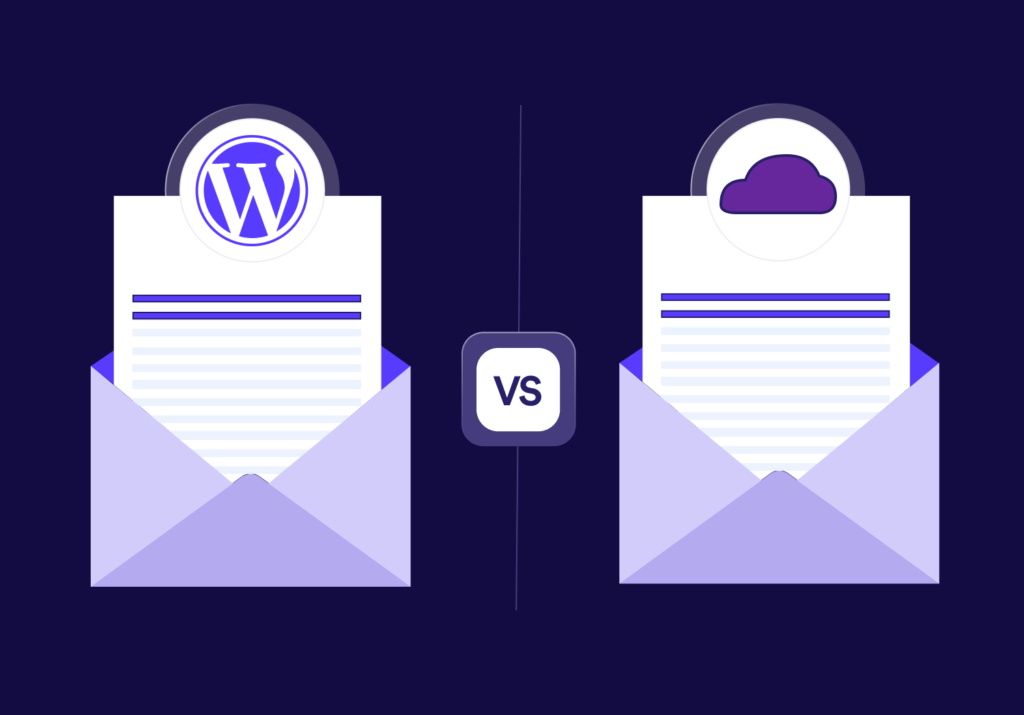
For this comparison, I will take one reliable WordPress email plugin and one reliable SaaS email tool.
So we will do a head-to-head comparison on the following:
Mail Mint vs Mailchimp
And we will compare based on your core email marketing needs, their reliability, and the cost.
Core Email Marketing Features
Let’s start with what you actually do every day. Sending broadcasts, building automations, segmenting your list, and personalizing emails. These are fundamental email marketing activities regardless of the platform you use.
Mailchimp gives you a drag-and-drop builder, pre-built journeys, behavioral targeting, and A/B testing. Many marketers also use dynamic email content to personalize messages based on subscriber behavior. The interface is polished. The templates are clean. There’s no argument there.
But here’s the thing most people miss. Mail Mint has the same building blocks — visual builder, automation workflows, conditional logic, segmentation, A/B testing. Not a stripped-down version. The same thing. The gap you’re imagining isn’t there.
Where it gets interesting is the WooCommerce side. If you’re running a store, Mail Mint has native triggers for things like “purchased product X,” “abandoned cart,” “spent more than $Y,” or “hasn’t ordered in 60 days” — without needing a connector. Mailchimp requires its WooCommerce integration plugin to pipe that data over, which is exactly where the sync delays I mentioned earlier come from.
Reliability and Deliverability
Here’s the part that actually matters — and almost nobody talks about it correctly.
When you send through Mailchimp, your emails go out from Mailchimp’s shared sending infrastructure. When you send through a self-hosted plugin, you connect it to a sending service like Amazon SES, SendGrid, Postmark, or Mailgun. That service handles deliverability — not the plugin itself.
So the real comparison isn’t “Mail Mint vs Mailchimp deliverability.” It’s “Mailchimp’s IPs vs Amazon SES’s IPs” (or whichever service you choose).
And the data on that is public. Amazon SES is used by huge senders and consistently posts strong inbox placement. The most recent Email Tool Tester deliverability study placed Amazon SES at the top of their tested ESPs with a 95.6% inbox rate, ahead of most popular SaaS marketing platforms (Email Tool Tester, 2025).
Translation: when you self-host Mail Mint and send through SES, your emails are going through the same kind of pipes the big SaaS tools rent themselves.
The “reliability” gap, in terms of whether your email actually lands in the inbox, doesn’t really exist.
Cost
Mailchimp’s Standard plan starts at $20/month for 500 contacts and scales up sharply as your list grows. At 10,000 contacts, you’re looking at roughly $135/month on the Standard plan, and at 50,000 contacts, you’re well over $350/month — and that’s before you hit any of the higher tiers (Mailchimp Pricing).
Now compare that to a self-hosted setup with a WordPress email plugin. You pay an annual license (Mail Mint’s paid plan is in the low hundreds per year) plus your sending service. Amazon SES charges $0.10 per 1,000 emails sent (AWS SES Pricing).
Run the math on a 10,000-contact list sending one weekly campaign:
- Mailchimp: ~$135 × 12 = $1,620 per year
- Mail Mint + Amazon SES: license (~$129) + sending (~10,000 emails × 4 weeks × 12 months × $0.0001) = roughly $180 per year
That’s not a small difference. That’s a 9x gap, and it widens as your list grows because plugin pricing doesn’t scale by contact count.
Data Ownership
One last thing that doesn’t show up on a feature comparison page.
When your list lives inside Mailchimp, you’re a tenant. Your subscribers, their behavior history, your campaign analytics — they’re all in someone else’s database. If your account ever gets flagged (which happens more than you’d think — Mailchimp’s own acceptable use policy gives them broad latitude to suspend accounts, and there are years of forum posts from users who got locked out without warning), your list goes with it.
When it lives in your WordPress database, it’s just… yours. Backed up wherever you back up your site.
That’s not a feature. It’s a structural difference.
If You Have Everything In WordPress, Why Send Data Out To An External Platform?
Take a step back and look at where your customer data actually lives.
If you’re running a WooCommerce store, every order, every product view, every cart event, every customer profile — it’s all sitting in your WordPress database right now. Your forms? Probably Gravity Forms, Fluent Forms, or Contact Form 7, all storing entries in WordPress. Your membership data? Same place. Your CRM? If you’re using FluentCRM or similar, also right there.
Now, when you connect Mailchimp, what you’re doing is taking that data, copying it through an API, reformatting it, and parking a duplicate in Mailchimp’s cloud. Then every time something changes — a customer buys, abandons a cart, updates their address — you’re syncing that change across two systems.
That’s where things break.
The WooCommerce documentation itself notes that the Mailchimp for WooCommerce integration depends on a one-way data sync, and that delays, partial syncs, and event mismatches are a known source of issues users have to troubleshoot (WooCommerce/Mailchimp integration docs).
A WordPress email plugin reads from the same database your store already writes to. There’s no sync. There’s no delay. There’s no API rate limit. When a customer abandons a cart at 3:14 PM, the automation can fire at 3:15 PM because the data is already there.
This isn’t a marketing line. It’s a different architecture.
And once you see it, the question flips. It stops being “is the WordPress plugin good enough to replace Mailchimp?” and starts being “why am I exporting data out of my own site to a third party that then sells it back to me as a service?”
Top 5 Reliable WordPress Email Plugins You Can Migrate To Without Any Risk

If you’re ready to test the water, here are five plugins that have a strong enough track record to migrate to without holding your breath.
- Mail Mint — Built specifically for WordPress and WooCommerce, with a visual automation builder, native eCommerce triggers, and an interface that’s deliberately close to what Mailchimp users are already used to. The smoothest landing if you’re switching.
- FluentCRM — A self-hosted email marketing automation plugin that doubles as a lightweight CRM. Strong with contact segmentation, tags, and deep WooCommerce/LMS integrations. Popular with course creators and membership site owners.
- MailPoet — One of the oldest and most established names in the space, now owned by Automattic (the company behind WordPress.com and WooCommerce). Comes with its own sending service if you don’t want to set up SES yourself.
- Newsletter — A long-running free plugin with a paid add-on ecosystem. Less polished UI than the others, but reliable for straightforward broadcast sending and basic automation.
- Groundhogg — Marketing automation focused. Heavier feature set with funnels, SMS add-ons, and a developer-friendly architecture. Better suited to users who want to build complex flows.
Any of these will get you out of SaaS lock-in. Which one fits depends on what you’re optimizing for: ease of switching (Mail Mint), CRM depth (FluentCRM), turnkey sending (MailPoet), simplicity (Newsletter), or automation depth (Groundhogg).
Frequently Asked Questions
1. Will my deliverability drop if I switch from Mailchimp to a WordPress email plugin?
Not if you connect a proper sending service like Amazon SES, SendGrid, or Postmark. Deliverability comes from the sending IPs and domain authentication, not from the platform’s marketing UI. SES in particular has been independently tested at 95.6% inbox placement, which is at or above most SaaS marketing platforms.
2. Is migrating my list complicated?
Most reliable WordPress email plugins accept a CSV export from Mailchimp directly, including tags and merge fields. The bigger lift is rebuilding your automations, but if you only have a handful of core flows (welcome series, abandoned cart, post-purchase), you can rebuild them in an afternoon.
3. What about GDPR and compliance?
Self-hosting actually simplifies this. Your subscriber data never leaves your server, so you skip the data processing agreements, sub-processor lists, and cross-border transfer concerns that come with US-based SaaS tools. You’re still responsible for consent records and unsubscribe handling — but those are features every reliable plugin includes.
4. Won’t my WordPress site slow down if I’m sending emails from it?
Sending happens in the background through cron jobs or a proper queue, and the actual delivery is offloaded to your sending service (SES, etc.). The plugin is just queuing and tracking. On any decent host, you won’t notice a difference.
5. What if the plugin company goes out of business?
This is actually the inverse of the SaaS risk. If your plugin developer disappears, your data, your list, and your site keep running. You just stop getting updates. Compare that to a SaaS shutdown, which means losing access to everything at once.
6. Can I keep using Mailchimp for some things and a plugin for others?
You can, but you usually shouldn’t. Splitting your list across two systems recreates the exact sync problems you’re trying to escape. Pick a lane.
Try Mail Mint Free Today
If you’ve read this far, you’re not debating features anymore. You’re deciding if it’s worth the cost, the data drift, and the lock-in.
Install Mail Mint and test it on a small segment. Run one campaign alongside your current setup.
Compare the results. Then decide.