
Normally, when you decide to build a sales funnel, what’s the first thing you do?
You start planning how you want your customers to move through the funnel, and then you think:
- Which pages do you need?
- What offers should you include?
- What should happen after someone completes a purchase?
Once you have the answers, the next step is figuring out how everything fits together.
And that’s exactly what funnel mapping is all about.
It lets you lay out your entire funnel visually before you start building. Once everything is in front of you, it’s much easier to see how the funnel flows, make changes, and avoid second-guessing yourself later.
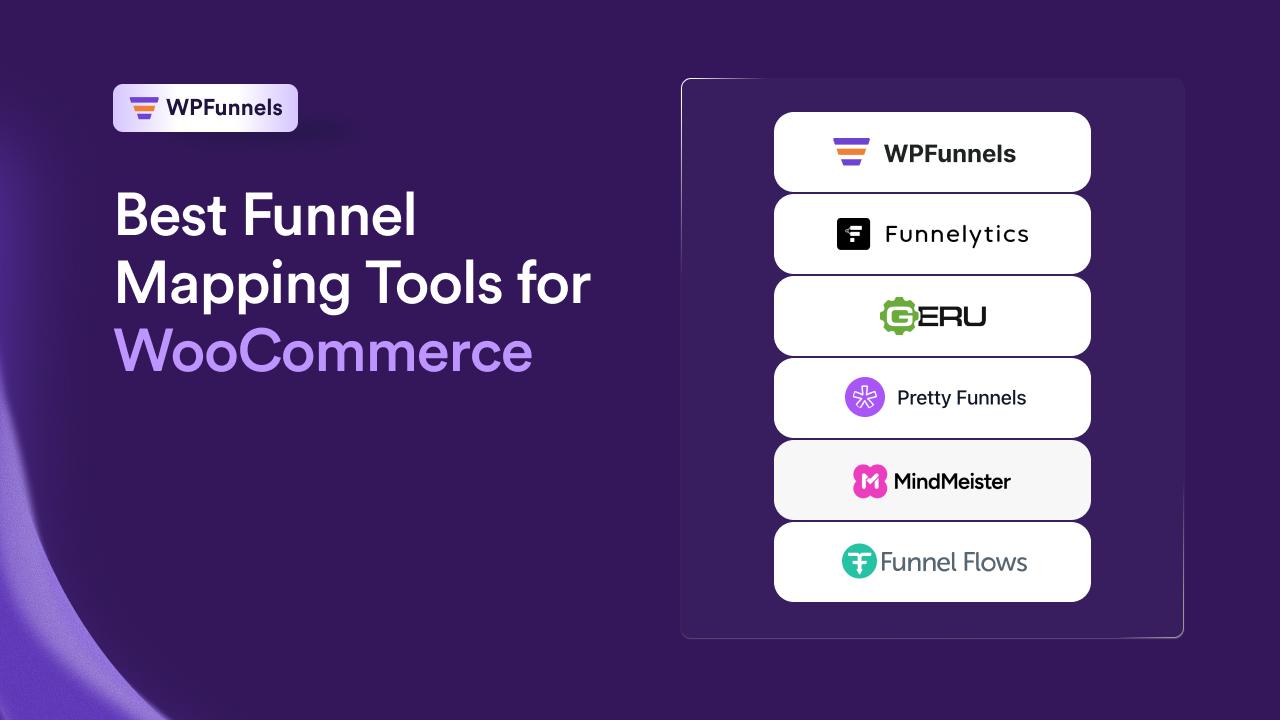
In this guide, you’ll find 7 of the best funnel mapping tools for WooCommerce. Some are great for planning, while others let you build the funnel from the same visual map.
By the end of this guide, you’ll know:
- What funnel mapping is and why it matters.
- The best funnel mapping tools available today.
- Which tool is the right fit for your workflow.
So let’s begin.
Find the Best Funnel Mapping Tool for Your Workflow in 30 Seconds
The best tool depends on what you’re trying to accomplish. Use this comparison table to identify the right option based on your workflow, from brainstorming funnel ideas to building live WooCommerce funnels.
| If you… | The best tool is… | Why it’s the best choice |
|---|---|---|
| Use WooCommerce and want the map to become the funnel | WPFunnels | Map and build on the same canvas |
| Want the best-known mapping tool with forecasting built in | Funnelytics | Visualization and revenue projection together |
| Need to see projected revenue before building anything | Geru | Runs the numbers as you edit |
| Want a free, simple visual map | Pretty Funnels | Drag, connect, done |
| Want funnel-specific pieces ready to drag in, nothing extra | Funnel Flows | 200+ marketing elements built in |
| Need team collaboration and client sign-off | MarketPlan | Comments, chat, and planning together |
| Already use mind maps for everything else | MindMeister | Familiar workflow, no new tool to learn |
Now that you’ve narrowed down your options, the next step is figuring out which tool actually fits the way you work.
How to Choose the Right Funnel Mapping Tool
Before comparing any of the feature lists, ask yourself these questions. Your answers will quickly point you toward the tool that’s the best fit for your workflow.
- First, is the funnel you’re planning actually going to live inside WooCommerce, or is it something else entirely, a lead magnet, a webinar, a funnel on a different platform? That single answer eliminates half this list immediately.
- Second, do you want the map to become the live checkout and offer pages once you’re done, or is a diagram enough for now, something you’ll hand off to a builder later? Most store owners assume every mapping tool works the same way here. Almost none of them do.
- Third, is anyone besides you looking at this map? A solo store owner sketching a launch funnel needs something completely different from an agency that needs a client’s sign-off before a page gets built.
- And fourth, do you need to know the projected revenue before committing to a build, or is getting the sequence right, what comes first, what comes after, what happens on a decline, the actual thing you’re solving today?
Once you’ve got honest answers to those four, the seven tools below stop looking like similar options and start looking like one clear pick.
With that in mind, let’s take a closer look at each tool, where it excels, where it falls short, and who it’s best suited for.
Top 7 WooCommerce Funnel Mapping Tools To Plan (and Build) Better Funnels
Now, let’s go through each one. I’ll be clear on what each tool is actually built for, so you know right away whether it fits.
1. WPFunnels – Visualized Funnel Mapper & Builder In WordPress

WPFunnels is a WordPress plugin built for WooCommerce. It brings funnel mapping and funnel building into the same workspace, so you can arrange your landing page, checkout, order bump, upsell, downsell, and thank-you page on a visual canvas.
Every step you add becomes part of a live funnel inside your WordPress site, so there’s no exporting or rebuilding before launch.
The canvas stays useful as your funnel grows. You can rearrange steps, add new offers, and build the entire customer journey from one place.
Once the structure is ready, WPFunnels gives you the tools to optimize it with a custom checkout, conditional offers, analytics, and A/B testing.
Types Of Mapping Possible With WPFunnels:
- Full purchase journeys, from landing page through post-purchase upsell
- Conditional funnels based on cart contents, so different buyers see different offers (Pro)
- Order bump, one-click upsell, and downsell sequencing, all mapped in one flow
- A/B split testing on any mapped step, before you commit traffic to either version
Key features with use case and outcome of WPFunnels (high impact):
- Storewide Checkout: Replace the default WooCommerce checkout with an optimized, distraction-free page designed to reduce cart abandonment.
- Order Bumps & One-Click Upsells: Add relevant order bumps and post-purchase one-click upsell offers to increase average order value.
- Conditional Funnels: Show dynamic offers based on cart contents, product, or cart total for a more personalized buyer journey.
- Visual Funnel Canvas: Plan and build every funnel step visually and customize the pages however you want.
- A/B Testing & Analytics: Track conversion, revenue, and AOV per step, and split-test offers to optimize performance.
- Integrations: Works with Gutenberg, Elementor, Divi, Bricks, and Oxygen, plus Mail Mint for email automation.
Pros of WPFunnels
- Built natively for WooCommerce with no coding required
- Cost-effective alternative to standalone SaaS funnel platforms
- Focused feature set for increasing average order value
Cons of WPFunnels
- Requires WordPress and WooCommerce to run
- Free version is limited to funnel and offer count
- Advanced features like A/B testing and conditional funnels require a premium plan
Best for:
- WooCommerce store owners who want to plan and launch a funnel without switching tools halfway through
- Stores running a separate sales campaign that needs its own funnel, apart from the main store
- Anyone told by another plugin that post-purchase upsells “don’t work with my gateway”
WPFunnels Pricing: Free plan available. Pro starts at $10.85/month billed yearly, with paid plans ranging from $129.99 to $599.99 a year.
Bottom Line: If your funnel lives on WooCommerce, this is the only tool on the list where planning it and launching it are the same afternoon’s work.
Time needed to map and launch a funnel using WPFunnels: Around 20 to 30 minutes for a simple funnel, since mapping and building happen in the same step.
Now, if you’re not ready to build yet and just need to see the shape of an idea first, here’s where a dedicated sketch-only tool earns its place.
2. Funnelytics – Funnel Planning & Tracking Tool

Funnelytics gives you one of the cleanest canvases in this category, plus the ability to forecast conversions, revenue, and profit against the funnel you’ve mapped. The free plan hands you the full canvas, and paid tiers add the forecasting layer.
Key features with use case and outcome of Funnelytics (high impact):
- Funnel-specific elements pre-built: drag in a landing page or ad icon instead of drawing one from scratch, so mapping a full journey takes minutes, not an hour
- Forecasting on real data: feed in your actual conversion numbers, so you know roughly what a funnel’s worth before you spend time building it
- CRM and analytics imports: pull in Google Analytics or CRM data, so the forecast isn’t built on guesses
Pros of Funnelytics
- One of the most intuitive canvases available
- Free plan is the complete mapping tool, not a stripped teaser
- Forecasts hold up well once real numbers go in
Cons of Funnelytics
- Nothing you draw here becomes a working page
- Paid tiers now require an application instead of a simple signup
- Not built with WooCommerce checkout mechanics in mind specifically
Best for: Marketers who want the sketch and the forecast in the same place, and are comfortable building the live version somewhere else afterward.
Funnelytics Pricing: Free. Paid plans priced after a demo application.
Bottom Line: Good if you want the map and the forecast together, and you’re fine treating the build as a separate project.
If forecasting matters to you but you’d rather test scenarios against each other before committing, here’s the tool built specifically for that.
3. Geru – Funnel Planner With Performance Forecasting

Geru answers one question before anything else gets built: is this funnel actually going to make money?
Its Logic Engine recalculates projected revenue and ROI the moment you adjust a price, a conversion estimate, or an offer’s position on the map, so you can hold two or three versions of the same funnel side by side and see which sequence wins on paper before either one exists live.
Key features with use case and outcome of Geru (high impact):
- Logic Engine forecasting: test whether a funnel idea is even profitable, so you don’t spend a week building something the numbers never supported
- Scenario comparison: run two versions of the same funnel side by side, so you pick the sequence with better projected numbers, not just the one you liked drawing
- 30+ pre-built blueprints: start from a proven structure instead of a blank canvas, so you’re adapting, not inventing
Pros of Geru
- The most thorough revenue and ROI forecasting on this list
- One-time fee instead of a subscription
- Blueprint library saves real setup time
Cons of Geru
- No free plan and no trial, so there’s no testing before you buy
- The interface feels noticeably older than its competitors
- Still just a planning tool, no path from map to live page
Geru Pricing: One-time fee. $67 for Standard, $164 for Pro.
Bottom Line: Best pick if you want the numbers settled before you build, and you’re comfortable paying once without testing first.
If you’re still exploring ideas, a forecasting engine can feel like overkill. The next tool keeps things simple and focuses on visualizing your funnel before you start building.
4. Pretty Funnels – Free Funnel Visualizer

Pretty Funnels focuses on the planning stage. Open the canvas, arrange each funnel step, connect them in order, and add rough traffic or conversion estimates to visualize how the funnel might perform.
It’s lightweight, easy to pick up, and works well when you’re still exploring ideas before choosing a platform.
Key Features of Pretty Funnels
- Drag-and-drop canvas: Arrange funnel steps visually without drawing diagrams from scratch.
- Traffic and conversion estimates: Add projected numbers to get a rough picture of potential funnel performance.
Pros of Pretty Funnels
- Genuinely free, no paid tier waiting to catch you later
- Nothing to learn before you start
Cons of Pretty Funnels
- No build step of any kind
- Barely any templates to start from
Best For
- Marketers sketching their first funnel
- Anyone comparing funnel ideas before building
- Businesses that haven’t chosen a funnel platform yet
Pretty Funnels Pricing: Free.
Bottom Line: Pretty Funnels is a good starting point when your goal is to organize ideas rather than build a working funnel. Once the flow is finalized, you’ll need another tool to turn it into live pages.
If you want that same simplicity but with funnel-shaped pieces already built in, here’s the next step up.
5. Funnel Flows – Visualizing Marketing Funnels

Funnel Flows is built for marketers who need to plan, present, and document complete marketing funnels.
Instead of drawing generic boxes and arrows, you build your strategy with more than 200 marketing-specific elements, including landing pages, emails, ads, popups, webinars, and traffic sources.
The result is a funnel map that’s much easier to understand and share with clients or teammates.
Key Features of Funnel Flows
- 200+ Marketing Elements: Create detailed funnel maps using pre-built marketing assets instead of generic shapes.
- Layered Funnel Flows: Add page content, ad strategy, email sequences, chatbot flows, and other supporting details to the same visual map.
- Template Library: Start from proven funnel frameworks, including lead generation, webinar, launch, onboarding, survey, and sales funnels.
- Custom Templates: Save your own funnel strategies and reuse them across future projects.
Pros of Funnel Flows
- Large library of marketing-specific elements
- Layered maps provide room for campaign details
- Includes ready-made funnel templates and reusable custom templates
Cons of Funnel Flows
- No live funnel building
- No forecasting or analytics
- Paid tool with no free plan
Pricing
- $47 one-time payment(limited-time offer)
Best For
- Marketing agencies documenting client strategies
- Teams presenting marketing funnels
- Businesses creating repeatable funnel frameworks
Bottom Line: Funnel Flows is a strong fit for marketers who need to visualize, document, and present complete marketing strategies. Once the plan is finalized, you’ll need another platform to build and launch the funnel.
If the map needs to be shown to someone other than you, a client or a team, here’s the tool built around that.
6. MarketPlan – Funnel Planning Tool for Agencies

MarketPlan combines funnel mapping, campaign forecasting, analytics, and team collaboration in a single workspace.
The visual canvas helps you plan the customer journey, while built-in comments, task management, and presentation tools make it easy to review ideas with teammates or clients before moving into production.
Key Features of MarketPlan
- Visual Funnel Mapping: Plan multi-step customer journeys with a drag-and-drop canvas.
- Campaign Forecasting: Estimate traffic, conversions, revenue, and ROI before launching campaigns.
- Live Campaign Analytics: Connect live pages to monitor campaign performance from the same workspace.
- Presentation & Collaboration: Share strategies, assign tasks, leave comments, and collect feedback without switching tools.
Pros of MarketPlan
- Combines planning, forecasting, collaboration, and analytics
- Built around agency workflows
- Includes presentation tools for client reviews
Cons of MarketPlan
- Doesn’t build live funnels
- Free access is limited to a 30-day trial
- Pricing increases based on plan and usage limits
Best For
- Marketing agencies
- Teams planning campaigns together
- Businesses that need client approval before development
MarketPlan Pricing:
- 30-day free trial
- Pro: $24/month (billed annually)
- Unlimited: $50/month (billed annually)
Bottom Line: MarketPlan works best when multiple people are involved in planning a funnel. It’s a strong option for agencies and teams that need forecasting, collaboration, and client presentations in the same workspace.
And last on this list, for teams that already plan everything in a completely different way.
7. MindMeister – Mind Mapping Tool for Funnel Mapping

MindMeister approaches funnel mapping from a different angle. Instead of funnel-specific blocks and templates, you organize each stage of the customer journey as a mind map.
It’s a practical option for brainstorming ideas, planning simple funnels, and collaborating with teammates before moving into a dedicated funnel builder.
Key Features of MindMeister
- Visual Mind Mapping: Build customer journeys with drag-and-drop branches and nodes.
- Real-Time Collaboration: Work on the same map with teammates and share feedback instantly.
- AI Assistance: Generate and expand mind maps with built-in AI.
- Presentation Mode: Turn your map into a presentation without recreating it elsewhere.
- Integrations: Connect with MeisterTask, Microsoft Teams, Google Workspace, and more.
- Templates & Exports: Start with templates or export maps for documentation and sharing.
Best for: Teams that already use MindMeister for other planning work and don’t want to introduce a new tool just for funnels.
Pros of MindMeister
- Clean interface that’s easy to learn
- Strong collaboration features
- AI-assisted brainstorming
- Presentation mode for stakeholder reviews
Cons of MindMeister
- Tree-based layout isn’t ideal for complex, multi-path funnels
- No funnel-specific elements or conditional logic
- Free plan is limited to three active mind maps
- File attachments are limited on lower-tier plans
Best For
- Teams already using MindMeister
- Marketing strategy sessions
- Early-stage funnel planning
MindMeister Pricing:
- Free
- Personal: $3.50/user/month
- Pro: $5.50/user/month
- Business: $8.50/user/month (billed annually)
Bottom Line: MindMeister works best when funnel mapping starts as a brainstorming exercise. It’s a comfortable choice for teams already using mind maps, but dedicated funnel mapping tools offer more flexibility once customer journeys become more complex.
That’s all seven, in the order that reflects how most store owners would actually move through this decision. Here’s how they stack up side by side.
Feature Limits Comparison Table
Reading each tool one by one is useful, but you’ll want to see them side by side before you commit. Here’s the feature breakdown.
| Tool | WooCommerce-native | Maps and builds | Forecasting | Collaboration | Templates |
|---|---|---|---|---|---|
| WPFunnels | Yes | Yes | Partial (Pro) | Limited | Yes |
| Funnelytics | No | No | Yes | No | Yes |
| Geru | No | No | Yes | No | Yes (30+) |
| Pretty Funnels | No | No | No | No | No |
| Funnel Flows | No | No | No | No | Yes |
| MarketPlan | No | No | Yes | Yes | Some |
| MindMeister | No | No | No | Yes | No |
Features tell you what each tool can do. What you’ll actually pay is the next thing worth lining up before you decide.
Pricing Comparison
After comparing features, it’s worth looking at what each tool costs. Some are completely free, some require a subscription, and a few use one-time pricing.
| Tool | Starting Price | What You Get |
|---|---|---|
| WPFunnels | Free, Starter from $129.99/year | Visual funnel mapping, custom checkout, order bumps & one-click upsells |
| Funnelytics | Free, paid plans available on application | Funnel mapping with revenue forecasting |
| Geru | $67 one-time | Revenue and ROI forecasting |
| Pretty Funnels | Free | Basic visual funnel planning |
| Funnel Flows | $47 one-time | 200+ marketing elements and reusable templates |
| MarketPlan | 30-day free trial, Pro from $24/month (billed annually) | Mapping, forecasting, analytics, and collaboration |
| MindMeister | Free, Personal from $3.50/user/month (billed annually) | Collaborative mind mapping with AI and presentations |
Now that you’ve seen what each tool costs and what it actually does, here’s why mapping the funnel in the first place is worth more than most store owners give it credit for.
What Happens When You Skip Funnel Mapping
Most of the damage from skipping a real map doesn’t show up right away. It shows up two or three weeks later, in a report, after the money’s already gone.
The most common mistake is pricing two offers too close together.
An order bump and a post-purchase upsell sitting near the same price end up competing for the same decision instead of stacking on top of each other.
Caught on a map, that’s a two-minute reorder. Caught after launch, that’s rebuilding two live pages.
Right behind it is sequencing an upsell before any trust is built. A big ask before the customer’s even confirmed their first purchase reads as pushy, in a way the exact same offer wouldn’t if it showed up right after checkout, when the sale’s already locked in.
Then there’s the thank-you page nobody planned for, easy to forget when you’re building pages one at a time, easy to catch when it’s sitting right there on the canvas.
And the most expensive one of all sits at checkout itself. Across ecommerce, the average cart abandonment rate is 70.22%, according to Baymard Institute’s 2026 study of over 4,000 stores.
Most of that’s fixable friction, but you only catch it by looking closely at the checkout step, which is exactly what a map forces you to do before you’ve spent a dollar sending traffic toward it.
Bottom Line: Every one of these mistakes is cheap to fix while it’s still a box on a screen. All of them get expensive once the funnel’s live and taking orders.
Skipping the map costs you in mistakes. Here’s the actual difference between the map and the thing it’s supposed to become.
Funnel Mapping vs Funnel Building
| Funnel Mapping | Funnel Building | |
|---|---|---|
| What it is | The plan, laid out in order | The live pages a customer buys from |
| What you’re deciding | What offer goes where, and in what sequence | Design, copy, and technical setup of each page |
| Where mistakes get caught | Cheaply, before anything’s live | Expensively, after launch, once data shows the problem |
| Tools that do this | All 7 tools in this guide | WordPress, Shopify, or wherever your store lives |
| Tools that do both | WPFunnels only | N/A |
Once the map is right, the payoff isn’t abstract. Here’s what it actually looks like in your numbers.
How Mapping the Right Funnel Can Double Your Revenue
Say you sell a course through WooCommerce and LearnDash. You plan a funnel: opt-in page, tripwire offer, main course offer, an order bump for a workbook add-on, and a post-purchase upsell for a coaching call.
Sketch that out first, and you’ll likely notice something you’d have missed building it live.
The order bump and the upsell are both pitching add-ons around the same price, $27 for the workbook, $30 for a mini coaching session. They’re competing for the same decision instead of building on each other.
On the map, that’s a two-minute fix. Drop the workbook to a $9 order bump, easy yes at checkout, and raise the coaching call to $97 as the post-purchase upsell, positioned as the bigger step up once the sale’s already locked in.
Same two offers, reordered by price and placement, and now they stack instead of compete.
Skip the map, and you catch that same problem two weeks in, once your numbers show the order bump quietly cannibalizing the upsell.
Now you’re not moving two boxes around a canvas, you’re rebuilding two live pages and rewriting the copy on both.
That’s the whole case for mapping before you build. It’s not about the picture. It’s about catching the mistake while it still costs you nothing to fix.
If you want a faster way to work through that sequence before you even open a mapping tool, this next part helps.
Plan Your Funnel With AI
Before you touch a canvas, it helps to have the sequence worked out in plain language first. What each step is for, what offer sits where, what happens if the customer says no. That’s a thinking exercise, not a drawing one, so it’s worth handing to an AI assistant like Claude or ChatGPT before you open anything else.
Here’s a prompt you can try as-is:
Act as an experienced ecommerce conversion strategist specializing in WooCommerce sales funnels.

Help me plan a complete sales funnel before I build anything.

My business

• Product:
• Product price:
• Target audience:
• Main traffic source:
• Goal (lead generation, sales, course sales, bookings, subscriptions, etc.):

Build a funnel that includes:

1. Landing Page (or Opt-in Page)
2. Checkout
3. Order Bump
4. One-Click Upsell
5. Downsell (if appropriate)
6. Thank You Page
7. Follow-up Email Sequence

For every step explain:

• The purpose of this page
• The offer shown here
• Why it appears at this stage
• What action I want the visitor to take
• The biggest mistake people usually make on this step

After creating the funnel, review it like a CRO consultant.

Tell me:

• Does the order bump make sense?
• Is the upsell introduced too early or too late?
• Are any two offers competing with each other?
• Are the prices spaced far enough apart?
• Would changing the order increase the likelihood of additional purchases?
• Is there any missing step that would improve conversions?

Finally, score the funnel from 1–10 in these categories:

• Offer sequence
• Pricing progression
• Customer psychology
• Conversion potential
• Simplicity

Then suggest the three biggest improvements before I build it.
You’ll still open a mapping tool afterward. But now you’re arranging a sequence you’ve already stress-tested, instead of inventing the whole thing while you’re dragging boxes around a canvas.
Bottom Line
No single tool is the right fit for every business. The best choice depends on what you’re trying to accomplish.
If your funnel runs on WooCommerce, WPFunnels stands out by combining funnel mapping and funnel building in the same workflow. You can plan the customer journey, build each step, and launch everything without switching to another platform.
The other tools on this list solve different problems. Funnelytics and Geru focus on forecasting, MarketPlan is built around collaboration, Funnel Flows helps visualize marketing strategies, and MindMeister works well for brainstorming and early planning.
Choose the tool that matches your workflow, not just your budget. A funnel mapper should make planning easier, not add another step to the process.
Related read: 9 Best WooCommerce Upsell Plugins To Increase AOV In 2026, for more on where order bumps and upsells actually convert best.
Frequently Asked Questions
What’s the difference between a funnel mapping tool and a funnel builder?
A mapping tool draws the steps. A builder makes them live. WPFunnels is unusual because it does both from the same canvas, most tools on this list only do the first.
Are free funnel mapping tools good enough to launch a WooCommerce funnel with?
They’re good enough to plan with, not to launch with. Pretty Funnels, Funnelytics’ free tier, and MindMeister all give you a real sketch, but none of them publish a live WooCommerce page from it.
Which funnel mapping tool is best if you’re specifically on WooCommerce?
WPFunnels. It’s built for WooCommerce, and every mapped step becomes a real page in your store instead of a diagram you rebuild by hand.
Do you need forecasting features if you’re just getting started?
Not immediately. Tools like Geru and Funnelytics’ paid tiers earn their keep once you have real traffic and conversion data to feed them. Early on, a clear map with a defined offer at each stage matters more than a projection built on guesses.
Can you use a general tool like MindMeister instead of a dedicated funnel mapper?
Yes, plenty of teams do, especially if it’s already part of their workflow. You’ll just be building funnel-specific elements from generic shapes instead of pre-built ones.