
Mailchimp is genuinely great, but it is not always the right tool for your business. Over time, many businesses start exploring Mailchimp alternatives because of:
- rising pricing as lists grow
- complex automation setups
- feature overload
- confusing tier structures
- a shift toward a broader all-in-one ecosystem
For you, it might be just one of these. Or it might be a mix of all of them.
But if you are a WooCommerce store owner, this hits even harder. Your average margins are between 10% and 25%.
So if your store brings in $10,000 a month, you are likely keeping $1,000 to $2,500 after costs.
Now look at the numbers.
Mailchimp at 5,000 contacts costs $75 a month. That is $900 a year, or roughly 36% of your annual profit if you are running a store with a $2,500 monthly net margin.
That is a lot of money.
But even if cost is not your main concern, this is usually where things start to feel off.
You start noticing the friction in other ways. Automation takes longer than it should. Features feel heavier than helpful.
The platform starts doing more than you actually need, but not always what you expect.
That is usually the point where you begin looking for something that fits better.
If you are here, you are already thinking in the right direction. There are tools out there that cost less, do more, and work better for specific situations.
I went through 11 of them. By the end of this article, you will know exactly which one fits your situation. No guessing, no going back to Google.
Find your best Mailchimp alternative in 30 seconds
We know you might be short on time. Find your situation in the table below and jump straight to the right tool.
| Your situation | Best tool | Why It Beats Mailchimp |
|---|---|---|
| You’re on WordPress / WooCommerce | Mail Mint | Self-hosted, unlimited contacts — saves $821+ vs Mailchimp at 5k contacts |
| Your Mailchimp bill is getting too high | MailerLite or Brevo | Both cost 40–60% less than Mailchimp at equivalent list sizes |
| You need powerful automation (B2B / complex journeys) | ActiveCampaign | No automation step caps vs Mailchimp’s 4-step limit on lower plans |
| You run an online store (Shopify / WooCommerce) | Klaviyo | Revenue attribution and purchase-behavior triggers Mailchimp can’t match |
| You’re a creator or blogger | Kit (formerly ConvertKit) | Free up to 10,000 subscribers (with branding) — the most generous free limit for growing creators |
| You want everything in one platform (CRM + marketing) | HubSpot | Unlimited contacts free vs Mailchimp’s 250; connects email to revenue |
| You’re a complete beginner | Constant Contact | Live phone support on every plan vs Mailchimp’s support-gating by tier |
| You need transactional email deliverability | SendGrid | Dedicated transactional infrastructure that avoids the ‘Promotions’ tab filters that often catch standard marketing tools like Mailchimp |
| You want automation on a tight budget | Moosend | Full automation from $9/month vs Mailchimp’s $26.50 for 1,000 contacts |
| You need webinar + email in one tool | GetResponse | Built-in webinar hosting for up to 300 attendees — Mailchimp has no equivalent |
Want to skip the full reviews and go straight to side-by-side comparisons? Jump to the Full Feature Comparison Table or the Pricing Comparison Table at the bottom of this page.
Top 11 best Mailchimp Alternatives for Enhanced Email Marketing Efficiency
Let’s delve deeper into some leading Mailchimp alternatives, highlighting what makes each option stand out.
1. Mail Mint — Best for WordPress and WooCommerce Users

If your business runs on WordPress or WooCommerce and you’re looking to increase sales and repeat purchases with email marketing automation, Mail Mint is a strong Mailchimp alternative.
Mail Mint is built for WordPress, so you can manage your leads, create targeted email campaigns, set up automated workflows, capture new leads, and promote WooCommerce products without leaving your WordPress dashboard.
It also comes with an AI Email Assistant, called the AI Email Engine, which can create complete email campaigns and automation workflows for you.
The other thing that makes Mail Mint appealing is how it handles pricing. Your contact list can keep growing without your email marketing bill growing with it.
Mailchimp, on the other hand, gets more expensive as your contact list grows. At 5,000 contacts, it costs $75 a month, or $900 a year.
With Mail Mint, you pay $149.99 for the entire year, no matter how many contacts you have.
- 5,000 contacts: Save $750.01/year
- 10,000 contacts: Save $1,470.01/year
For a WooCommerce store running on a 15% net margin, that saving is real money. A $750 saving is roughly the profit from $5,000 in sales, which could go back into ads, inventory, or your pocket.
Mail Mint also keeps your contacts and campaign data on your own server.
For WooCommerce, you get tools for abandoned cart recovery, order-based automation, customer win-back campaigns, and product promotions.
How is it different from every other tool on this list
Most tools here are cloud platforms. You sign up, connect them to WordPress, and manage your email marketing from a separate platform.
Mail Mint works differently. It’s a self-hosted WordPress plugin, so your contacts and campaign data stay on your own server. You can manage your leads, campaigns, forms, and automation workflows right from your WordPress dashboard.
That also means you don’t have to worry about your email marketing costs growing just because your contact list does.
Mail Mint gives you unlimited contacts without the contact-based pricing you get with many SaaS email platforms
The WooCommerce advantage
Mail Mint is built to work closely with WooCommerce, so your store activity can be used to trigger email automation.
That means you can set up:
- Abandoned cart recovery that reads directly from WooCommerce order data, with no external API needed
- Order-triggered automations that fire based on what customers actually purchased
- Post-purchase sequences tied to specific products, categories, or order values
Mailchimp’s WooCommerce connection runs through a third-party plugin and syncs on a delay. Mail Mint reads your store data in real time because it lives in the same environment.
The WPFunnels integration — something no other tool offers
Every other email tool makes you build your funnel in one place and your emails in another, then hope they talk to each other correctly.
Mail Mint integrates directly with WPFunnels, which means you can build your funnel pages and set up your email automation on the same visual canvas. One platform, one workflow, no broken handoffs.
What you get with Mail Mint:
- Unlimited contacts on every plan — no exceptions, no tiers, no overage fees
- Drag and drop email builder with ready-made templates
- Visual automation canvas you can use without any coding knowledge
- Abandoned cart recovery that connects directly to WooCommerce order data
- Post-purchase and order-triggered automations based on what customers actually buy
- Sequences, segmentation, lead forms, analytics, and transactional emails are all included
- WPFunnels integration to plan funnels and email automation on one visual canvas
- AI writing assistant is built into the editor
- Your data stays on your own server, not stored on a third-party platform
Where Mail Mint beats Mailchimp directly:
- Price: $149.99 per year vs. $75 per month at 5,000 contacts. The savings are immediate and grow every year
- Contact limits: Mailchimp caps you per plan and charges overages. Mail Mint has no contact limits on any plan
- WooCommerce: Mailchimp’s WooCommerce integration is external and limited. Mail Mint is native and built in
- Data ownership: Your subscriber data stays on your server. With Mailchimp, it lives on theirs
- Funnel integration: No other email tool integrates with a funnel builder the way Mail Mint integrates with WPFunnels
What to know before you switch:
You’ll need to connect an SMTP service to send emails. SendGrid or Amazon SES are both good options and are inexpensive to run. Mail Mint is also WordPress-only, so if your site doesn’t run on WordPress, one of the other tools below may be a better fit.
Best for: WordPress site owners, WooCommerce store owners, and anyone running sales funnels on WordPress who wants their email marketing in the same place.
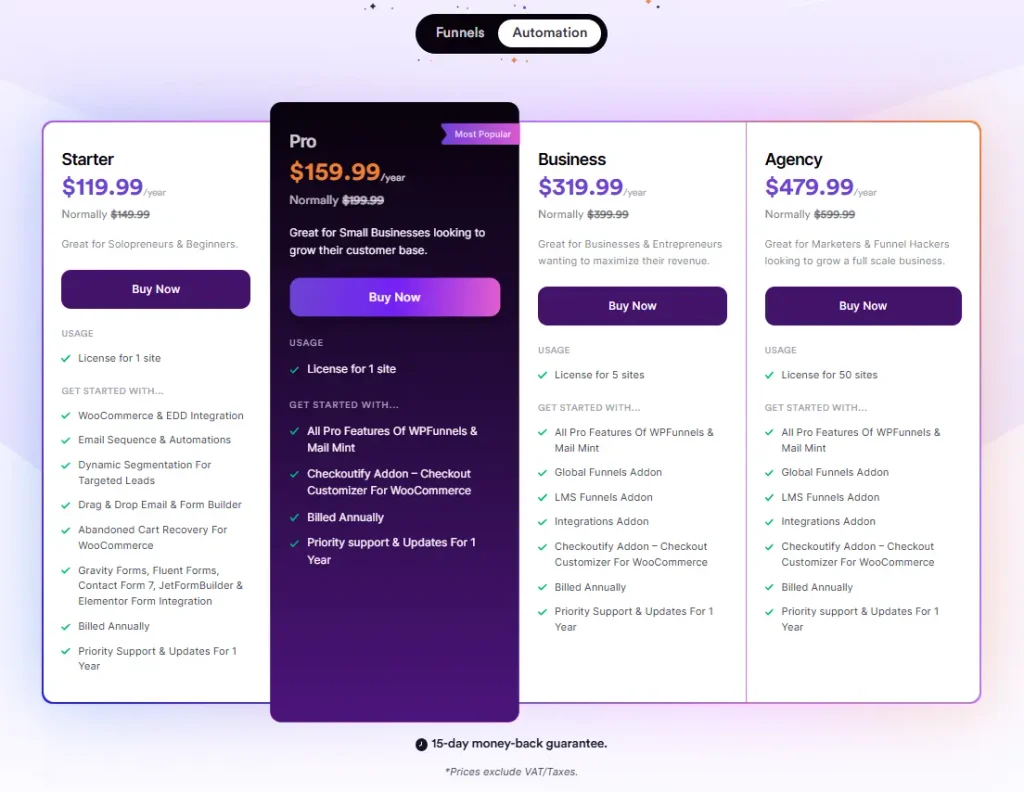
Mail Mint Pricing: Free plan with unlimited contacts. Paid plans start at $149.99 per year. No monthly billing. No contact limits at any tier.
2. ActiveCampaign — Best for B2B and Complex Automation
If you’ve ever tried to build a serious automation in Mailchimp and hit a wall, ActiveCampaign is what you’ve been looking for.
Mailchimp limits multi-step journeys on their lower plans and lacks complex ‘if/then’ logic.
ActiveCampaign offers unlimited automation depth and split-testing within the workflow, even on mid-tier plans.
ActiveCampaign has no step limit at any tier. That single difference changes everything for businesses where the customer journey isn’t a straight line — where leads need to be scored, where campaigns need to react to page visits, where SMS, email, and ads all need to work together in one workflow.
The depth here is real. You can build automations that span multiple channels, see every active campaign on a single map, run split tests across entire journeys, and trigger campaigns based on exactly which pages someone visited on your website.
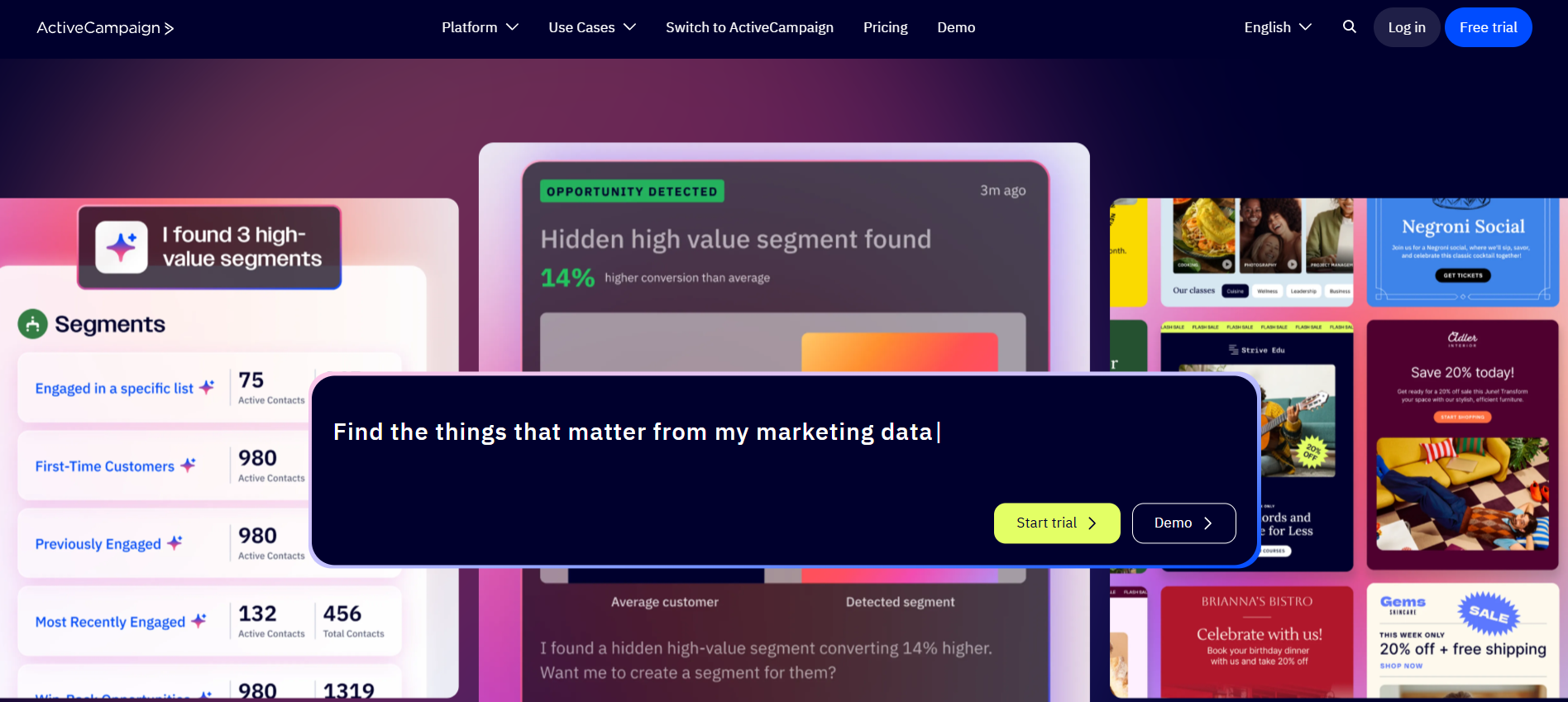
In 2026, ActiveCampaign added the Active Intelligence suite — it builds complete campaigns from a single prompt, suggests audience segments based on your actual customer data, and selects the optimal send time per individual contact. For anyone managing complex automations at scale, this saves serious time every week.
What you get with ActiveCampaign:
- Visual automation map showing every active workflow simultaneously
- No step limits — build automations as complex as your business needs
- Multi-channel triggers: email, SMS, web messages, and Facebook ad changes in one flow
- Lead scoring with granular behavioral conditions
- Built-in CRM with deal pipeline and contact history
- Site tracking that triggers campaigns based on page visits
- Active Intelligence AI: campaign generation, segment suggestions, send-time optimization per contact
- Deep A/B testing across automation paths, not just subject lines
Where ActiveCampaign beats Mailchimp directly:
- Automation depth: Mailchimp caps automations at 4 steps on lower plans. ActiveCampaign has no cap at any tier
- Multi-channel: Mailchimp is primarily email. ActiveCampaign triggers across email, SMS, web, and ads
- CRM integration: ActiveCampaign’s CRM is a real sales tool. Mailchimp is a basic contact list
- Lead scoring: Not available in Mailchimp. A core feature in ActiveCampaign from the entry plan
What to know before you switch:
There is no free plan, only a 14-day trial. Budget real time for onboarding. The automation builder is powerful, but takes time to learn well. If you are mainly sending monthly newsletters, this is more than you need.
Best for: B2B marketing teams, businesses with long sales cycles, experienced email marketers who have outgrown simpler tools.
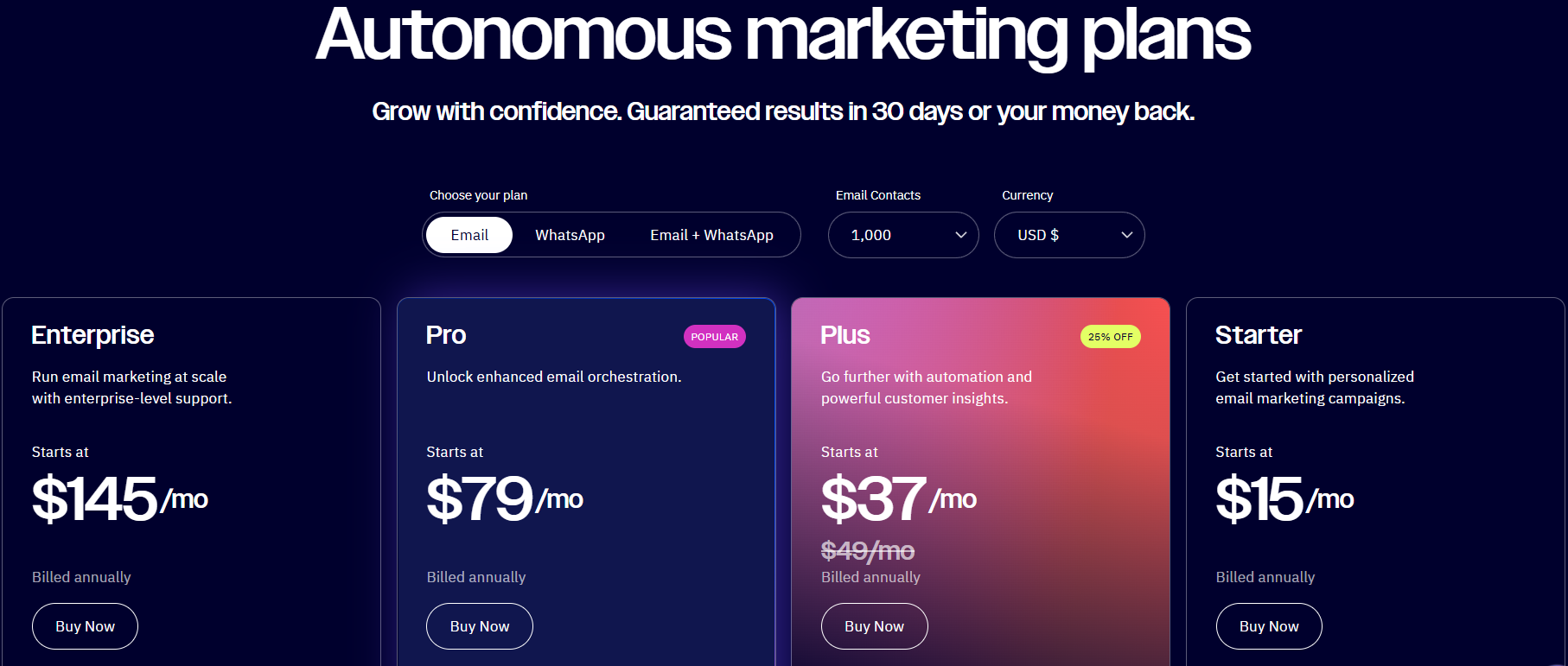
ActiveCampaign Pricing: Starter from $15 per month for 1,000 contacts. Plus from $49 per month. Pro from $79 per month.
3. Brevo — Best for Large Lists on a Budget
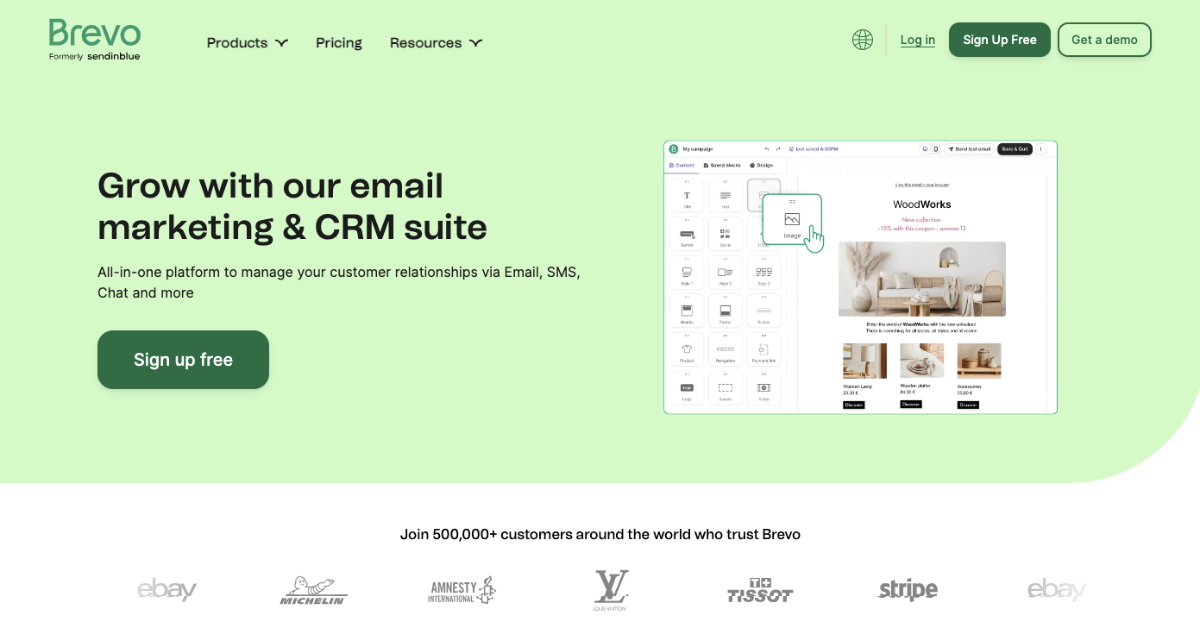
Brevo charges for emails sent, not contacts stored. That single difference makes it dramatically cheaper than Mailchimp when your list is large.
Mailchimp’s free plan was recently slashed to just 250 contacts. Brevo allows you to store up to 100,000 contacts for free.
At 10,000 contacts sending 20,000 emails a month, Brevo typically costs 60–75% less than the equivalent Mailchimp plan. If your list is growing but you don’t email everyone every day, the pay-per-send model works heavily in your favor.
Brevo also handles more than email. SMS, WhatsApp, live chat, and transactional emails are all built in — and in 2026, Brevo added Aura AI for subject lines, email copy, and send-time optimization, available even on the free plan.
What you get with Brevo:
- Unlimited contact storage — pay only for the emails you actually send
- Email, SMS, and WhatsApp marketing in one platform
- Aura AI for writing and send-time optimization, available on every plan
- Transactional email handling alongside your marketing campaigns
- Live chat widget you can embed on your website
- EU-based servers for businesses that need GDPR compliance
- Five platform modules: Marketing, Sales, Conversations, Customer Data Platform, Messaging API
Where Brevo beats Mailchimp directly:
- Free plan: Brevo stores 100,000 contacts free. Mailchimp stores 250
- Pricing at scale: 60 to 75 percent cheaper at equivalent list sizes when you pay per send
- Multi-channel: Email, SMS, and WhatsApp together. Mailchimp is primarily email
- Transactional email: Included in Brevo at no extra cost. Mailchimp charges separately
What to know before you switch:
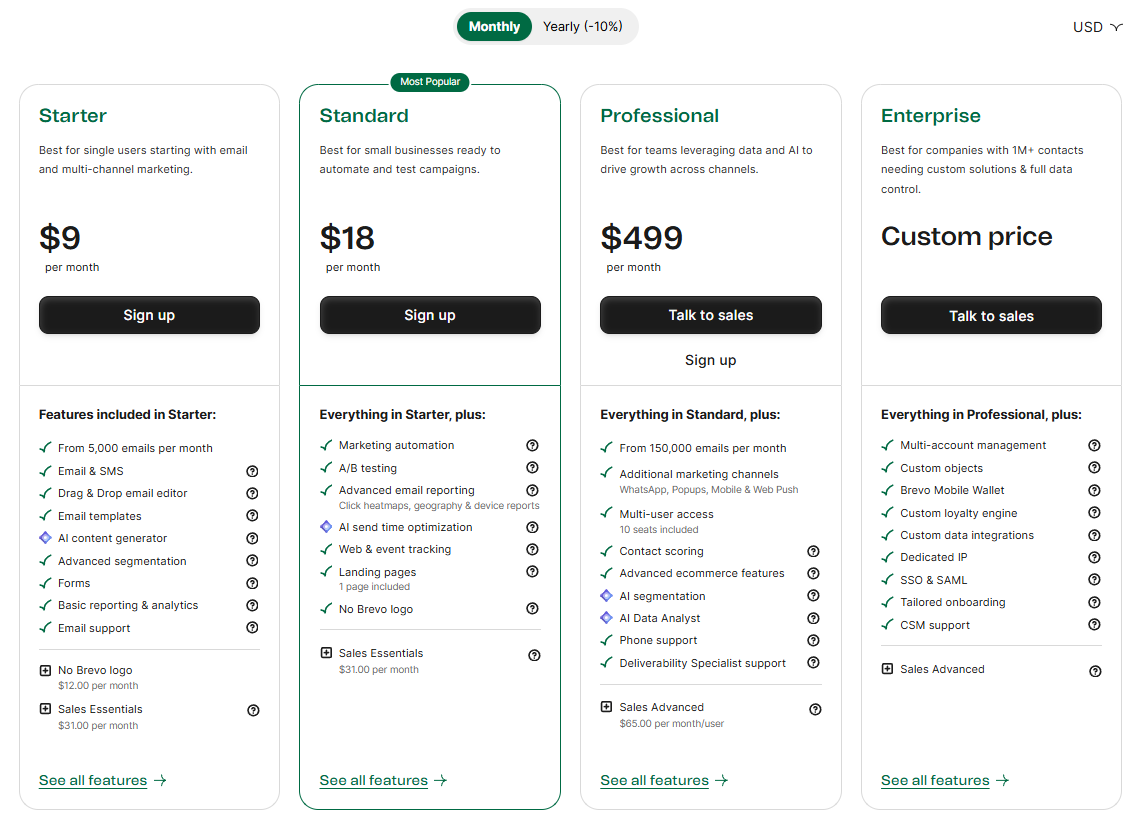
The pricing structure has add-ons that can surprise you. Removing Brevo branding from your emails costs extra on the entry plan. Marketing and transactional emails share the same monthly send limit, so you need to account for that before you commit.
Best for: Businesses with large contact lists that send at moderate frequency, teams that want email and SMS and WhatsApp in one platform, European businesses that need EU data hosting.
Brevo Pricing: Free: 300 emails per day, unlimited contacts. Starter from $9 per month. Standard from $18 per month.
4. MailerLite — Best All-Round Alternative for Small Businesses
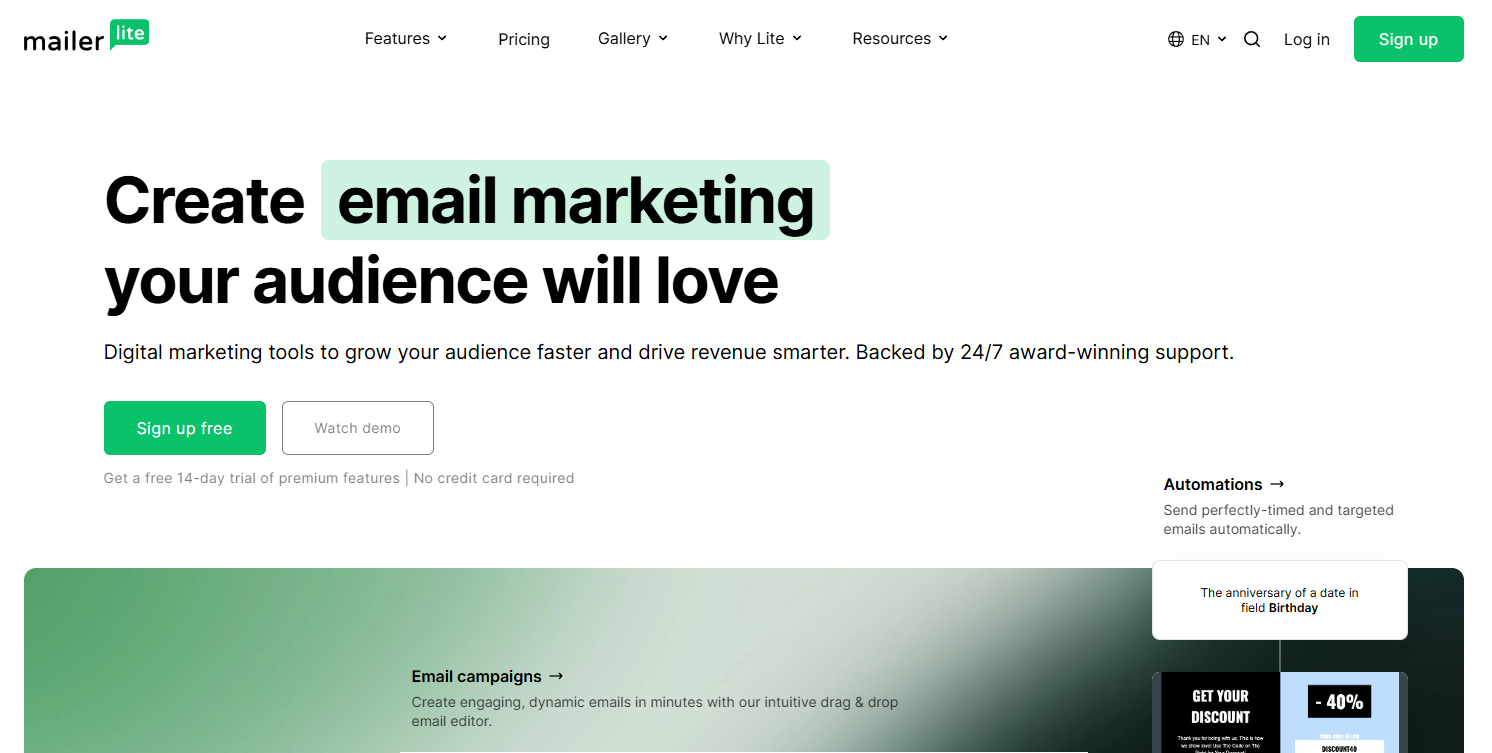
MailerLite is the most consistently recommended Mailchimp alternative among small business owners. Over 400,000 Mailchimp users have switched to MailerLite. At 1,000 contacts, you pay $15 a month — Mailchimp charges $26.50 for the same list with fewer features included.
The pricing difference goes beyond the headline number. MailerLite only bills you for active subscribers. Not bounced contacts. Not people who unsubscribed six months ago. Mailchimp charges you for all of them. All paid plans include unlimited email sends, so there are no surprise bills when you run a big campaign.
The content blocks are also more advanced than most tools at this price — countdown timers, video embeds, dynamic RSS feeds, and product blocks that make emails interactive without any coding.
What you get with MailerLite:
- Unlimited email sends on all paid plans — no monthly caps
- Active subscriber billing only — no paying for unsubscribed or bounced contacts
- Landing page builder with custom domain support on paid plans
- Sell digital products and subscriptions directly — zero platform commission
- Smart Sending — AI delivers each email at the optimal time per individual subscriber
- AI writing assistant and subject line generator
- Pre-built content blocks: countdown timers, video, RSS, dynamic product details
- Website builder included on all plans
Where MailerLite beats Mailchimp directly:
- Price: $15 per month vs. Mailchimp’s $26.50 for 1,000 contacts on comparable plans
- Email sends: Unlimited on all paid plans. Mailchimp caps monthly sends even on paid tiers
- Contact billing: Active subscribers only. Mailchimp charges for unsubscribed and bounced contacts, too
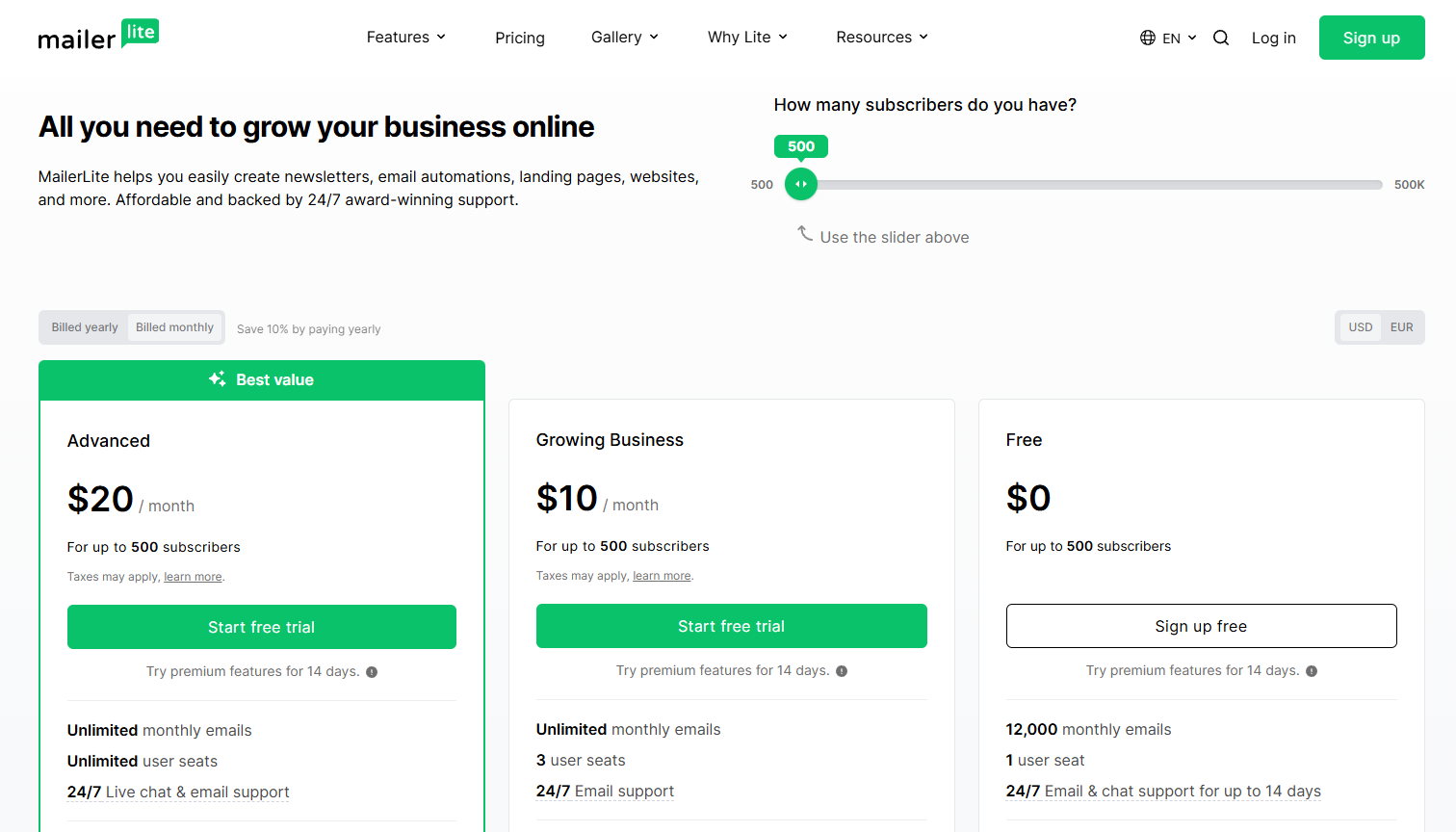
- Free plan: 12,000 emails per month. Mailchimp’s free plan allows 1,000
What to know before you switch:
The free plan does not include email templates, which is frustrating when you are just getting started. AI features are good, but not as deep as HubSpot or ActiveCampaign. Does not support cold email outreach — this is intentional to protect deliverability.
Best for: Small businesses and solopreneurs who want a clean, affordable, honestly-priced tool that does not get more expensive every time their marketing works.
MailerLite Pricing: Free: 500 subscribers and 12,000 emails per month (Mailchimp now limits free users to only 500 total sends). Growing Business from $10 per month. Advanced from $20 per month.
5. Moosend — Best Automation on a Tight Budget
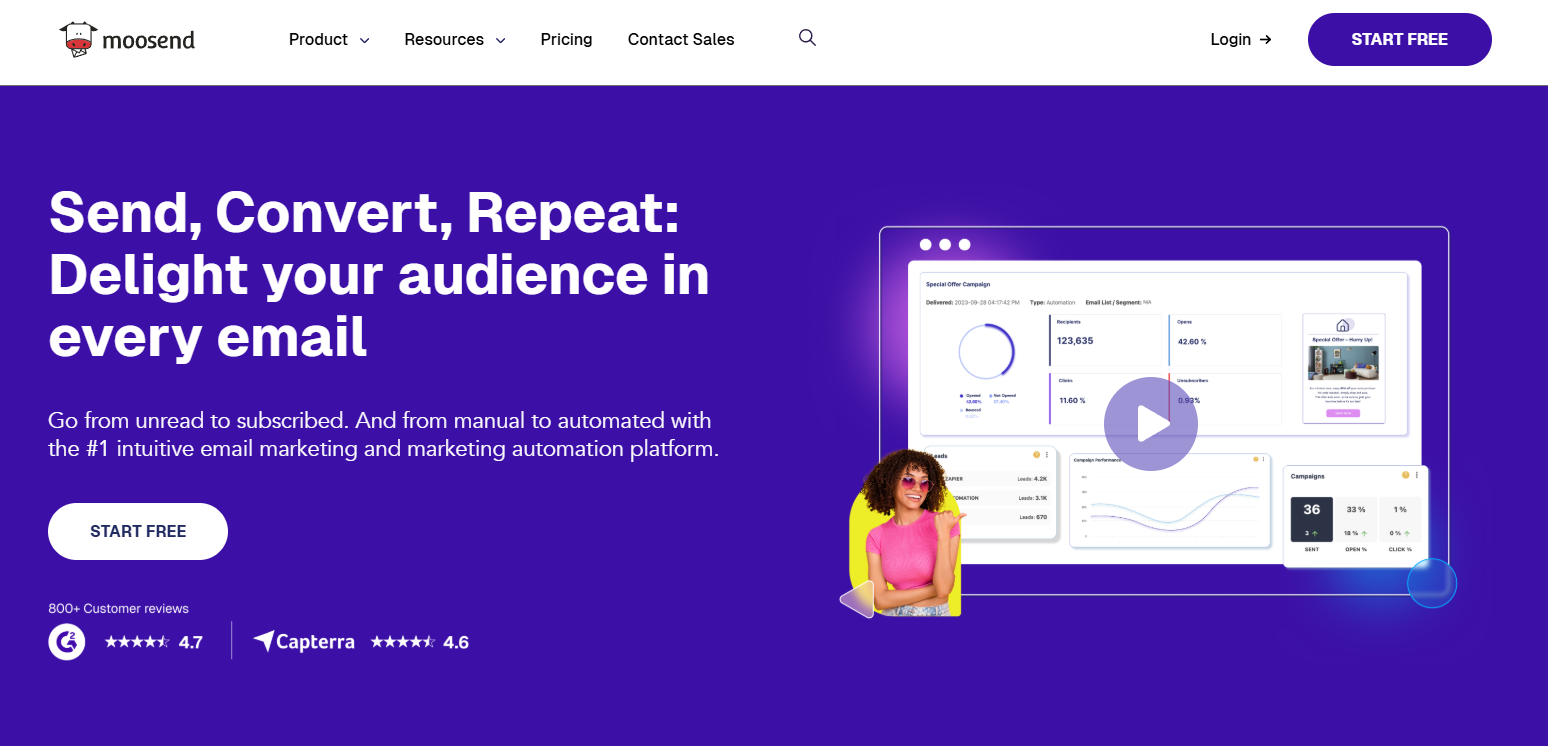
Moosend gives you multi-step behavioral automation, advanced segmentation, and product recommendation flows starting at $9 per month. Most platforms charge two to three times that for the same functionality.
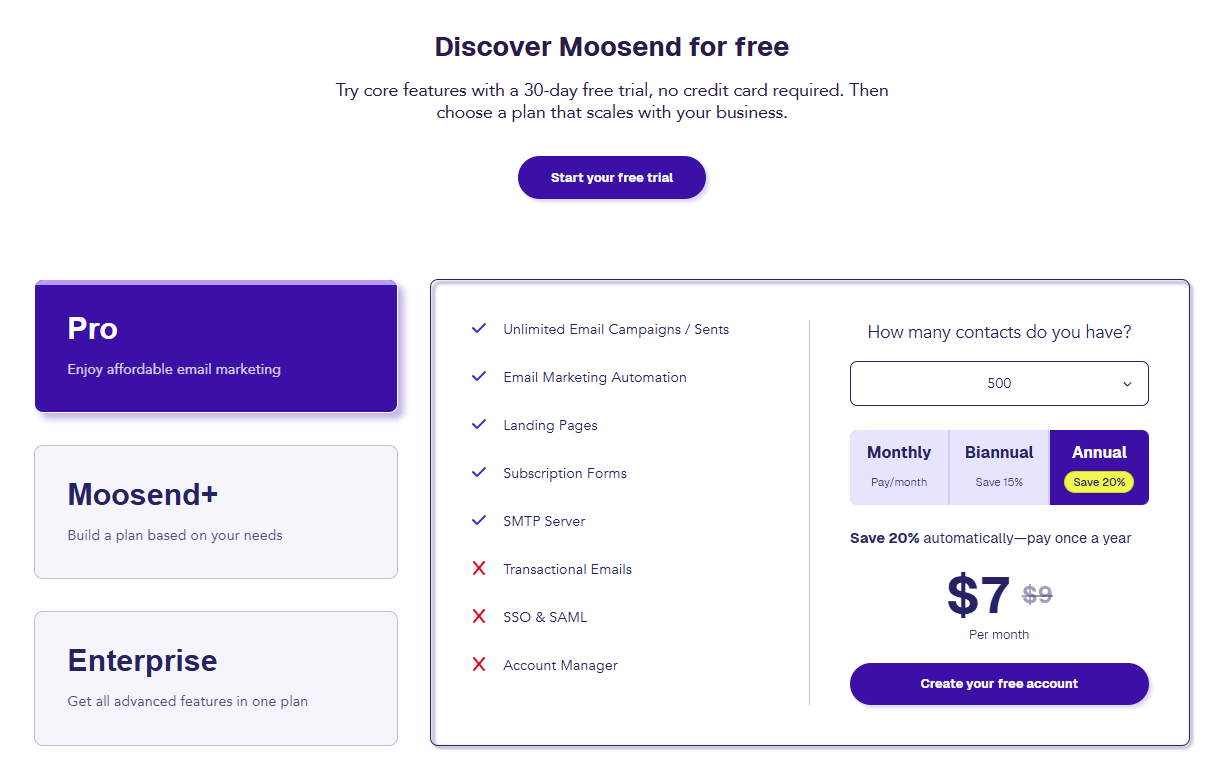
At 5,000 contacts, Moosend costs $48 per month with unlimited sends. Mailchimp charges $75 per month at that same list size, with a cap on how many emails you can send. That difference adds up to $324 every year.
The 30-day free trial gives you full access with no feature restrictions. You can test every capability before you pay anything, which is genuinely more useful than a limited free plan.
What you get with Moosend:
- Visual automation builder with behavioral triggers and conditional logic
- Advanced segmentation with real-time data conditions
- Drag and drop email editor with responsive templates
- Landing page builder and subscription form creator
- Real-time analytics dashboard
- Product recommendation emails based on browsing and purchase behavior
- 30-day free trial with full access to all features
Where Moosend beats Mailchimp directly:
- Price: $48 per month at 5,000 contacts vs. Mailchimp’s $75 per month
- Automation access: Full automation from the entry plan. Mailchimp locks advanced automation behind higher tiers
- Email sends: Unlimited on Moosend. Mailchimp caps monthly sends
- Trial: 30 days of full access. Mailchimp’s free plan is restricted in what you can actually test
What to know before you switch:
Deliverability can be inconsistent compared to the top tools on this list. Watch your open rates and inbox placement closely during the first few weeks. There is no ongoing free plan — only the 30-day trial. Fewer native integrations than Mailchimp or ActiveCampaign.
Best for: Small and medium businesses that need real automation features but cannot justify spending $50 or more per month to get them.
Moosend Pricing: From $9 per month for 500 subscribers. $16 per month at 2,500 subscribers. $48 per month at 5,000 subscribers.
6. Constant Contact — probably the easiest place to start
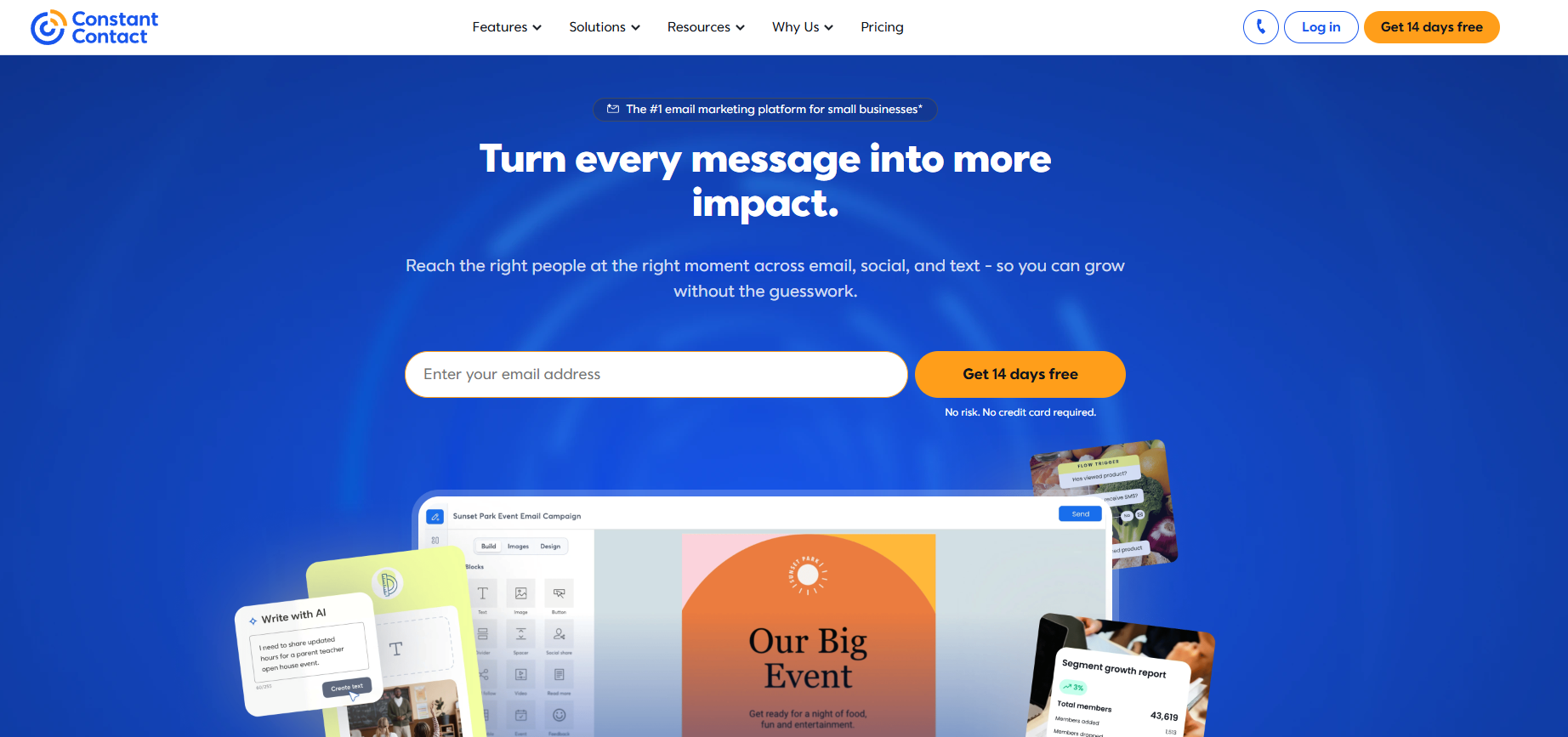
Constant Contact is the easiest tool to get started with on this entire list. If you have been putting off email marketing because it feels complicated, Constant Contact removes most of that friction.
You get over 600 templates, a drag and drop builder that needs no explanation, and live phone and chat support on every single plan — including the cheapest one. That last point matters more than it sounds. When something breaks, and you need help, being able to call someone is genuinely valuable.
The social media scheduler is something no other tool on this list includes natively. You write your email campaign and your social posts in the same workflow, schedule everything at once, and track all your engagement from one dashboard. If you currently pay for a separate social scheduling tool, Constant Contact can replace it.
What you get with Constant Contact:
- Over 600 customizable email templates sorted by industry and occasion
- Built-in social media scheduler for Facebook, Instagram, and LinkedIn
- Social media engagement tracking alongside your email analytics
- Event management with registration pages and attendee tracking
- Phone and live chat support on every plan, every day
- AI content generator that writes email copy from bullet points
- AI-powered template matching — describe your brand and get a matching design
- Mobile app for managing campaigns anywhere
Where Constant Contact beats Mailchimp directly:
- Support: Live phone support on every plan. Mailchimp restricts support access based on your plan tier
- Templates: 600 plus templates. Mailchimp offers significantly fewer on lower plans
- Social media: Built-in social scheduling. Mailchimp has no equivalent
- Events: Event management with registration. Mailchimp does not offer this
What to know before you switch:
It is more expensive than most alternatives here. $30 per month for 1,000 contacts is higher than MailerLite at $15 or Brevo at $9. The Lite plan has no subscriber segmentation, which significantly limits what you can do with your list until you upgrade.
Best for: Small businesses and nonprofits that are completely new to email marketing and want the simplest possible experience with real human support available.
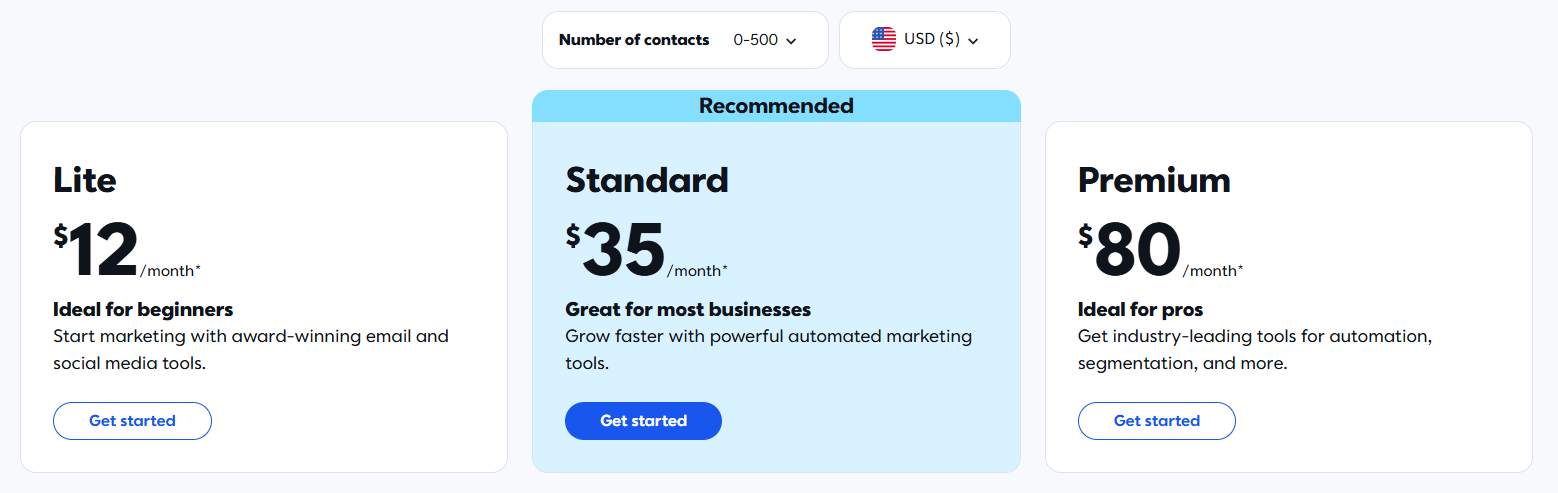
Constant Contact Pricing: Lite from $12 per month. Standard from $35 per month. Premium is $80 per month.
7. HubSpot — Best When You Need Email + CRM Together
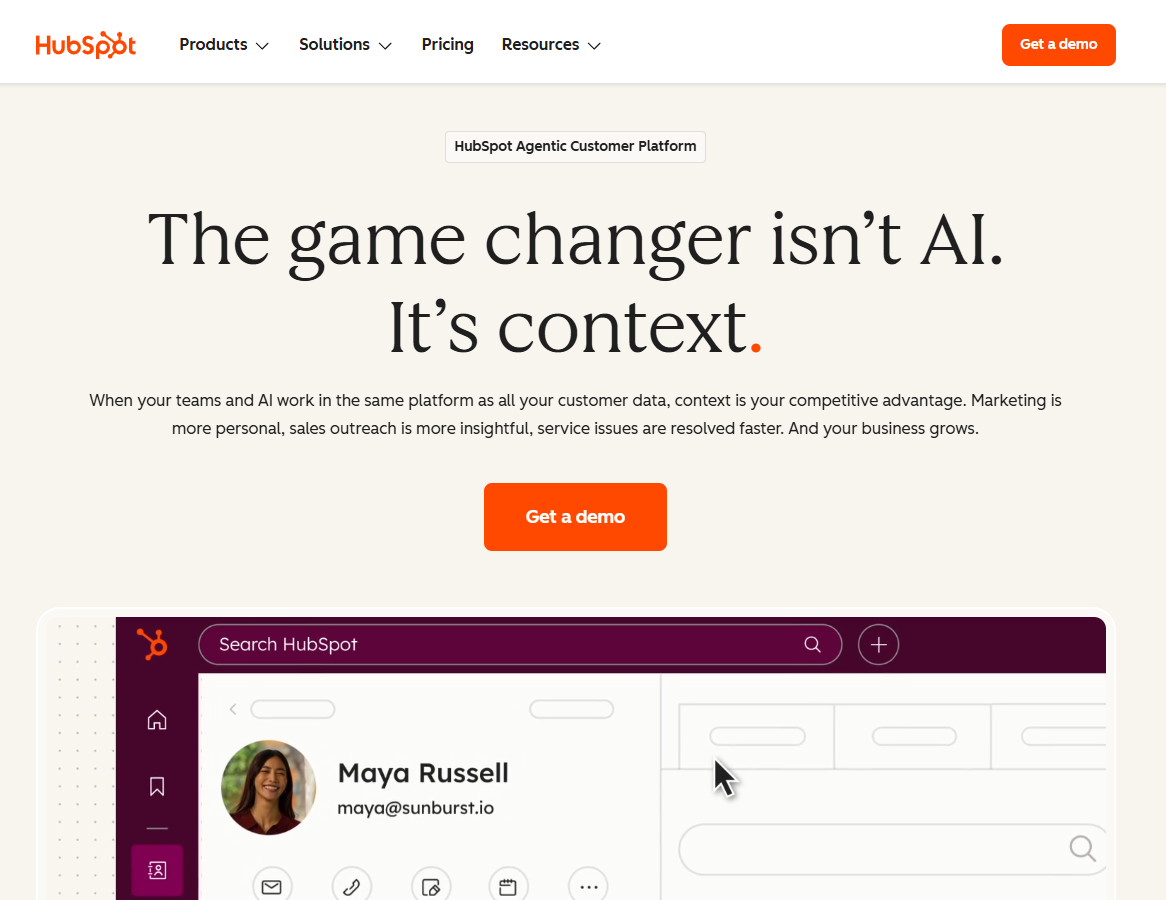
HubSpot is not really just an email tool. It is a full business platform. Email marketing, CRM, sales pipeline, live chat, landing pages, and customer service all live in one place and share the same data.
If you are currently paying separately for a CRM, an email platform, and a live chat tool, HubSpot can replace all three. That is where the real value comes from, not from email marketing alone.
The 2026 AI is the most advanced on this list. Breeze AI runs across the entire platform, not just the email editor. It writes and refines content, predicts how your emails will perform before you send them, and automatically repurposes campaigns across channels. That kind of cross-platform AI integration does not exist in tools that only do email.
What you get with HubSpot:
- Full CRM with complete contact history, deal tracking, and pipeline management
- Breeze AI across the whole platform for content, prediction, and channel remixing
- Advanced marketing automation for full-funnel customer journeys
- A/B testing, smart content blocks, and behavioral personalization
- Landing page builder with real-time personalization based on contact data
- Social media management and paid ads integration
- Unified reporting that connects email performance to actual revenue
- Free plan with unlimited contacts and 2,000 emails per month
Where HubSpot beats Mailchimp directly:
- CRM: HubSpot’s CRM is a complete sales tool. Mailchimp is a basic contact list
- AI platform: Breeze AI works across every part of HubSpot. Mailchimp’s AI is limited to the email editor
- Free plan contacts: Unlimited. Mailchimp’s free plan caps at 250
- Analytics: HubSpot connects email opens and clicks to pipeline revenue. Mailchimp reports on email metrics only
- Multi-hub integration: Everything talks to everything. Mailchimp does not have an equivalent cross-product integration
What to know before you switch:
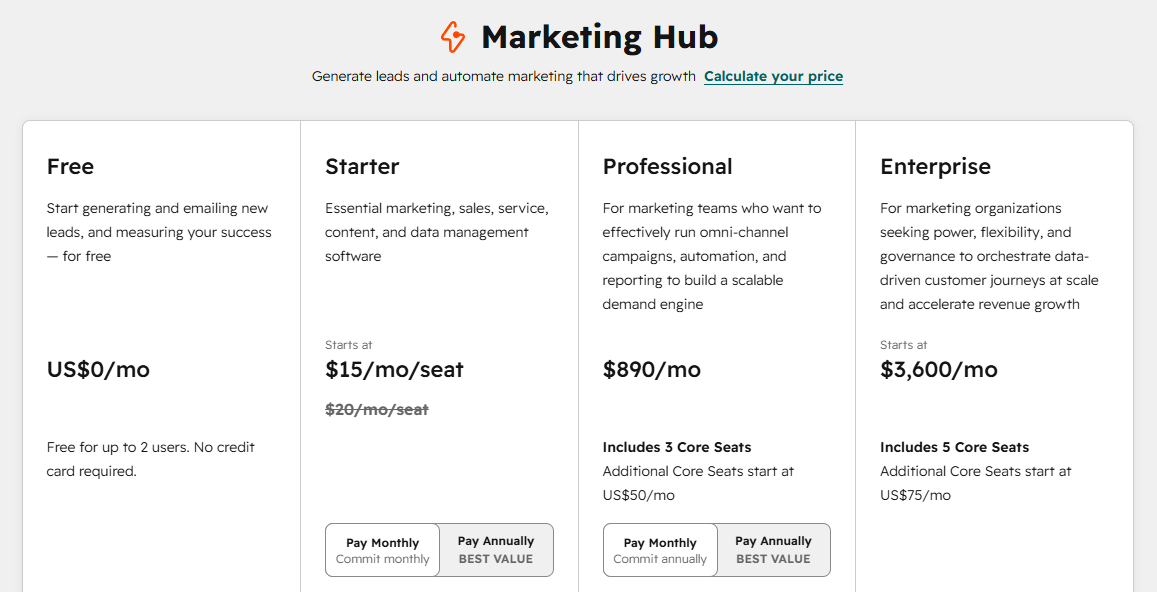
The full suite gets expensive quickly. Professional plans start at $890 per month. There is a steep learning curve for the advanced features. If email marketing is all you need, HubSpot is more than necessary, and there are many cheaper options on this list.
Best for: Growing teams that need email marketing, CRM, and sales tools connected and are willing to invest in a platform that does all of it.
HubSpot Pricing: Free plan available. Marketing Hub Starter from $20 per month per seat. Professional from $890 per month.
8. Kit (formerly ConvertKit)— Best for Creators and Bloggers
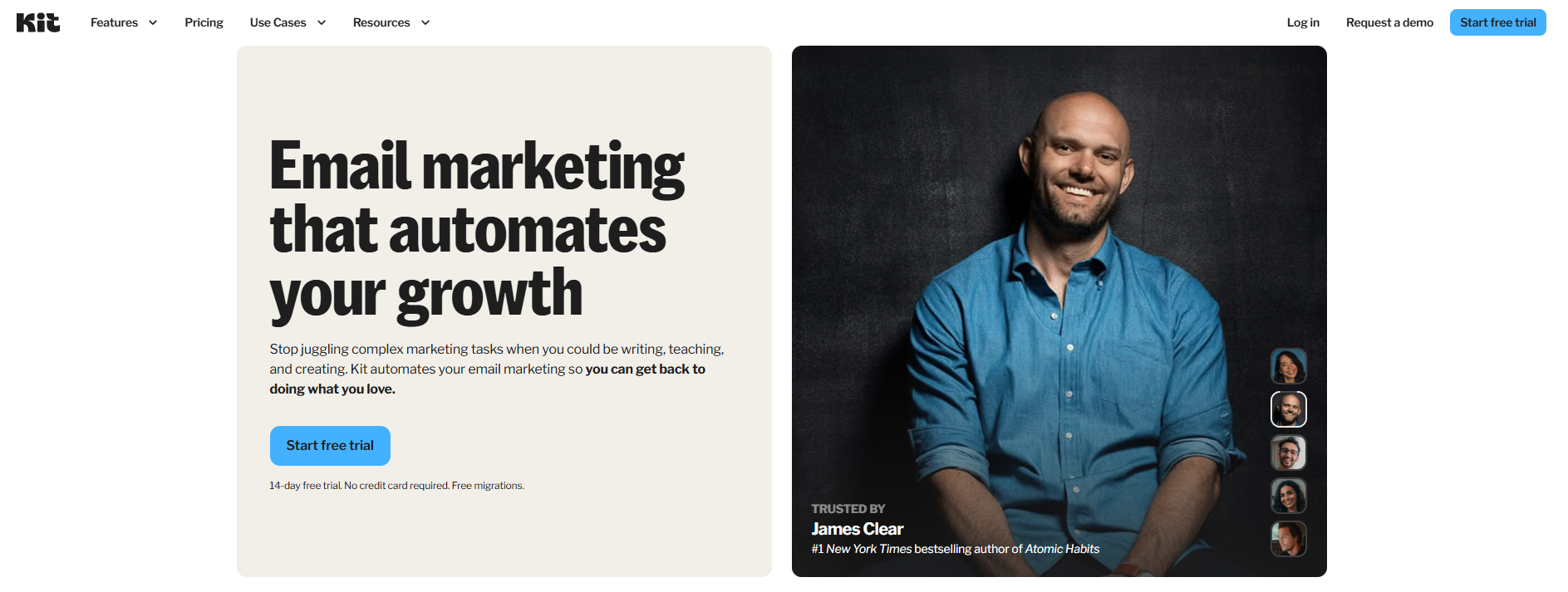
Kit, previously called ConvertKit before their 2024 rebrand, was built for one specific type of person. The solo creator who is growing an audience and wants to make money from it.
The free plan makes a genuinely strong case for anyone starting from zero.
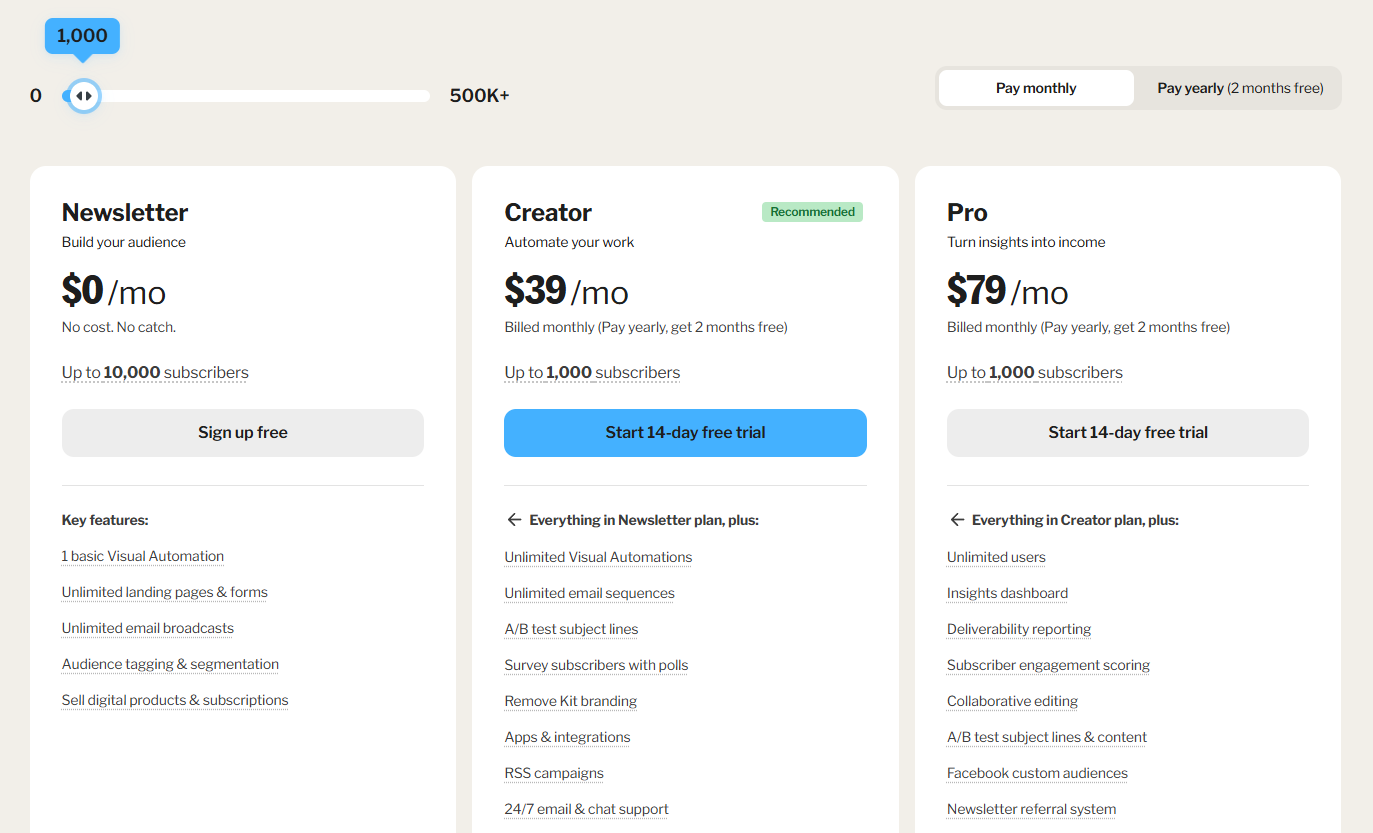
You get unlimited email sends for up to 10,000 subscribers on the ‘Newsletter’ plan, though you’ll need to include Kit branding and use their ‘Recommendations’ feature.
You can build your list, grow it to 10,000 people, and start earning from it before you spend a single dollar on tools.
The creator network is something no other email platform offers. It connects you with other Kit users and grows your subscriber list through cross-recommendations between newsletters. You promote another creator to your audience, and they promote you to theirs. That kind of built-in growth mechanism is unique to Kit.
What you get with Kit:
- Free plan: unlimited sends to up to 10,000 subscribers
- Sell digital products and paid newsletter subscriptions on every plan, including free
- Creator network — grow your list through cross-recommendations with other creators
- Flexible subscriber tagging for audience segmentation without traditional lists
- Clean, distraction-free email editor built for text-first newsletters
- Landing page templates with custom domain support on the free plan
- Automation sequences with the visual workflow builder
- Monetization dashboard showing revenue from products and subscriptions
Where Kit beats Mailchimp directly:
- Free plan: 10,000 subscribers with unlimited sends. Mailchimp’s free plan allows 250 subscribers and 1,000 sends per month
- Monetization: Sell digital products and paid subscriptions built in. Mailchimp has no equivalent
- Creator network: Unique subscriber growth tool with no Mailchimp equivalent
- Simplicity: Significantly easier for non-technical users to set up and use
What to know before you switch:
Paid plans are expensive relative to what you get. $33 per month for only 1,000 subscribers is high compared to MailerLite at $15 for the same list. The template library is small, and design options are limited. Kit is not built for ecommerce, agencies, or teams with complex workflows.
Best for: Bloggers, newsletter writers, podcasters, and solo creators who are building an audience they plan to monetize through content, courses, or digital products.
Kit Pricing: Free: up to 10,000 subscribers, unlimited sends. Creator from $33 per month. Creator Pro from $66 per month.
9. SendGrid — Best for Transactional Email Deliverability
SendGrid sits in a different category from every other tool on this list. It is an email delivery infrastructure. Built specifically for transactional emails like order receipts, password resets, shipping notifications, and account alerts. Not newsletters.
The deliverability difference is significant and well-documented. SendGrid provides a dedicated API and IP options that allow for near-perfect delivery of critical emails, whereas Mailchimp’s shared IP pools can lead to slower delivery during peak hours.
That 11-point gap sounds manageable until you run the numbers. At 100,000 transactional emails, Mailchimp misses around 14,000 inboxes. SendGrid misses around 3,000. Those missed emails are customers who never see their order confirmation or their shipping update, which directly damages trust and revenue.
SendGrid also gives you complete flexibility in how you implement it. No-code, low-code, and full API paths are all available. Non-technical teams can use the dashboard. Developers can build directly against the REST API.
What you get with SendGrid:
- Around 97 percent inbox deliverability rate
- Full REST API for deep application and platform integration
- Dedicated IP addresses for high-volume senders
- No-code, low-code, and full-code implementation options
- Deliverability analytics: inbox placement rate, spam rate, bounce analysis, click tracking
- Template management for both transactional and marketing emails
- Email validation tools to clean your list before sending
- Subuser management for agencies managing multiple clients
Where SendGrid beats Mailchimp directly:
- Deliverability: Around 97 percent vs. Mailchimp’s approximately 86 percent
- Transactional email: Purpose-built for it. Mailchimp treats it as a secondary feature
- Scale: Handles tens of millions of emails monthly without performance degradation
- API depth: One of the most comprehensive email APIs available
What to know before you switch:
SendGrid is not beginner-friendly. Technical knowledge makes a meaningful difference in getting the most out of it. It is also not the right tool for marketing newsletters — there are better options on this list for that purpose. Pricing jumps significantly above 200,000 emails per month.
Best for: Developers, SaaS companies, and ecommerce businesses that need transactional emails to reliably reach the inbox at scale.
SendGrid Pricing: Free: 100 emails per day. Essentials from $19.95 per month for up to 50,000 emails. Pro from $89.95 per month for up to 100,000 emails.
10. Klaviyo — Best for E-commerce Stores on Shopify

Klaviyo is built for e-commerce, and everything about it reflects that focus.
The automations are not generic email sequences. They are shopping-behavior automations. Abandoned cart emails that include the exact products a customer left behind. Browse abandonment sequences that trigger when someone views a product but does not buy. Price drop alerts are sent automatically when items on a customer’s wishlist go on sale. Win-back campaigns that fire when someone has not ordered in a defined number of days.
Every single trigger is connected to real store data, synced in real time. Mailchimp can do basic e-commerce automation, but it was built as a general email tool first. Klaviyo was built for e-commerce from day one.
The K: AI suite takes it further. The Marketing Agent autonomously creates campaigns from your actual store data. Segments AI builds complex audience groups from plain text descriptions like “customers who bought running shoes but have not purchased in 90 days.” Predictive analytics calculates each customer’s likely lifetime value and when they will probably place their next order.
What you get with Klaviyo:
- Real-time sync with Shopify, WooCommerce, Magento, and BigCommerce
- Pre-built ecommerce flows ready to activate: abandoned cart, browse abandonment, post-purchase, win-back, price drop alerts
- K: AI suite: Marketing Agent, Segments AI, customer lifetime value prediction, next order date prediction
- Advanced segmentation using purchase history, specific products bought, discount usage, and browsing behavior
- Email and SMS campaigns managed together in one unified workflow
- Revenue attribution showing exactly which emails generated purchases and how much
- E-commerce benchmarking to compare your performance against industry peers
Where Klaviyo beats Mailchimp directly:
- E-commerce automation: Purpose-built shopping-behavior triggers. Mailchimp’s e-commerce automation is generic and limited
- Revenue attribution: See exactly which emails drove purchases. Mailchimp reports on opens and clicks, not revenue
- Predictive analytics: CLV and next order date predictions are not available in Mailchimp at any price
- Segmentation depth: Segment by specific product purchases, browsing patterns, and discount history. Far more granular than Mailchimp
What to know before you switch:
Klaviyo pricing scales quickly for large and active lists. It is limited to email and SMS — no landing pages, social ads, or surveys. The learning curve is real for beginners. If you are not in e-commerce, this is simply the wrong category of tool.
Best for: Online stores on Shopify, WooCommerce, Magento, or BigCommerce that want email automation driven by real purchase behavior and clear revenue attribution.
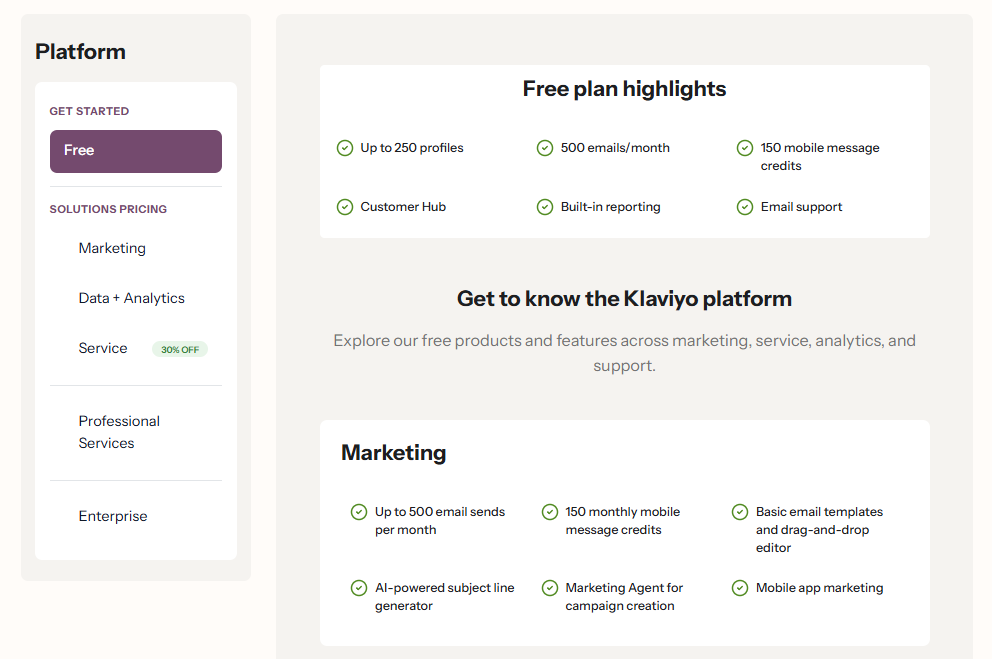
Klaviyo Pricing: Free up to 250 contacts. Email plans from $20 per month. Email and SMS from $45 per month.
11. GetResponse — Best When Webinars Are Part of Your Marketing
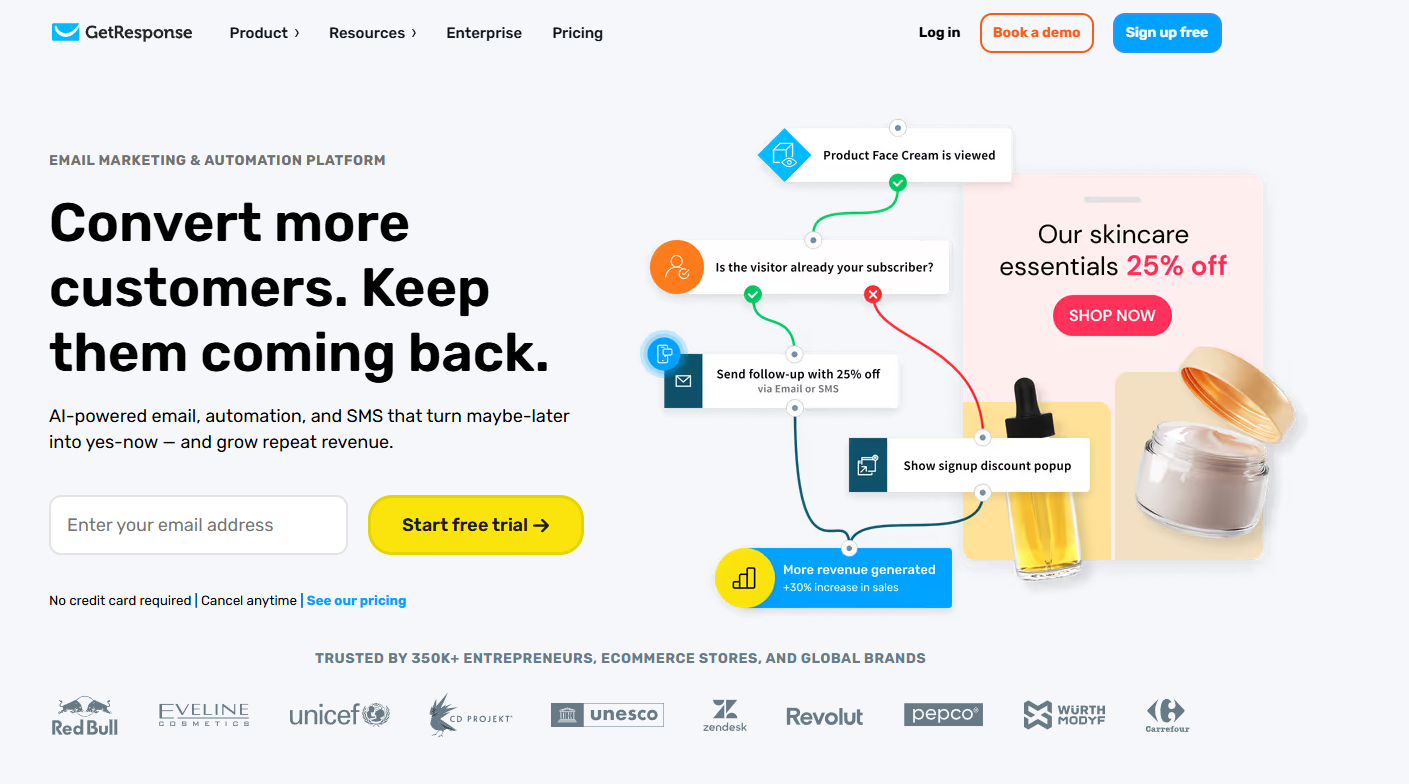
GetResponse is the only tool on this list with built-in webinar hosting. Up to 300 attendees without paying for Zoom or WebEx separately. If live sessions are part of how you educate, sell, or onboard customers, GetResponse eliminates the cost and complexity of a separate webinar platform.
The conversion funnel builder is also worth your attention. You can set up a complete lead capture page, email nurture sequence, and sales page workflow all inside one platform. No piecing together separate tools and hoping they pass data correctly.
In 2026, GetResponse added stronger AI features, including an email generator, subject line optimizer, and content repurposing tools. The platform supports 25 languages, making it one of the better options for international teams.
What you get with GetResponse:
- Built-in webinar hosting for up to 300 attendees on mid-tier plans
- Conversion funnel builder with lead capture, email sequences, and sales pages
- Visual marketing automation workflow builder with behavioral conditions
- Landing page builder with over 200 templates and A/B testing
- Built-in CRM with deal pipeline and contact activity tracking
- AI email generator, subject line optimizer, and content repurposing tools
- E-commerce integrations with Shopify, WooCommerce, and Magento
- Available interface in 25 languages
Where GetResponse beats Mailchimp directly:
- Webinar hosting: Simply does not exist in Mailchimp at any price
- Conversion funnels: Full funnel builder with landing pages and email sequences integrated. Mailchimp does not have an equivalent
- Automation power: More advanced workflow logic at comparable price points
- International: 25 language support. Mailchimp’s interface is primarily English
What to know before you switch:
Analytics are limited on lower plans — no click heatmaps until you upgrade. Support quality can be inconsistent. Webinar hosting is only included on higher-tier plans, so check which plan you need before signing up.
Best for: Businesses that use live webinars, online training, or product demos as part of their marketing and want email and webinar management in one place.
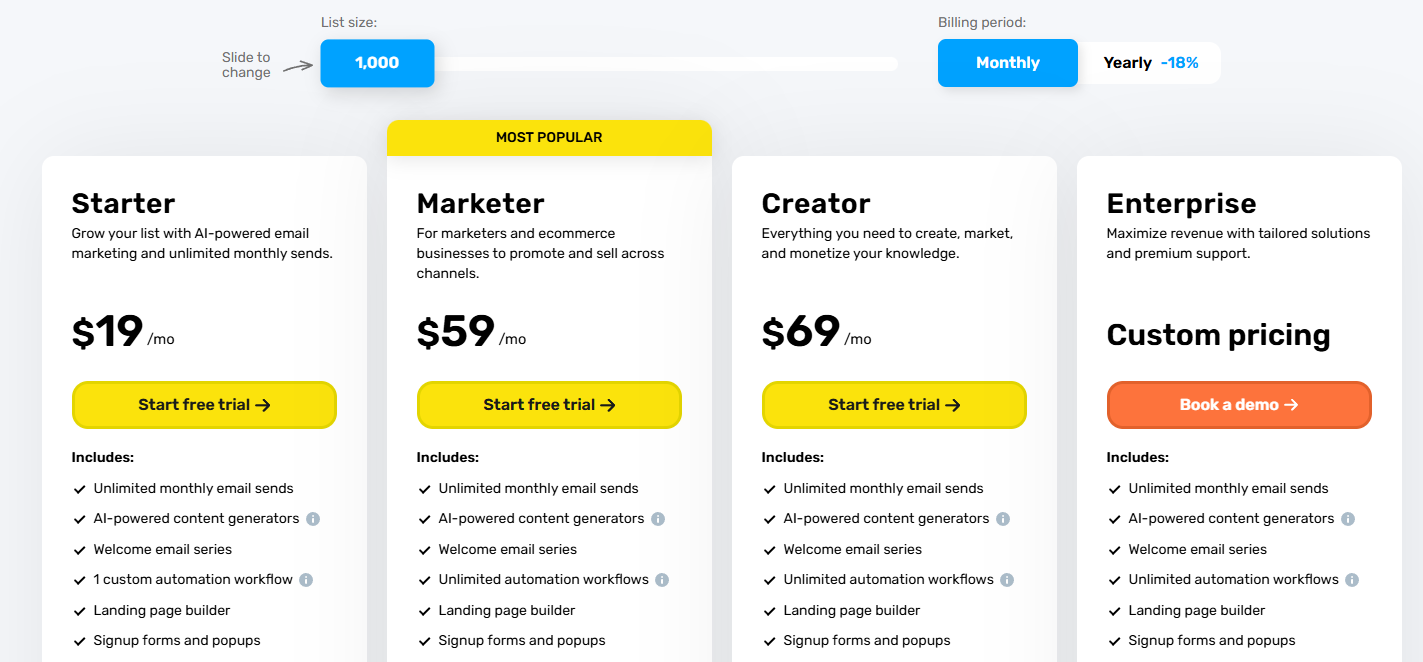
GetResponse Pricing: Free plan available with limited features. Starter from $18.90 per month. Marketer from $58.65 per month. Creator from $68.55 per month with webinar hosting included.
Best Mailchimp alternatives for specific use cases
Now that you’ve seen all 11 tools, here’s where I’d point you based on what you need.
Best Mailchimp alternative for WordPress and WooCommerce
Go with Mail Mint.
If you run a WordPress or WooCommerce business and want to increase sales and repeat purchases with email marketing automation, Mail Mint is a great fit.
You get unlimited contacts at a flat yearly price, so your email costs don’t increase as your list grows.
At 5,000 contacts, Mailchimp costs $900 a year, while Mail Mint costs $149.99. That’s $750.01 in savings in the first year.
Mail Mint also gives you native WooCommerce automation, including abandoned cart recovery, order-triggered automations, customer win-back campaigns, and product promotions.
You can also connect it with WPFunnels to build your funnel and email automation on the same visual canvas.
Best free Mailchimp alternatives
Kit for creators and bloggers: 10,000 subscribers with unlimited sends, digital product sales, and the creator network, all at zero cost. The most generous free plan on this list.
MailerLite for small businesses: 500 subscribers and 12,000 emails per month free, with automation included. A good choice for businesses that need email marketing without paying upfront.
Brevo for large lists: Store up to 100,000 contacts for free and send 300 emails per day. A good option if you have a large list but don’t email it frequently.
Cheapest Mailchimp alternatives compared
If keeping costs low is your main concern, here’s how the most affordable options compare at 1,000 contacts:
- Moosend: $9 per month, with advanced automation included
- Brevo: $9 per month, with unlimited contacts and pay-per-send pricing
- MailerLite: $15 per month, with unlimited sends and active-subscriber billing
- Mailchimp: $26.50 per month, with limited automation and capped sends
For WordPress users, Mail Mint is also worth considering if you expect your contact list to grow, since its pricing doesn’t increase with your number of contacts.
Best Mailchimp alternative for small businesses
MailerLite for most small businesses. It’s easy to use, offers unlimited sends on paid plans, and charges based on active subscribers. It covers the essentials without making email marketing unnecessarily complicated.
If your business runs on WordPress, Mail Mint is a better fit to consider. You can manage your leads, campaigns, automation, and WooCommerce email marketing from WordPress itself.
Best Mailchimp alternatives for e-commerce
Klaviyo for Shopify: Shopping-behavior automation, revenue attribution, and K: AI make it a powerful choice for Shopify stores.
Mail Mint for WooCommerce: Abandoned cart recovery, order-triggered automations, customer win-back campaigns, and unlimited contacts at a flat yearly price make it a strong fit for WooCommerce stores.
Brevo for budget-conscious ecommerce: Pay-per-send pricing works well for stores with large lists that don’t email their entire audience every day.
Feature Limits Comparison Table
| Feature | Mail Mint | ActiveCampaign | Brevo | MailerLite | Moosend | Constant Contact | HubSpot | Kit | SendGrid | Klaviyo | GetResponse |
|---|---|---|---|---|---|---|---|---|---|---|---|
| Free plan contacts | Unlimited | None (trial only) | 100,000 | 500 | None (30-day trial) | None (trial only) | Unlimited (1,000 marketing contacts) | 10,000 | 100/day send | 250 | Limited |
| Contact limits on paid plans | Unlimited (all tiers) | Scales with plan | Unlimited (pay per send) | Scales with plan | Scales with plan | Scales with plan | Scales with plan | Scales with plan | Scales with volume | Scales with plan | Scales with plan |
| Email sends | Unlimited | Unlimited | Capped by plan | Unlimited | Unlimited | Capped | 2,000/month (free) | Unlimited | Volume-based | Scales with plan | Unlimited |
| Automation depth | Advanced (visual) | Most advanced | Strong | Good | Good | Basic | Advanced | Basic | Not applicable | Advanced (ecommerce) | Strong |
| Automation step cap | None | None | None | None | None | Limited | None | Basic sequences | N/A | None | None |
| CRM built in | No | Yes | Basic | Basic | No | Basic | Full CRM | No | No | Basic | Basic |
| WooCommerce integration | Native (built-in) | Third-party | Third-party | Third-party | Third-party | Third-party | Third-party | Third-party | API only | Third-party | Third-party |
| Webinar hosting | No | No | No | No | No | No | No | No | No | No | Yes (300 attendees) |
| SMS marketing | No | Yes | Yes | No | No | No | Yes | No | No | Yes | No |
| Sell digital products | No | No | No | Yes | No | No | No | Yes | No | No | No |
| Landing page builder | No | No | No | Yes | Yes | No | Yes | Yes | No | No | Yes |
| Self-hosted / data ownership | Yes (WordPress) | No | No | No | No | No | No | No | No | No | No |
| Deliverability rate | Depends on SMTP | ~89% | ~95% | ~98% | ~90% | ~87% | ~90% | ~95% | ~97% | ~95% | ~93% |
| AI features | AI Email Assistant | Active Intelligence | Aura AI | Smart Sending | No | Basic AI | Breeze AI (full platform) | No | No | K:AI suite | AI generator |
| Funnel builder integration | WPFunnels (native) | No | No | No | No | No | No | No | No | No | Yes (built-in) |
Pricing Comparison Table
All prices are monthly. Annual billing shown where applicable.
| Tool | Free Plan | 500 contacts | 1,000 contacts | 5,000 contacts | 10,000 contacts | 25,000 contacts | Unlimited contacts |
|---|---|---|---|---|---|---|---|
| Mailchimp | 250 contacts, 500 send | $13/month | $26.50/month | $75/month | $135/month | $270/month | Not available |
| Mail Mint | Unlimited contacts | $12.49/month | $12.49/month | $12.49/month | $12.49/month | $12.49/month | $149.99/year (all tiers) |
| MailerLite | 500, 12k sends | $10/month | $15/month | $29/month | $54/month | $109/month | Not available |
| Brevo | 100k contacts, 300 sends/day | $9/month | $9/month | $9/month | $17/month | $29/month | Pay per send model |
| Moosend | 30-day trial | $9/month | $16/month | $48/month | $88/month | $160/month | Not available |
| ActiveCampaign | None | $15/month | $15/month | $79/month | $149/month | $391/month | Not available |
| Constant Contact | None (trial) | $12/month | $50/month | $80/month | $120/month | $280/month | Not available |
| HubSpot | Unlimited, 2k sends/month | Free | $20/month | $20/month | $45/month | $800+/month | Free (limited) |
| Kit | 10,000 contacts, unlimited sends | Free | $39/month | $89/month | $139/month | $199/month | Not available |
| Klaviyo | 250 contacts | $20/month | $30/month | $100/month | $150/month | $400/month | Not available |
| GetResponse | Limited | $19/month | $19/month | $54/month | $79/month | $174/month | Not available |
| SendGrid | 100 emails/day | $15/month | $15/month | $15/month | $15/month | $15/month | Volume-based |
The bottom line
The best Mailchimp alternative is the one that fits how your business actually works.
If you are on WordPress and tired of paying more every time your list grows, Mail Mint solves that problem permanently. A flat yearly price, unlimited contacts, native WooCommerce integration, and the only funnel-plus-email canvas available anywhere. The savings in year one alone make the switch worth it.
If you are a small business not on WordPress, MailerLite is the default recommendation. It does everything you need, charges less, and the billing is honest.
If you run an e-commerce store on Shopify, Klaviyo’s revenue attribution and shopping-behavior automation make it the strongest tool for driving measurable returns from email.
If you are a creator building a list from scratch, Kit’s free plan gets you to 10,000 subscribers before you spend anything.
Whatever your situation, every tool on this list offers a free plan or a trial. Try the one that fits before you fully commit.
Still wondering why so many WooCommerce store owners are actively searching for Mailchimp alternatives?
Before making your final decision, read our detailed guide on why you shouldn’t use Mailchimp for WooCommerce email marketing and discover the common limitations that push businesses to look for other solutions.
** FAQs**
1. What Makes an Email Marketing Tool Effective?
An effective email marketing tool should offer user-friendly design, robust automation, and detailed analytics. It should allow you to create personalized, targeted campaigns easily and provide insights into their performance.
2. How Important is Automation in Email Marketing?
Automation is crucial in email marketing as it saves time and enhances efficiency. It allows for timely, relevant communication with your audience, increasing engagement and potential conversions.
3. Can Small Businesses Benefit from Advanced Email Marketing Tools?
Absolutely! Advanced email marketing tools can help small businesses grow by efficiently managing subscriber lists, automating campaigns, and providing insights to tailor marketing strategies.
4. Should I Prioritize Email Deliverability in Choosing An Email Marketing Tool?
Yes, email deliverability is key. It ensures your emails reach your audience’s inbox, not their spam folder, increasing the chances of engagement and response.
5. Is Integration with Other Platforms Important in Email Marketing?
Integration with other platforms is important as it streamlines your workflow, allowing for seamless data transfer and more cohesive marketing strategies across different channels.
6. What are The Best MailChimp Alternatives for WordPress?
Mail Mint is one of the best MailChimp alternatives out there for WordPress. Other options may include MailPoet or FluentCRM.
7. What is the cheapest Mailchimp alternative?
Moosend and Brevo both start at $9/month. MailerLite starts at $10. All three cost significantly less than Mailchimp at equivalent list sizes. For WordPress users, Mail Mint at $149.99/year ($6.58 to $12.50/month effective) beats all of them as your list grows because the price never increases regardless of contact count.
8. What is the best free Mailchimp alternative?
Kit offers the most generous free plan — 10,000 subscribers, unlimited sends, and digital product sales at no cost. MailerLite is better if you need automation on the free plan. Brevo is the best choice for large lists with infrequent sending, storing up to 100,000 contacts free.