
As a WooCommerce store owner, you probably have a good idea of how many orders you’re getting and how much revenue you’re making.
But what happens before someone actually places that order?
A shopper finds your store, looks at a product, thinks about it, and maybe adds it to the cart. They might buy right away, come back later, or leave and never return.
Then there’s what happens after the purchase. Some customers come back for another order. Some don’t.
So where does the buying journey actually slow down?
That’s what the WooCommerce sales cycle helps you understand.
You can look at the journey in stages and see what shoppers are doing at each point. That gives you a better idea of where they’re dropping off and which part of the store needs attention.
In this guide, I’ll go through the 7 stages of the WooCommerce sales cycle, the metric that matters at each stage, and how to measure the time it takes to move from a first visit to a purchase and then to another purchase.
I’ll also cover what you can do when one part of the journey isn’t moving the way you want it to.
You don’t have to figure out the whole store at once. Start by finding the stage where shoppers are getting stuck.
Let’s start with what a WooCommerce sales cycle actually means.
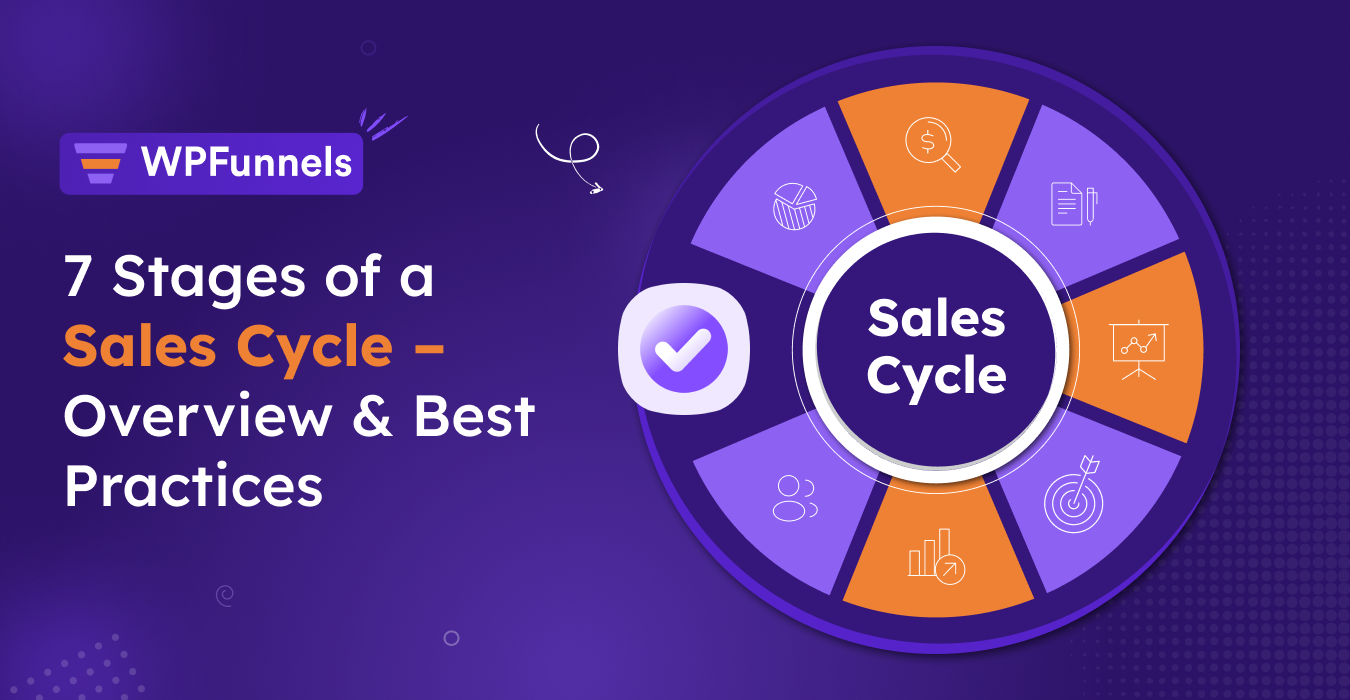
Quick Answer: A WooCommerce sales cycle is the path a shopper takes from first visit to repeat purchase: first visit, product consideration, add to cart, checkout, purchase, post-purchase, and repeat purchase. Looking at each stage separately shows you where shoppers slow down or drop out, and what to improve first.
TL;DR – Understanding The WooCommerce Sales Cycle
- Your WooCommerce sales cycle has 7 stages, starting with the first visit and continuing through repeat purchase.
- Cart abandonment averages close to 70% across ecommerce. Use it as a benchmark for your store, not as proof of where you’re losing the most sales.
- A 2025 study of over 3,000 online stores found that only about 15% of first-time buyers place a second order, making repeat purchases worth paying attention to.
- Sales cycle length isn’t one number. First-visit-to-purchase and first-purchase-to-repeat-purchase are two separate measurements worth tracking.
- The stage costing you the most revenue depends on your own store’s numbers. Find the problem first, then decide what to fix.
What Is A WooCommerce Sales Cycle?
A WooCommerce sales cycle is the journey a shopper takes through your store, from their first interaction to the purchase and what happens afterward.
For a store owner, this gives you a simple way to look at how shoppers move through the buying journey and where they might drop off.
The journey happens through your product pages, cart, checkout, offers, and automated emails. Each part of the store can affect whether a shopper keeps moving toward a purchase or leaves.
Your store data can help you see what’s happening. If shoppers are reaching your product pages but aren’t adding products to their carts, that’s one problem. If they’re adding products but leaving during checkout, that’s another.
Looking at the sales cycle helps you identify those problems and focus on the part of the buying journey that needs attention.
Key Takeaway: A WooCommerce sales cycle gives you a way to understand the shopper’s buying journey and see where your store is losing potential sales.
Sales Cycle vs. Sales Process: What This Actually Means For Your Store
The sales cycle is the path a shopper takes through your store. The sales process is what you put in place to help them move through that journey.
Think about a shopper who finds your store, looks at a couple of products, and adds one to their cart. They leave without completing the order. Three days later, they get an abandoned-cart email, come back, and finish the purchase.
That entire journey is the sales cycle.
The abandoned-cart email is part of your sales process. It is something you set up to bring the shopper back and help complete a purchase that was left unfinished.
You can think about the difference this way:
- Sales cycle: What the shopper does.
- Sales process: What your store does to influence what happens next.
This distinction becomes useful when you look at each part of your WooCommerce sales cycle. You can see where shoppers are dropping off and then look at what you can change at that point to improve the journey.
The 7 Stages Of A WooCommerce Sales Cycle
Now that the difference between the sales cycle and sales process is clear, let’s look at the journey itself.
There are seven stages to pay attention to. At each one, we’ll look at what the shopper is doing, where they may drop off, and which metric can help you spot a problem in your store.
Stage 1: First Visit
This is where the journey starts. Someone lands on your store through a search result, an ad, a social post, or a shared link.
At this point, they may already know what they’re looking for, or they may just be exploring. Either way, the first few seconds can decide whether they stay or leave.
Your page should quickly give them a reason to keep looking and make it clear that they’ve landed in the right place.
Metric to watch: bounce rate on your main landing pages. If it’s high, look at what shoppers see when they arrive and whether the page matches what brought them there.
Stage 2: Product Consideration
The shopper is now looking at your products, reading the descriptions, and deciding whether what you’re selling is right for them.
The problem usually starts when the product page lists features without answering the questions the shopper actually has:
- What’s included?
- Does it fit my needs?
- How does it work for my situation?
- What happens if it doesn’t work out?
For example, say you sell a $45 ceramic coffee grinder. A product page that lists “burr grinder, 18 grind settings, 0.5L capacity” leaves the shopper to figure out why those features matter. Adding a simple line like “grind coarse for French press or fine for espresso, without buying two grinders” gives them a clearer reason to choose the product. That small copy change can be enough to keep them on the page instead of opening a competitor’s tab.
Metric to watch: product-page-to-cart rate. If people are landing on your product pages but aren’t adding anything to their carts, the product page itself may be where the problem is.
Stage 3: Add To Cart
The shopper has added a product to their cart, which shows clear buying intent. At this point, the focus shifts to what happens before they move on to checkout.
The average cart abandonment rate across e-commerce is close to 70%, according to data compiled by the Baymard Institute via Statista (2024 to 2025 figures). That’s useful as a benchmark for your store, but it doesn’t automatically mean the cart is where you’re losing the most revenue.
What you can do: Use this stage to increase the average order value (AOV) with a relevant bundle, an add-on, or a free-shipping threshold shown before the shopper reaches payment.
For example, say a store sells a $60 skincare serum and adds a $12 travel-size cleanser as an order bump on the cart page. The shopper already wants the serum, and the cleanser fits naturally with it. A simple “complete your routine” offer gives them a reason to add another product without changing the original purchase decision.
Metric to watch: cart-to-checkout rate, along with your AOV trend over the last few months.
WPFunnels lets you add an order bump offer to the cart or checkout page, so shoppers can add a relevant product with one click.
Pro Tip: Keep the bump relevant to the product in the cart. When the extra item genuinely complements the original purchase, it feels useful rather than like another offer the shopper has to ignore.
Stage 4: Checkout
Now the shopper is at checkout, entering their payment and shipping details.
They’ve already decided to buy, so this is a bad place to make them work harder than they need to.
The problem here is usually simple checkout friction. A long form, an unexpected shipping charge, or a required account can be enough to make someone leave.
For example, a shopper adds a $38 item to their cart and goes to checkout. That’s when they see a $9 shipping charge they weren’t expecting. They close the tab. The product wasn’t the issue. They just didn’t expect the extra cost. If that $9 charge had been shown on the cart page, they could have made that decision before getting to checkout.
Metric to watch:checkout completion rate, separate from cart-to-checkout. If people are getting to checkout but leaving there, check the checkout itself before reaching for another discount.
WPFunnels’ custom checkout builder can help you remove unnecessary fields and simplify the checkout layout without editing your theme’s code.
Stage 5: Purchase
The order is placed, so the main purchase is complete. There is still a chance to increase the order value while the purchase is fresh.
What you can do is to offer a relevant one-click upsell right after checkout, before the thank-you page loads. The customer has already entered their payment details, so if the offer fits what they just bought, they can accept it with one click instead of going through checkout again.
Say someone buys a coffee machine. A compatible filter pack would make sense as a post-purchase offer because it goes with the product they just bought.
The customer can add it without having to enter their payment details again.
Keep an eye on your post-purchase upsell take rate. That tells you how often customers are accepting the offer and whether it’s adding anything to the order value.
We’ve covered how this works in more detail in How To Set Up WooCommerce Upsell After Checkout.
Stage 6: Post-Purchase
The order is placed, but there is still plenty happening after that. This stage covers the confirmation email, shipping updates, and those first few days after delivery.
The problem is that it’s easy to treat all of this as routine: send the receipt, share the tracking details, and move on. But these messages also shape how the customer feels about the store.
A confirmation email that only says the order was received doesn’t do much. A clear message that tells the customer what happens next can answer questions before they need to contact support.
For example, a customer orders a skincare product and gets a clear email explaining what happens next. They know the order went through, what to expect, and where to look for updates. That can save them from opening a support ticket a few days later just to ask whether their order was received.
One useful number to watch here is support ticket volume during the first week after purchase, along with your return and refund rate. If those numbers start going up, the post-purchase experience is worth looking at.
If you have a support person or a small team handling these tickets, it can also help to see how much of their time is going into support compared with everything else they handle. Time-tracking software like Insightful can give you that visibility and help you see whether the increase in support work is coming from the post-purchase experience or simply from having more tickets to handle.
Stage 7: Repeat Purchase
The next thing to look at is whether those customers come back and place another order.
A 2025 study of more than 3,000 online stores by Uptain found that 85.23% of customers are one-time buyers. Fewer than 15% place a second order at all, and only 12.37% ever place three or more.
The same study found that a second purchase happens, on average, about two weeks after the first one, when it happens at all.
That makes the timing of your follow-up worth paying attention to. A 2026 ecommerce marketing report from Omnisend found that automated emails made up just 2% of total sends, but generated 30% of email-attributed revenue, performing about 16 times better per send than standard campaigns. Abandoned cart, welcome, and back-in-stock emails were the strongest performers in that report.
For example, a customer buys a $70 kitchen tool. Twelve days later, they get a short automated email suggesting a related product that works with what they already bought. There’s no discount. The email simply reaches them at a time when the first purchase is still fresh. Compare that with a generic “we miss you, here’s 10% off” email sent two months later, and the difference in timing is pretty clear.
What you can do: automate the reminder instead of relying on someone to remember to send it manually. Mail Mint’s abandoned cart recovery and email automation workflows fit here, helping recover abandoned purchases and run win-back sequences around the two-week window.
For this stage, watch your repeat purchase rate over a rolling 90 days. The roughly 15% figure gives you a useful benchmark to compare against, while your own store data tells you how this stage is actually performing.
Short Sales Cycle vs. Long Sales Cycle
A WooCommerce store selling a $20 accessory will usually have a different sales cycle from one selling a $150 tool.
Someone may see the $20 product, like it, and buy it right away. The $150 product may need a few visits before the shopper feels ready to place the order.
| Short Cycle | Long Cycle | |
|---|---|---|
| Typical price point | Under $30, impulse range | $100 to $150+, more considered |
| Decision pattern | Often a same-session purchase | Multiple visits before buying |
| What matters most | Removing friction at checkout | Trust signals and product clarity at Stage 2 |
| Where retention shows up | Repeat purchase within days or weeks | Repeat purchase over a longer window |
So, if you’re selling a higher-priced product, don’t judge your store by how quickly someone buys a low-cost product. Give shoppers the time and information they need to make that decision.
The same applies if you also handle wholesale orders, bulk buyers, or B2B accounts. Those customers may take a different path from your regular retail shoppers, so keeping their numbers separate can give you a clearer picture.
A lightweight pipeline view like Timelines.ai can help you keep track of those longer, higher-touch deals without setting up a full CRM.
How To Measure Your Average Sales Cycle Length
For a WooCommerce store, sales cycle length isn’t really one number. It’s better to track two separate parts of the journey.
First meaningful interaction to purchase
Look at the time between a shopper’s first meaningful interaction with your store, such as viewing a product page, and their first completed order.
WooCommerce Analytics, along with your traffic source data, can give you an estimate here. Just keep in mind that anonymous shoppers aren’t always tracked perfectly across different sessions and devices, so treat this as a directional number rather than an exact one.
First purchase to repeat purchase
This one is easier to measure because you’re working with your own customer order history.
Take the average time between a customer’s first and second orders over the last 90 to 180 days. The Uptain benchmark of roughly two weeks gives you something to compare your number against.
Keeping these two numbers separate also makes it easier to figure out where the problem is.
If first visit to purchase is taking too long, look more closely at Stages 2 through 4. If customers are taking too long to come back after their first order, Stage 7 is where you should focus.
How To Reduce Your Sales Cycle Length
Now that you know how long each part of the journey is taking, you can look at what’s slowing things down.
- Start with the number that’s taking too long. If the first visit to purchase is taking longer than expected, go back to Stages 2 through 4. If customers are taking too long to come back, look at Stage 7.
- Look at what’s happening there. Say checkout is where people are dropping off. Maybe the form is too long, shipping costs show up too late, or the checkout doesn’t work well on mobile. You need to find the actual issue before changing anything.
- Fix one problem first. Don’t change the whole checkout, product page, and email flow at the same time. Pick the problem that seems most likely to be holding shoppers back and start there.
- Give the change some time. A few days of data won’t tell you much. Let enough orders come through to see whether the number is really moving.
- Check the number again. Compare it with where you started. If the first-visit-to-purchase time has come down, you know the change helped. If repeat purchases are happening sooner, you’ve made progress there too.
You can come back to these numbers every few months and repeat the process. There’s no need to overhaul the whole sales cycle each time. Find what’s slowing things down, fix it, and then see what needs attention next.
Where WPFunnels And Mail Mint Fit
The sales cycle has a few different points where you can make changes. WPFunnels and Mail Mint fit into different parts of that journey, depending on what you’re trying to improve.
Here’s a quick look at where each one fits:
| Stage | Problem | Fix | Tool |
|---|---|---|---|
| Add to Cart | Low AOV, high abandonment | Order bump on cart/checkout | WPFunnels |
| Checkout | Form friction, drop-off after intent to buy | Custom checkout builder | WPFunnels |
| Purchase | No post-purchase revenue capture | One-click upsell | WPFunnels |
| Post-Purchase | Generic receipts, avoidable support tickets | Transactional email customization | Mail Mint |
| Repeat Purchase | Customers not returning | Abandoned cart recovery, automated win-back sequences | Mail Mint |
The easiest way to think about it is this:
WPFunnels helps with what happens around the cart, checkout, and purchase. Mail Mint takes care of what happens after or around the purchase, such as recovering abandoned carts and getting customers back for another order.
Final Thoughts
You’ve now got a clearer picture of how the WooCommerce sales cycle works and, more importantly, where you can actually work on it.
You don’t need to go back and change everything in your store. Start with one stage.
Take a look at your numbers and ask yourself:
- Where are shoppers dropping off?
- Is that happening at the product page, cart, or checkout?
- Are customers buying once and then disappearing?
- What is one thing you can change at that stage?
If checkout is the problem, go through the checkout yourself. If customers aren’t adding products to their carts, look at your product pages. If first-time buyers aren’t coming back, look at what happens after the order.
Then make one change and watch what happens.
Give it enough time to collect useful data, compare the number with where you started, and then decide what to work on next. You don’t need to fix the whole sales cycle in one go.
That’s really the point of looking at the sales cycle this way. You stop guessing and start working from what your shoppers are actually doing.
And once you’ve improved one stage, move to the next one. A better product page, a smoother checkout, a relevant upsell, or a well-timed follow-up email may seem like a small change on its own. Keep making those improvements, and they can add up to a much better buying experience and more customers coming back to your store.
Ready to Build Your B2B Sales Funnel?
Turn your B2B inquiries into a clear sales process. Capture the right information, guide buyers to the right next step, and keep your follow-ups moving without handling everything manually.
Frequently Asked Questions
What can cause a WooCommerce sales cycle to become longer?
Several things can slow the journey down, including unclear product information, checkout friction, unexpected costs, or a lack of follow-up after the first visit or purchase. The important part is finding out which issue is affecting your store instead of assuming the same problem applies to every WooCommerce store.
Does product price affect the WooCommerce sales cycle?
Yes. Lower-priced products are often easier to buy in the same session, while higher-priced products may take several visits before a shopper feels ready to purchase. Your product price is therefore useful context when you’re looking at how long your own sales cycle takes.
Can discounts shorten a WooCommerce sales cycle?
They can encourage a shopper to buy sooner, but a discount isn’t always the right fix. If the real problem is unclear product information, checkout friction, or an unexpected shipping cost, lowering the price may simply reduce your margin without fixing what is holding the shopper back.
How can I tell if my WooCommerce sales cycle is too long?
There isn’t one ideal length for every store. Compare your first-visit-to-purchase time and first-purchase-to-repeat-purchase time with your own historical data. If either number is getting longer, look at the stages involved and see where shoppers are taking longer to move forward.
Should I measure new and returning customers separately?
Yes. A first-time shopper and an existing customer are at different points in the buying journey. Separating them can help you see whether the issue is getting new shoppers to purchase or getting existing customers to return.
Can I improve the WooCommerce sales cycle without increasing traffic?
Yes. You can work on the shoppers already reaching your store by improving the stages where they are dropping off. For example, you might improve product-page clarity, reduce checkout friction, increase the value of an existing order, or encourage previous customers to purchase again.