Kartra puts funnels, email, checkout, memberships, and video in one account. That’s why you picked it, and it’s also why leaving can feel risky.
The best Kartra alternative depends on what you want to replace.
Systeme.io offers a lower-cost hosted option, Kajabi focuses on courses and communities, while Creator LMS with Mail Mint covers courses, memberships, checkout, and email on your own WordPress site.
When you’re considering a switch, the questions usually come down to:
- What will it cost at your current list size?
- Which Kartra features will the alternative replace?
- How much work will the migration take?
I’ve put together 10 Kartra alternatives for course creators and coaches, with current pricing, pros and cons, and a clear look at who each one suits.
Before comparing the alternatives, let’s look at what Kartra does well and where the trade-offs start.
What Is Kartra and What Are the Pros and Cons of Kartra?
Kartra is an all-in-one marketing platform designed to help businesses manage their online marketing from one place.
It brings together pages, sales funnels, checkout, email marketing, memberships, video hosting, helpdesk, and calendar tools in a single platform.
Kartra earned its place with creators for a reason. Having these tools under one roof can make it easier to manage your marketing without connecting multiple platforms.
The trade-off is how the price changes as your business grows, along with how much of your business depends on one hosted platform. Understanding both sides makes it easier to compare Kartra with the alternatives below.
Pros and Cons of Kartra
| Kartra Pros | Kartra Cons |
|---|---|
| Funnels, pages, checkout, email, memberships, and helpdesk in one account | Starter caps at 2,500 contacts, and going over auto-upgrades you to Growth with a mid-cycle fee |
| Unlimited video hosting from the Starter plan | Essentials charges a 5% fee on sales and allows 1 product and 1 membership |
| No transaction fees from Starter and up | Affiliate management only unlocks on Growth and Professional |
| 14-day free trial and a 30-day money-back guarantee | Reviewers often describe the builder and automations as powerful but complex |
| Kartra AI included on every plan | Your site, list, courses, and payments all live on Kartra’s servers |
Kartra Pricing
| Plan | Monthly Billing | Annual Billing | Contacts | Transaction Fee |
|---|---|---|---|---|
| Essentials | $59/month | $52/month ($624/year) | 500 | 5% |
| Starter | $119/month | $99/month ($1,188/year) | 2,500 | 0% |
| Growth | $229/month | $189/month ($2,268/year) | 12,500 | 0% |
| Professional | $549/month | $429/month ($5,148/year) | 25,000 | 0% |
For cost comparisons in this guide, we use Kartra Starter at $99/month billed annually, or $1,188/year, as the baseline. It’s the first plan without transaction fees and includes 2,500 contacts.
Good to Know: None of this makes Kartra a bad product. It was built to be your whole business in one place.
The question is whether you want to keep renting that whole business, or own part of it. Each alternative below answers that differently.
Now, let’s find the alternative that matches what you’re actually trying to fix.
Find the Best Kartra Alternative in 30 Seconds
Every tool on this list solves a slightly different problem. Scan the table and see which row sounds like your situation.
| If your goal is… | Best tool | Why |
|---|---|---|
| Own your courses, list, and checkout on WordPress | Creator LMS | Free version with unlimited students, native Stripe checkout, memberships and upsells from $70/year |
| Launch courses fast with AI help and a student app | Klasio | AI course builder, student mobile app on every plan, 0% commission on monthly plans |
| Add funnels, order bumps, and upsells to a WooCommerce store | WPFunnels | Visual canvas, custom checkout, and 1 bump + 1 upsell per funnel free |
| Keep an existing Groove lifetime account | Groove (now Scale.gg) | Lifetime members keep access, but new Groove signups are closed |
| Run funnels with a large community behind you | ClickFunnels | Launch plan at $81/month billed annually with 10,000 contacts |
| Try a big toolset at a low monthly price | Builderall | Funnels, email, and courses from $17/month |
| Replace Kartra for free or close to it | Systeme.io | Free plan with 2,000 contacts, Startup at $17/month for 5,000 |
| Sell courses and downloads from a simple storefront | Podia | Courses, downloads, email, and affiliates in one place |
| Build structured courses with bumps and upsells | Thinkific | Order bumps and upsells from Start at $82/month billed annually |
| Run a course and community business on one platform | Kajabi | 2,500 contacts on Basic at $143/month billed annually |
That gives you the quick answer. If you searched for a specific head-to-head, the next section answers it in one line.
Kartra vs Other Tools at a Glance
Most people leaving Kartra already have one or two names in mind. Here’s the short answer for each comparison.
| Comparison | Short answer |
|---|---|
| Kartra vs Creator LMS | Pick Creator LMS if you want courses and checkout on your own WordPress site at a flat yearly price. |
| Kartra vs Klasio | Pick Klasio if course creation speed and a student app matter more than built-in email and funnels. |
| Kartra vs WPFunnels | WPFunnels replaces Kartra’s funnels, checkout, and upsells for WooCommerce, not its courses, so pair it with an LMS. |
| Kartra vs Groove | Groove is closed to new signups, so it only makes sense if you already hold an account. |
| Kartra vs ClickFunnels | ClickFunnels is stronger on funnels and gives 10,000 contacts on Launch, but gates affiliates to Optimize. |
| Kartra vs Builderall | Builderall costs less per month, but expect a less polished experience. |
| Kartra vs Systeme.io | Systeme.io covers most Kartra features for far less, including affiliates on every plan. |
| Kartra vs Podia | Podia is simpler for courses and downloads, but its email plans cap subscribers low. |
| Kartra vs Thinkific | Thinkific has the better course experience and bumps from Start, with lighter funnels. |
| Kartra vs Kajabi | Kajabi is the better course and community platform, and it costs more at 2,500 contacts. |
| Kartra vs WordPress | WordPress lets you own the site, list, and pricing, in exchange for handling hosting and a few plugins. |
The one-liners help, but most people also need to know which of their Kartra features each tool actually covers.
10 Best Kartra Alternatives for Course Creators and Coaches
Choosing a Kartra alternative comes down to which part of your current setup hurts. Maybe it’s the contact-tier jumps, the learning curve, or the fact that none of it is really yours.
Creator LMS and WPFunnels run on WordPress, so you own the site and the data. The rest, including Klasio, are hosted platforms that replace Kartra with another all-in-one.
For each one, you’ll see how it helps, where it falls short, what it costs, and whether it’s a better fit than Kartra. Let’s start with the one that changes the ownership question entirely.
1. Creator LMS: WordPress LMS for Coaches With Native Checkout

Creator LMS is a WordPress LMS plugin built for coaches, consultants, and course creators. You create courses, sell them, and deliver them from your own site, with no monthly platform fee.
The free version already includes unlimited courses, lessons, and students, a quiz builder, certificates with verification, and native Stripe and Mollie checkout. You don’t need WooCommerce to take payments.
Paid plans add memberships and subscriptions, one-click upsells and down-sells, an AI course builder, gamification, and Mail Mint email automation. Business adds cohort-based group coaching, and Agency adds a built-in community.
Most tools on this list are hosted platforms you pay monthly. Creator LMS flips that: your courses, students, and payment records stay in your own WordPress database.
How Creator LMS Helps You Earn More From Every Student
- Sell without a platform cut: Native Stripe and Mollie checkout is free, and Creator LMS adds no transaction fee of its own.
- Grow revenue per student: One-click upsells and down-sells on paid plans let a student move from a beginner course to your advanced program without re-entering card details.
- Build recurring revenue: Memberships and subscriptions support monthly or yearly billing, and paid plans add installment payment plans.
- Run group coaching (Business): Cohorts give each group a start date, live session scheduling, and waitlists for the next intake.
- Draft courses faster: The AI course builder turns a description of your topic into a full outline with chapters and lessons.
- Move off another LMS for free: Non-destructive migration imports courses and students from LearnDash, Tutor LMS, LearnPress, and MasterStudy, plus SCORM packages.
Where Creator LMS Differs From Kartra
- Price: Creator LMS Starter costs $70/year and Mail Mint Starter costs $119.99/year, so $189.99/year in plugins. Kartra Starter costs $1,188/year, and the savings section below adds hosting and email sending so the comparison stays fair.
- Course & membership delivery: Courses and memberships run on your own domain and theme, with cohorts on Business and community on Agency. On Kartra, they run inside Kartra’s membership portal.
- Data ownership: Students, orders, and course content sit in your WordPress database. Kartra lets you export contacts, but there’s no course export.
- Email automation: Mail Mint triggers emails from student behavior, like not finishing lesson one or going inactive for 14 days, with no contact limits. Kartra moves you up a tier as soon as you pass 2,500 contacts.
Pros and Cons of Creator LMS
| Pros | Cons |
|---|---|
| Free version with unlimited courses, lessons, and students, plus quizzes and certificates | Cohorts need Business, and the community needs Agency |
| Native Stripe and Mollie checkout, no WooCommerce needed | No built-in affiliate program |
| Memberships, one-click upsells, and the AI course builder from the $70/year Starter plan | No video hosting of its own: the branded player works with YouTube, Vimeo, or self-hosted files |
| Free, non-destructive migration from LearnDash, Tutor LMS, LearnPress, and MasterStudy | You handle hosting and plugin updates |
| 5/5 rating from 16 reviews on WordPress.org |
Creator LMS Pricing
| Free | Starter | Pro | Business | Agency |
|---|---|---|---|---|
| $0 | $70/year | $100/year | $200/year | $300/year |
| Unlimited courses and students, Stripe and Mollie checkout, quizzes, certificates | 1 site: memberships, subscriptions, one-click upsells, AI course builder, Mail Mint automation | 5 sites: everything in Starter | 10 sites: + cohorts, live sessions, priority support | 50 sites: + built-in community, white label |
Prices shown are current sale rates on creatorlms.net (regular prices: $139.99, $199.99, $399.99, and $599.99 a year). A 15-day money-back guarantee applies to all paid plans.
Should You Switch to Creator LMS?
If your business is courses, coaching programs, or memberships, and you’re tired of paying more every time the list grows, Creator LMS is the most direct way to own that part of your business. Start on the free version and build one course before you commit.
Starter already covers memberships, upsells, and email automation for one site. Move to Business only if you run cohort-based group coaching.
Plan for the two gaps: video hosting and affiliates. YouTube, Vimeo, or a host like Bunny Stream handles video through Creator LMS’s branded player, and an affiliate plugin covers the rest if you run a partner program.
Pro Tip: Compare Creator LMS against the Kartra plan you’d actually be on next year, not today. If your list is heading past 2,500 contacts, that’s Growth at $2,268/year, while your plugin costs stay the same.
Related read: 5+ Best WordPress LMS Plugins to Create Online Course [2026]
Try Creator LMS Free → | Get Creator LMS Now →
Creator LMS gives you ownership. The next tool goes the other way and puts speed first, with AI doing much of the course building.
2. Klasio
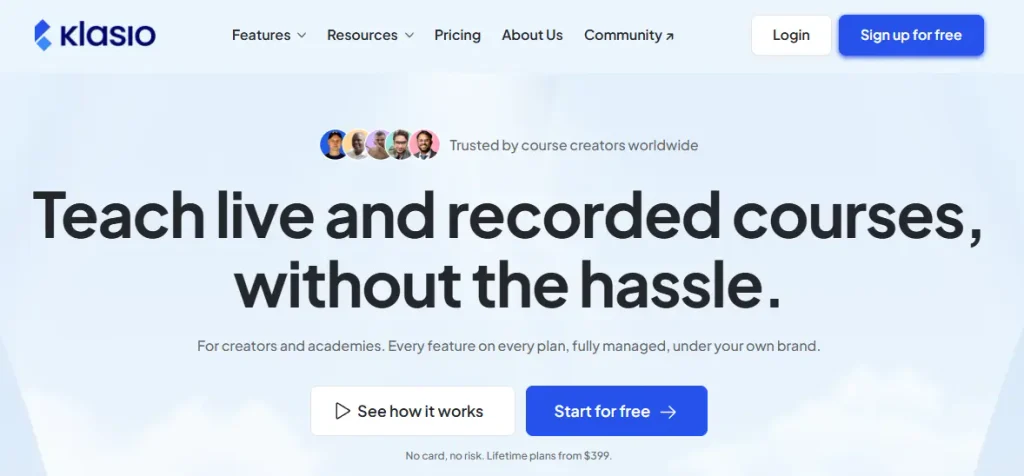
Klasio is a hosted online course platform built around AI. You describe your course, and its AI builder drafts the full curriculum from a single prompt.
Every plan, including the free one, comes with a student mobile app. Paid plans add more students and video storage, starting with 100GB of video on Starter.
Monthly plans charge 0% commission on sales. Klasio also sells lifetime plans for a one-time price, which carry a small transaction fee instead.
The trade-off is scope. We didn’t find built-in email marketing, a funnel builder, or an affiliate program, so Klasio replaces Kartra’s course side rather than the whole account.
How Klasio Helps You Launch Courses Faster
- Draft a course from one prompt: The AI builder generates a full curriculum, so you edit a draft instead of starting from a blank page.
- Give students a mobile app: A branded student app comes with every plan.
- Host your course videos: Starter includes 100GB of video uploads, and Growth and up move to fair-use unlimited.
- Sell memberships and subscriptions: Recurring access is built in, alongside one-off course sales.
- Keep every sale on monthly plans: Monthly plans take 0% commission.
Pros and Cons of Klasio
| Pros | Cons |
|---|---|
| AI builder drafts a full curriculum from one prompt | No built-in email marketing found |
| Student mobile app on every plan | No funnel builder or order bumps found |
| 0% commission on monthly plans | No native affiliate program for creators |
| Free plan to test with 1 course and 50 students | Lifetime plans carry a 1–3% transaction fee |
| Video hosting included from Starter | Newer platform with few reviews so far |
Klasio Pricing
| Free | Starter | Growth | Business |
|---|---|---|---|
| $0 | $49/month | $79/month | $149/month |
| 1 course, 50 students | 2,500 students, 100GB video | 10,000 students, unlimited video (fair use) | 20,000 students |
Is Klasio Better Than Kartra?
If building and launching courses is your bottleneck, Klasio gets you to a finished course faster than Kartra. The AI builder and the student app are the two things Kartra doesn’t offer.
Kartra still wins on email, funnels, and affiliates. If you use those daily, you’d pair Klasio with an email tool, which adds back some of the cost and complexity you were trying to leave.
Remember: Klasio’s lifetime deal ends September 30. If a one-time price is the reason you’re looking, check the transaction fee on the tier you pick, because it applies to every sale.
Klasio covers courses. The next tool covers the part it leaves out: funnels, bumps, and upsells.
3. WPFunnels
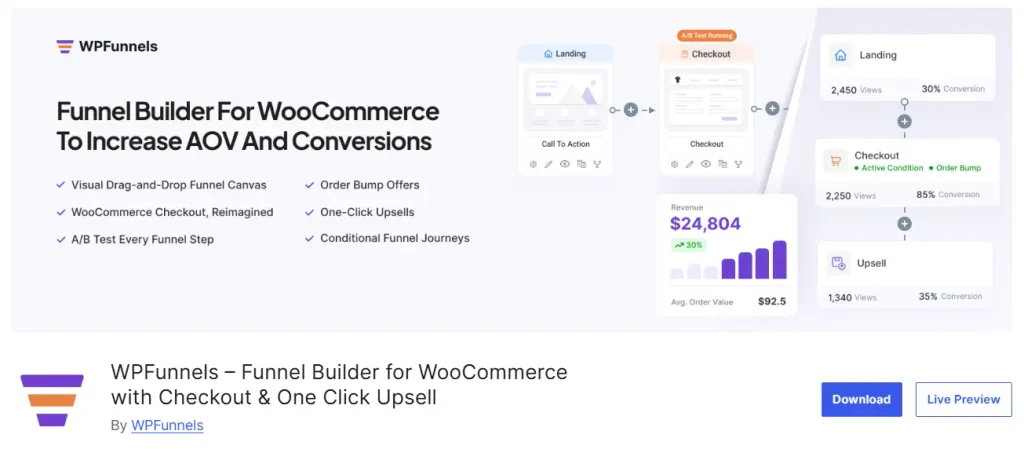
WPFunnels is a WooCommerce funnel builder for WordPress. You plan the whole buyer journey on a visual canvas: landing page, custom checkout, order bump, one-click upsell or downsell, and thank-you page.
It’s built specifically for WooCommerce, so every funnel uses your existing products, payment gateways, and store settings. It isn’t a course platform, and it doesn’t replace one.
For course creators and coaches, it fits in three ways. You can run free lead generation funnels connected to Mail Mint, build course funnels for LearnDash and Tutor LMS, or sell digital products through a WooCommerce store.
We run WPFunnels on our own launches, and one-click upsells added 14% extra revenue in a recent campaign. That’s the part of Kartra it replaces: the checkout flow and the offers around it.
How WPFunnels Helps You Raise Revenue Per Buyer
- See the whole funnel at once: Plan every step on one canvas, or start from a template with widgets for Gutenberg, Elementor, Divi, Bricks, and Oxygen.
- Replace the default WooCommerce checkout: Single-column, two-column, and Shopify-style layouts are free, and paid plans add multi-step checkout, express checkout, and the Checkoutify field editor.
- Add order bumps at checkout: The free version includes one order bump per funnel with 13 layouts, and paid plans add multiple and dynamic bumps.
- Offer one-click upsells and downsells: Buyers accept a post-purchase offer without re-entering card details, with Stripe, PayPal, and Mollie supported for free.
- Capture leads for free: Lead generation funnels with opt-in forms connect to Mail Mint for follow-up emails.
- Personalize and measure (paid): Conditional funnels, detailed analytics, and A/B testing show which step, bump, or upsell adds revenue.
Pros and Cons of WPFunnels
| Pros | Cons |
|---|---|
| Free custom checkout, lead funnels, and 1 order bump + 1 upsell per funnel | Sales funnels need WooCommerce |
| Built natively for WooCommerce products and payments | Not a course platform, so courses need an LMS |
| Conditional funnels and dynamic offers on paid plans | Analytics and A/B testing need a paid plan |
| Works with Gutenberg, Elementor, Divi, Bricks, and Oxygen | LMS funnels for LearnDash and Tutor LMS need the Business plan |
| 4.9/5 rating from 174 reviews on WordPress.org | WordPress only |
WPFunnels Pricing
| Free | Starter | Pro | Business | Agency |
|---|---|---|---|---|
| $0 | $103.99/year | $159.99/year | $319.99/year | $479.99/year |
| Custom checkout, lead funnels, 1 order bump + 1 upsell per funnel | 1 site: multiple bumps and upsells, A/B testing, analytics, Checkoutify | 1 site: Starter + email automation with Mail Mint, abandoned cart recovery | 5 sites: conditional funnels, dynamic upsells, LMS funnels | 50 sites: all add-ons |
Prices shown are current discounted rates (regular prices: $129.99, $199.99, $399.99, and $599.99). A 15-day money-back guarantee applies to all paid plans.
Is WPFunnels Better Than Kartra?
For WooCommerce funnels and checkout, WPFunnels does what Kartra’s funnel builder does for a fraction of the yearly cost. Starter at $103.99/year compares with Kartra Starter at $1,188/year.
If you sell only courses through Creator LMS, you may not need it, since Creator LMS has its own checkout and upsells. Add WPFunnels when you sell through WooCommerce, sell LearnDash or Tutor LMS courses, or want lead funnels and A/B testing.
Good to Know: WPFunnels, Mail Mint, and Creator LMS are three plugins from one team, not one app. Each covers one job: funnels, email, and courses.
Related read: How To Craft A Highly Effective Online Course Sales Funnel In 2026
That covers the two WordPress tools. From here, every tool is a hosted platform, starting with one that’s in the middle of a big change.
4. Groove (Now Scale.gg)
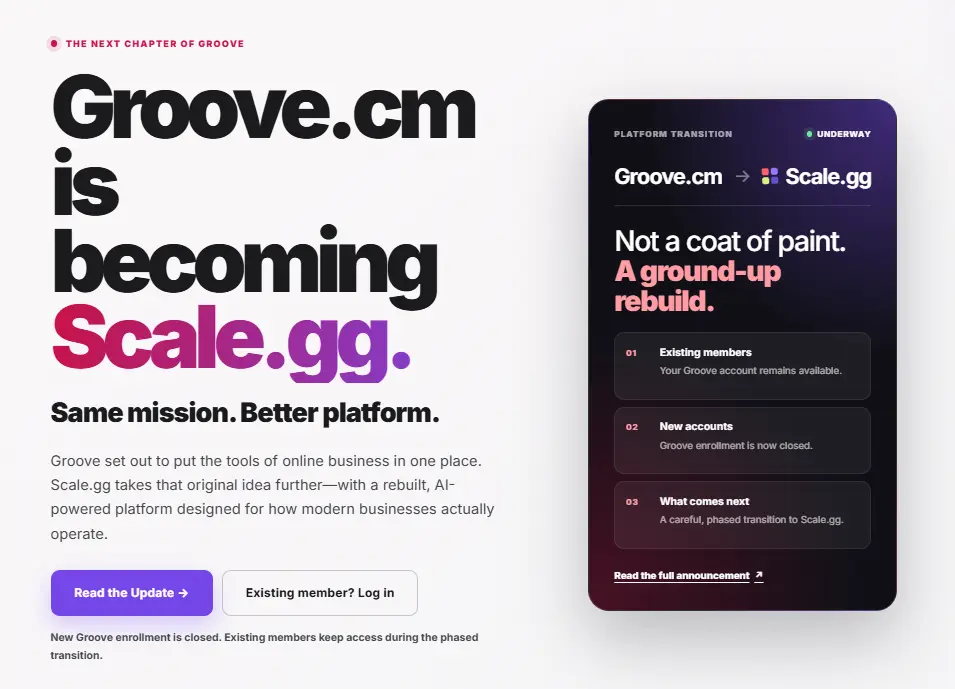
Groove was built as a suite of connected apps: pages, email, affiliates, video, webinars, and a store. It drew in many creators with its lifetime offers.
The big change: Groove no longer accepts new customers. The company has rebranded to Scale.gg, and existing members, including lifetime members, keep their access.
If you’re choosing a platform today, you’d be signing up for Scale.gg. Its top plan, Pro Max, bundles all 27 of its products, including funnels, email, courses, affiliates, and video.
How Groove Helps Existing Members Replace Kartra
- Keep your lifetime access: Groove says lifetime members’ accounts stay fully active, with no changes.
- Run funnels and pages: The page and funnel builder still covers sales pages and opt-ins.
- Manage affiliates: A built-in affiliate app handles partner tracking and payouts.
- Host video and webinars: Video and webinar tools sit in the same account.
Pros and Cons of Groove
| Pros | Cons |
|---|---|
| Existing lifetime members keep access | New Groove enrollment is closed |
| Funnels, email, affiliates, and video in one suite | Scale.gg’s lower plan prices aren’t fully published |
| Scale.gg Pro Max bundles all 27 products | A long history of slow development, per older reviews |
| Webinar tools included | Mixed review scores compared with other tools here |
Groove Pricing
| Groove (legacy) | Scale.gg Solo | Scale.gg Pro Max |
|---|---|---|
| Closed to new customers | $395/year | $200/month or $1,495/year |
| Existing and lifetime members keep access | 1 product | All 27 products: funnels, email, courses, affiliates, video |
Scale.gg lists Starter and Pro plans without public prices, so check them directly before comparing.
Is Groove Better Than Kartra?
If you already hold a Groove lifetime account, using it before paying Kartra’s renewal makes sense. The core tools still work, and there’s no new bill.
If you don’t have an account, Groove isn’t really an option anymore. You’d be judging Scale.gg, whose all-product plan costs $1,495/year, against Kartra Starter’s $1,188/year.
Remember: Groove is still a common search next to Kartra, but the product you’d buy today is Scale.gg. Compare Scale.gg’s current pricing, not the old Groove lifetime offers.
Groove’s future is still taking shape. The next tool is the most established funnel platform on this list.
5. ClickFunnels
ClickFunnels is a hosted funnel builder with courses, email, and a CRM built in. It’s the platform most people compare with Kartra, and the one with the largest community.
The Launch plan includes 10,000 contacts, 3 courses, and unlimited funnels. That’s four times Kartra Starter’s contact limit for a lower yearly price.
The catch is the plan ladder. Affiliate management only arrives with the Affiliate Center on Optimize, which costs $248/month billed annually.
How ClickFunnels Helps You Sell More Through Funnels
- Build funnels from proven templates: A large template library and years of community tutorials shorten your first build.
- Grow your list further before upgrading: Launch includes 10,000 contacts.
- Deliver courses in the same account: Launch includes 3 courses, with native course video hosting.
- Automate email and follow-up: Email campaigns and workflows are built in.
- Run affiliates (Optimize): The Affiliate Center handles partners on Optimize and Dominate.
Pros and Cons of ClickFunnels
| Pros | Cons |
|---|---|
| Mature funnel builder with a large template library | Affiliate Center only on Optimize and up |
| 10,000 contacts on Launch | 3 courses on Launch, 6 on Scale |
| No transaction fees from ClickFunnels | No free plan, only a 14-day trial |
| Big community and years of tutorials | Your funnels and customer data live on ClickFunnels’ servers |
| Email, CRM, and courses in one account | Recommends external hosts for page videos |
ClickFunnels Pricing
| Launch | Scale | Optimize | Dominate |
|---|---|---|---|
| $97/month, or $81/month billed annually ($972/year) | $197/month, or $164/month billed annually ($1,968/year) | $297/month, or $248/month billed annually ($2,976/year) | $5,997/year (annual only) |
| 10,000 contacts, 3 courses | 75,000 contacts, 6 courses | 150,000 contacts, 10 courses, Affiliate Center | 400,000 contacts, 20 courses |
All plans include a 14-day trial and a 30-day money-back guarantee.
Is ClickFunnels Better Than Kartra?
On funnels and list size, ClickFunnels gives you more for less. Launch costs $972/year with 10,000 contacts, while Kartra Starter costs $1,188/year with 2,500.
Kartra holds the edge if you rely on affiliates, since that needs ClickFunnels Optimize at $2,976/year. Its helpdesk and calendar tools also have no direct ClickFunnels match.
Pro Tip: Price the plan that covers your affiliate program, not the entry plan. If you run affiliates, that’s Kartra Growth at $2,268/year against ClickFunnels Optimize at $2,976/year.
We’ve gone deeper on ClickFunnels elsewhere: Top 11 ClickFunnels Alternatives To Craft High Converting Funnels, ClickFunnels vs OptimizePress, ClickFunnels vs Pipeline Pro, and Choose The Best ClickFunnels Alternative In WordPress.
ClickFunnels competes on funnel depth. The next tool competes on price and sheer number of tools.
6. Builderall
Builderall is a hosted platform that bundles a website builder, funnels, email marketing, courses, and memberships. It has been around since 2011.
Its appeal is breadth for the money. Plans start at $17/month, and Essentials at $47/month includes 3,000 email subscribers.
The trade-off shows up in the details. Reviewers often point to a less polished builder and a busier interface than Kartra’s.
How Builderall Helps You Cover More for Less
- Replace several tools with one plan: Website, funnel, email, and course tools share one account.
- Start small: The Core plan starts at $17/month.
- Add email as you grow: Essentials includes 3,000 subscribers, and Advanced includes 10,000 contacts.
- Build course areas and memberships: Course and membership tools are part of the suite.
Pros and Cons of Builderall
| Pros | Cons |
|---|---|
| Low monthly entry price | Official pricing page wouldn’t load for verification |
| Website, funnels, email, and courses in one plan | Less polished builder than Kartra, per reviewers |
| 3,000 subscribers on Essentials | Some tools feel shallow compared with specialists |
| 14-day trial and 30-day money-back guarantee | Lower review scores than most tools here |
Builderall Pricing
| Core | Essentials | Advanced | Premium |
|---|---|---|---|
| $17/month | $47/month | $97/month | $247/month |
| Website and core builder tools | 3,000 subscribers | 10,000 contacts | Full suite, highest limits |
Is Builderall Better Than Kartra?
On price, Builderall costs much less than Kartra for a similar spread of tools. Essentials at $47/month compares with Kartra Starter at $99/month billed annually.
On experience, Kartra is the more refined platform. If your launches depend on a builder you can move fast in, test Builderall’s editor during the trial first.
Good to Know: A long feature list is only worth it if you’ll use the tools. Map your current Kartra setup to Builderall’s apps before switching.
Related read: ClickFunnels vs Builderall
Builderall is cheap, but the next tool is free to start and still covers most of what Kartra does.
7. Systeme.io
Systeme.io is a hosted all-in-one for funnels, email, courses, affiliate programs, and webinars. It’s the closest match to Kartra’s everything-in-one-place model at a much lower price.
The free plan includes 2,000 contacts, 3 funnels, and 1 course. Startup at $17/month raises that to 5,000 contacts with unlimited funnels.
Two details stand out for Kartra users. An affiliate program is included on every plan, even the free one, and there are no transaction fees.
How Systeme.io Helps You Replace Kartra on a Budget
- Start free: The free plan covers 2,000 contacts, 3 funnels, and 1 course.
- Run affiliates on any plan: Affiliate management is included, unlike Kartra Starter.
- Send unlimited emails: Every plan includes unlimited email sending.
- Host your videos: Course videos upload straight to Systeme.io with unlimited storage.
- Keep every sale: 0% transaction fees on all plans.
Pros and Cons of Systeme.io
| Pros | Cons |
|---|---|
| Free plan with 2,000 contacts and 1 course | Less design flexibility than Kartra |
| Affiliate program on every plan | Analytics are basic |
| 0% transaction fees | Automation can feel limited for complex sequences |
| Unlimited emails and unlimited students | Your business still lives on a hosted platform |
| 4.8/5 on G2 from 750 reviews | Annual prices aren’t shown in plain text on the pricing page |
Systeme.io Pricing
| Free | Startup | Webinar | Unlimited |
|---|---|---|---|
| $0 | $17/month | $47/month | $97/month |
| 2,000 contacts, 3 funnels, 1 course | 5,000 contacts, unlimited funnels, 5 courses | 10,000 contacts, unlimited courses | Unlimited contacts |
Annual billing gives 2 months free: $170, $470, and $970 a year.
Is Systeme.io Better Than Kartra?
For most creators with a list under 5,000, Systeme.io covers the Kartra features you use for a fraction of the price. Startup costs $170/year against Kartra Starter’s $1,188/year.
Kartra still offers more design control and built-in helpdesk and calendar tools. And like Kartra, you’re still renting the whole business from one platform.
Pro Tip: Rebuild your main funnel on Systeme.io’s free plan before you cancel anything. If it works there, you’ve tested the switch at no cost.
Systeme.io wins on price. The next tool wins on simplicity for courses and digital products.
8. Podia

Podia is a hosted storefront for courses, digital downloads, coaching, webinars, and communities. It’s known for being simple to set up.
Email marketing is included, and affiliates and upsells unlock on Shaker. Podia doesn’t have a funnel builder like Kartra’s, so multi-step funnels are off the table.
The limit to watch is email. Plans include 100, 500, or 1,000 subscribers, and extra subscribers cost more.
How Podia Helps You Sell Courses Without the Learning Curve
- Set up fast: One storefront holds courses, downloads, coaching, and webinars.
- Email your students: Email marketing is built in on every plan.
- Add upsells and affiliates (Shaker): Both unlock on Shaker and up.
- Host your videos: Plans include 500 videos, 1,000 videos, or unlimited.
Pros and Cons of Podia
| Pros | Cons |
|---|---|
| Simple setup for courses and downloads | No funnel builder |
| Email marketing included | Email plans cap at 100 to 1,000 subscribers |
| Affiliates and upsells from Shaker | 5% transaction fee on Mover |
| No transaction fees on Shaker and up | Cost at 2,500 subscribers isn’t published |
Podia Pricing
| Mover | Shaker | Earthquaker |
|---|---|---|
| $42/month billed annually ($504/year) | $84/month billed annually ($1,008/year) | $150/month billed annually ($1,800/year) |
| 100 email subscribers, 50 products, 5% fee | 500 subscribers, 150 products, affiliates | 1,000 subscribers, unlimited products |
Annual prices are from Podia’s pricing page. Payment processing (2.9% + 30¢) is charged on top.
Is Podia Better Than Kartra?
For simple course and download sales, Podia is easier to run than Kartra. You’ll spend less time in settings and more time selling.
For a list of 2,500, Kartra Starter is likely the better value. Earthquaker already costs $1,800/year for 1,000 subscribers, before any extra subscribers.
Good to Know: Podia’s email caps are low for a list you’re actively growing. Check the add-on price for your list size before you compare totals.
Related read: Podia vs Kajabi
Podia keeps things simple. The next tool puts the course experience first.
9. Thinkific
Thinkific is a hosted course platform built for structured learning. Its course builder, student experience, and communities are its core strengths.
Email automation is included on every plan. Order bumps and post-purchase upsells arrive on the Start plan.
It’s lighter on funnels than Kartra. You can sell and upsell, but you won’t get Kartra’s multi-step funnel builder.
How Thinkific Helps You Build Better Courses
- Create courses that feel polished: The course builder and student player are Thinkific’s strongest features.
- Raise order value (Start): Order bumps and post-purchase upsells unlock on Start.
- Email students automatically: Email automation is included on all plans.
- Track affiliates: Affiliate reporting is available from Basic.
Pros and Cons of Thinkific
| Pros | Cons |
|---|---|
| Strong course builder and student experience | No multi-step funnel builder like Kartra’s |
| Order bumps and upsells from Start | Partner revenue sharing limited to 1 partner on Start |
| Email automation on every plan | No free plan |
| Unlimited courses on all plans | Higher plans needed for more admins |
Thinkific Pricing
| Basic | Start | Grow | Plus |
|---|---|---|---|
| $54/month, or $40/month billed annually ($480/year) | $109/month, or $82/month billed annually ($984/year) | $219/month, or $164/month billed annually ($1,968/year) | Contact sales |
| Unlimited courses, 1 admin | Order bumps, upsells, 2 admins | 6 admins, 3 communities | Custom |
Thinkific offers a 30-day free trial. Card processing fees apply through Thinkific Payments.
Is Thinkific Better Than Kartra?
If courses are the center of your business, Thinkific gives students a better learning experience than Kartra. Start costs $984/year against Kartra Starter’s $1,188/year.
If funnels drive your sales, Kartra is still stronger there. Some creators pair Thinkific with a separate funnel tool to cover that gap.
Remember: Order bumps and upsells aren’t on Thinkific Basic. If they’re part of your offer stack, compare Start, not the entry price.
Related read: Thinkific vs Kajabi
Thinkific is course-first. The last tool combines courses with community and coaching in one premium package.
10. Kajabi
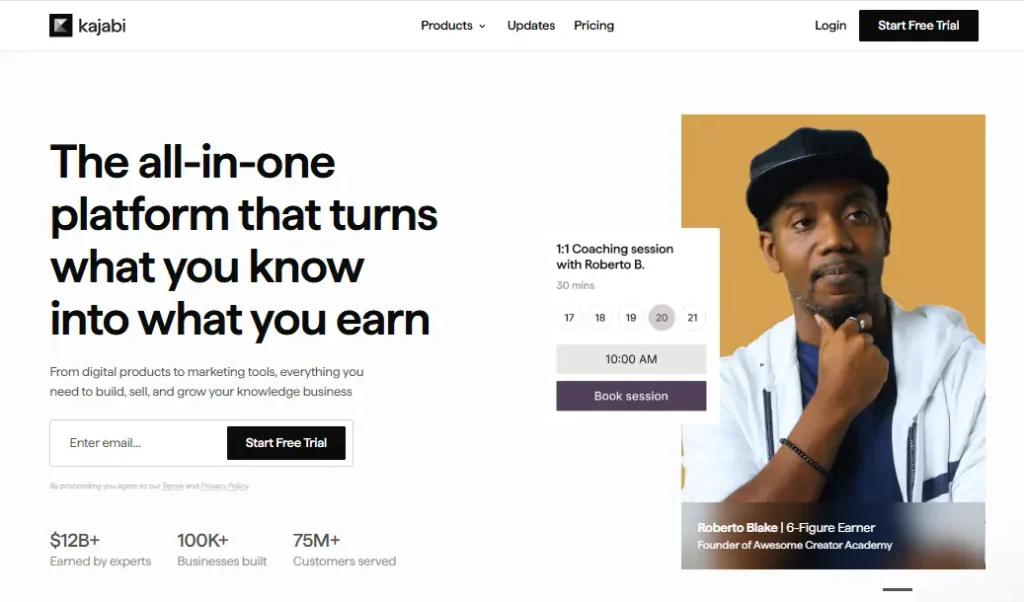
Kajabi is a hosted platform for courses, coaching, memberships, communities, and podcasts. It’s the platform many Kartra users move to when courses become the whole business.
Email, landing pages, and funnels are unlimited on every plan. Basic includes 2,500 contacts and 5 products, matching Kartra Starter’s contact limit.
Video hosting runs through Wistia at no extra cost. Affiliates unlock on Growth.
How Kajabi Helps You Grow a Course and Community Business
- Run courses, coaching, and community together: All three sit in one account.
- Send unlimited emails: Email marketing has no send limits on any plan.
- Build funnels and landing pages: Both are unlimited on every plan.
- Host course video: Wistia-powered hosting is included.
- Run an affiliate program (Growth): Affiliates unlock on Growth and Pro.
Pros and Cons of Kajabi
| Pros | Cons |
|---|---|
| Courses, coaching, communities, and podcasts in one place | Basic caps at 2,500 contacts and 5 products |
| Unlimited emails, pages, and funnels | Affiliates only on Growth and Pro |
| Video hosting included | Costs more than Kartra at the same contact limit |
| Polished student experience | No free plan |
Kajabi Pricing
| Basic | Growth | Pro |
|---|---|---|
| $179/month, or $143/month billed annually ($1,716/year) | $249/month, or $199/month billed annually ($2,388/year) | $499/month, or $399/month billed annually ($4,788/year) |
| 2,500 contacts, 5 products | 25,000 contacts, 50 products, affiliates | 100,000 contacts, unlimited products |
Kajabi offers a free first month and a 30-day money-back guarantee. Card processing fees apply.
Is Kajabi Better Than Kartra?
For a course and community business, Kajabi is the stronger platform. Its student experience and community tools go further than Kartra’s.
It also costs more. Kajabi Basic runs $1,716/year for 2,500 contacts, compared with $1,188/year for Kartra Starter at the same limit.
Good to Know: Kajabi and Kartra both cap their entry plans at 2,500 contacts. If your list is close to that, compare the next tier up on both.
We’ve compared Kajabi in detail too: Kartra vs Kajabi, 10 Best Kajabi Alternatives, and Kajabi vs Teachable.
That’s all 10 alternatives. Now let’s put each Kartra Alternative Replace.
What Does Each Kartra Alternative Replace?
When you leave an all-in-one, the real question is which of today’s features you’d have to find somewhere else. This map lines up Kartra’s core features against the three WordPress tools and the three hosted tools people ask about most.
Read the Creator LMS, WPFunnels, and Mail Mint columns together, because they’re built by one team to work as one setup.
| Kartra feature | Creator LMS | WPFunnels | Klasio | ClickFunnels | Systeme.io |
|---|---|---|---|---|---|
| Funnel builder | ✗ | ✓ | ✗ | ✓ | ✓ |
| Sales pages & checkout | ✓ | ✓ (WooCommerce) | ✓ | ✓ | ✓ |
| Course builder | ✓ | Via LearnDash or Tutor LMS | ✓ | ✓ | ✓ |
| Memberships & subscriptions | ✓ (paid plans) | ✗ | ✓ | ✓ | ✓ |
| Email marketing & automation | Via Mail Mint (paid plans) | Via Mail Mint | ✗ | ✓ | ✓ |
| Order bumps | ✗ | ✓ | ✗ | ✓ | ✓ |
| One-click upsells | ✓ (paid plans) | ✓ | ✗ | ✓ | ✓ |
| Affiliate program | ✗ | ✗ | ✗ | ✓ (Optimize) | ✓ |
| Video hosting | Branded player only | ✗ | ✓ | ✓ (course videos) | ✓ |
| You own the site & data | ✓ | ✓ | ✗ | ✗ | ✗ |
Together, the three WordPress plugins cover funnels, checkout, courses, memberships, email, bumps, and upsells. The two gaps are affiliates and video hosting, which you’d fill with an affiliate plugin and a video host like Bunny Stream or Vimeo.
Systeme.io is the only tool in this table that covers every row except ownership. Now let’s look at Feature Comparison.
Side-by-Side Feature Comparison of Kartra Alternatives
Each tool replaces a different set of Kartra’s features. This table shows which ones, so you can match it to what you use today.
| Tool | Runs On | Courses & Memberships | Email Automation | Funnels & Checkout | Affiliates | Video Hosting | Billing Model |
|---|---|---|---|---|---|---|---|
| Kartra | Hosted | Yes | Yes | Yes | Growth and up | Yes | Monthly or annual |
| Creator LMS | Your WordPress site | Yes, plus cohorts (Business) | Transactional emails free; automation via Mail Mint | Native checkout; one-click upsells on paid plans | No (add a plugin) | Branded player for YouTube, Vimeo, or self-hosted video | Annual license |
| Klasio | Hosted | Yes | Not found | Checkout only | Not found | Yes | Monthly or lifetime |
| WPFunnels | Your WordPress site | Funnels for LearnDash or Tutor LMS (Business) | Via Mail Mint | WooCommerce checkout with bumps and upsells | No | No | Annual license |
| Groove (Scale.gg) | Hosted | Yes (Pro Max) | Yes | Yes | Yes | Yes | Closed to new Groove users |
| ClickFunnels | Hosted | Yes (3 courses on Launch) | Yes | Yes | Optimize and up | Course videos | Monthly or annual |
| Builderall | Hosted | Yes | Yes | Yes | Not verified | Not verified | Monthly |
| Systeme.io | Hosted | Yes | Yes | Yes | Every plan | Yes | Free, monthly, or annual |
| Podia | Hosted | Yes | Yes (capped subscribers) | Checkout, upsells on Shaker | Shaker and up | Yes | Monthly or annual |
| Thinkific | Hosted | Yes | Yes | Bumps and upsells on Start | Affiliate reporting | Yes | Monthly or annual |
| Kajabi | Hosted | Yes | Yes | Yes | Growth and up | Yes (Wistia) | Monthly or annual |
Systeme.io, ClickFunnels, and Kajabi come closest to replacing everything Kartra does. The WordPress tools cover the core and leave video and affiliates to add-ons, so the next section shows what that means for price.
Side-by-Side Pricing Comparison of Kartra Alternatives
The entry price rarely tells you what you’ll actually pay. This table compares each tool at a plan that fits a creator with about 2,500 contacts.
| Tool | Entry Price | Price at a Comparable Plan (~2,500 Contacts) | Transaction Fees |
|---|---|---|---|
| Kartra | $59/month (Essentials, 500 contacts) | $99/month billed annually ($1,188/year, Starter) | 5% on Essentials, 0% above |
| Creator LMS | Free | $189.99/year (Starter + Mail Mint Starter), plus hosting and email sending | None from Creator LMS |
| Klasio | Free (1 course) | $49/month (Starter, 2,500 students; no email tool) | 0% on monthly plans, 1–3% on lifetime |
| WPFunnels | Free (1 bump + 1 upsell per funnel) | $103.99/year (Starter); $159.99/year with email automation (Pro) | None |
| Groove (Scale.gg) | Closed to new Groove users | $1,495/year (Scale.gg Pro Max) | Not stated |
| ClickFunnels | $97/month (Launch) | $81/month billed annually ($972/year, 10,000 contacts) | None from ClickFunnels |
| Builderall | $17/month (Core) | $47/month (Essentials, 3,000 subscribers) | Not stated |
| Systeme.io | Free (2,000 contacts) | $17/month or $170/year (Startup, 5,000 contacts) | 0% |
| Podia | $42/month billed annually (Mover) | $150/month billed annually ($1,800/year, 1,000 subscribers) plus extra subscribers | 5% on Mover, 0% above |
| Thinkific | $40/month billed annually (Basic) | $82/month billed annually ($984/year, Start) | Card processing only |
| Kajabi | $143/month billed annually (Basic) | $143/month billed annually ($1,716/year, 2,500 contacts) | Card processing only |
The plugin prices look small next to hosted plans, but hosting and email sending still cost money. The next section adds those in, so the savings number holds up.
How Much You Save With the WordPress Stack Over Time
Kartra’s price covers hosting and email delivery. On WordPress, you pay for those separately, so a fair comparison has to include them.
Here’s the stack: Creator LMS Starter for courses, memberships, checkout, and upsells, Mail Mint Starter for email, SiteGround GrowBig hosting at its $29.99/month renewal rate, and Amazon SES for sending eight emails a month to 2,500 contacts.
To make the comparison easier to follow, let’s first break down the annual cost of each part of the WordPress stack, then compare the total with Kartra over multiple years.
WordPress Stack Cost
| WordPress Stack Component | Cost Per Year |
|---|---|
| Creator LMS Starter | $70 |
| Mail Mint Starter | $119.99 |
| SiteGround GrowBig | $359.88 |
| Amazon SES | ~$24 |
| Total Year 1 | ~$573.87 |
This gives you the basic cost of running the WordPress stack for a site with around 2,500 contacts and the email volume used in this example.
Now let’s put that next to Kartra.
Kartra vs WordPress Stack: 1-Year Cost
| Kartra Starter | WordPress Stack | |
|---|---|---|
| Annual cost | $1,188 | ~$573.87 |
| Monthly equivalent | $99 | ~$47.82 |
| Difference | ~$614.13 less |
So in the first year, the WordPress stack costs roughly $614 less than Kartra Starter under these assumptions.
But the bigger difference becomes clearer when you look at several years of use.
Kartra vs WordPress Stack Over Time
To keep this comparison conservative, year one uses today’s plugin prices and every later year uses the regular prices. Hosting is priced at the renewal rate from day one.
| Years of Use | Kartra Starter | WordPress Stack | Approx. Difference |
|---|---|---|---|
| 1 year | $1,188 | $573.87 | ~$614 |
| 2 years | $2,376 | $1,217.73 | ~$1,158 |
| 3 years | $3,564 | $1,861.59 | ~$1,702 |
| 5 years | $5,940 | $3,149.31 | ~$2,791 |
Key Takeaway: At 2,500 contacts, the example WordPress stack costs about $614 less than Kartra Starter in the first year. Over five years, the difference grows to approximately $2,791, based on the pricing and usage assumptions above.
What Happens as Your Contact List Grows?
The difference can become more noticeable as your contact list grows because Kartra’s pricing is tied to contact limits, while the WordPress plugins in this example are not priced in the same way.
For example, Kartra Growth costs $189/month when billed annually, or $2,268/year, and supports up to 12,500 contacts.
Under the same WordPress approach, the core plugin licenses do not increase simply because your contact list moves from 2,500 to 12,500. Your actual costs would mainly depend on your hosting resources and email-sending volume.
So the comparison looks like this:
| Contact Volume | Kartra Plan | Annual Kartra Cost | WordPress Stack |
|---|---|---|---|
| 2,500 contacts | Starter | $1,188/year | Creator LMS + Mail Mint + hosting + email delivery |
| 12,500 contacts | Growth | $2,268/year | Same core WordPress stack, with higher usage-based costs where applicable |
This doesn’t mean the WordPress setup will always cost exactly the same as your list grows. Email delivery and hosting costs can increase with usage. But unlike Kartra’s plan-based pricing, your WordPress costs aren’t automatically tied to moving into a higher contact tier.
The Trade-Off
The price difference comes with a different ownership model.
With Kartra, you’re paying for an integrated platform that bundles multiple services into one subscription. With WordPress, you’re assembling those pieces yourself.
That means the WordPress stack can cost less, but you also take responsibility for hosting, plugin management, integrations, updates, and email delivery.
So the cost comparison is best viewed as an example of the potential difference, not a universal price for every WordPress setup.
That’s the ownership math. Lower ongoing cost is only useful if the alternative can actually replace what you’re using in Kartra. So let’s look at what switching involves.
How Hard Is It to Switch From Kartra?
Moving off Kartra takes real work, and it helps to know which parts move with you and which you’ll rebuild. Here’s each Kartra asset, what happens to it, and where it usually goes.
| Kartra asset | Can you move it? | Typical replacement |
|---|---|---|
| Contacts, lists, and tags | Yes: export to CSV with profile fields, custom fields, lists, and tags | Mail Mint, or any email tool that imports CSV |
| Email sequences and automations | Rebuild: copy the email text over, then recreate the triggers | Mail Mint, or the new platform’s automation builder |
| Funnels and pages | Rebuild, ideally starting from a template | WPFunnels, ClickFunnels, or Systeme.io |
| Courses | Rebuild: Kartra has no course export, and Creator LMS’s free migrators cover other LMS plugins, not Kartra | Creator LMS, Kajabi, Klasio, or Thinkific |
| Course videos | Yes: download them one at a time as MP4 files | YouTube, Vimeo, or Bunny Stream through Creator LMS’s branded player, or the new platform’s video hosting |
| Memberships and access levels | Rebuild, then re-invite members | Creator LMS or Kajabi |
| Payments and subscriptions | Reconnect Stripe or PayPal; active subscriptions may need members to re-subscribe | Stripe in Creator LMS, WooCommerce with WPFunnels, or the new platform’s checkout |
| Affiliate program | Rebuild: partners will need new links | Systeme.io, ClickFunnels Optimize, or an affiliate plugin on WordPress |
| Custom domain | Yes, if you own it: point its DNS to the new site | Your WordPress host or new platform |
Your contacts, videos, and domain come with you. Everything else gets rebuilt, which is why the order of the move matters.
The two jobs that take longest are courses and active subscriptions. Before you switch, ask the new platform’s support whether it can take over your existing Stripe subscriptions, and if it can’t, plan for members to re-subscribe.
A realistic order for the move:
- Export your contacts and tags from Kartra.
- Rebuild one course and one funnel on the new platform.
- Move new sales to the new checkout.
- Migrate existing members and subscriptions.
- Cancel Kartra once the last renewal has moved.
With the move mapped out, the last step is matching the tool to your situation.
Best Kartra Alternatives for Specific Use Cases
After comparing all 10 tools, the right choice depends on what you sell and where you want it to live. Here’s the short version for the most common situations.
Best All-in-One Kartra Alternative on a Budget
Systeme.io is the closest thing to Kartra for far less. The free plan covers 2,000 contacts, and Startup at $170/year covers 5,000, with affiliates and unlimited emails included.
If you want the all-in-one model without Kartra’s price, start here. If ownership matters more than convenience, the WordPress option below is the better fit.
Best Kartra Alternative for Courses and Memberships
Kajabi is the strongest hosted choice when courses and community are the business. Basic costs $143/month billed annually, or $1,716/year, for 2,500 contacts.
If you’d rather own the course platform, Creator LMS gives you memberships, subscriptions, and one-click upsells from its $70/year Starter plan, with cohort-based group coaching on Business.
Related read: Kartra vs Kajabi – Which One’s Better For Selling Courses [2026]
Best Kartra Alternative for Owning Your Stack on WordPress
Creator LMS with Mail Mint covers courses, memberships, checkout, upsells, and email on your own site. Add WPFunnels when you also sell through WooCommerce or want lead funnels, order bumps, and A/B testing.
That’s three plugins from one team rather than one app. In exchange, you own the site, the list, and the pricing, and the savings section shows what that’s worth over time.
Best Kartra Alternative for Funnels and Checkout
ClickFunnels is the most complete hosted funnel builder here. Launch costs $972/year and includes 10,000 contacts.
On WordPress, WPFunnels covers WooCommerce funnels, custom checkout, bumps, and upsells, free to start and from $103.99/year for paid features.
Related read: 5 Best SamCart Alternatives for Business Growth [2026]
Best Kartra Alternative for WooCommerce Stores Selling Digital Products
If you already sell through WooCommerce, you don’t need a second platform. WPFunnels adds funnels, order bumps, and one-click upsells to your existing store, and Mail Mint handles email from the same order data.
Your products, orders, and customers stay in one WordPress database.
Related read: How To Use WooCommerce Order Bumps To Increase AOV – Complete Guide [2026]
Each of these fits a different kind of creator. Here’s how to decide.
Conclusion: Find the Right Kartra Alternative
Choosing a Kartra alternative comes down to which Kartra features you use, what they’ll cost at your list size, and whether you want to own the business or keep renting it.
If you want everything in one hosted account, Systeme.io, ClickFunnels, and Kajabi cover the most ground. If you want to own your courses, list, and checkout, Creator LMS, Mail Mint, and WPFunnels do that on WordPress.
Whichever way you lean, compare the plan you’ll be on next year, not today’s entry price. Contact limits are where Kartra’s bill grows, and where the alternatives differ most.
Bottom Line: If you sell courses and want to stop paying more as your list grows, start with Creator LMS’s free version. Build one course, connect Stripe, and see whether owning your platform fits how you work before you pay for anything.
If you’re still weighing options, go back to the feature and pricing tables and match them to the Kartra tools you actually use today.
Try Creator LMS Free → | Get Creator LMS Now →
Frequently Asked Questions
What’s the best Kartra alternative in 2026?
It depends on whether you want another all-in-one or your own setup. For a hosted all-in-one, Systeme.io covers the most Kartra features for the lowest price, and Kajabi is the stronger course platform.
For an owned setup, Creator LMS with Mail Mint covers courses, memberships, checkout, upsells, and email on WordPress. Add WPFunnels if you also sell through WooCommerce or want lead funnels and order bumps.
What’s the cheapest alternative to Kartra?
Systeme.io is the cheapest hosted option, with a free plan for 2,000 contacts and Startup at $17/month for 5,000. On WordPress, Creator LMS has a free version with unlimited courses and students.
Either costs far less than Kartra Starter at $1,188/year. Just remember that a WordPress site still needs hosting and an email sending service.
Kartra vs ClickFunnels: which is better?
ClickFunnels is better for funnels and list size, with 10,000 contacts on Launch at $972/year. Kartra Starter costs $1,188/year for 2,500 contacts.
Kartra is better if you need affiliates without a big upgrade, plus its helpdesk and calendar tools. ClickFunnels gates affiliates to Optimize at $2,976/year.
Do these Kartra alternatives include email marketing automation?
Most of them do. Systeme.io, ClickFunnels, Kajabi, Thinkific, Podia, Builderall, and Scale.gg all include email, and Creator LMS sends transactional emails free and connects to Mail Mint for automation.
Klasio is the exception, since we didn’t find built-in email marketing. Podia’s plans also cap subscribers at 1,000 or fewer.
How do I migrate from Kartra?
Start by exporting your contacts and tags to CSV, which every tool here can import. Then rebuild one course and one funnel, since Kartra doesn’t export courses or funnels.
Move new sales to the new checkout first, then migrate existing subscribers. Ask the new platform whether it can take over your current Stripe subscriptions before you cancel Kartra.