

With WPFunnels, you can easily design and edit your Thank You page using the Gutenberg page builder.
Step 1: Go to the Funnel Canvas
- First, go to your Dashboard → WPFunnels → Funnel Canvas.
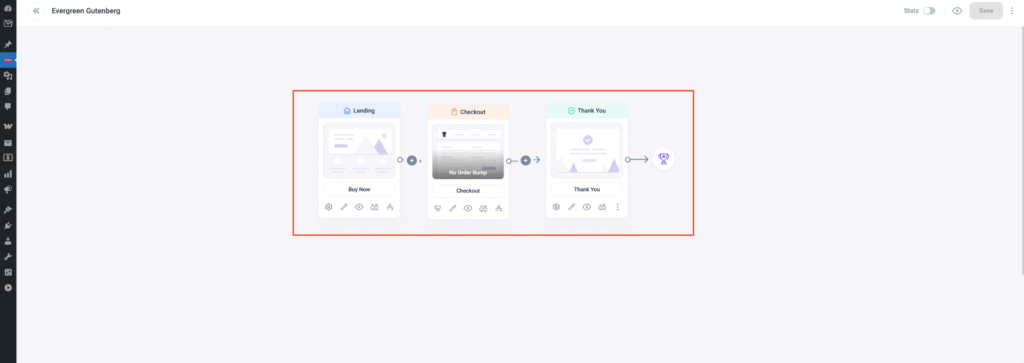
Step 2: Select the Thank You Step
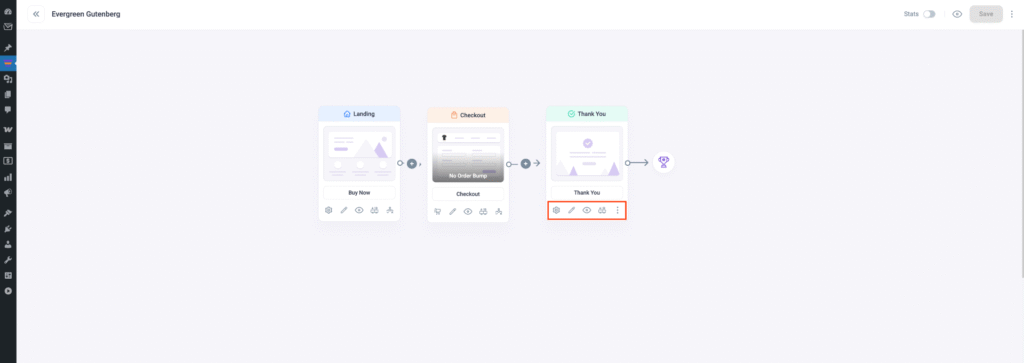
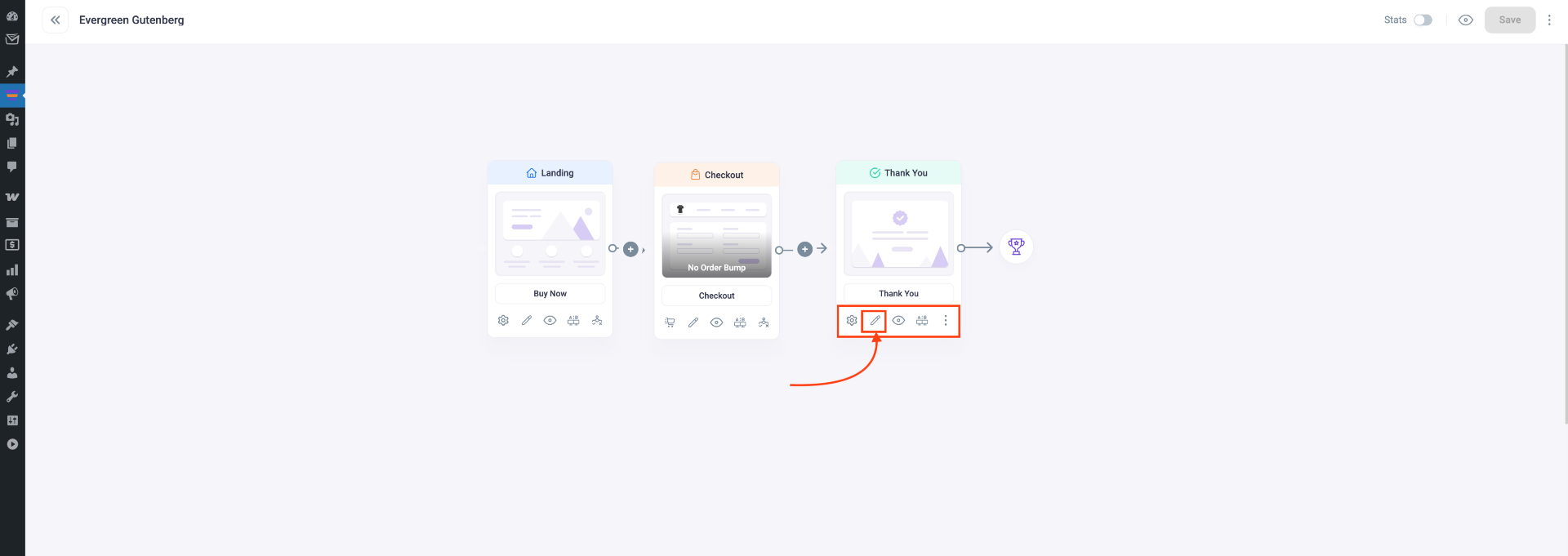
- In Thank You step you’ll find five options: Settings, Edit, A/B testing, View, and Configure settings.
- To edit the Thank You page, click the Edit option. A new tab will open in Gutenberg, where you can design your Thank You page.
Note: If you set Gutenberg as the default page builder the Thank You page will open with Gutenberg. You can change the default page builder from the WPFunnels Settings.
Step 3: Open in Gutenberg
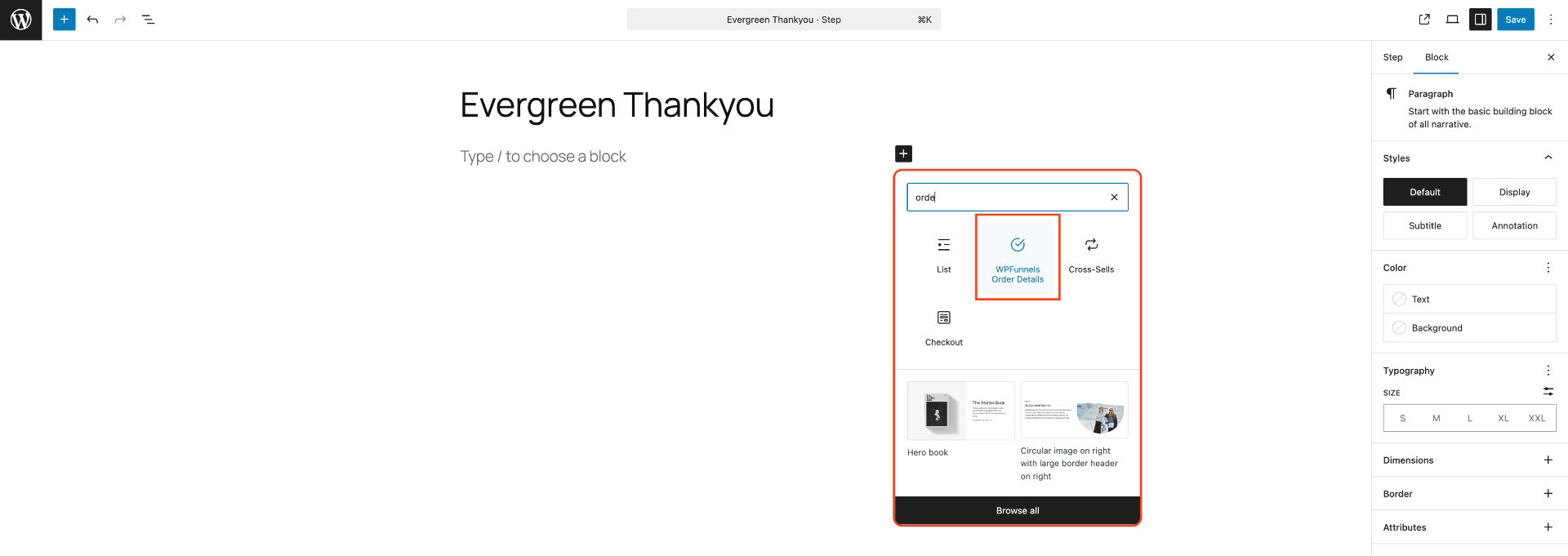
- You can edit the Thank You page from scratch or use a pre-made template. To start, click the [+] icon to add a block.
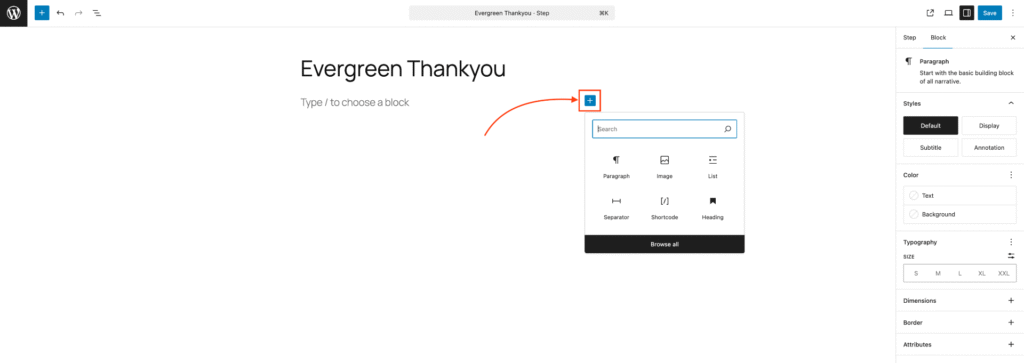
- You will see WPFunnels Order Details block. If you don’t see it, search for it on the block search bar. Now just click on WPFunnels Order Details block to add it on your Thank You page.
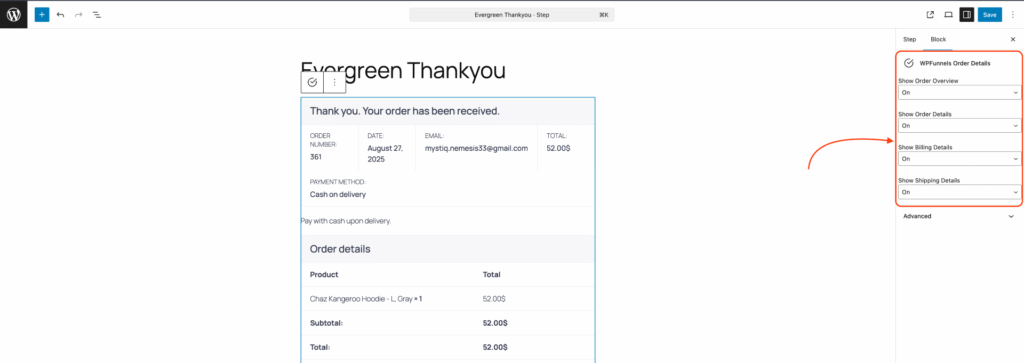
- Now to make any changes to your WPFunnels Order Details, go to the Block tab on your right and you will get some options:
- Enable Order Overview
- Enable Order Details
- Enable Billing Details
- Enable Shipping Details
- To view the Thank You page, click on the Preview button next to the Gutenberg save button, then click Preview in new tab and you will see the live view of the page.
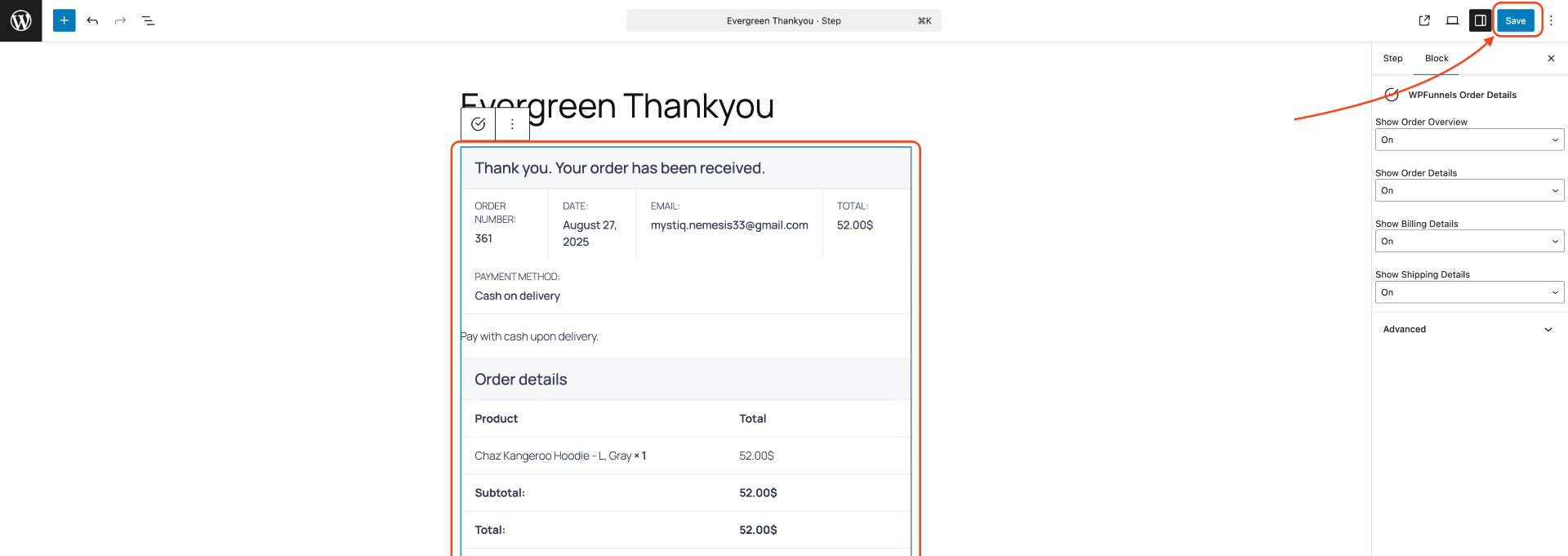
Now, to see your Thank You page in action, click on the Gutenberg Update button.
As you’ve started editing from scratch, edit and complete your Thank You page with the necessary content and design.
That’s it, your Thank You page will be ready.
