
With WPFunnels, you can easily create highly converting sales funnels real quick. Today, you’ll learn how to install and activate WPFunnels.
Install And Activate WPFunnels
Watch this video or follow the simple steps below to install and activate the free version of WPFunnels.
1. In your WordPress dashboard, go to Plugins and click Add New.

2. In the search bar, type “WPFunnels” and select the plugin when it appears in the results.

3. Click on the Install Now button and then activate it.
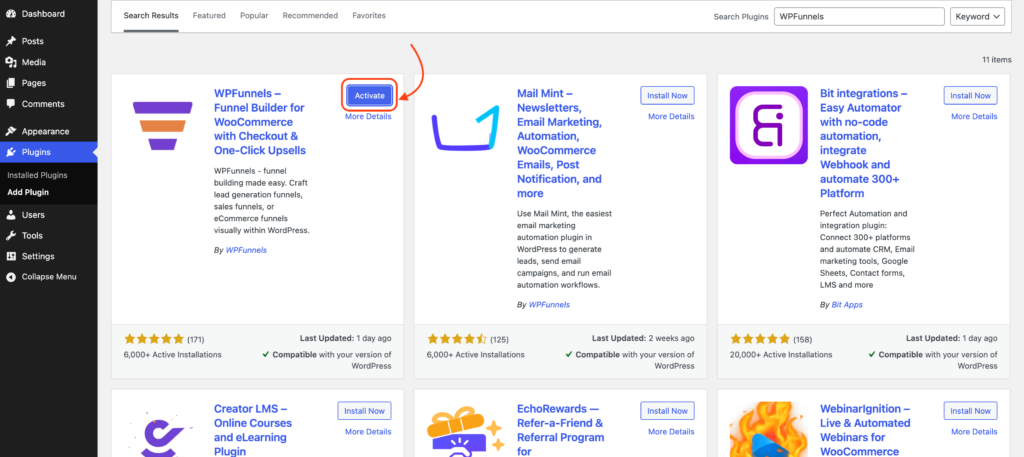
4. Once the plugin is activated for the first time, it will take you through the WPFunnels Setup Wizard.
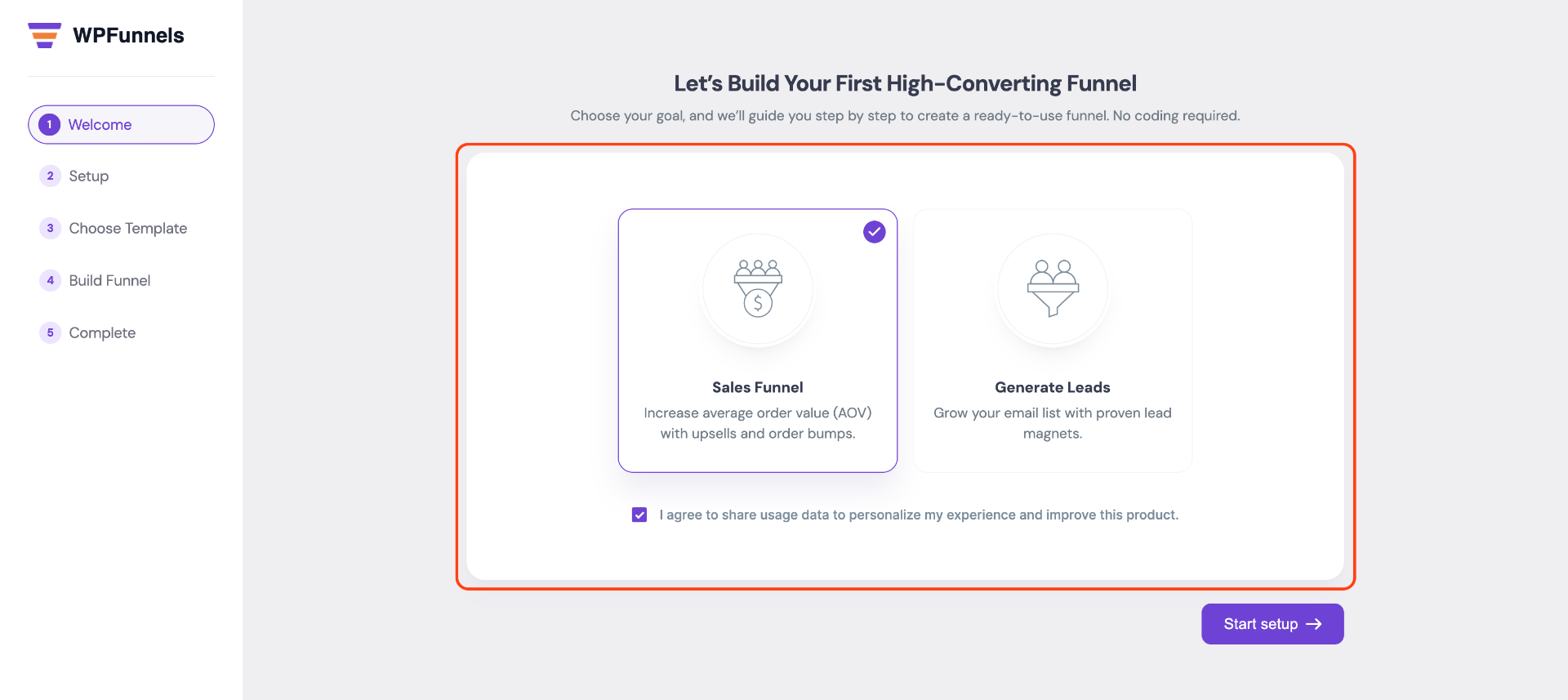
Step 2: WPFunnels Setup Wizard
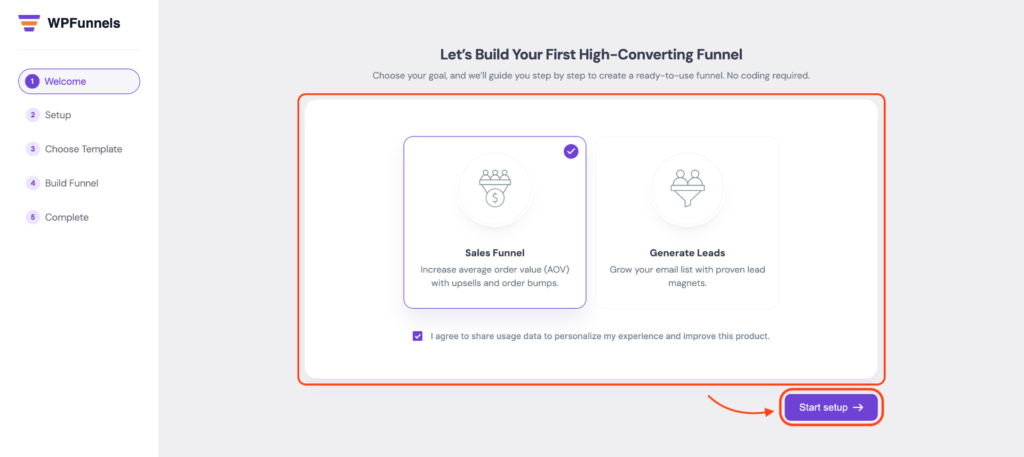
1. First, select the Funnel Type and click on the “Next” button. You will find two types of funnels here: Lead Funnel for collecting leads and Sales Funnel for generating sales.
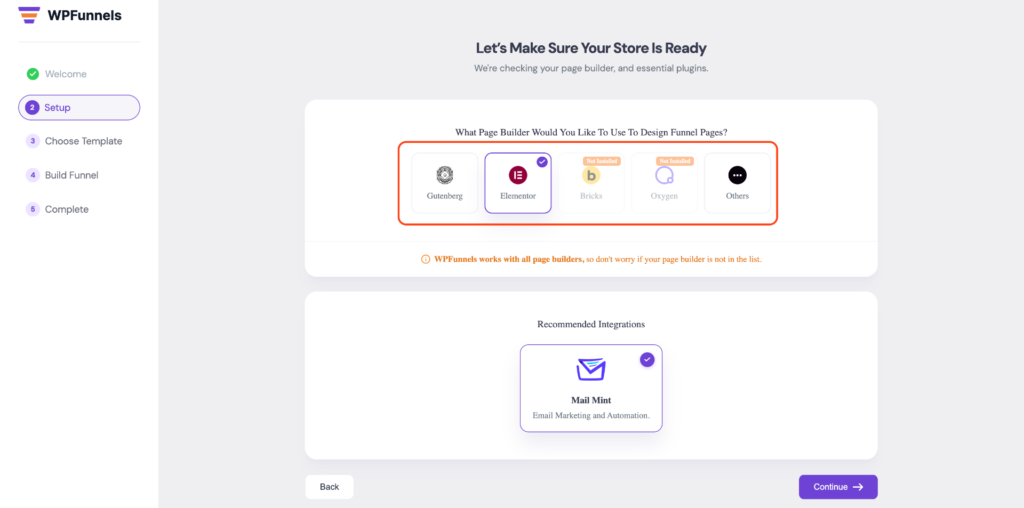
2. Now select the builder you are using with WPFunnels, such as Elementor, Gutenberg, Divi, etc.
3. After selecting the builder, you can choose any template available for that builder. Before importing, click on “Preview” to review the template, then click “Import” to use it.
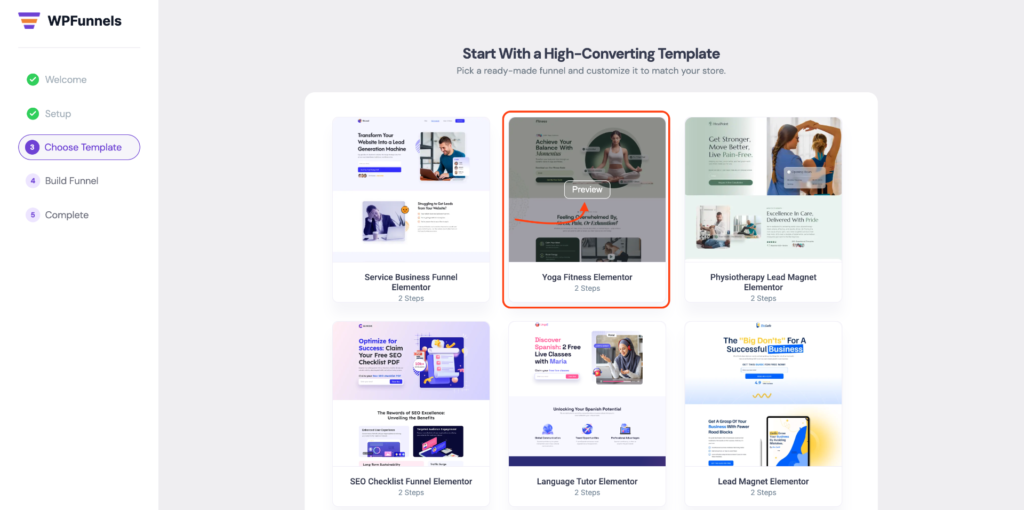
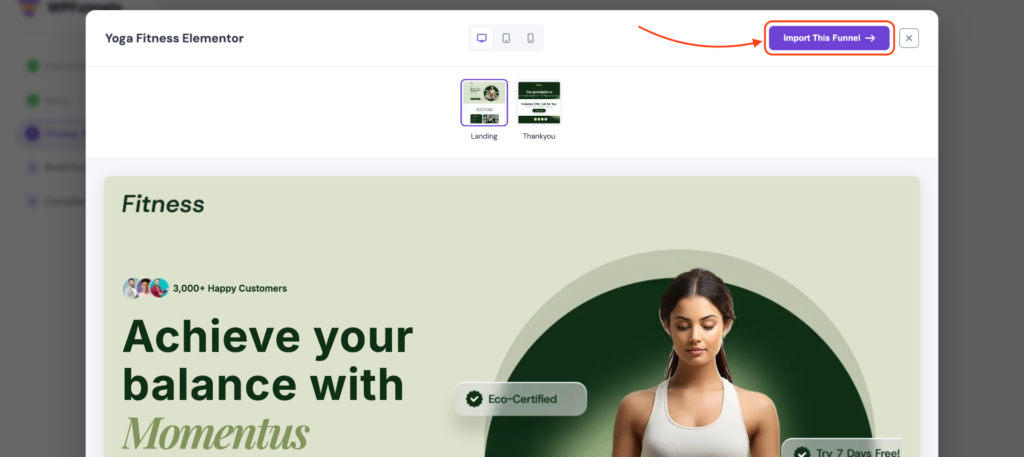
Now click “Continue” to move forward.
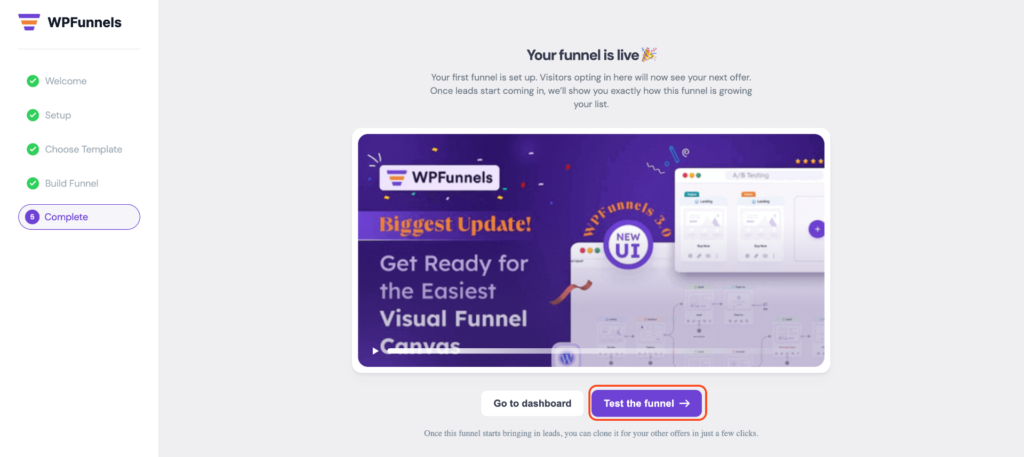
4. Finally, your funnel is ready to launch. You can test the funnel or go to the Dashboard to manage it.
Now that you have the basic plugin installed, let’s get a quick overview: WPFunnels – Basic Plugin Overview.
Or, you may learn how to Upgrade to WPFunnels Pro.
