

In WPFunnels, certain Upsell and Downsell offers may not be compatible with all payment gateways.
This guide shows you how to automatically skip offers for unsupported payment gateways, ensuring a smooth checkout experience for your customers and avoiding failed transactions.
You can check the supported payment gateways here:
Here’s how you can skip Upsell / Downsell offers for Unsupported Payment Gateways.
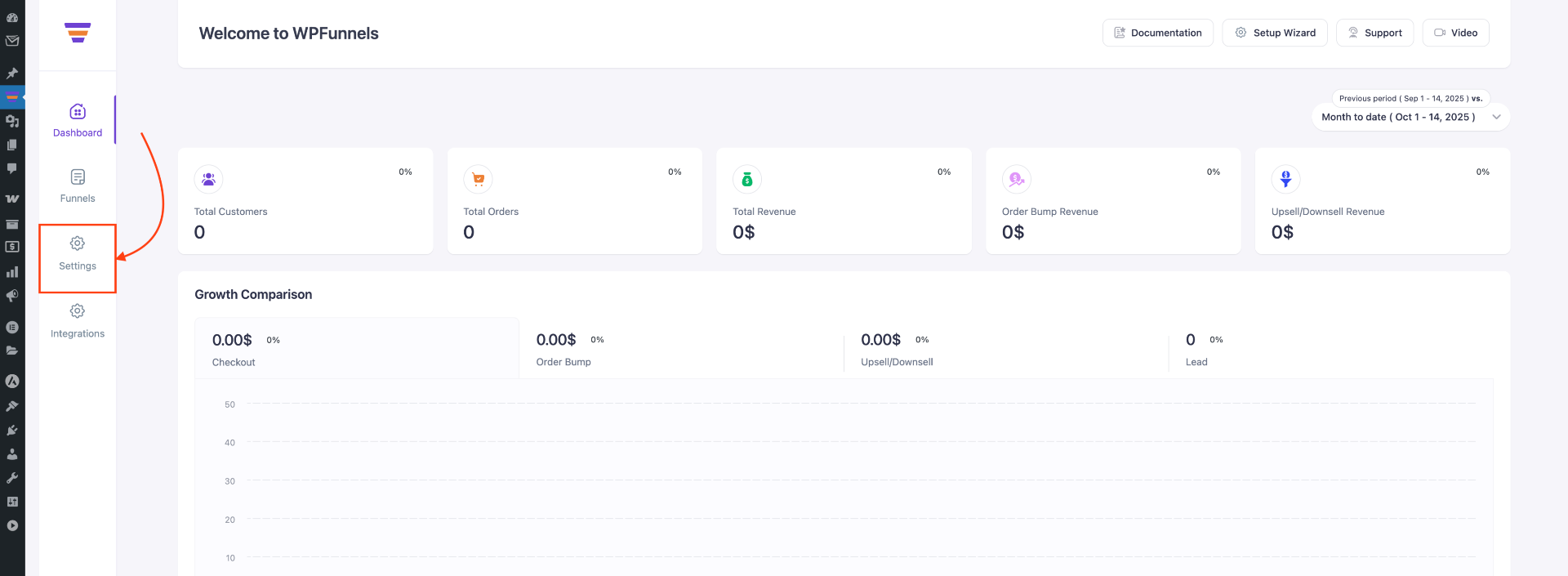
Step 1 – Access WPFunnels Settings
- Go to WPFunnels > Settings in your dashboard.
Step 2 – Open Offer Settings
- Go to Offer Settings, where you will see three main sections:
- Order Management
- Payment Management
- Global Thank You
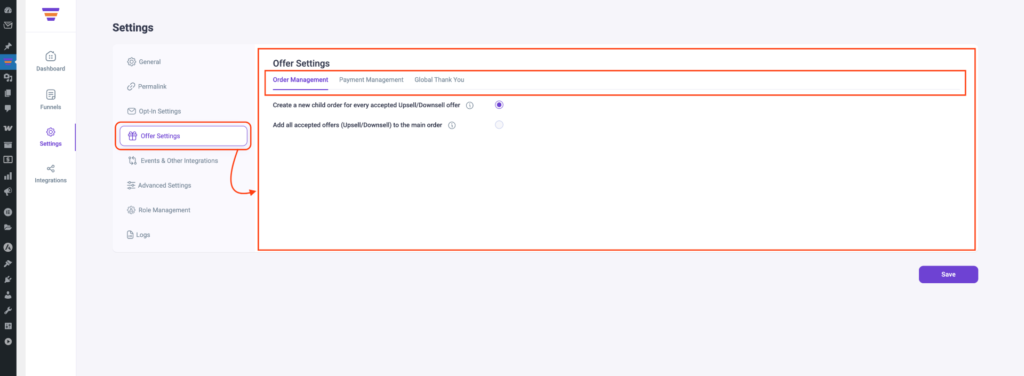
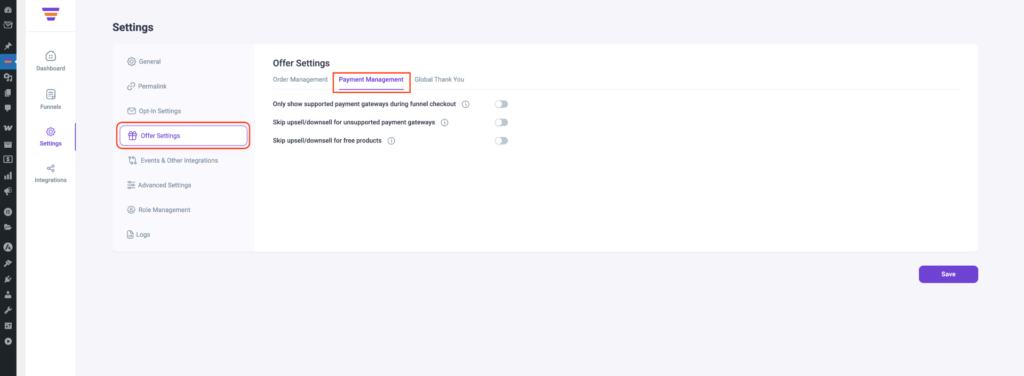
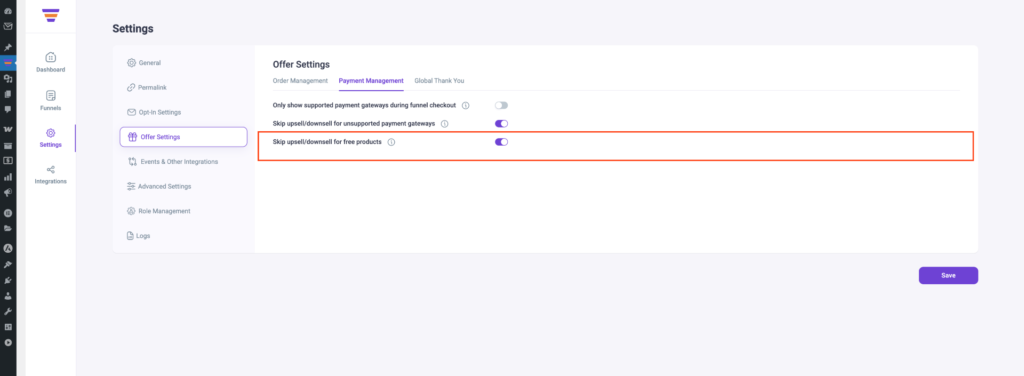
- Click on Payment Management. Here, you’ll find several options to configure your payment-related settings
- Now, click on the “Skip upsell/downsell for unsupported payment gateways” checkbox to turn on this option.
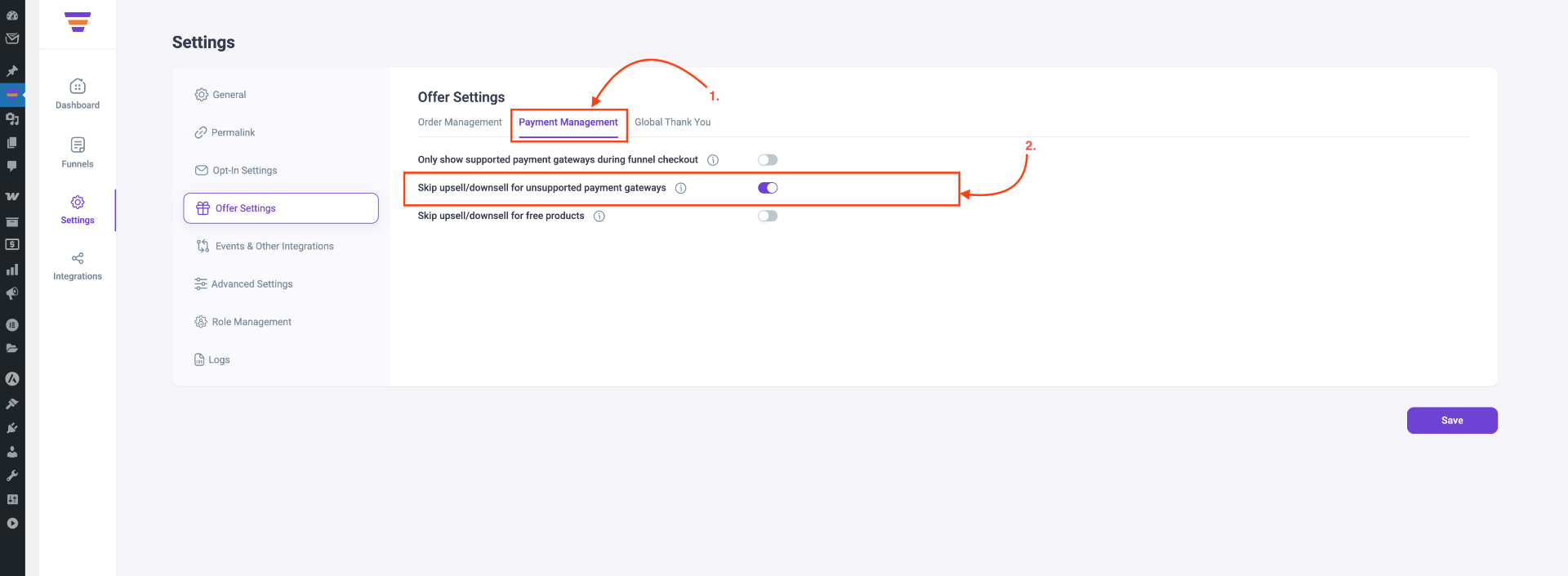
- You can also choose to skip Upsell/Downsell offers for free products.
Step 3 – Save Your Changes
Click on the Save button to save the offer settings.
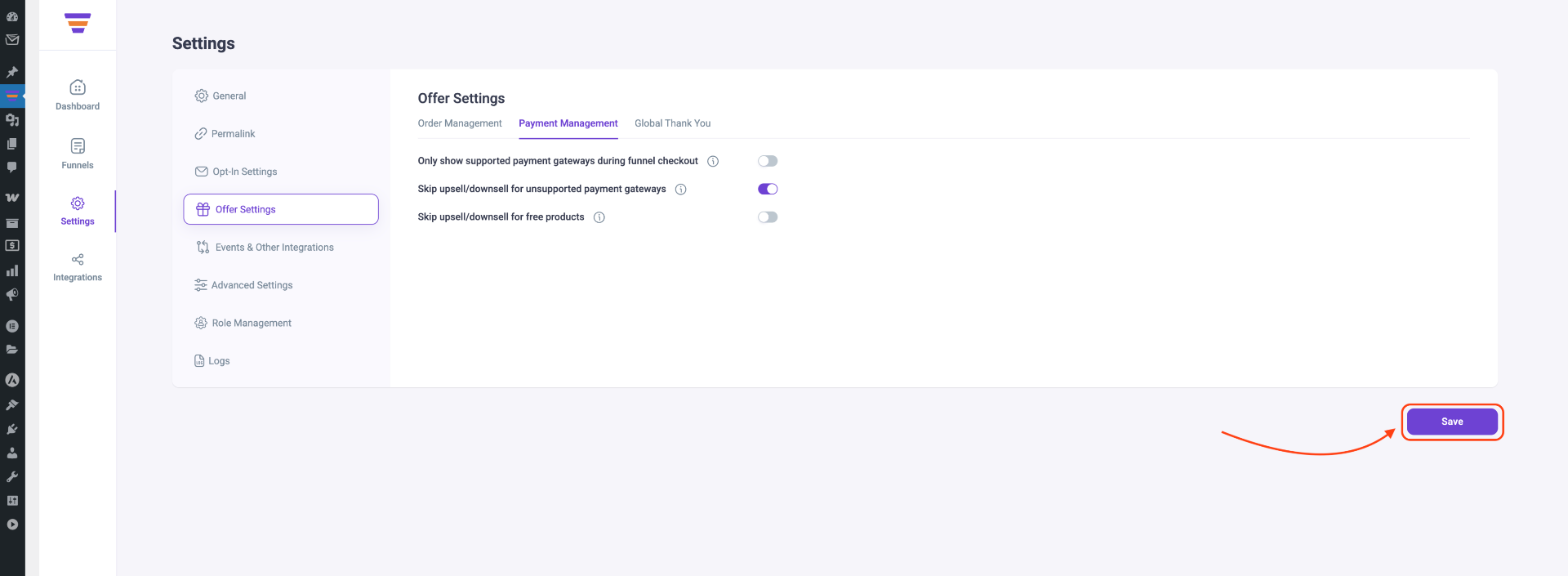
That’s it, now your buyers will not see the Upsell and Downsell offers after checkout if they proceed to pay with the unsupported payment gateways.
