
You can add exclusive discounts on your Order bump, Upsell & Downsell offer products.
How to set a discount on the Order Bump offer
To set a discount on the Order Bump offer,
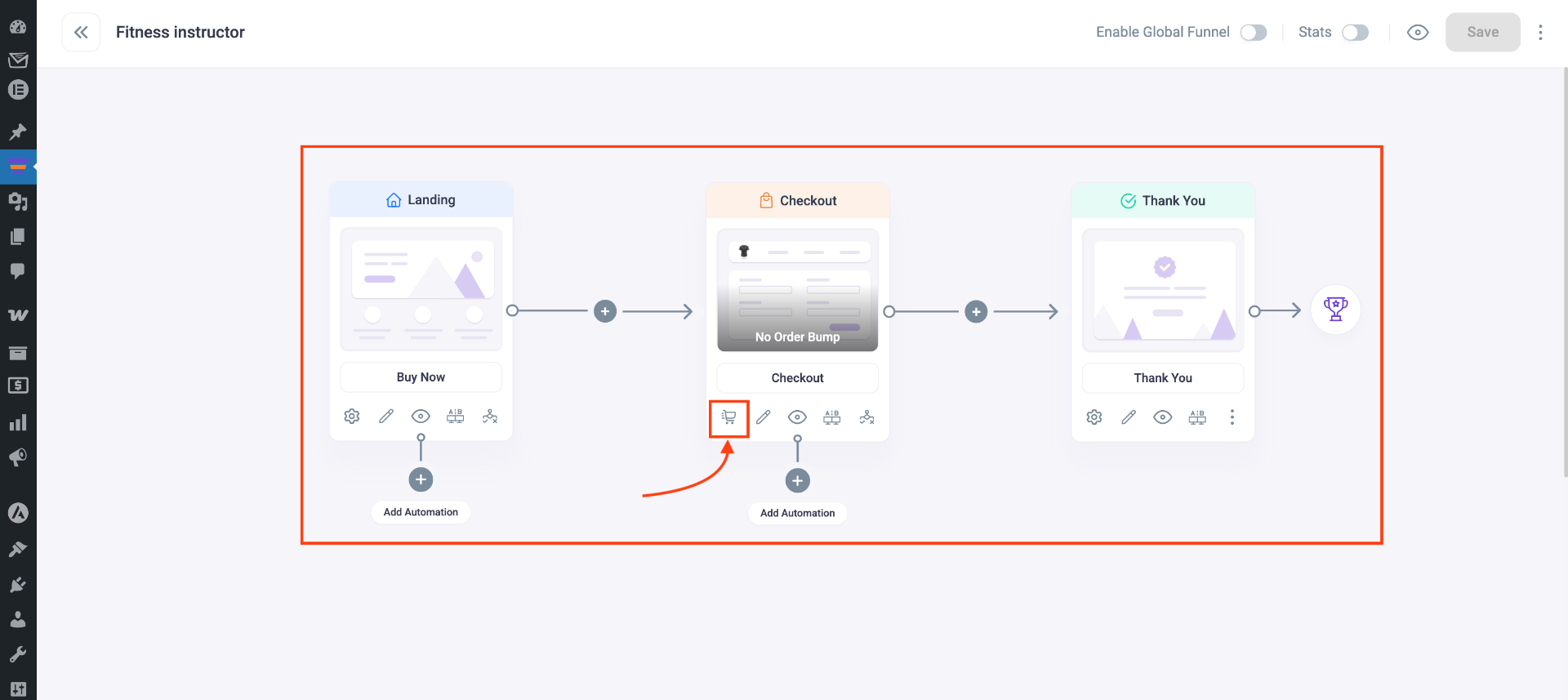
1. Click on the Checkout step Cart option.
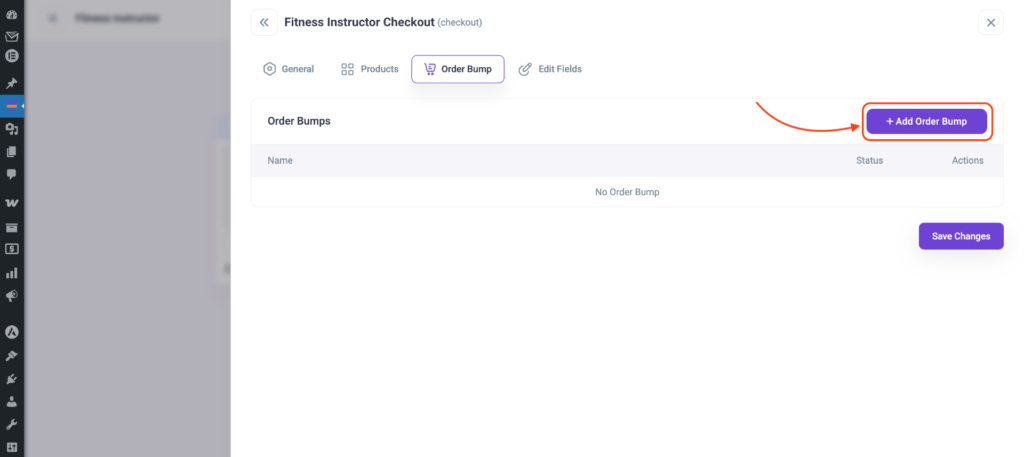
2. Go to the Order Bump tab on the Checkout settings drawer and add a product
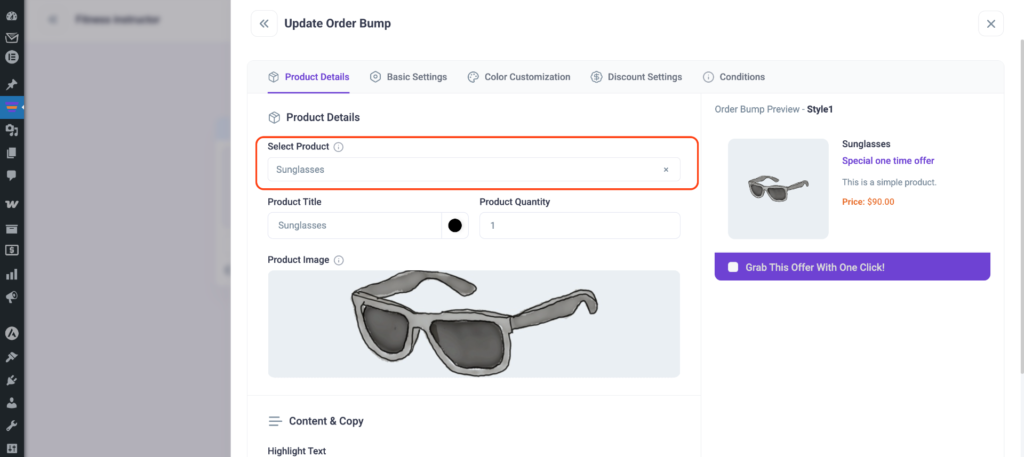
3. Search for the product and add it as an order bump product.
4. Now click on Discount Settings to configure the discount.
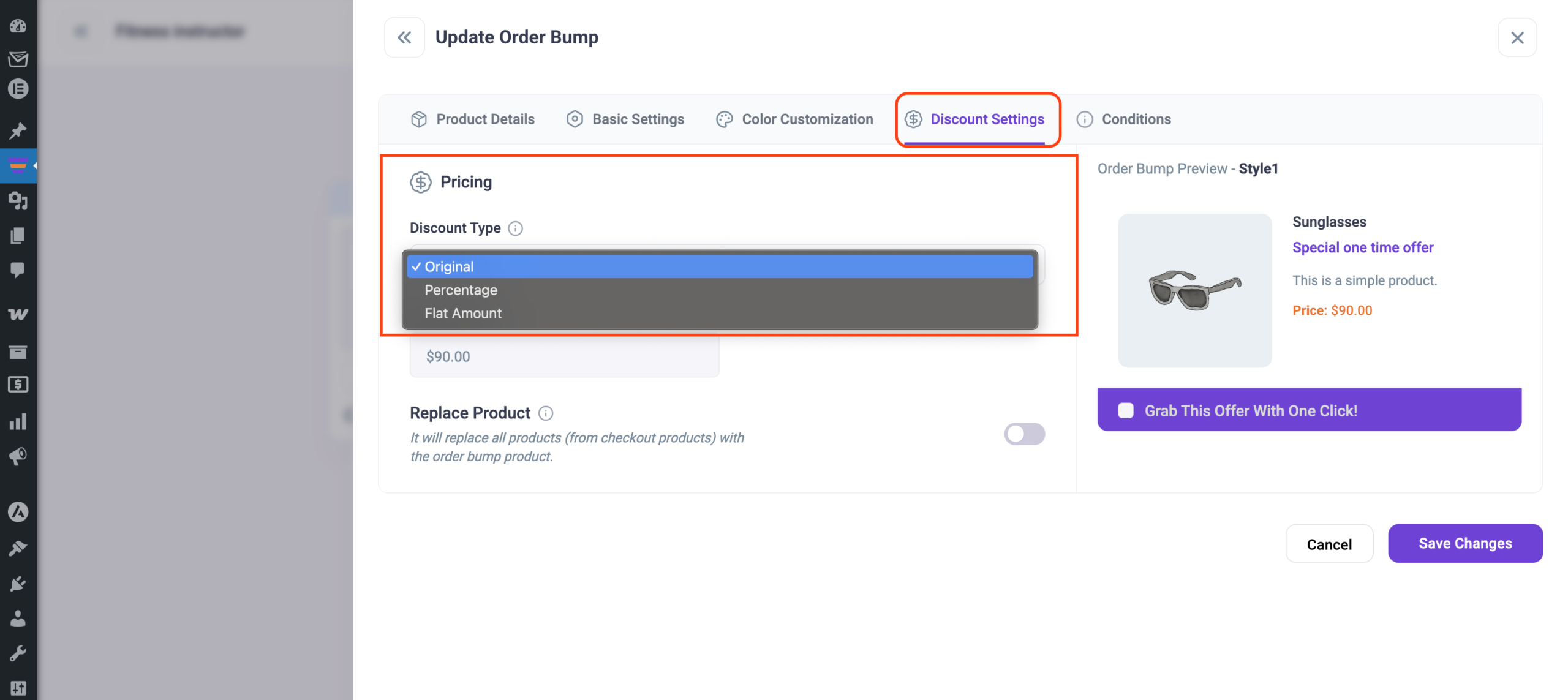
Discount Type: Here you can set 3 types of discounts-
- Original
- Percentage
- Flat Amount
Let’s go through the discount types in detail.
1. Original Discount
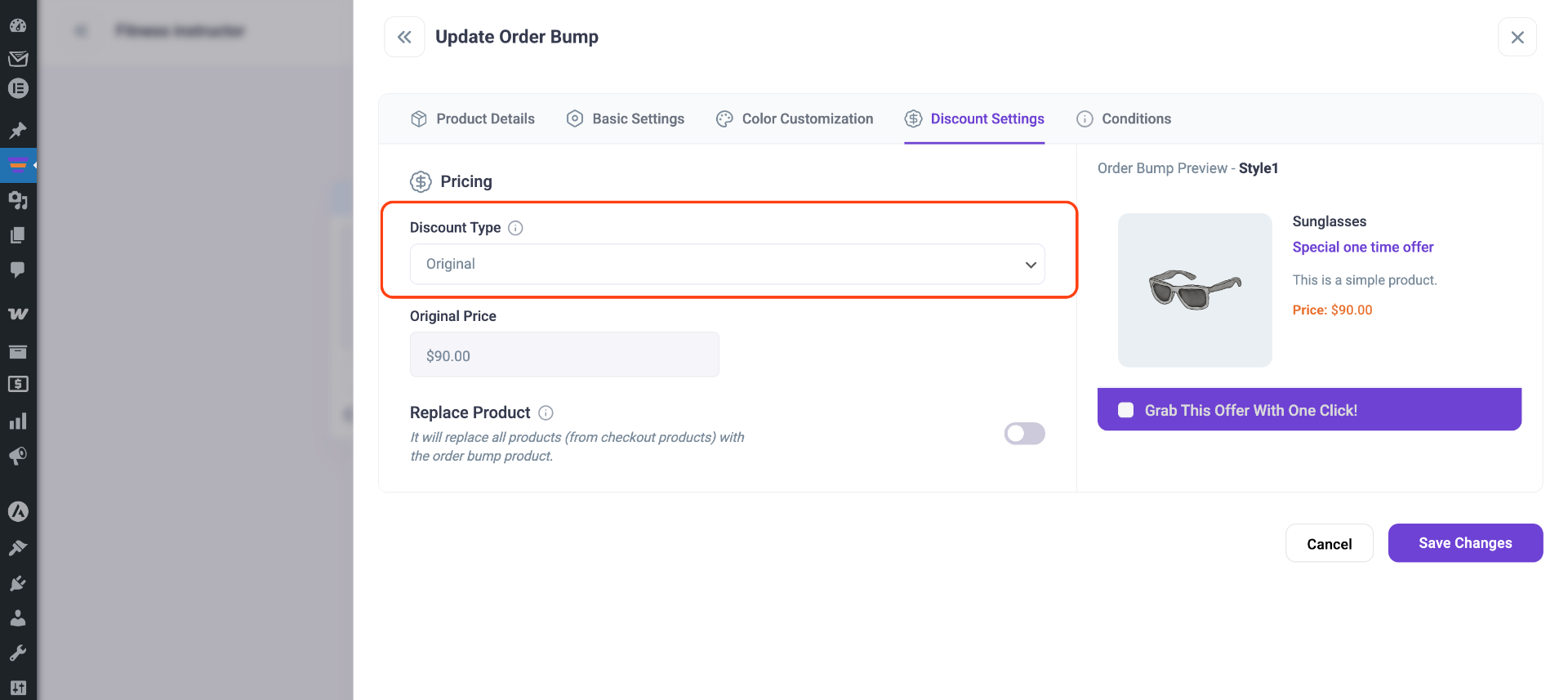
Original Price: This is the original price (added on the product page) of the product you are offering.
Sale Price: This is the sale price (added on the product page) of the product.
For the Original discount, the sale price will be considered as the discounted price.
2. Percentage Discount
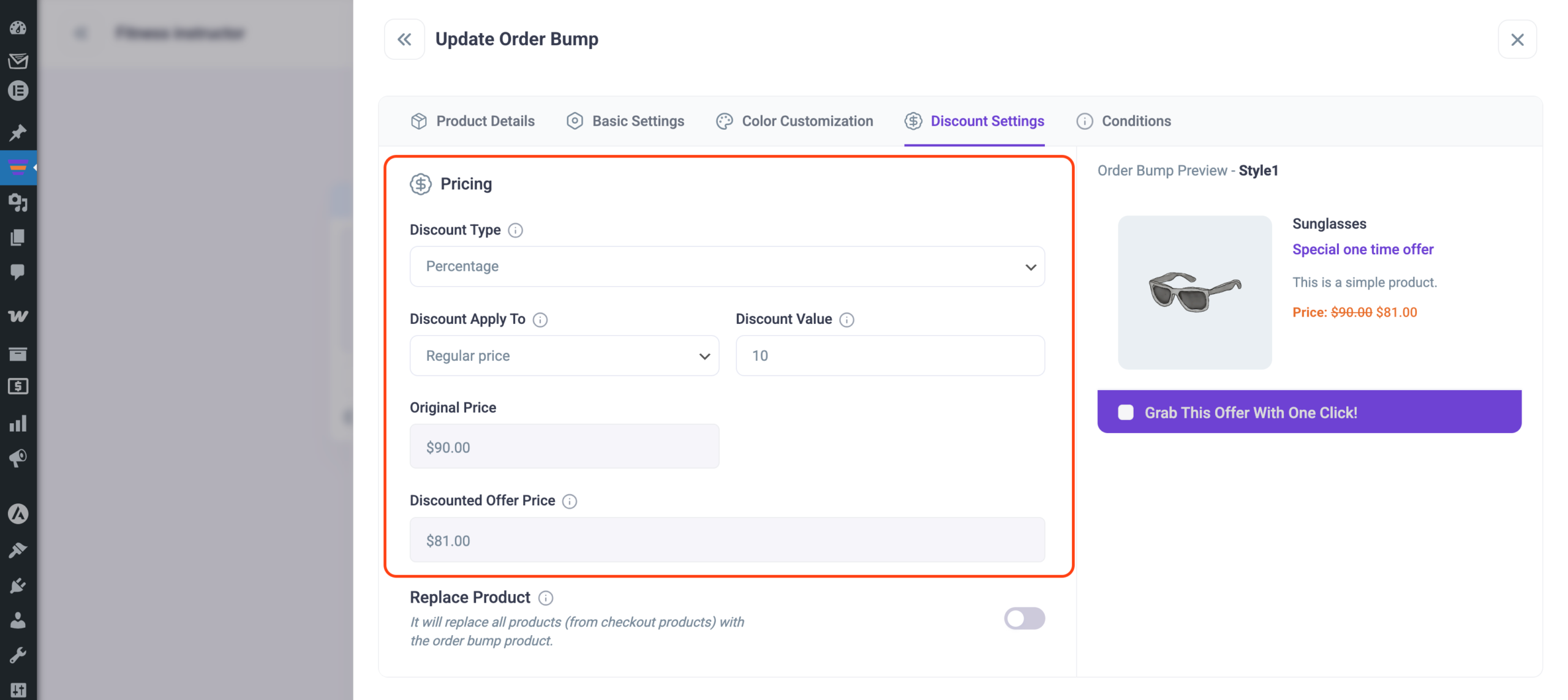
Discount Apply To: You can apply the percentage discount to-
– Regular price (original price of product)
– or Sale price
Discount Value: Enter the discount value you want to offer.
Original Price: This is the original price (added on the product page) of the product you are offering.
Sale Price: This is the sale price (added on the product page) of the product.
Discounted Offer Price: This is the price of your offer product after the discount.
3. Flat Amount Discount
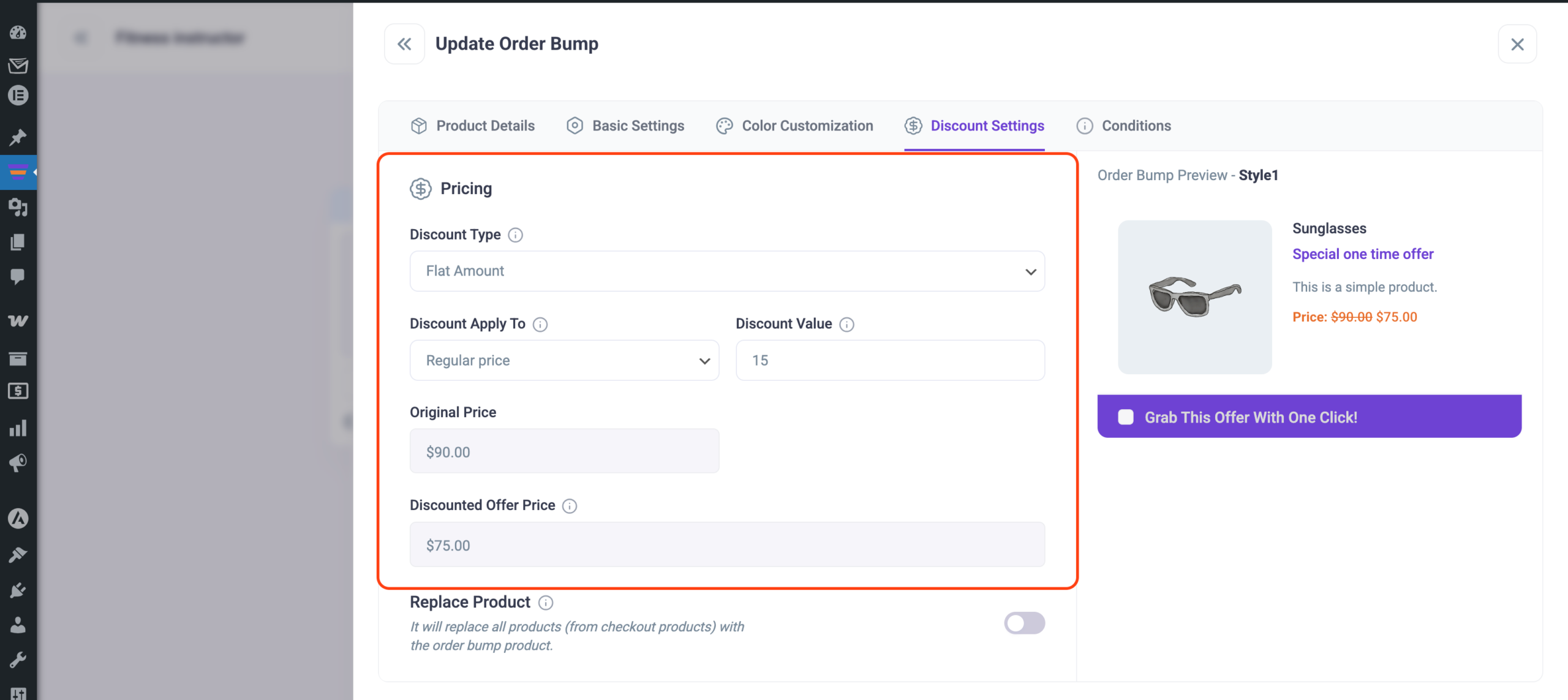
Discount applies to: You can apply the flat amount discount to
– Regular price (original price of product)
– or Sale price
Discount Value: Enter the discount value you want to offer.
Original Price: This is the original price (added on the product page) of the product you are offering.
Sale Price: This is the sale price (added on the product page) of the product.
Discounted Offer Price: This is the price of your offer product after the discount.
Click on Save Changes after you set everything up for Order Bump.
How to set a discount on Upsell/Downsell offer
You can set a discount on the Upsell or Downsell offer in the same way. For this guide, I’ll show you how to use an Upsell offer.
- Select the Upsell step → Cart option and add a product to the Upsell.
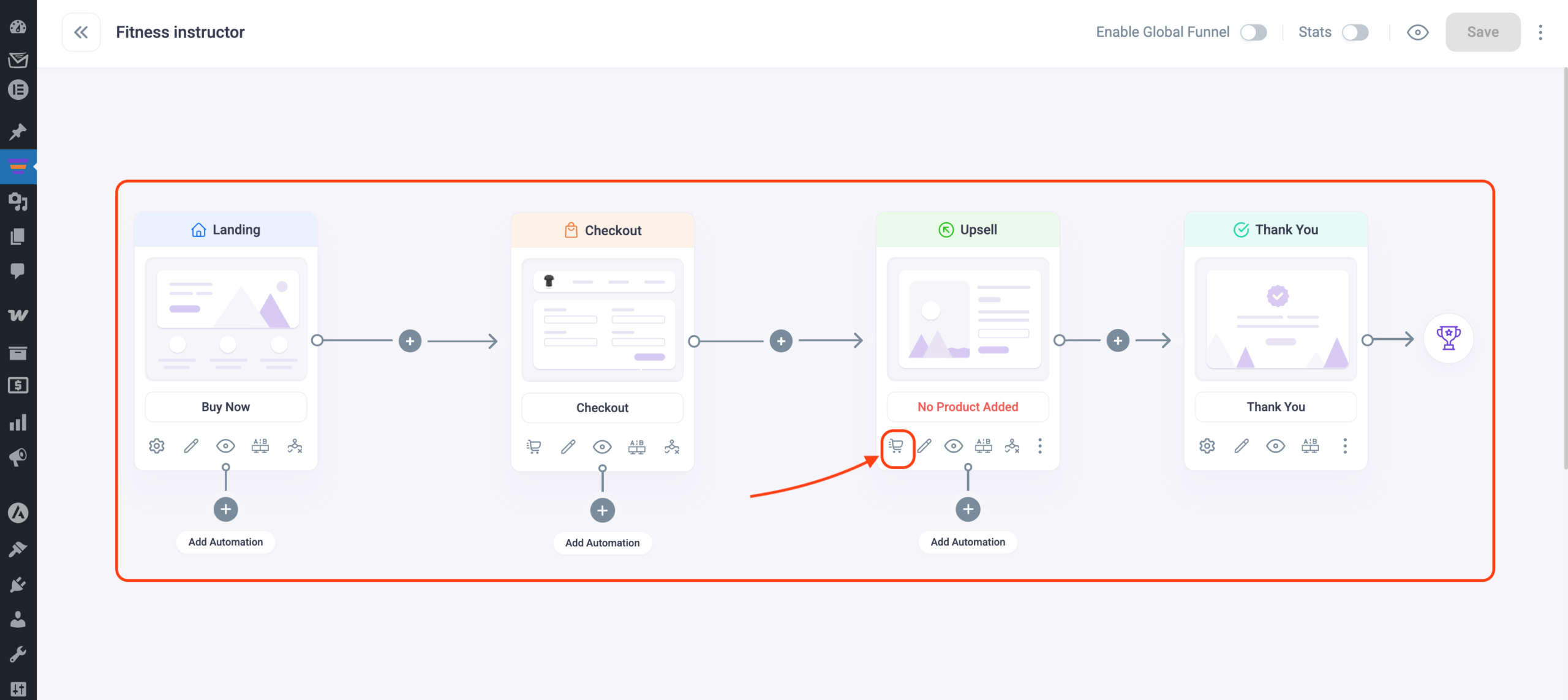
- You’ll see the discount section just below the Upsell product.
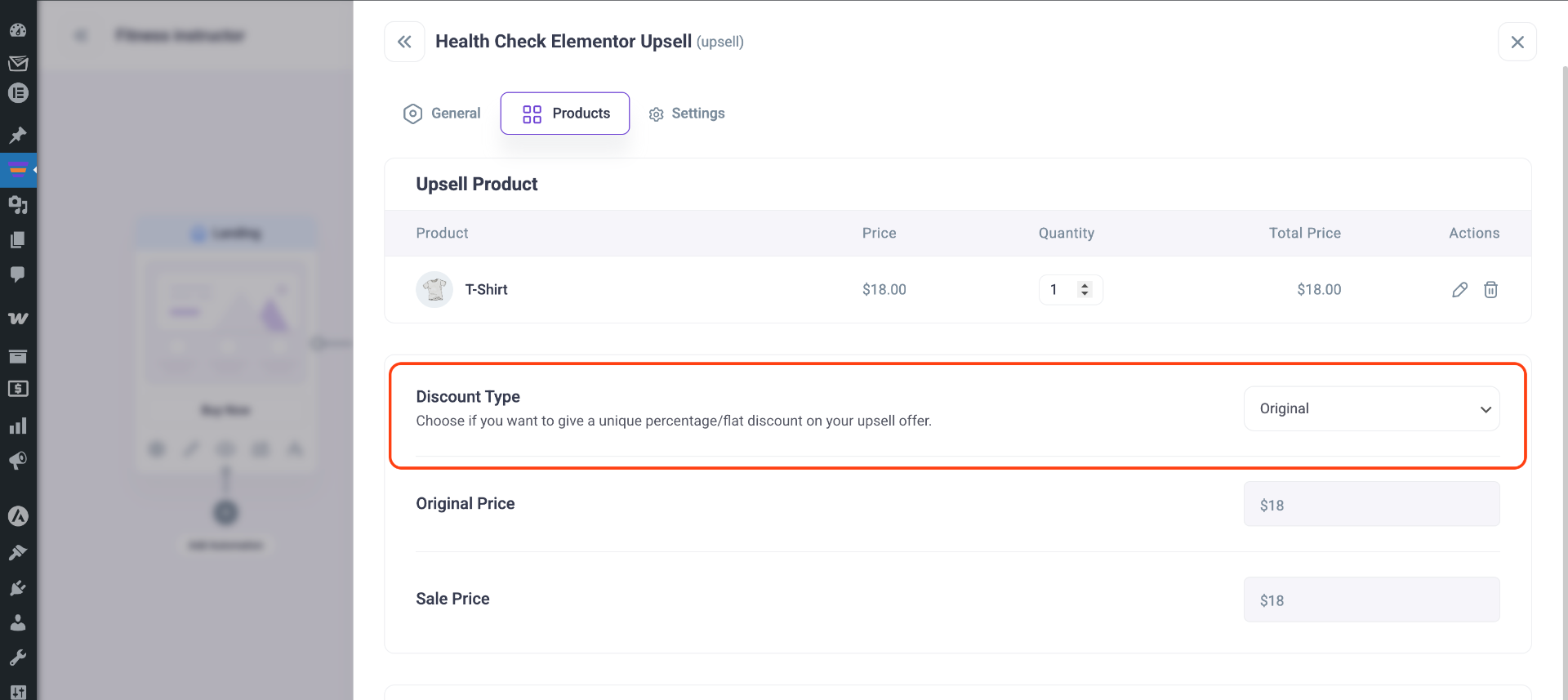
Just like Order Bump, you can set 3 types of discounts for Upsell/Downsell also:
- Original
- Percentage
- Flat Amount
I have discussed the 3 discount types in detail in the Order Bump section above. The discount options are the same for Order Bump, Upsell & Downsell.
Click on Save Changes after you set everything up for Upsell/Downsell.
Now you can easily set exclusive discounts for your offer products.
