Follow the step-by-step instructions below to set up bounce handling with SparkPost.
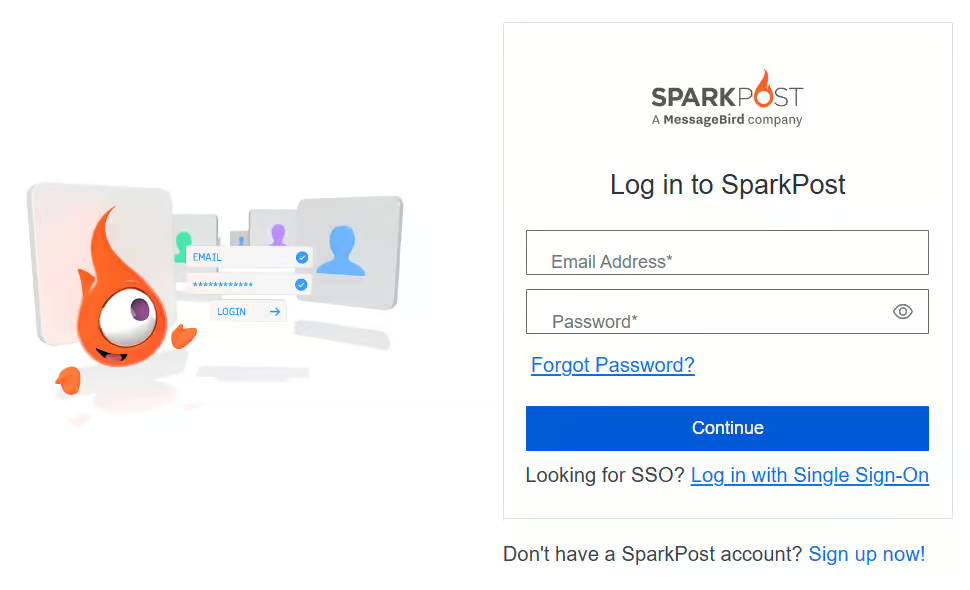
Step 1: Log in to your SparkPost Account
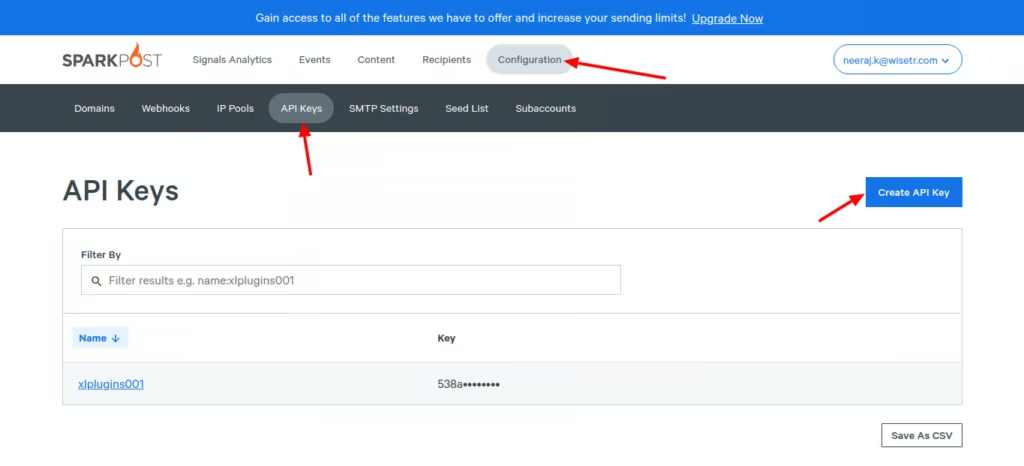
Step 2: Create an API Key
Go to the Configurations tab.
Under API Keys, click on Create API Key.
Enter the name of the API Key and set up permissions.
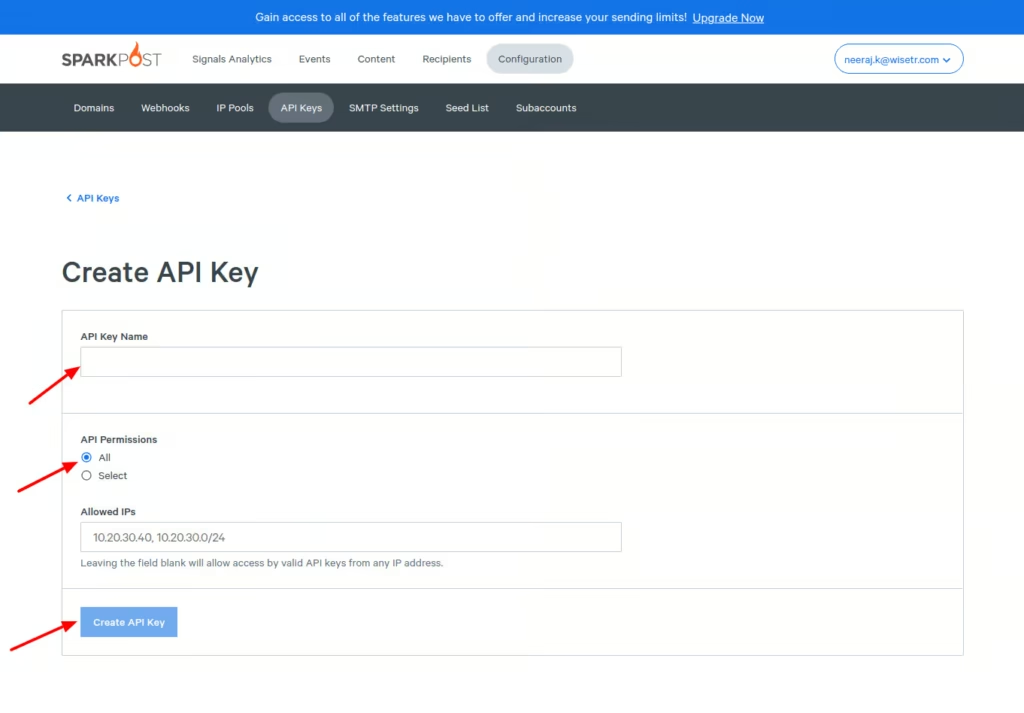
Once done, click on Create API Key.
Step 3: Set up a Webhook
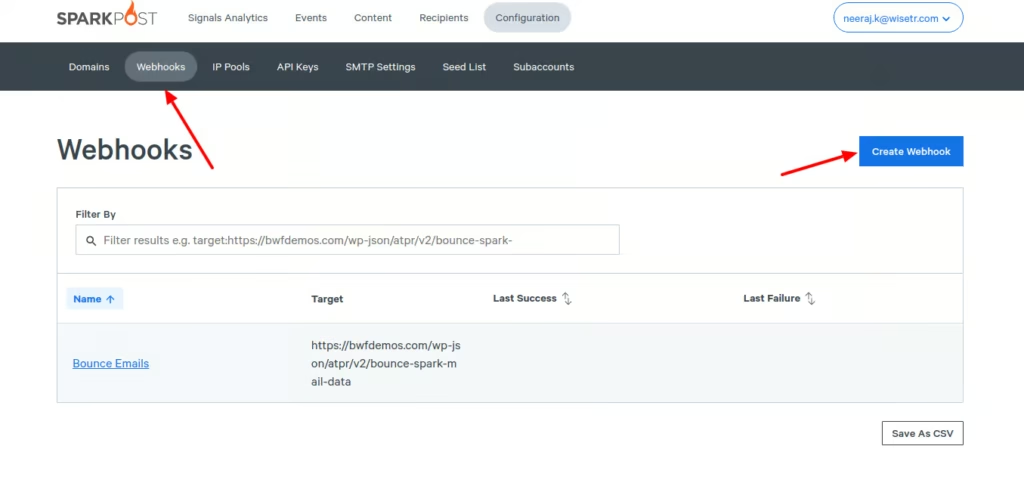
Go to Webhooks and click on Create Webhook.
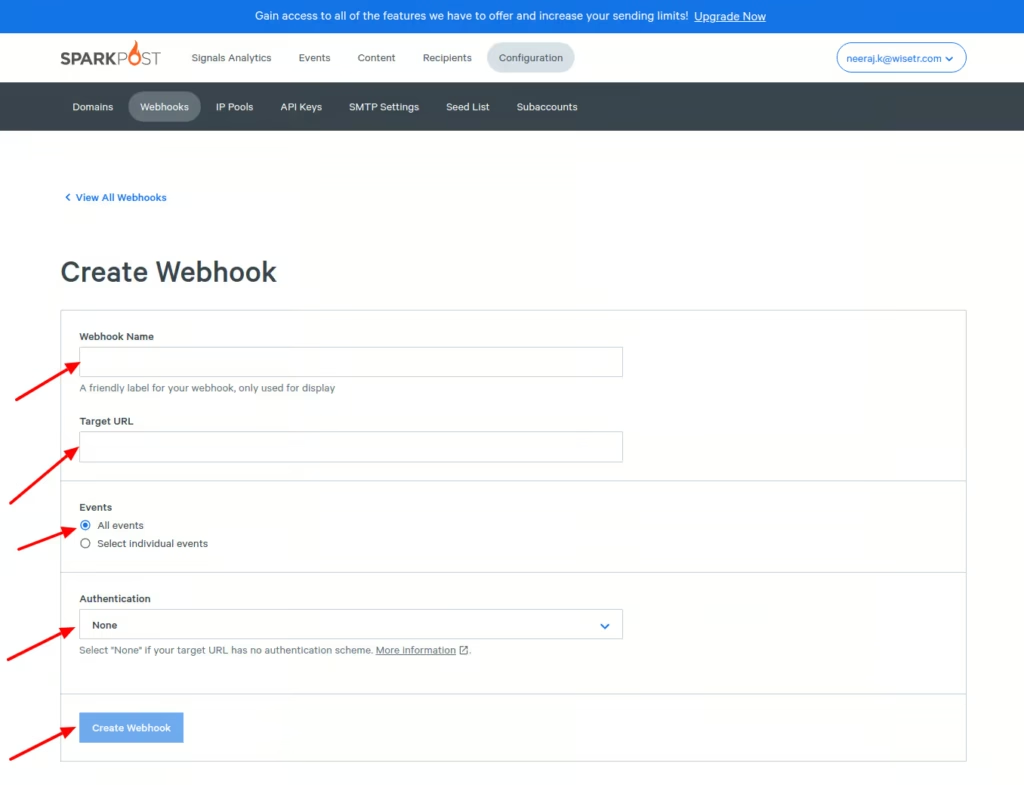
Enter the name, target URL, events, and authentication.
Step 4: Copy and Paste the Webhook URL
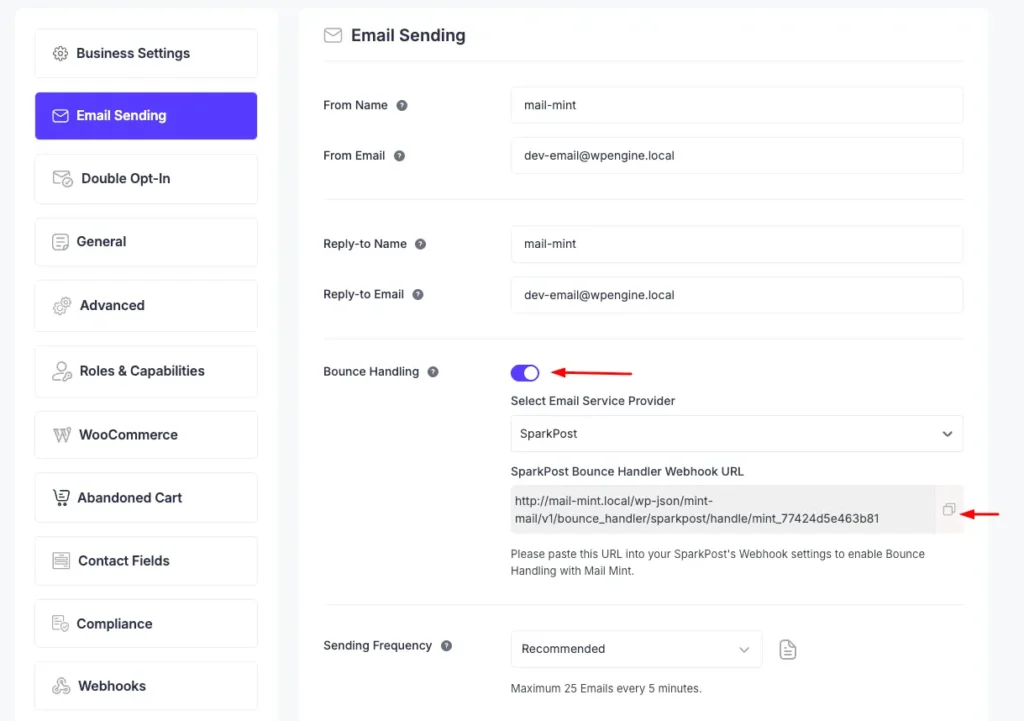
Go to Mail Mint -> Settings -> Email Sending
Scroll down below and enable Bounce Handling.
Select SparkPost from the dropdown and copy the bounce tracking Webhook URL.
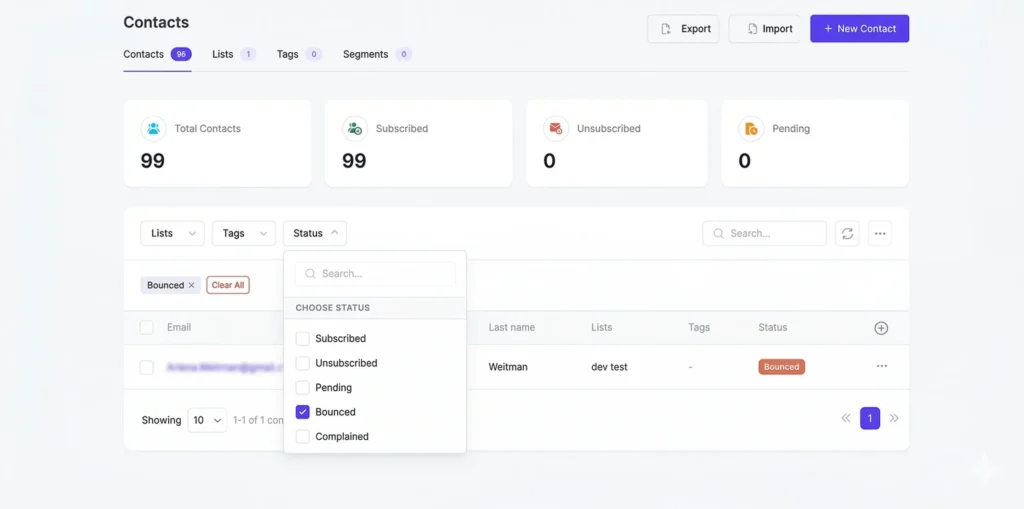
To view bounced contacts in your Mail Mint, go to Contacts. Then, click on the Status filter and check the Bounced checkbox.
You will now see all the bounced contacts.