
Once your AI provider is connected, the AI Assistant becomes available in two places across Mail Mint. You can ask questions, give commands, and take actions across contacts, campaigns, automations, and more – all through natural conversation.
Dashboard
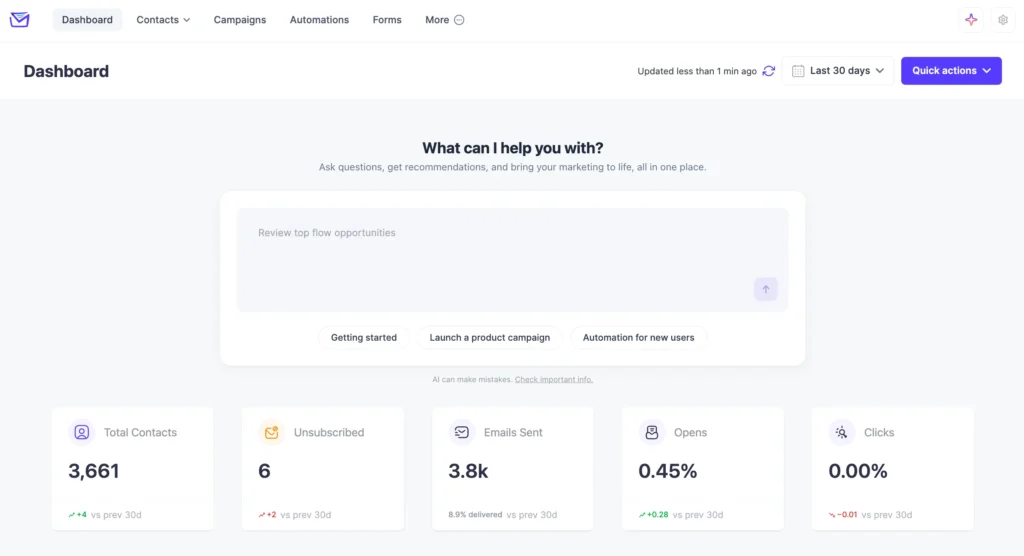
The AI Assistant chat input appears directly on the Mail Mint Dashboard, so you can get things done without navigating away. Type a question or command, or use one of the quick-start prompt chips to get going:
- Getting started — Get guidance on setting up Mail Mint for the first time.
- Launch a product campaign — Get help creating and sending a product campaign.
- Automation for new users — Set up automation workflows for your new subscribers.
AI Assistant Page
For a fuller experience, go to Mail Mint → AI Assistant. This opens a dedicated chat interface with everything you need to work across Mail Mint conversationally.
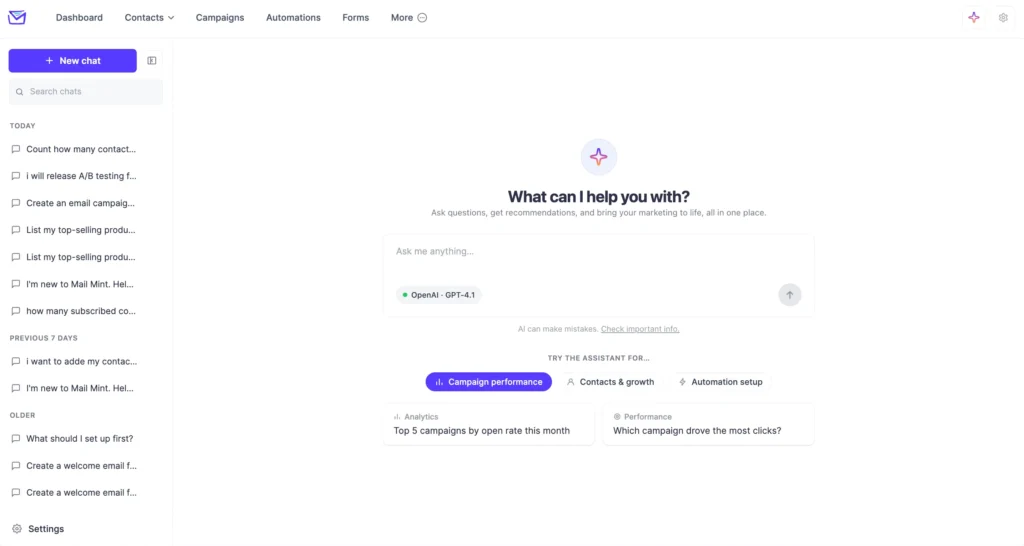
Note: AI can make mistakes. Always review any actions or data it returns before applying them. For more information, see the Check important info link shown below the chat input.
