
WPFunnels Pro comes with various premium templates that you can easily import and use with Gutenberg.
First, you can choose a page builder, and then you can import a funnel template.
Step 1: How To Choose Gutenberg Page Builder
- Install & Activate WPFunnels Pro.
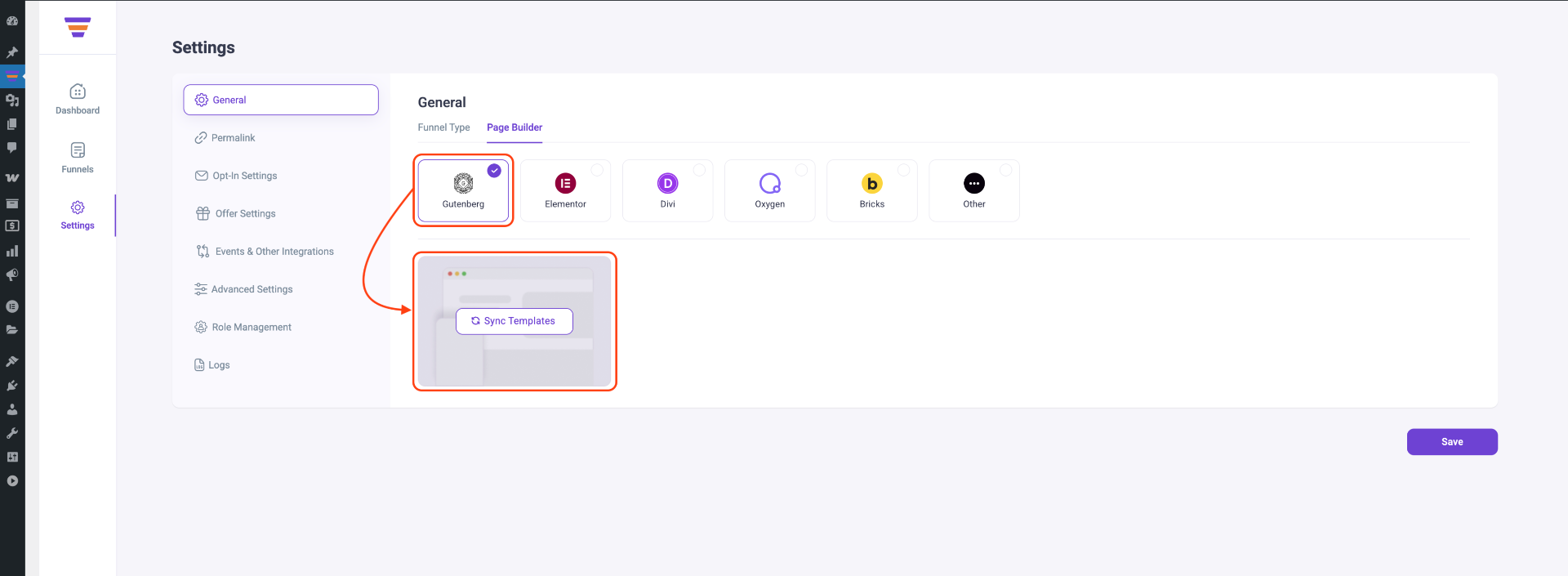
- Navigate to WPFunnels → Settings → General → Page Builder tab, and select Gutenberg as your preferred Page Builder. Then click on Sync Templates.
Now you need to create a funnel and import premium templates.
Step 2: How To Import Premium Funnel Templates
You can follow these easy steps to import premium templates for your sales funnel.
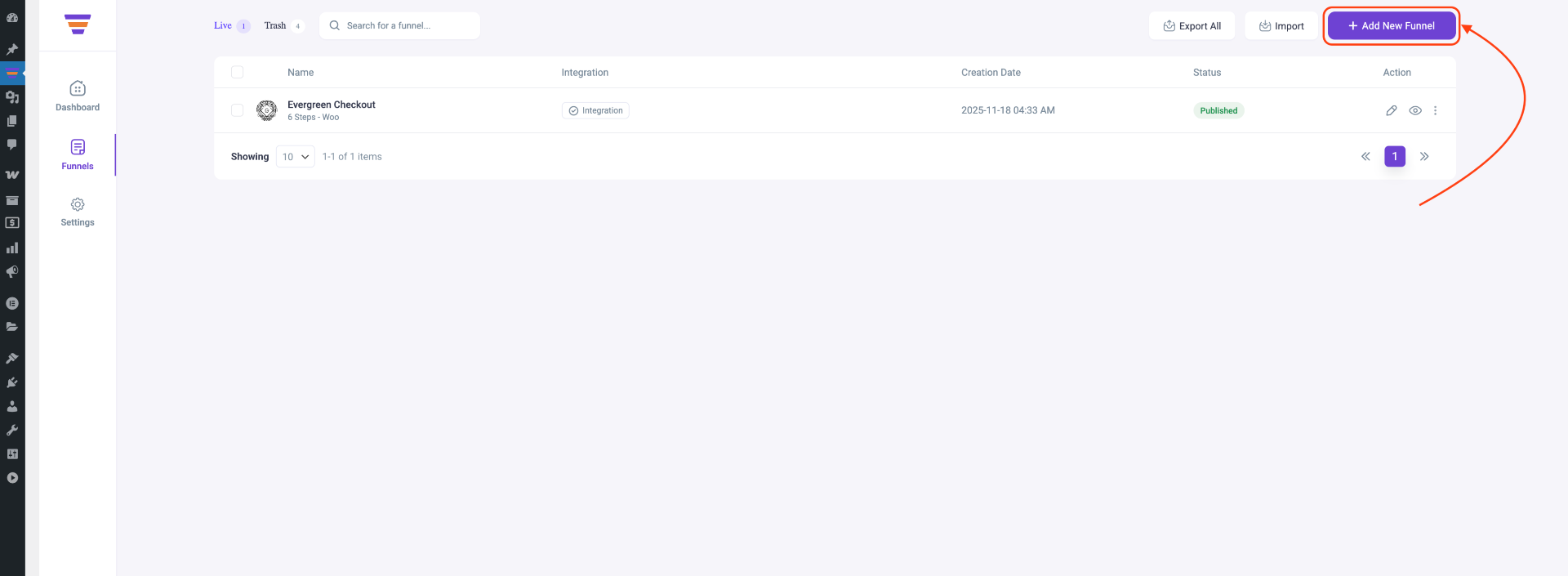
- Go to the Funnels tab of WPFunnels dashboard and click on the Add New Funnel button.
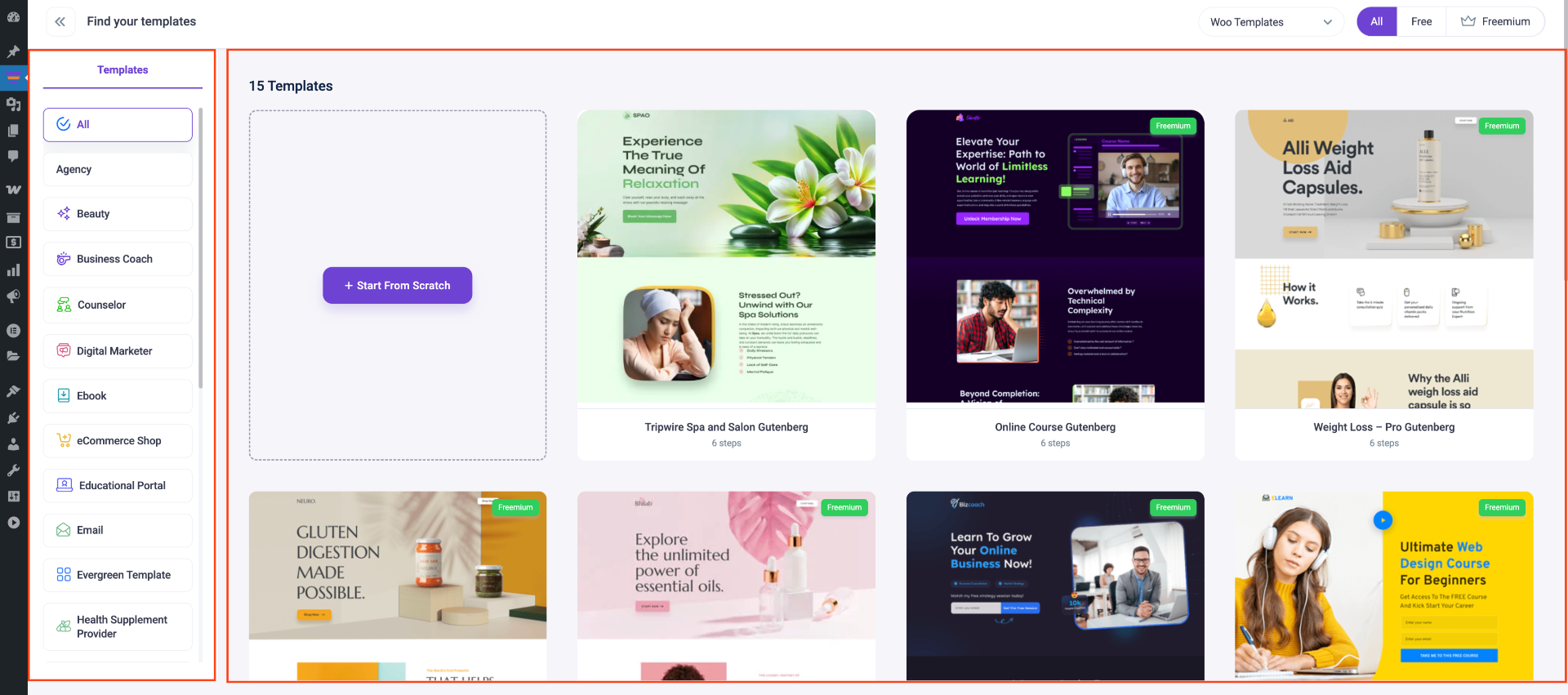
- You will be taken to the funnel Templates page.
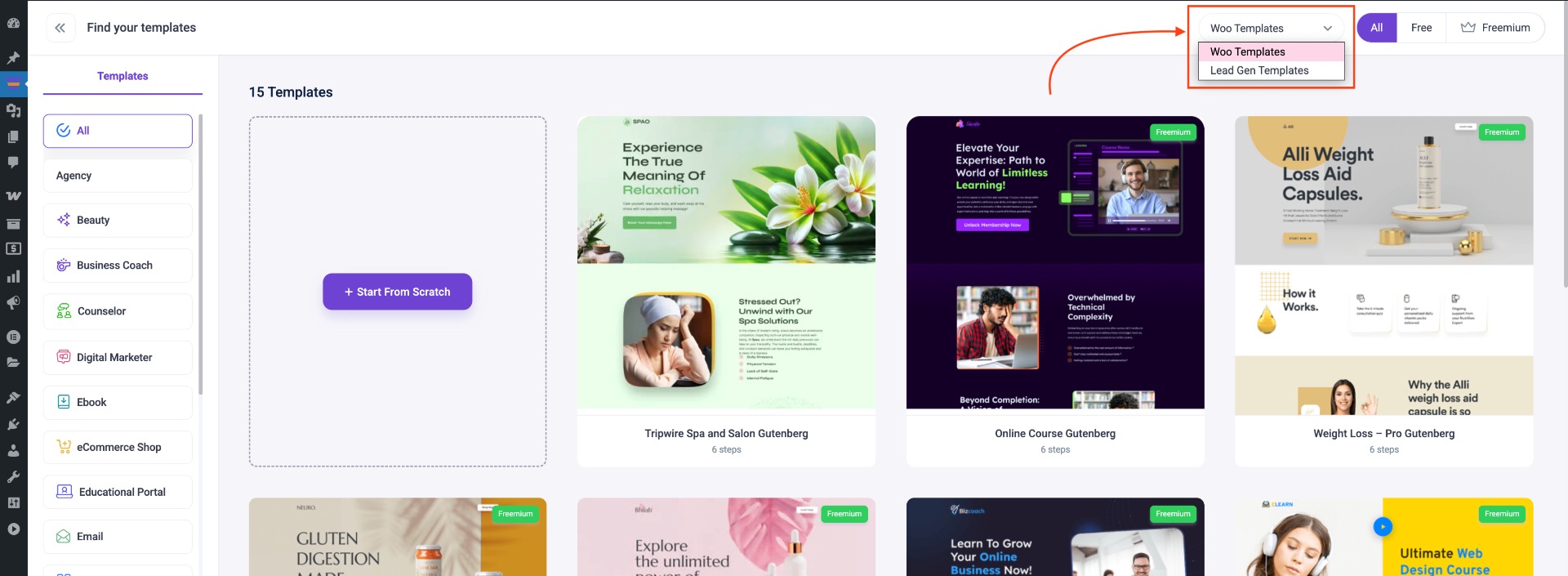
- From here you can choose if you want to see the WooCommerce templates or Lead Generation templates.
- Now just hover your mouse on a template and click on the Import button to add this template to your funnel directly.
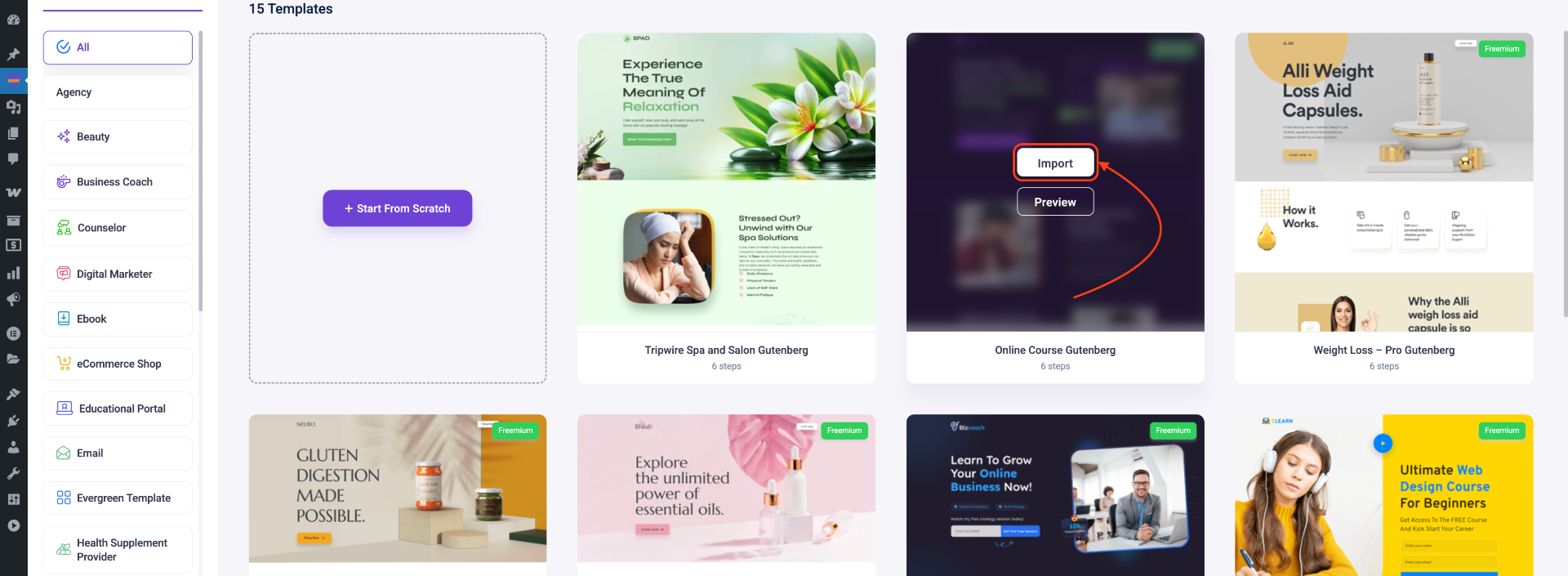
- Under the Import button, you’ll find the Preview option. Clicking it will open a preview of the template page, allowing you to review each step before importing.
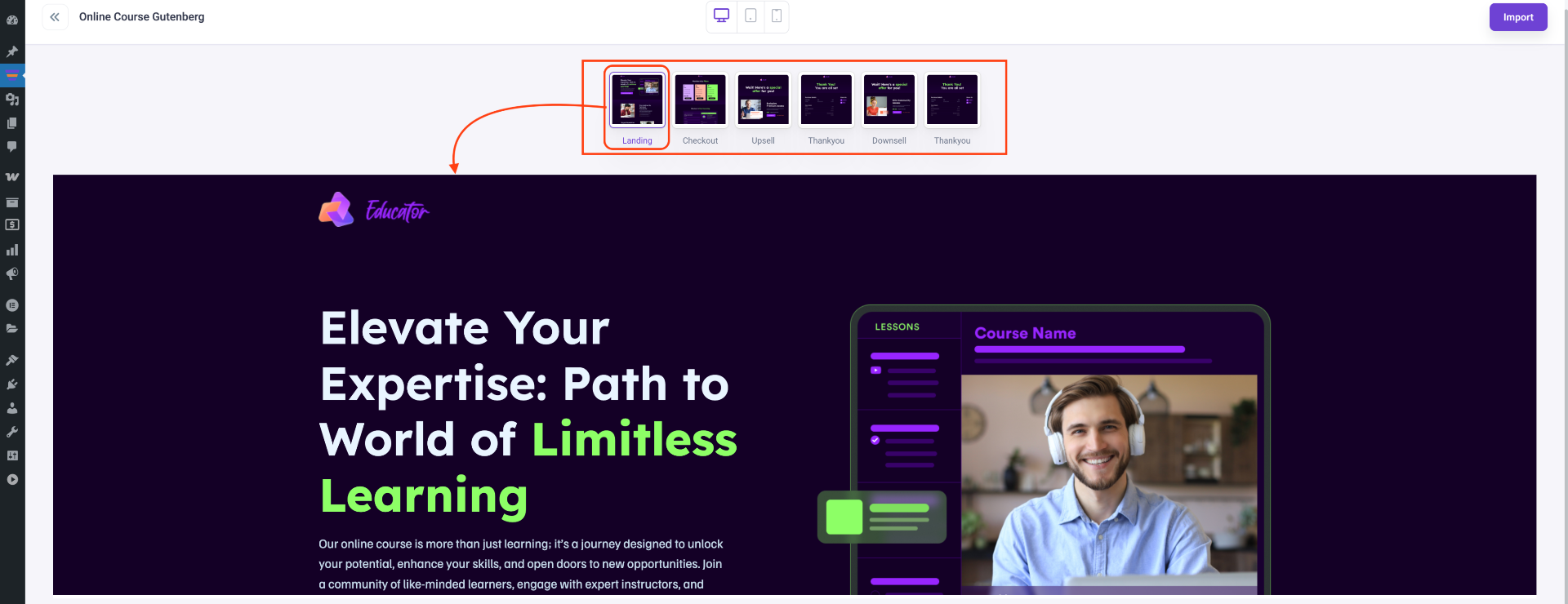
- You can click on the Import button on the top right corner to import from here too.

- After the template is imported, you will be taken to the funnel canvas with pre-made steps.
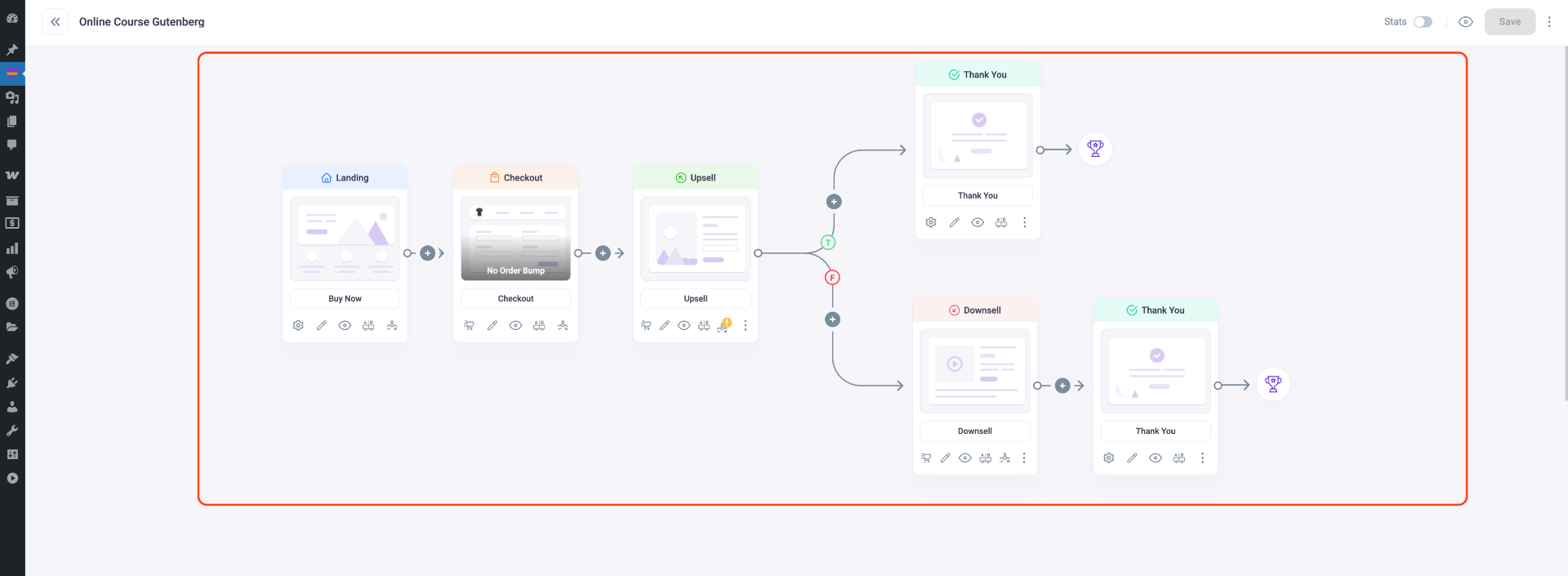
Now you can go ahead and edit your template pages with Gutenberg blocks.
